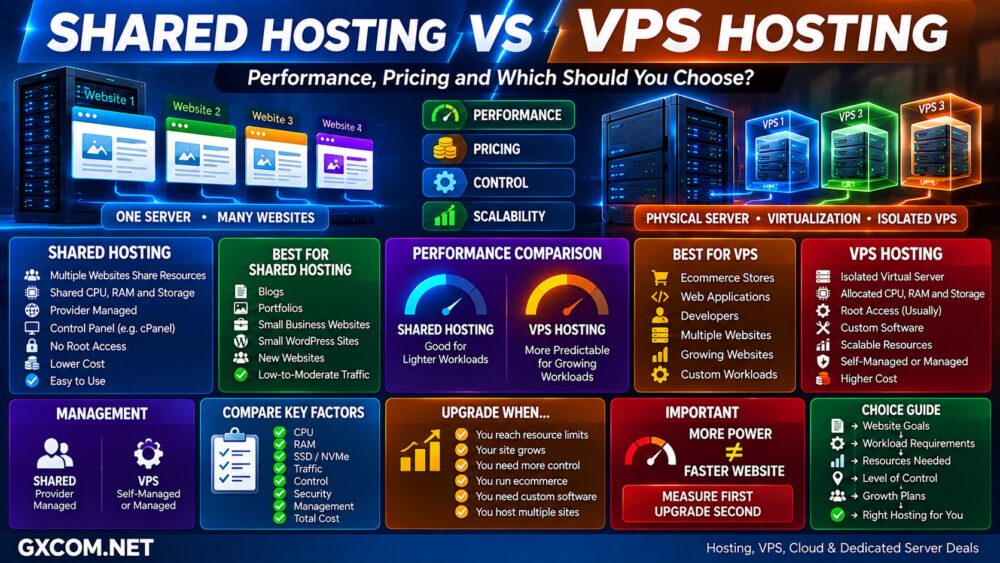
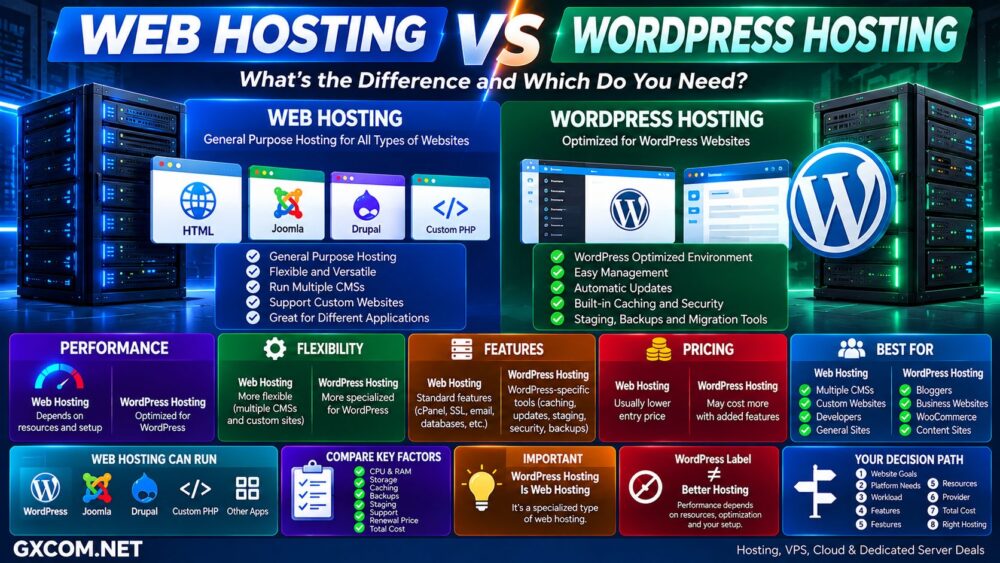
Managed hosting and shared hosting are often compared as if they were two completely different hosting technologies. In reality, the distinction is more nuanced.
Shared hosting describes an infrastructure model where multiple websites share server resources. Managed hosting primarily describes how much responsibility the hosting provider takes for maintaining, optimizing, securing, and supporting the hosting environment.
That means a hosting plan can actually be both shared and managed.
The practical question for website owners is therefore not simply “managed hosting or shared hosting?” It is whether paying more for additional management, support, performance optimization, backups, security, and convenience provides enough value for your particular website.
In this Managed Hosting vs Shared Hosting comparison, we examine performance, support, security, pricing, management responsibilities, WordPress use cases, ecommerce workloads, and total hosting cost.
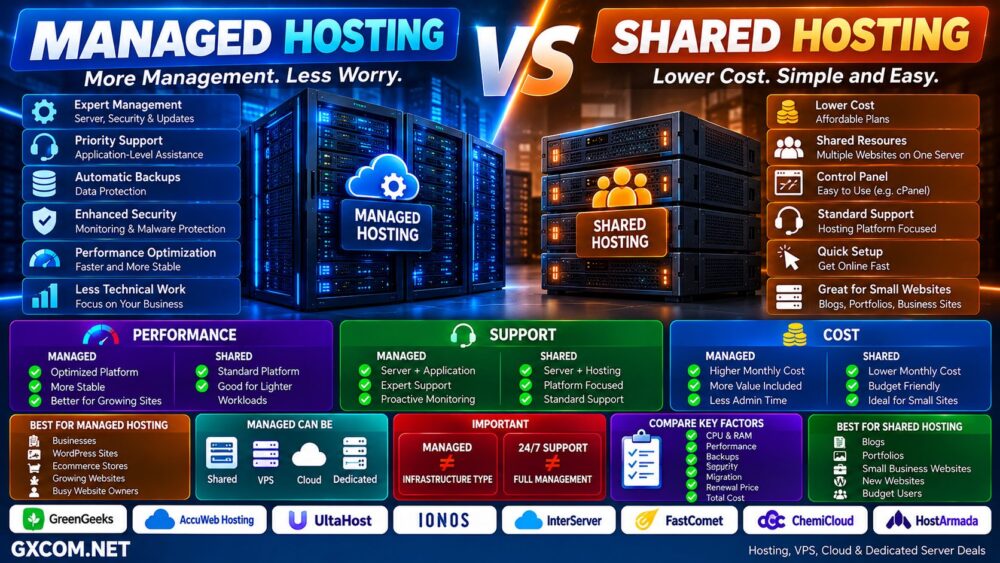
Managed Hosting vs Shared Hosting: Quick Comparison
| Feature | Typical Shared Hosting | Managed Hosting |
|---|---|---|
| Starting Cost | Usually lower | Usually higher |
| Infrastructure | Usually shared | Can be shared, cloud, VPS or dedicated |
| Server Maintenance | Provider manages server | Provider manages more of the environment |
| Application Support | Usually basic | Often more extensive |
| Backups | Plan dependent | Often included or enhanced |
| Security Management | Infrastructure focused | Often more proactive |
| Performance Optimization | Standard platform | Often workload optimized |
| Updates | Server updates handled | May include application-level updates |
| Technical Skill Required | Low | Low |
| Best For | Smaller websites and budget users | Businesses, growing sites and users valuing support |
What Is Shared Hosting?
Shared hosting places multiple customer accounts and websites on the same server infrastructure.
Resources such as CPU, RAM, storage, network capacity, and the web-server environment are shared between accounts, while the hosting company manages the underlying hardware and operating system.
Customers typically receive:
- A hosting control panel
- Website storage
- Database access
- Email hosting
- SSL
- PHP support
- One-click application installation
- Basic backups or backup options
- Technical support
This model allows providers to distribute infrastructure costs across many customers, which is why shared hosting can be extremely affordable.
What Is Managed Hosting?
Managed hosting means the provider takes responsibility for a greater portion of the technical work required to operate the hosting environment.
Depending on the provider and plan, managed services may include:
- Server maintenance
- Operating-system updates
- Security monitoring
- Malware protection
- Backups
- Performance optimization
- Application updates
- WordPress updates
- Staging environments
- Migration assistance
- Technical troubleshooting
- Proactive monitoring
However, there is no universal industry definition specifying exactly what every “managed hosting” provider must manage.
Always check the provider's actual service scope rather than assuming the word managed includes every administrative task.
Managed Hosting Is Not an Infrastructure Type
This distinction is important.
Shared hosting, VPS, cloud hosting, and dedicated servers describe infrastructure or resource models.
Managed hosting describes the service layer placed around that infrastructure.
For example:
Shared Infrastructure + Management = Managed Shared Hosting
VPS + Management = Managed VPS
Cloud Infrastructure + Management = Managed Cloud
Dedicated Server + Management = Managed Dedicated Server
Therefore, comparing managed hosting with shared hosting should focus primarily on the additional management and service benefits rather than assuming managed hosting always provides physically superior infrastructure.
Managed Hosting vs Shared Hosting Performance
Managed hosting is often marketed as faster, but the word “managed” by itself does not guarantee higher performance.
Performance depends on:
- CPU resources
- Available RAM
- Storage technology
- Server density
- Web server
- PHP configuration
- Database optimization
- Caching
- CDN
- Application configuration
- Network latency
A managed hosting platform may perform better because the provider allocates more resources or performs additional optimization.
But a well-configured premium shared-hosting plan can also deliver excellent website performance.
Managed ≠ Automatically Faster.
Why Managed Hosting Can Perform Better
The performance advantage appears when the management service actually includes technical optimization.
Examples can include:
- Server-side caching
- Object caching
- Optimized PHP workers
- Database tuning
- CDN integration
- Application-specific configuration
- Performance monitoring
- Fewer accounts per server
- Higher resource limits
The key question is therefore:
What additional resources and optimization does the managed plan actually provide?
Managed Hosting vs Shared Hosting Support
Support is often the biggest practical difference.
Traditional shared-hosting support generally focuses on ensuring that the hosting platform itself works correctly.
Managed hosting may extend assistance further into the website or application environment.
| Support Area | Shared Hosting | Managed Hosting |
|---|---|---|
| Server Hardware | Provider | Provider |
| Operating System | Provider | Provider |
| Hosting Platform | Provider | Provider |
| Website Migration | Sometimes | Often |
| Application Updates | Usually customer | May be included |
| Performance Optimization | Limited | Often greater |
| Malware Assistance | Plan dependent | Often enhanced |
| Advanced Troubleshooting | Limited | Often greater |
24/7 Support Does Not Always Mean Managed Hosting
This is one of the most common misunderstandings when comparing hosting providers.
A shared-hosting company can provide excellent 24/7 customer support without selling a fully managed service.
Likewise, a managed provider may place limits on which applications, plugins, scripts, custom code, or third-party services its technicians will troubleshoot.
24/7 Support ≠ Unlimited Technical Management.
Always review the support scope before paying a premium for a managed plan.
Managed Hosting vs Shared Hosting Cost
Shared hosting generally wins on headline price.
Because many customers share the underlying infrastructure, entry-level plans can cost only a few dollars per month.
Managed hosting typically costs more because customers are paying for more than server capacity.
The additional price can cover:
- Engineering time
- Monitoring
- Backups
- Security tools
- Performance optimization
- Migration assistance
- Application support
- Premium infrastructure
Compare Total Cost, Not Just Hosting Price
Suppose basic shared hosting costs less but requires the website owner to purchase separate backup, security, CDN, migration, and maintenance services.
A more expensive managed plan that includes those services may have a similar real-world cost.
The useful formula is:
Hosting + Backups + Security + Optimization + Maintenance + Technical Time = Real Hosting Cost.
This is particularly important for businesses where staff time has a measurable cost.
Managed Hosting vs Shared Hosting for WordPress
WordPress is one of the areas where the managed-hosting model is most common.
Standard shared hosting can run WordPress extremely well for many websites.
Typical shared WordPress hosting may provide:
- One-click WordPress installation
- SSL
- PHP
- MySQL
- Basic caching
- Control panel
Managed WordPress hosting may add:
- Automatic WordPress updates
- Staging
- Enhanced caching
- WordPress-specific security
- Backup automation
- Developer tools
- WordPress-focused support
- Performance monitoring
For a small blog, these additional services may not justify a large price premium.
For a business website generating revenue, reducing maintenance time and operational risk can be much more valuable.
Managed Hosting vs Shared Hosting for WooCommerce
WooCommerce creates more dynamic server activity than a typical content website.
Shopping carts, checkout pages, customer accounts, inventory, product searches, payment gateways, and uncached database requests can increase CPU and database usage.
A smaller WooCommerce store can operate successfully on quality shared hosting.
As traffic, orders, products, plugins, and concurrent users increase, a higher-resource managed environment may become attractive.
The correct decision should be based on measured workload rather than simply the presence of WooCommerce.
Managed Hosting vs Shared Hosting Security
Both types of hosting can be secure when properly operated.
Shared-hosting providers normally manage server-level security, operating-system updates, infrastructure monitoring, and account isolation.
Managed services may extend security further with features such as:
- Malware scanning
- Application monitoring
- Web application firewall
- Automated updates
- Backup monitoring
- Security assistance
However, customers remain responsible for important areas such as strong passwords, administrator accounts, vulnerable plugins, application configuration, and business data policies.
Managed Security ≠ Zero Security Responsibility.
Backups: Check the Details
“Backups included” is not enough information.
Compare:
- Backup frequency
- Retention period
- Off-site storage
- Restore availability
- Restore cost
- On-demand backups
- Database backups
For business-critical websites, an independent backup strategy is still recommended even when managed hosting includes automatic backups.
Managed Hosting vs Shared Hosting Scalability
Shared hosting usually scales through predefined plan upgrades.
A typical path may look like:
Starter Shared → Business Shared → Premium Shared → Cloud / VPS
Managed hosting can exist at every stage of that path.
A website could begin on managed shared hosting and later move to a managed VPS or managed cloud platform without forcing the owner to take responsibility for server administration.
When Is Shared Hosting Enough?
Standard shared hosting remains an excellent solution when:
- You run a personal blog
- You have a portfolio website
- You operate a small company website
- Your workload is relatively light
- You are comfortable maintaining WordPress
- You do not require specialized application support
- You want to minimize hosting costs
Paying for management that you do not need does not improve the website.
When Does Managed Hosting Make Sense?
Managed hosting becomes more attractive when:
- Your website generates business revenue
- Downtime has a meaningful cost
- You do not have internal technical staff
- You want proactive monitoring
- You need regular backups
- You value migration assistance
- You want application-focused support
- You prefer to spend time on the business rather than server maintenance
In these situations, management should be evaluated as an operational service rather than simply a hosting specification.
Hosting Providers to Consider
Once you understand the difference between infrastructure and management, you can compare providers based on what is actually included rather than relying on the word “managed.”
For conventional shared hosting, providers such as GreenGeeks, IONOS, UltaHost, InterServer, FastComet, ChemiCloud, HostArmada, and AccuWeb Hosting provide options aimed at website owners who want the hosting company to handle the underlying server environment.
For users seeking a stronger managed-service layer, compare providers based on application support, migration assistance, backups, security, resource guarantees, optimization, and exactly which administrative tasks are included.
GreenGeeks: Shared Hosting with Managed Features
GreenGeeks is a useful example of why the boundary between shared and managed hosting can become blurred.
Its shared hosting platform includes cPanel, SSL, application installation, support, and other provider-managed infrastructure features, while it also markets managed hosting for WordPress.
This makes it relevant for users who want the simplicity of shared infrastructure without managing the server themselves.
AccuWeb Hosting: Cheap vs Managed Web Hosting
AccuWeb Hosting provides an especially clear comparison because its current product lineup separates Cheap Web Hosting from Managed Web Hosting.
Its entry-level cheap hosting focuses on low-cost website hosting, while managed plans add features such as guaranteed resources and additional service capabilities.
This illustrates the central point of this comparison:
Managed Hosting = More Than Server Space.
Other Hosting Providers Worth Comparing
| Provider | Relevant Hosting | Compare For |
|---|---|---|
| GreenGeeks | Shared / WordPress | Managed website experience, cPanel, support |
| AccuWeb Hosting | Cheap / Managed Web Hosting | Budget vs managed service levels |
| UltaHost | Shared / Managed Hosting | Website hosting and upgrade paths |
| IONOS | Web / WordPress Hosting | Business websites and hosting ecosystem |
| InterServer | Web Hosting | General website hosting |
| FastComet | Web / WordPress Hosting | Managed website hosting features |
| ChemiCloud | Web / WordPress Hosting | Managed website experience |
| HostArmada | Web / WordPress Hosting | Managed hosting features and support |
Do not choose solely from the table above. Product specifications, introductory prices, renewal pricing, locations, resource limits, backup policies, and support scopes change over time.
Instead, use the providers as a shortlist and compare the current plan details against your workload.
Managed Hosting vs Shared Hosting vs VPS
Another common mistake is assuming that managed hosting automatically means VPS.
It does not.
| Hosting Type | Infrastructure | Management |
|---|---|---|
| Shared Hosting | Shared | Server managed by provider |
| Managed Shared Hosting | Shared | Expanded management |
| Unmanaged VPS | Virtual server | Customer manages server |
| Managed VPS | Virtual server | Provider assists with management |
If your real question is whether you need more server resources rather than more technical assistance, read our
Shared Hosting vs VPS Hosting
comparison.
If you already know that you need a VPS but are deciding who should administer it, see
Managed vs Unmanaged VPS.
Managed Hosting vs Shared Hosting: Pros and Cons
| Shared Hosting | Managed Hosting | |
|---|---|---|
| Main Advantage | Low cost and simplicity | Reduced technical workload |
| Main Limitation | Resource and service limits | Higher price |
| Support | Hosting-platform focused | Potentially more extensive |
| Optimization | Standardized | May be workload specific |
| Maintenance | Website owner handles more application tasks | Provider may handle more tasks |
| Best For | Budget-conscious smaller websites | Businesses valuing time and support |
Questions to Ask Before Buying Managed Hosting
Before paying more for a managed plan, ask:
- What exactly does the provider manage?
- Are WordPress updates included?
- Are plugin updates included?
- Are backups automatic?
- How long are backups retained?
- Is malware removal included?
- Is migration included?
- Is staging available?
- Does support troubleshoot applications?
- What resource limits apply?
- What is the renewal price?
- What happens when the website outgrows the plan?
The answers are more useful than the “managed” label itself.
Managed Hosting vs Shared Hosting: Which Should You Choose?
Choose conventional shared hosting when your website is relatively straightforward, you are comfortable handling normal website maintenance, and keeping monthly costs low is a priority.
Consider managed hosting when technical maintenance consumes valuable time, the website is important to business operations, or you want a provider to take responsibility for more of the performance, security, backup, monitoring, and application-support workload.
Most importantly, do not assume that managed hosting automatically means faster hardware or dedicated resources.
Compare what you actually receive.
Hosting Infrastructure + Resources + Management + Support + Backup + Renewal Price = Real Hosting Value.
A practical decision path is:
Website → Workload → Technical Skills → Support Needs → Management Level → Provider → Total Cost.
For a small website, conventional shared hosting may provide everything required. For a revenue-generating website where technical time and reliability have greater business value, paying for a stronger managed-service layer can make operational sense.