Budget VPS hosting can look remarkably affordable when a provider offers multiple CPU cores, generous bandwidth, and an annual subscription costing less than many monthly hosting plans. But advertised resources do not always reveal how a server will perform under sustained workloads.
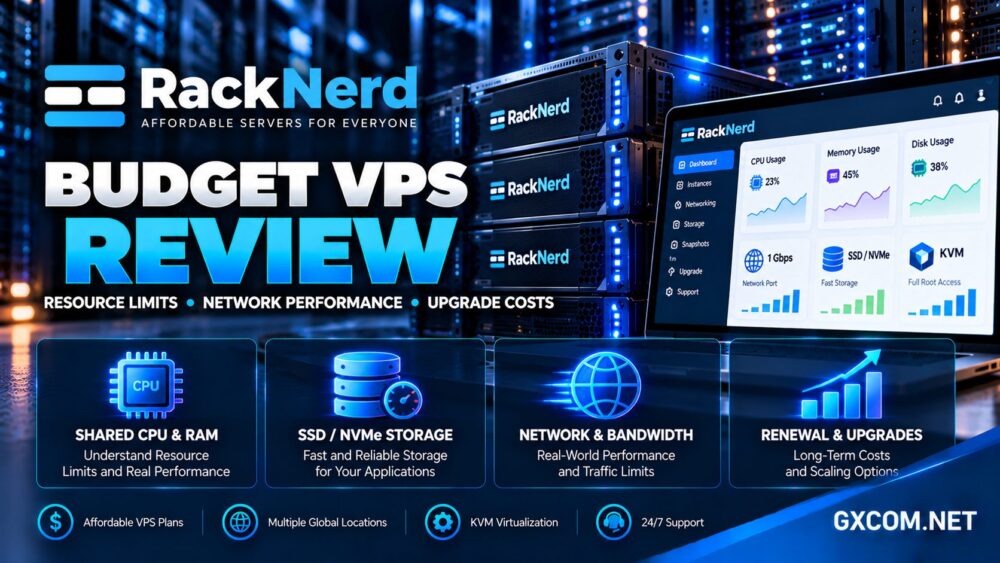
In this RackNerd Budget VPS review, we examine its KVM virtualization, CPU and memory limits, SSD and NVMe options, network performance considerations, renewal policies, and upgrade costs.
Rather than treating the lowest advertised price as the best deal, this review focuses on what buyers can realistically expect from inexpensive virtual infrastructure.
RackNerd Budget VPS Review: Quick Verdict
RackNerd is a compelling candidate for developers, hobbyists, small websites, and lightweight self-hosted applications that need an inexpensive Linux VPS with root access.
Its strengths include promotional annual plans, multiple deployment locations, KVM virtualization, and useful server administration tools.
However, budget VPS customers must understand shared CPU resources, storage differences, network transfer allowances, and the limitations of unmanaged hosting.
Our verdict: RackNerd can deliver attractive value for appropriately sized workloads, but buyers should evaluate the exact promotion and resource policy rather than assuming every VPS performs like dedicated hardware.
RackNerd VPS Plans: What Do You Actually Receive?
RackNerd sells regular KVM VPS configurations alongside promotional packages that may use different hardware, storage capacities, and billing periods.
Typical advertised features include virtual CPU cores, allocated RAM, SSD storage, monthly bandwidth allowances, IPv4 connectivity, and full administrative access.
| Resource | What It Means | What to Verify |
|---|---|---|
| vCPU | Virtual processing capacity | Fair-use policy and sustained CPU limits |
| RAM | Allocated system memory | Application requirements and swap usage |
| SSD or NVMe | Virtual disk storage | Disk type, I/O limits, and available space |
| Network port | Maximum interface link speed | Real throughput and network conditions |
| Monthly transfer | Included network traffic | Overage or suspension policy |
| Control panel | VPS management interface | Reinstall, console, firewall, and upgrade tools |
RackNerd’s promotional inventory changes, so a package available today may differ from an older seasonal offer.
For a broader purchasing framework, see our cheap VPS providers comparison.
CPU Performance: Shared vCPU vs Dedicated Processing
The most important limitation of many inexpensive VPS products is CPU resource sharing.
KVM provides an isolated virtual machine environment, but it does not automatically reserve dedicated physical CPU cores for each customer.
Several virtual machines can share the same physical host, and performance may vary depending on host utilization, processor generation, and provider policies.
Why More vCPU Cores May Not Mean Faster Performance
A four-vCPU server can perform worse than a smaller instance with faster processors or less resource contention.
Applications that depend on single-threaded execution may benefit more from CPU architecture and clock performance than from a larger advertised core count.
RackNerd’s terms include fair-share resource provisions. Customers planning continuous CPU-intensive tasks should verify acceptable usage before deploying production workloads.
For WordPress, monitor uncached page generation, PHP execution, and database activity instead of relying only on synthetic CPU benchmarks.
RAM Limits and Real Application Requirements
Memory allocation is usually easier to understand than shared CPU performance, but insufficient RAM can still create serious problems.

A lightweight Linux installation may operate with modest memory, while WordPress, databases, control panels, and background services can require substantially more.
When available memory becomes exhausted, applications may slow down, encounter errors, or be terminated by the operating system.
Swap can provide temporary relief, but it is not a substitute for sufficient physical RAM.
Before purchasing, estimate peak application memory usage and reserve capacity for operating system services and unexpected traffic.
SSD vs NVMe: Check the Exact RackNerd Offer
RackNerd’s regular and promotional VPS products commonly advertise SSD storage, including RAID-protected configurations.
Selected Ryzen-based promotions have also featured NVMe storage. Buyers should not assume that every RackNerd plan includes NVMe simply because the company sells some NVMe products.
NVMe can provide lower latency and higher I/O capability than older storage interfaces, but actual virtual disk performance also depends on host contention and storage configuration.
For websites, database-heavy workloads often reveal storage limitations more clearly than simple sequential file-copy tests.
Our NVMe VPS vs SSD performance guide explains how to interpret storage specifications.
Network Performance: Is a 1Gbps Port Really Fast?
Many RackNerd VPS promotions advertise a 1Gbps public network port. This describes the connection interface rather than guaranteeing sustained internet throughput at that speed.
Actual transfer rates depend on server load, upstream capacity, destination networks, routing, and concurrent traffic.
A VPS may achieve impressive speeds to a nearby test server while performing differently for users on another continent.
How to Test VPS Networking
Run repeated tests from relevant geographic regions and compare results at different times of day.
Measure latency, packet loss, and throughput to destinations that resemble your actual users.
For websites, test application response time alongside network speed. A fast port cannot compensate for slow database queries or overloaded PHP processes.
Monthly Bandwidth Is a Separate Limit
RackNerd packages specify monthly data transfer allowances. A fast network interface does not mean unlimited traffic.
Before running large downloads, backups, proxies, or media applications, confirm how the selected plan handles excessive transfer usage.
Check whether traffic limits reset monthly and whether additional transfer can be purchased.
Data Center Locations and Latency
RackNerd advertises VPS deployment across multiple North American and European locations, with availability varying by package.
Location matters because physical distance, internet routing, and regional connectivity influence response times.
A US-based VPS may be appropriate for North American customers, while a European location may better serve audiences in nearby markets.
Choose the location based on actual visitor distribution, not simply the longest list of available cities.
For international websites, a content delivery network can reduce static-content latency, although dynamic requests still depend on the origin server.
VPS Management, Root Access and Security
RackNerd’s KVM VPS services provide root-level operating system access and server management interfaces.
Depending on the product, customers may use SolusVM or RackNerd’s newer ctrl control panel for tasks such as restarting, reinstalling, and accessing the console.
These tools simplify infrastructure administration but do not turn a budget VPS into a fully managed hosting service.
Customers remain responsible for operating system updates, firewall configuration, SSH security, application maintenance, and backups unless additional services are explicitly included.
RackNerd’s terms also restrict nested virtualization without prior written approval. Buyers intending to operate virtual machines inside a VPS should verify compatibility and permission first.
Our managed vs unmanaged hosting comparison explains these responsibilities.
Renewal Pricing and Upgrade Costs
Budget VPS pricing can be confusing because regular packages and limited-time promotions may follow different billing arrangements.
RackNerd currently states that certain VPS Specials renew at the same recurring rate. That is a meaningful advantage for customers who want predictable annual expenses.
However, buyers should verify the exact product’s renewal conditions rather than assuming every historical promotion has identical terms.
What Happens When You Need More Resources?
Growing workloads may require additional RAM, CPU capacity, storage, or network transfer.
Before upgrading, determine whether the promotional plan supports an in-place upgrade, whether a new package is required, and how billing changes.
Also check whether the upgrade affects the existing discount, billing cycle, IP address, or storage configuration.
Moving to a larger server can involve application migration and downtime, so keep independent backups and a documented recovery process.
Calculate the Total Cost
- Initial subscription and recurring renewal
- CPU, RAM, and storage upgrades
- Additional network transfer or IP resources
- Backups and external monitoring
- Software licenses and control panels
- Administration and migration time
Our best VPS providers guide provides a broader comparison of value and infrastructure features.
RackNerd vs Other Budget VPS Providers
RackNerd is not the only option for customers seeking affordable virtual infrastructure.
AlphaVPS is worth comparing for Linux VPS hosting, regional availability, and resource configurations suited to developers.

BandwagonHost is relevant to buyers evaluating network routing and VPS locations, particularly when connectivity matters more than raw storage capacity.
Hostwinds offers Linux and Windows VPS options and may appeal to customers who need a broader range of management choices.
VPSHostingService is another alternative for buyers comparing Windows-oriented and general VPS configurations, subject to current operating system and licensing terms.
Compare actual CPU allocation, memory, disk technology, bandwidth rules, support scope, and renewal conditions before choosing.
Who Should Buy RackNerd Budget VPS?
RackNerd can suit personal websites, development environments, small Linux services, monitoring tools, and lightweight self-hosted applications.
It may be less suitable for sustained CPU-intensive workloads, demanding databases, or businesses requiring guaranteed dedicated processing resources.
Customers without Linux administration experience should also consider the operational responsibility associated with unmanaged VPS hosting.
Frequently Asked Questions
Does RackNerd use KVM virtualization?
Yes. RackNerd advertises KVM-based VPS products with root access and server management tools.
Are RackNerd vCPU cores dedicated?
Not necessarily. KVM isolation does not imply exclusive physical CPU cores, and usage remains subject to applicable resource policies.
Does every RackNerd VPS include NVMe?
No. Many plans advertise SSD storage, while selected promotional configurations have offered NVMe.
Do RackNerd VPS specials renew at the same price?
RackNerd currently advertises same-rate renewals for specific VPS Specials. Confirm the terms of the exact package before ordering.
Is RackNerd suitable for WordPress?
Yes, for appropriately sized workloads. Performance depends on resources, caching, database activity, and server administration.
Final Verdict: Is RackNerd Budget VPS Worth It?
This RackNerd Budget VPS review finds an appealing option for customers who prioritize low entry costs and flexible Linux server administration.
Its strongest advantages are accessible promotional plans, KVM virtualization, multiple locations, and practical management tools.
The biggest considerations are shared CPU behavior, differences between SSD and NVMe packages, network transfer allowances, and the cost of future upgrades.
For lightweight workloads, RackNerd deserves consideration alongside AlphaVPS, BandwagonHost, Hostwinds, and VPSHostingService. For demanding production systems, test performance and confirm resource policies before committing.