Did your Let's Encrypt SSL auto-renewal fail? An expired certificate can trigger browser security warnings, interrupt HTTPS connections, and undermine visitor trust.
Common causes include failed ACME challenges, incorrect DNS records, blocked ports, broken Certbot scheduling, and web server configuration errors.
This guide explains how to diagnose Let's Encrypt renewal failures, restore certificate automation, and prevent future expiration problems.
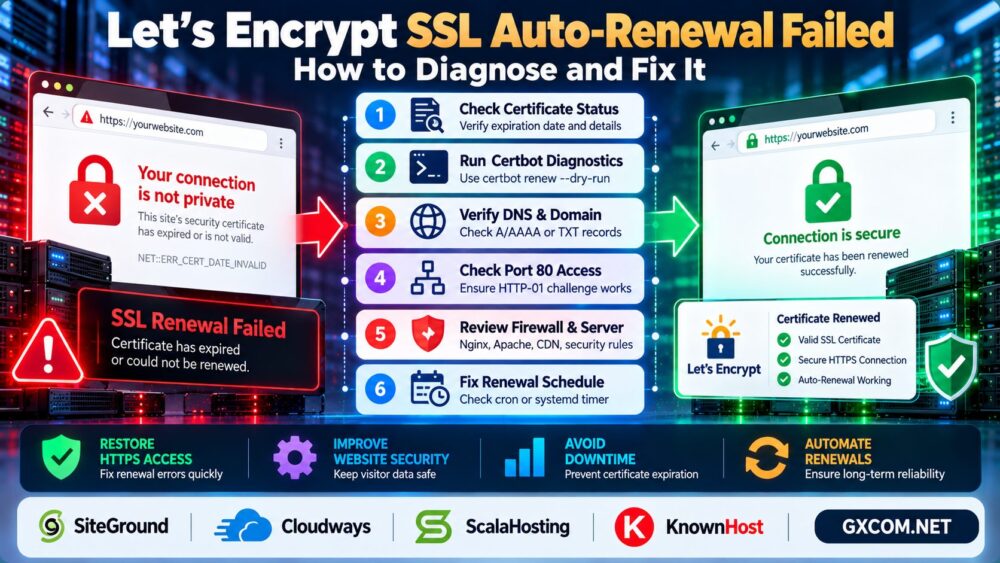
Why Does Let's Encrypt Auto-Renewal Fail?
Let's Encrypt certificates have a limited validity period and must be renewed before expiration. Renewal automation depends on your ACME client, domain validation, server configuration, and certificate deployment process.
Quick answer: Check the certificate's expiration date, run a renewal test, inspect validation errors, verify DNS and network access, and confirm the renewal scheduler is working.
Do not repeatedly request new certificates without identifying the cause. Unnecessary retries can trigger certificate authority rate limits.
Common Let's Encrypt Renewal Errors
| Error | Likely Cause | What to Check |
|---|---|---|
| Unauthorized | ACME challenge validation failed | HTTP response and challenge path |
| Connection refused | Origin service or port unavailable | Firewall and web server |
| DNS problem | Incorrect or missing DNS records | A, AAAA, or TXT records |
| Timeout | Network or routing failure | External connectivity |
| Rate limited | Too many qualifying requests | ACME client errors and limits |
| Deployment failure | Certificate not applied correctly | Renewal hooks and server reload |
1. Check SSL Certificate Expiration
First, determine whether the certificate is expired, approaching expiration, or still valid.
On Linux, you can inspect a certificate file with OpenSSL:
openssl x509 -in /path/to/fullchain.pem -noout -datesReplace the example path with your actual certificate location.
To inspect the certificate presented by a live website, use:
openssl s_client -connect example.com:443 -servername example.com </dev/null 2>/dev/null | openssl x509 -noout -datesThis helps distinguish a renewal failure from a deployment problem where the server still presents an older certificate.
2. Run a Certbot Renewal Test
If your server uses Certbot, run a simulated renewal:
sudo certbot renew --dry-runThis tests the renewal configuration without replacing your production certificate in the normal workflow.
Review the output for challenge failures, authentication errors, missing files, or permission problems.
You can also list certificates managed by Certbot:

sudo certbot certificatesImportant: These commands apply to Certbot installations. Hosting control panels and other ACME clients may use different renewal mechanisms.
3. Fix HTTP-01 Challenge Failures
HTTP-01 validation requires the certificate authority to retrieve a challenge resource from your domain over HTTP on port 80.
Verify that the domain resolves to the correct server and that inbound TCP port 80 is reachable from the public internet.
Also inspect redirects, reverse proxy rules, firewall policies, and security tools that may block requests to:
/.well-known/acme-challenge/Redirects are not automatically a problem, but unsupported redirect destinations or incorrect routing can cause validation failures.
If port 80 cannot be made available, consider an appropriate DNS-01 validation method instead.
4. Check DNS Records and DNS-01 Validation
Incorrect DNS records can send validation requests to the wrong server.
Inspect public A and AAAA records:
dig example.com A +short
dig example.com AAAA +short
If your domain has an AAAA record, verify that the IPv6 destination is configured correctly.
For DNS-01 validation, the ACME client must create or verify the required TXT record under the appropriate _acme-challenge name.
DNS propagation, API permissions, or incorrect credentials may cause DNS-01 renewals to fail.
5. Verify Certbot Automatic Renewal Scheduling
A successful manual renewal does not guarantee that scheduled renewal works.
Depending on installation method, Certbot may use a systemd timer, cron job, or another scheduling mechanism.
On systems using a Certbot systemd timer, check:
systemctl list-timers --all | grep certbotFor relevant logs, try:
sudo journalctl -u certbot.serviceService names and log locations vary. Snap packages, hosting panels, and custom installations may behave differently.
Confirm that the scheduled task actually executes and reports successful renewals.
6. Check Nginx, Apache, and Certificate Deployment
Sometimes renewal succeeds, but the web server continues serving an older certificate.
Check whether your web server references the correct certificate files and whether the deployment hook reloads the service.
Before applying changes, validate the configuration:
sudo nginx -tFor Apache on supported systems:
sudo apachectl configtestOnly reload services after confirming that the configuration is valid.
If the issue involves broader server administration, see our Managed vs Unmanaged Hosting Guide.
7. Check Firewall, CDN, and Reverse Proxy Settings
A CDN, reverse proxy, or web application firewall may interfere with ACME validation if challenge requests are blocked or routed incorrectly.
Confirm that the validation method matches your network architecture.
For HTTP-01, the certificate authority must be able to reach the correct challenge response. For DNS-01, DNS record creation and visibility are essential.
Do not permanently disable security controls just to complete renewal. Correct the validation routing or authentication configuration.
How to Prevent Future SSL Renewal Failures
- Enable certificate expiration monitoring.
- Test automated renewals after major server changes.
- Monitor Certbot or ACME client failures.
- Keep DNS records and validation credentials accurate.
- Protect DNS API credentials with limited permissions.
- Verify that renewed certificates are actually deployed.
Certificate renewal is only one part of website availability. Our WordPress 503 Troubleshooting Guide explains other server-side failures that can interrupt website access.
Managed Hosting vs Self-Managed SSL Renewal
Managing SSL certificates directly provides flexibility, but it also requires monitoring, configuration maintenance, and incident response.
For WordPress websites, SiteGround and Cloudways are relevant options when evaluating hosting environments with managed SSL-related workflows.
ScalaHosting and KnownHost are also worth comparing when technical support and server management responsibilities matter.

However, automatic certificate installation, supported validation methods, and renewal responsibilities differ by product and plan. Verify the exact service before purchasing.
Read our Cloudways vs SiteGround Comparison for additional managed hosting context.
If changing providers becomes necessary, our WordPress Migration Without Downtime Guide explains how to plan a safer transition.
Frequently Asked Questions
Why did my Let's Encrypt certificate not renew automatically?
Common causes include failed domain validation, DNS problems, blocked network access, broken scheduling, or deployment errors.
How do I test Certbot renewal?
Run sudo certbot renew --dry-run and inspect the result. This applies to servers using Certbot.
Does Let's Encrypt require port 80?
HTTP-01 validation requires public HTTP access on port 80. DNS-01 validation does not require inbound port 80.
Can I renew an expired Let's Encrypt certificate?
Yes, provided you still control the domain and can complete the required ACME validation.
Why does my website still show an expired certificate after renewal?
The web server or proxy may still serve an older certificate. Check certificate paths, deployment hooks, and service reloads.
Does Let's Encrypt support wildcard certificates?
Yes. Wildcard certificates require DNS-01 validation rather than HTTP-01.
Final Verdict
When Let's Encrypt auto-renewal fails, begin with certificate inspection and a controlled renewal test. Then investigate ACME validation, DNS, firewall rules, scheduling, and certificate deployment.
The most reliable long-term solution combines working automation with expiration monitoring and regular verification.
Check Certificate → Test Renewal → Fix Validation → Verify Scheduler → Confirm HTTPS.