Choosing between Cloudways and SiteGround can be straightforward for a small WordPress website, but the decision becomes more complicated as traffic, WooCommerce orders, plugin activity, and hosting costs increase.
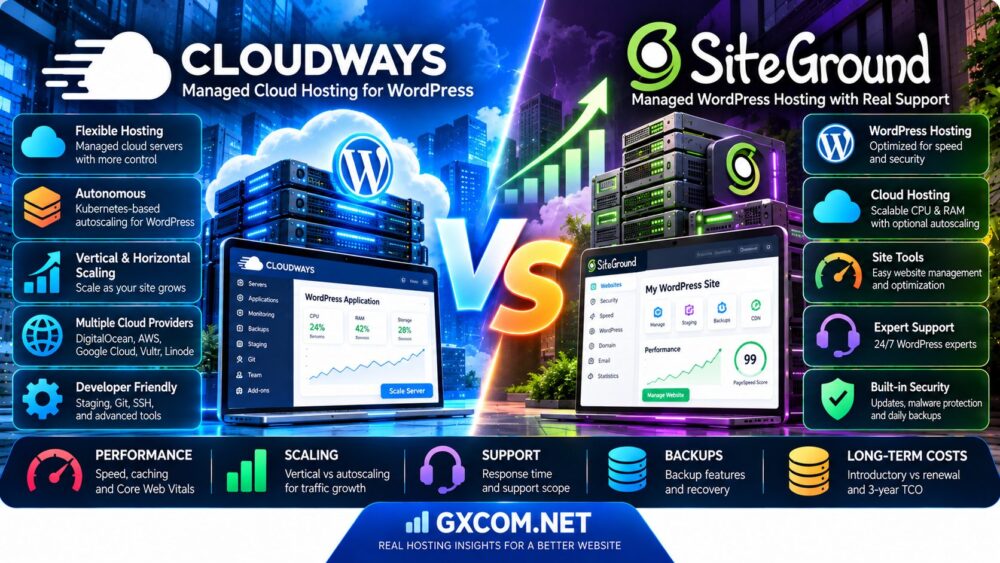
Both providers offer managed WordPress hosting, yet they serve different operational needs. Cloudways offers Flexible managed cloud hosting and Autonomous, a WordPress-focused autoscaling platform. SiteGround offers managed WordPress hosting plans and a separate cloud hosting platform with scalable CPU and memory resources.
That means a fair Cloudways vs SiteGround comparison cannot simply put Cloudways' cloud servers against SiteGround's entry-level WordPress plans and declare a winner.
The real questions are how each platform handles traffic growth, what technical support actually covers, whether caching helps dynamic WordPress requests, and how the complete hosting bill changes over three years.
This guide compares Cloudways Flexible, Cloudways Autonomous, SiteGround WordPress Hosting, and SiteGround Cloud Hosting. It also explains when ScalaHosting, KnownHost, or HostPapa may be relevant alternatives.
Editorial methodology: This comparison uses publicly documented hosting features, support policies, and billing information reviewed in October 2026. GXCOM.NET has not performed matched-load performance tests or independent support-response benchmarks. Prices, product limits, and terms may change.
Cloudways vs SiteGround: Quick Verdict
Choose Cloudways Flexible if you want managed cloud infrastructure with more control over server resources, applications, and scaling decisions.
Choose Cloudways Autonomous if your WordPress or WooCommerce application needs Kubernetes-based horizontal autoscaling and you are comfortable with usage-related scaling charges.
Choose SiteGround WordPress Hosting if you want an integrated managed WordPress experience, straightforward website tools, and a conventional hosting subscription.
Choose SiteGround Cloud Hosting if you need more allocated resources and the ability to scale CPU and RAM within SiteGround's managed hosting ecosystem.
Neither company is universally faster, cheaper, or better supported. The result depends on the exact product, website configuration, traffic profile, and support requirements.
| Factor | Cloudways Flexible | Cloudways Autonomous | SiteGround WordPress | SiteGround Cloud |
|---|---|---|---|---|
| Primary approach | Managed cloud servers | Autoscaling WordPress applications | Managed WordPress hosting | Scalable managed cloud hosting |
| Scaling model | Vertical server scaling | Automatic horizontal pod scaling | Upgrade hosting tier | CPU/RAM scaling and optional autoscaling |
| Server control | More infrastructure settings | Application-oriented management | Site Tools environment | Managed cloud controls |
| WordPress caching | Managed stack and caching tools | Integrated caching and CDN features | SuperCacher and optimization tools | SiteGround caching ecosystem |
| Support | Managed platform support | Managed WordPress platform support | Hosting and supported WordPress tools | Managed cloud infrastructure support |
| Billing model | Cloud server and additional services | Application baseline, scaling and overages | Subscription with promotional and renewal rates | Cloud subscription and additional resources |
| Ideal buyer | Developers and growing websites | Dynamic high-traffic applications | Small and medium WordPress sites | Growing businesses needing more resources |
What Is Cloudways Managed WordPress Hosting?
Cloudways provides a managed hosting layer over cloud infrastructure, reducing the need for customers to administer every server component themselves.
However, its two major product approaches should be evaluated separately.
Cloudways Flexible
Cloudways Flexible is designed for users who want managed cloud servers with control over applications, server resources, caching, backups, and deployment workflows.
It supports WordPress and other compatible PHP applications.
Users can choose among supported cloud infrastructure options and server configurations.
Cloudways Autonomous
Cloudways Autonomous is a WordPress-focused platform built around Kubernetes-based autoscaling.
Instead of relying only on increasing the size of a single server, it can add application-serving pods as demand grows.
This may help accommodate unpredictable traffic, but it introduces a different billing model from Flexible.
Cloudways Management Tools
Depending on the product, Cloudways provides deployment, backups, staging, caching, security, and application monitoring tools.
Not every feature or pricing rule applies identically to Flexible and Autonomous.
Who Should Consider Cloudways?
Cloudways may appeal to developers, agencies, WooCommerce merchants, and growing WordPress businesses that want managed cloud infrastructure or autoscaling capabilities.
For a provider-specific overview, read our Cloudways Hosting Review.
What Is SiteGround Managed WordPress Hosting?
SiteGround offers an integrated hosting environment for WordPress websites, combining website management, caching, backups, security features, and technical support.
Its product range includes both conventional WordPress hosting plans and a separate cloud hosting platform.
SiteGround StartUp
StartUp targets smaller websites and users who need an accessible managed WordPress environment.
It provides essential hosting tools but has more limited resources and features than higher tiers.
SiteGround GrowBig
GrowBig provides additional resources and features such as staging and on-demand backup capabilities.
It may suit growing WordPress sites and businesses managing multiple websites.
SiteGround GoGeek
GoGeek adds higher resource allocations and advanced features for more demanding websites and agencies.
Its feature set includes additional collaboration and developer-oriented tools.
SiteGround Cloud Hosting
SiteGround Cloud Hosting offers configurable CPU, RAM, and storage resources with managed infrastructure services.
It also supports manual scaling and optional CPU/RAM autoscaling.
Who Should Consider SiteGround?
SiteGround may suit WordPress users who prefer an integrated website management experience and a defined upgrade path from standard hosting to cloud resources.
For a deeper WordPress-focused analysis, read our SiteGround WordPress Hosting Review.
Cloudways vs SiteGround: The Most Important Product Difference
The most important difference is not simply that one provider uses cloud technology and the other does not.
Both offer cloud-related infrastructure products, but their management and scaling models differ.
Cloudways Flexible: Managed Server Resources
Flexible focuses on managed cloud server deployment.
Customers select resources and can vertically scale supported servers as requirements change.
Cloudways Autonomous: Application Autoscaling
Autonomous is designed around WordPress application demand.
Its Kubernetes-based architecture can increase or decrease serving capacity by adjusting pod counts.
SiteGround WordPress: Managed Hosting Tiers
SiteGround's conventional WordPress plans provide an integrated environment with tier-specific resources.
Customers generally move to a higher hosting tier when they need additional capacity or features.
SiteGround Cloud: CPU and RAM Scaling
SiteGround Cloud allows users to increase CPU, RAM, and storage resources.
Its autoscaling feature can add CPU or RAM when configured thresholds are reached.
Why This Matters
Vertical scaling, horizontal autoscaling, and hosting-plan upgrades solve different problems.
Before comparing prices, identify which architecture your application actually requires.
Cloudways vs SiteGround: WordPress Performance
WordPress performance depends on server resources, caching, PHP execution, database efficiency, network latency, and application code.
Neither provider should be declared universally faster without testing equivalent workloads.
Cloudways Performance Features
Cloudways provides managed server stacks and caching technologies for supported applications.
Flexible customers can use platform-supported optimization tools, while Autonomous includes an application-focused caching and delivery architecture.
SiteGround Performance Features
SiteGround offers SuperCacher, WordPress optimization tools, CDN functionality, and managed PHP configurations.
Some performance-related features vary by hosting tier.
Full-Page Caching
Full-page caching can significantly reduce server processing for anonymous visitors.
However, a cached homepage does not demonstrate how quickly a store processes checkout requests.
Object Caching
Persistent object caching can reduce repeated database operations.
Its value depends on the WordPress application and database query patterns.
Database Performance
Database query latency can become a bottleneck for WooCommerce, membership websites, and content-heavy applications.
Performance Verdict
Compare real application response times, uncached PHP processing, database load, and resource utilization before choosing a winner.
Cloudways vs SiteGround: Scaling Compared
Scaling is the central purchasing consideration for businesses expecting traffic growth.
Cloudways Flexible Vertical Scaling
Flexible supports server resource upgrades within the limits of the selected infrastructure provider and server configuration.
Scaling can involve additional recurring charges and, depending on the operation, maintenance or migration considerations.
Cloudways Autonomous Horizontal Scaling
Autonomous uses application-serving pods to increase capacity as traffic rises.
Its scaling behavior depends on the plan, baseline resources, application demand, and applicable limits.
SiteGround WordPress Tier Upgrades
StartUp, GrowBig, and GoGeek provide different resource and feature levels.
Upgrading can be appropriate when a website outgrows its existing plan.
SiteGround Cloud Scaling
SiteGround Cloud supports adding CPU and RAM resources, including optional autoscaling.
The extra capacity is managed according to SiteGround's cloud resource and billing rules.
Scaling Verdict
Cloudways Autonomous is worth evaluating for application-level horizontal autoscaling.
SiteGround Cloud is worth evaluating when CPU/RAM expansion within an integrated managed hosting platform meets the workload.
Cloudways Flexible is appropriate when manually controlled server scaling is sufficient.

Cloudways Autonomous vs SiteGround Cloud Autoscaling
Although both platforms use the term autoscaling, their underlying resource models are different.
Cloudways Autonomous Pods
Cloudways Autonomous can add application-serving pods as demand increases and remove additional capacity when demand falls.
Current billing documentation describes usage-related autoscaling charges for applicable plans.
SiteGround Cloud Resource Scaling
SiteGround Cloud can add CPU and RAM resources when configured thresholds are reached.
According to SiteGround's current documentation, resources added by an autoscaling event are allocated for a calendar-month period, with separate renewal controls.
Short Traffic Spikes
For a brief traffic surge, the duration and granularity of additional capacity charges may be important.
Long Traffic Growth
For sustained growth, a larger baseline server or hosting plan may offer better operational predictability.
Autoscaling Cost Verdict
Do not compare autoscaling products using only their starting monthly price.
Model the expected number of scaling events, duration, resource additions, and ongoing baseline costs.
Cloudways vs SiteGround for WooCommerce
WooCommerce introduces dynamic workloads that ordinary content websites may not experience.
Checkout Requests
Checkout pages usually require uncached processing and database activity.
Cart Sessions
Cart and session handling can increase server workload, particularly during promotions.
Product Catalogs
Large catalogs, complex product filters, and poorly optimized queries can increase database pressure.
Traffic Spikes
Flash sales and promotional campaigns can produce sharp changes in concurrent requests.
Cloudways Flexible for WooCommerce
Flexible may suit stores with predictable growth that can be handled by selecting and scaling suitable cloud server resources.
Cloudways Autonomous for WooCommerce
Autonomous may suit stores with variable traffic and a need for application-level autoscaling.
However, additional scaling charges must be included in the financial model.
SiteGround for WooCommerce
SiteGround offers WooCommerce-compatible hosting and an upgrade path to higher resource tiers or Cloud Hosting.
WooCommerce Verdict
Test checkout latency, order processing, database response times, and peak concurrent users before committing.
How to Benchmark WordPress Hosting Fairly
A fair benchmark must use equivalent WordPress applications and realistic traffic patterns.
- Install the same WordPress version.
- Use identical themes and plugins.
- Match PHP and database versions where possible.
- Record CDN and caching settings.
- Test cached homepage requests.
- Test uncached logged-in requests.
- Test WooCommerce cart and checkout flows.
- Measure time to first byte.
- Measure p50, p95, and p99 response times.
- Monitor PHP worker saturation.
- Record database query latency.
- Repeat tests during different periods.
- Follow each provider's load-testing rules.
Core Web Vitals should also be evaluated using real-user data where available.
Cloudways vs SiteGround: Technical Support
Managed hosting can reduce operational work, but support responsibilities vary.
Cloudways Support
Cloudways offers managed platform support and additional support arrangements depending on the product and service level.
Customers should verify the scope of infrastructure troubleshooting, application assistance, and premium support.
SiteGround Support
SiteGround provides support for its hosting environment and documented platform tools.
Its published support scope includes assistance with supported hosting functions, WordPress updates, SSL, caching tools, and selected website management features.
Third-Party Plugins
Neither provider should be assumed to debug every third-party WordPress plugin or custom theme.
Custom Development
Custom PHP code, plugin development, and website design are different from managed infrastructure support.
Support Quality
Initial response speed and successful technical resolution are different measures.
Independent matched incident testing would be required to establish an overall support-quality winner.
Support Verdict
Compare the documented support scope for the exact product rather than relying on broad claims such as “24/7 expert support.”
Managed WordPress Support vs Developer Support
Before purchasing, divide responsibility into three layers.
Infrastructure Layer
This includes servers, networking, storage, operating system components, and platform availability.
Hosting Platform Layer
This includes supported caching tools, backup systems, control panels, and hosting-specific integrations.
Application Layer
This includes custom plugins, themes, business logic, third-party APIs, and application code.
A managed hosting subscription does not necessarily cover all three layers.
Cloudways vs SiteGround: Backups and Recovery
Backup features are important for WordPress websites that publish frequently or process customer transactions.
Cloudways Backups
Cloudways provides backup-related features across its hosting products, with retention and storage terms depending on the service.
SiteGround Backups
SiteGround includes daily backup functionality on its WordPress hosting products, with additional restoration and on-demand options depending on the plan.
Recovery Point Objective
The recovery point objective defines the maximum acceptable amount of lost data.
Recovery Time Objective
The recovery time objective defines how quickly service must be restored after an incident.
WooCommerce Recovery
Busy stores may require more frequent backups than ordinary daily schedules.
Independent Backups
Critical websites should consider keeping an independent backup outside the primary hosting platform.
Backup Verdict
Compare retention, restoration procedures, storage location, and additional fees rather than simply checking whether backups are advertised.
Security: Cloudways vs SiteGround
Both providers offer hosting security features, but website owners retain important responsibilities.
Cloudways Security
Cloudways provides platform-level security features, including firewall and security tools available within its managed hosting ecosystem.
SiteGround Security
SiteGround provides account isolation, security controls, managed updates, and WordPress-related security tools.
WordPress Vulnerabilities
Outdated plugins and themes remain a major application-level risk.
Access Security
Strong authentication, limited administrative permissions, and secure credentials are essential regardless of provider.
Security Verdict
Choose based on included protections, operational responsibilities, and the requirements of your application.
Cloudways vs SiteGround: Staging and Developer Tools
Staging environments reduce the risk of breaking production websites during updates.
Cloudways Staging
Cloudways provides staging and cloning capabilities for supported applications.
SiteGround Staging
SiteGround offers staging on eligible WordPress hosting tiers, including GrowBig and GoGeek.
Git and SSH
Developer access and Git-related capabilities vary by plan and product.
Deployment Workflows
Agencies should verify whether staging synchronization, database handling, and deployment tools match their existing workflow.
Developer Verdict
Cloudways Flexible may appeal to developers who want more cloud server management flexibility.
SiteGround may appeal to teams comfortable with its integrated Site Tools and supported developer features.
Cloudways vs SiteGround: Email Hosting
Email is an important difference for businesses that want hosting and email in one subscription.
SiteGround Email
SiteGround advertises email hosting with its conventional WordPress hosting plans.
Cloudways Email
Cloudways uses separate email-related services and integrations rather than treating full mailbox hosting as an identical feature across its products.
Business Email Costs
When comparing costs, include any separate mailbox service, transactional email provider, and migration requirements.
Email Verdict
SiteGround's integrated email offering may be convenient for some small businesses. Cloudways users should plan email services separately where required.
Cloudways vs SiteGround: Pricing Structure
Cloudways and SiteGround use different commercial models.
Cloudways Flexible Pricing
Flexible pricing depends on the cloud infrastructure configuration and selected services.
Customers should include backup storage, additional services, and any premium support charges.
Cloudways Autonomous Pricing
Autonomous uses application-level plans with baseline allocations and usage-related charges under applicable current terms.
Additional autoscaling, storage, and bandwidth may affect the invoice.
SiteGround WordPress Pricing
SiteGround commonly offers introductory subscription discounts for eligible new customers.
Renewal pricing can be materially different from the initial promotional rate.
SiteGround Cloud Pricing
SiteGround Cloud uses cloud hosting subscriptions with configurable resources and potential charges for additional capacity.
Pricing Verdict
Do not compare Cloudways Autonomous usage-based charges with SiteGround's introductory WordPress rate as if they were equivalent products.
Three-Year Managed WordPress Hosting Costs
A 36-month financial model can reveal costs hidden by introductory discounts or usage-based billing.
Illustrative Cost Scenario
Consider two hypothetical hosting arrangements for a growing WordPress website.
| Cost Component | Scenario A | Scenario B |
|---|---|---|
| First-year monthly hosting equivalent | $20 | $8 |
| Months 13–36 monthly hosting equivalent | $20 | $35 |
| Additional services per month | $8 | $3 |
| Year 1 total | $336 | $132 |
| Year 2 total | $336 | $456 |
| Year 3 total | $336 | $456 |
| Three-year total | $1,008 | $1,044 |
These figures are hypothetical illustrations, not quotations from Cloudways or SiteGround. They assume unchanged service requirements and exclude taxes, migration work, and unexpected usage charges.
Why Promotional Pricing Can Mislead
A lower first-year price does not necessarily produce a lower three-year total.
Why Autoscaling Costs Matter
Usage-based scaling can be economical for intermittent spikes but more expensive when extra capacity is required frequently.
Why Operational Costs Matter
Hosting administration, troubleshooting, backups, email services, and developer time contribute to total cost.
How to Calculate Cloudways Autonomous Scaling Costs
Cloudways Autonomous documents an autoscaling charge model based on additional resource usage over time.
A simplified calculation is:
Autoscaling cost = Additional billable pods × Active hours × Applicable hourly rate.
For example, if a hypothetical plan charges $0.08 per extra pod-hour and an application uses two additional pods for 50 hours, the scaling cost would be:
2 × 50 × $0.08 = $8.
This example is illustrative and does not represent a current Cloudways quotation.
Actual charges depend on the applicable plan, scaling events, billing rules, and resource usage.
How to Calculate SiteGround Cloud Autoscaling Costs
SiteGround Cloud's autoscaling mechanism can add CPU or RAM resources when configured conditions are met.
Current SiteGround documentation describes calendar-month allocation and renewal behavior for resources added through autoscaling.
Therefore, a brief traffic spike does not necessarily produce the same cost pattern as hourly pod-based scaling.
When estimating cost, identify the resource increment, its applicable price, the billing period, and whether renewal is enabled.
Cloudways vs SiteGround for Small Businesses
Small businesses often prioritize simplicity, predictable costs, and accessible technical support.
SiteGround Advantage
SiteGround's integrated WordPress hosting environment can reduce the number of separate services a small business must manage.
Cloudways Advantage
Cloudways Flexible can provide a path to more configurable managed cloud infrastructure as requirements grow.
Recommendation
For a relatively simple business website, SiteGround WordPress Hosting may be a sensible starting point.
For applications requiring more configurable server resources, Cloudways Flexible deserves evaluation.
Cloudways vs SiteGround for Agencies
Agencies need efficient management of multiple websites, client permissions, staging environments, and recurring hosting costs.
Cloudways Flexible
Flexible may suit agencies that want to organize multiple applications on appropriately sized managed cloud servers.
Cloudways Autonomous
Autonomous should be evaluated using its current per-application billing and allocation rules.
Do not assume that an older multi-application plan structure applies to every new account.
SiteGround
SiteGround provides collaboration and agency-related features, with capabilities varying across GrowBig, GoGeek, and Cloud Hosting.
Agency Verdict
Compare the cost per active client website, access controls, deployment workflows, and support responsibilities.
Alternatives to Cloudways and SiteGround
Some buyers may need a different combination of managed support, hosting controls, and resource flexibility.
ScalaHosting
ScalaHosting offers managed cloud VPS and WordPress-oriented hosting products.
Its SPanel environment may appeal to businesses that want a different control panel and VPS management approach.
KnownHost
KnownHost offers managed hosting and managed VPS services with documented support responsibilities.
It may be relevant for buyers who prioritize traditional managed server administration.
HostPapa
HostPapa offers WordPress, business web hosting, VPS, and reseller hosting products.
It may be worth considering for smaller businesses evaluating an integrated hosting portfolio.
However, buyers should verify the management scope of the exact HostPapa product rather than assuming all plans are equivalent to fully managed cloud hosting.
Cloudways vs SiteGround vs Alternatives
| Provider | Primary Strength to Evaluate | Potential Fit |
|---|---|---|
| Cloudways | Managed cloud flexibility and Autonomous autoscaling | Growing WordPress and WooCommerce applications |
| SiteGround | Integrated WordPress tools and cloud upgrade options | Businesses wanting an established managed hosting workflow |
| ScalaHosting | Managed VPS with SPanel | Users seeking alternative control panel economics |
| KnownHost | Managed hosting support framework | Businesses emphasizing server administration support |
| HostPapa | Business hosting and WordPress products | Smaller organizations comparing hosting packages |
Cloudways vs SiteGround: Pros and Cons
Cloudways Advantages
- Choice between Flexible and Autonomous hosting approaches
- Managed cloud infrastructure options
- Vertical scaling on supported Flexible configurations
- Kubernetes-based autoscaling with Autonomous
- Application management and deployment tools
- WordPress and WooCommerce support
Cloudways Limitations
- Flexible and Autonomous have different billing rules
- Additional services can increase costs
- Autoscaling can introduce variable charges
- Some application-level support is outside standard hosting management
- Email services may require separate arrangements
SiteGround Advantages
- Integrated WordPress hosting environment
- Site Tools and WordPress optimization features
- Daily backups and managed updates on eligible plans
- Staging on higher WordPress tiers
- Integrated email hosting on conventional WordPress plans
- Cloud Hosting with CPU/RAM scaling
SiteGround Limitations
- Introductory and renewal rates can differ significantly
- Entry-level hosting has resource limitations
- Advanced features vary by plan
- Cloud scaling adds cost
- Third-party application debugging and custom development are not generally included
15 Questions to Ask Before Choosing Managed WordPress Hosting
- Which exact hosting product am I comparing?
- Is the website primarily cached or dynamic?
- How many concurrent visitors must it support?
- What are the PHP worker and CPU constraints?
- How much RAM and database capacity are required?
- Does the plan support vertical scaling?
- Does it support horizontal autoscaling?
- How are scaling events billed?
- What happens when traffic exceeds included resources?
- Which WordPress support tasks are included?
- Are third-party plugins covered?
- How frequently are backups created?
- Are staging and deployment tools included?
- What are the renewal and add-on costs?
- What is the complete 36-month hosting cost?
Frequently Asked Questions
Is Cloudways better than SiteGround?
Cloudways may be preferable for configurable managed cloud hosting or application-level autoscaling. SiteGround may be preferable for integrated WordPress management and conventional hosting subscriptions.

Is Cloudways faster than SiteGround?
Neither is universally faster. Performance depends on the exact product, caching, resources, website configuration, and workload.
Is SiteGround cheaper than Cloudways?
SiteGround's introductory WordPress plans may have lower initial costs, but renewal prices and resource requirements can change the long-term comparison.
What is Cloudways Flexible?
Flexible is Cloudways' managed cloud hosting product focused on configurable servers and application management.
What is Cloudways Autonomous?
Autonomous is Cloudways' WordPress-focused hosting platform using Kubernetes-based autoscaling.
Does Cloudways Autonomous automatically scale?
Yes. It can add or remove application-serving pods according to workload demand and plan rules.
Does SiteGround offer cloud hosting?
Yes. SiteGround provides Cloud Hosting with configurable resources and scaling features.
Does SiteGround Cloud support autoscaling?
Yes. SiteGround Cloud provides optional CPU and RAM autoscaling under its documented resource and billing policies.
Which provider is better for WooCommerce?
Both can support WooCommerce. Cloudways Autonomous may be worth evaluating for variable traffic, while SiteGround and Cloudways Flexible can suit appropriately sized workloads.
Does SiteGround include email hosting?
SiteGround advertises email hosting with its conventional WordPress hosting plans.
Does Cloudways include business email?
Cloudways customers may need separate mailbox or email delivery services depending on their product and requirements.
Does SiteGround offer staging?
Yes. Staging is available on eligible WordPress plans, including GrowBig and GoGeek.
Does Cloudways offer staging?
Yes. Cloudways offers staging and cloning capabilities for supported applications.
Do both providers offer backups?
Yes, but retention, restoration tools, and additional charges vary by product.
Does managed WordPress hosting include plugin debugging?
Not necessarily. Custom code and third-party plugin issues may be outside the provider's support scope.
Why does SiteGround renewal pricing matter?
Introductory promotions may expire after the first billing period, increasing the cost of subsequent years.
Can Cloudways hosting costs increase during traffic spikes?
Yes. Cloudways Autonomous may incur additional autoscaling and usage-related charges under applicable plans.
Can SiteGround Cloud costs increase during traffic spikes?
Yes. Additional CPU and RAM resources can generate charges when scaling is activated.
What are alternatives to Cloudways and SiteGround?
ScalaHosting, KnownHost, and HostPapa offer hosting products worth comparing for different operational requirements.
Which hosting provider should a growing WordPress website choose?
Choose based on the website's measured resource demand, expected traffic growth, support requirements, scaling model, and three-year total cost.
Final Verdict: Cloudways vs SiteGround
The best choice in this Cloudways vs SiteGround comparison depends on how your WordPress website grows.
Cloudways Flexible is worth considering when managed cloud server control and resource flexibility are important.
Cloudways Autonomous is worth evaluating when variable traffic and horizontal application autoscaling justify its billing structure.
SiteGround WordPress Hosting can be a practical choice for businesses seeking integrated WordPress tools and a conventional hosting subscription.
SiteGround Cloud Hosting provides an upgrade path when additional CPU, RAM, and managed cloud resources are required.
Before purchasing, test your actual workload, review the support boundaries, calculate renewal and scaling charges, and compare the complete cost over 36 months.
For a broader comparison of managed cloud hosting options, read our Managed Cloud Hosting Providers Comparison.
WORDPRESS WORKLOAD → TRAFFIC PATTERN → SCALING MODEL → SUPPORT SCOPE → BACKUPS → RENEWAL COST → TOTAL VALUE
Always verify current plan features, scaling rules, resource allocations, support coverage, and renewal terms directly with each provider before purchasing.