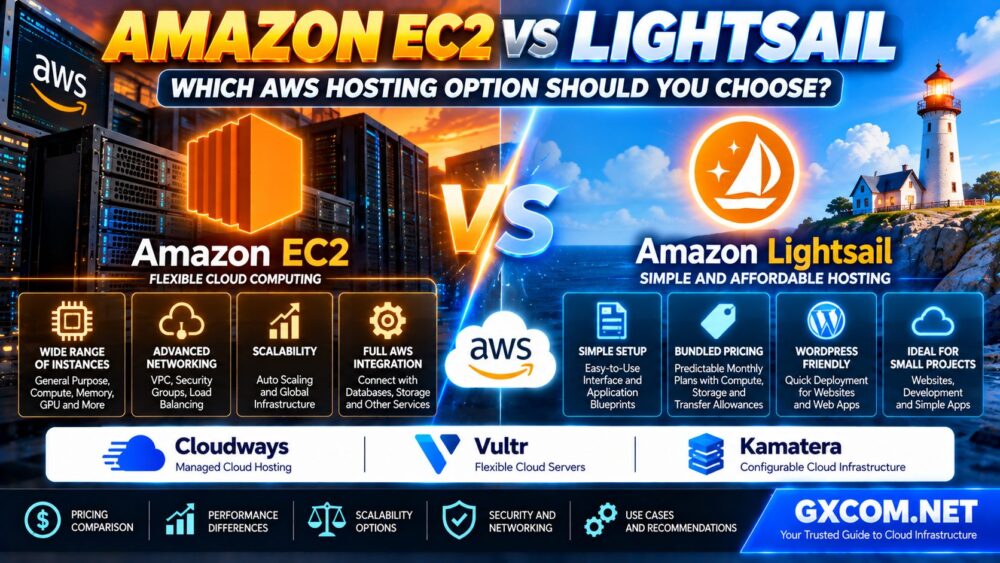
Choosing between Amazon EC2 and Lightsail is one of the first decisions businesses face when hosting a website or application on Amazon Web Services (AWS). Both services provide cloud computing resources, but they differ in pricing structure, infrastructure control, networking, scalability, and operational complexity.
Amazon Lightsail simplifies cloud hosting through bundled plans and a streamlined management experience. Amazon EC2 provides greater flexibility for organizations that need specialized instances, advanced networking, and deeper AWS integration.
Neither option is automatically faster, cheaper, or more reliable for every workload.
This EC2 vs Lightsail comparison explains the key differences, hidden cost considerations, WordPress hosting suitability, performance requirements, security, and migration options to help you choose the right AWS hosting service.
EC2 vs Lightsail: Quick Comparison
| Feature | Amazon Lightsail | Amazon EC2 |
|---|---|---|
| Primary use | Simple websites, apps and VPS hosting | Flexible cloud computing workloads |
| Pricing | Bundled monthly plans | Usage-based and commitment options |
| Setup | Simplified interface and blueprints | More configuration choices |
| Instance options | Curated compute plans | Extensive instance families |
| Networking | Simplified networking controls | Advanced VPC and security configuration |
| Scaling | Plan upgrades and supported add-on services | Broader scaling and automation options |
| Load balancing | Lightsail load balancers | Elastic Load Balancing |
| Storage | Bundled disks and additional storage options | EBS and wider storage integration |
| Best fit | Users prioritizing simplicity | Users prioritizing infrastructure flexibility |
Quick verdict: Choose Lightsail for straightforward websites and predictable hosting requirements. Choose EC2 when your workload needs advanced infrastructure control, specialized computing, or complex scaling.
1. What Is Amazon Lightsail?
Amazon Lightsail is an AWS service designed to simplify hosting websites, applications, and virtual private servers.
It combines common infrastructure features into an accessible management experience, including virtual servers, networking, storage, snapshots, and selected managed services.
Lightsail also offers application blueprints that can simplify initial deployment.
Typical use cases include:
- WordPress websites
- Small business websites
- Development and testing environments
- Simple web applications
- Personal projects
- Predictable VPS-style workloads
Lightsail is particularly attractive when the user wants a manageable server without configuring a large number of separate AWS services.
However, simplicity does not eliminate server administration responsibilities. Customers still need to manage operating system updates, application security, and backups unless those responsibilities are covered by another service.
2. What Is Amazon EC2?
Amazon Elastic Compute Cloud (EC2) provides configurable virtual computing capacity within AWS.
EC2 supports a broad range of instance families designed for different combinations of processing power, memory, storage, networking, and specialized acceleration.
It also integrates with services such as Amazon VPC, Elastic Load Balancing, Auto Scaling, Amazon EBS, and other AWS infrastructure components.
Common EC2 use cases include:
- Enterprise applications
- Scalable web platforms
- Custom application environments
- Compute-intensive workloads
- Data processing
- Specialized CPU or GPU workloads
- Infrastructure requiring advanced networking
EC2 provides greater flexibility, but that flexibility introduces more configuration and cost-management responsibilities.
3. EC2 vs Lightsail Pricing: Which Is Cheaper?
Pricing is one of the biggest differences between the two services.
Lightsail uses bundled plans that combine compute resources with defined storage and data transfer allowances.
EC2 provides several purchasing models, including On-Demand Instances, Savings Plans, Reserved Instances, and Spot Instances where applicable.
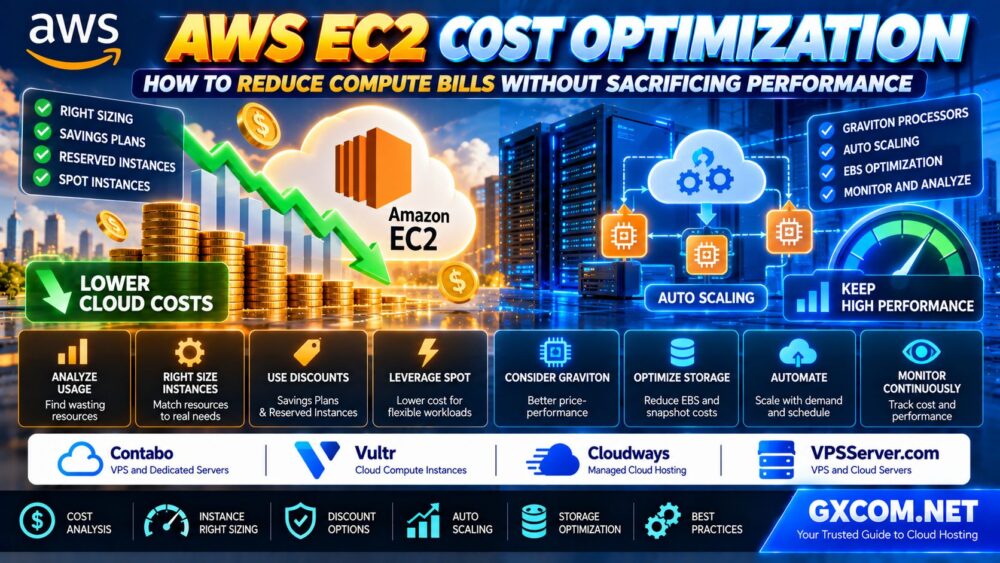
Already running workloads on Amazon EC2? Explore our AWS EC2 Cost Optimization Guide to learn how right sizing, Savings Plans, Spot Instances, Graviton processors and storage optimization can help reduce cloud spending without compromising application performance.
Lightsail Pricing Advantages
Lightsail's bundled approach can make budgeting easier for a straightforward website or application.
Users can select a plan with defined CPU, memory, storage, and transfer allowances without assembling every infrastructure component separately.
However, additional resources and usage beyond included allowances may generate extra charges.
EC2 Pricing Considerations
EC2 costs can depend on:
- Instance family and size
- Operating system and licensing
- Instance running time
- Purchase model
- EBS storage and snapshots
- Data transfer
- Public IPv4 usage
- Load balancing and supporting services
For a long-running workload, the cheapest option cannot be determined from the compute instance rate alone.
Compare the complete monthly infrastructure estimate using the same workload assumptions.
4. Performance: Is EC2 Faster Than Lightsail?
EC2 is not automatically faster than Lightsail.
Performance depends on the actual instance configuration, CPU behavior, available memory, storage performance, network characteristics, and application design.
EC2 offers a much wider selection of instance families, making it easier to choose hardware characteristics for specialized workloads.
Lightsail focuses on simpler configurations intended for common hosting requirements.
CPU Performance
Applications with high sustained processing requirements should be evaluated using representative benchmarks.
Do not compare services based only on advertised virtual CPU counts.
RAM and Application Caching
Memory requirements depend on the application, database, traffic patterns, and caching configuration.

A server with insufficient RAM may experience slowdowns regardless of the cloud platform.
Storage Performance
Database-heavy applications should evaluate disk latency, throughput, and storage architecture.
EC2 provides additional storage configuration options through the wider AWS ecosystem.
Performance recommendation: Test application response times, database queries, and sustained load before choosing a platform based on specifications alone.
5. Networking and Security Differences
Lightsail simplifies common networking tasks, including public connectivity and firewall configuration.
EC2 offers deeper control through Amazon VPC, subnets, route tables, security groups, network interfaces, and related AWS networking services.
This flexibility can be important for applications requiring:
- Private application networks
- Multiple security boundaries
- Advanced routing
- Hybrid connectivity
- Complex load balancing
- Multi-tier infrastructure
However, more configuration options also create more opportunities for security mistakes.
Both services operate under the AWS shared responsibility model. Customers remain responsible for securing the operating system and applications within their scope.
6. Scaling: Can Lightsail Grow With Your Website?
Lightsail supports growth through larger plans and selected services such as load balancing and managed databases.
For many websites, this may be sufficient.
EC2 provides broader options for scaling infrastructure, including specialized instance families and integration with EC2 Auto Scaling.
This matters when applications experience unpredictable demand or require automated changes in computing capacity.
Lightsail is not inherently unsuitable for growing businesses. The key question is whether its available configuration and architecture options match your expected growth.
7. EC2 vs Lightsail for WordPress Hosting
WordPress is a common reason users compare these services.
Lightsail can simplify WordPress deployment through application blueprints and bundled infrastructure plans.
It may be suitable for blogs, business websites, and content-driven projects with manageable traffic requirements.
EC2 becomes more attractive when WordPress requires a customized infrastructure architecture, advanced networking, or integration with multiple AWS services.
Choose Lightsail for WordPress When:
- You want a straightforward initial deployment
- Your resource requirements are relatively predictable
- You prefer bundled infrastructure pricing
- You do not need extensive AWS customization
Choose EC2 for WordPress When:
- You need a highly customized deployment
- You require more instance-family choices
- Your architecture uses advanced AWS networking
- You need broader automation or scaling options
For readers comparing infrastructure approaches, our WordPress Hosting vs Web Hosting Guide explains the differences between application-focused and general hosting services.
8. EC2 vs Lightsail for Small Businesses
Small businesses often prioritize manageable infrastructure, predictable expenses, and reliable website operation.
Lightsail can be a practical starting point when the application does not require advanced AWS architecture.
EC2 may be a better choice when the business already uses AWS extensively or requires specialized configurations.
Before deciding, consider:
- Expected traffic growth
- Required operating system
- Database architecture
- Backup and recovery objectives
- Security and compliance requirements
- Available technical expertise
- Long-term operating costs
A smaller business does not automatically need Lightsail, just as a larger business does not automatically need EC2.
Workload complexity is more useful than company size when making the decision.
9. EC2 vs Lightsail for Developers and Applications
Developers should evaluate deployment requirements rather than selecting infrastructure based solely on familiarity.
Lightsail can work well for straightforward development environments, test applications, and simple production services.
EC2 is generally more suitable when developers need extensive instance customization, advanced infrastructure automation, or specialized compute resources.
For example, an application requiring GPU acceleration should be evaluated against the relevant EC2 instance families rather than assuming a standard Lightsail plan can provide equivalent capabilities.
Likewise, applications requiring sophisticated network isolation or automated scaling may benefit from EC2's broader integration options.
10. Can You Migrate From Lightsail to EC2?
Yes. AWS provides a supported process for exporting eligible Lightsail instance snapshots to EC2.
The general workflow includes:
- Create a manual Lightsail snapshot.
- Export the supported snapshot to EC2.
- Create an EC2 instance from the exported image.
- Review instance compatibility and storage configuration.
- Update networking and security settings.
- Test the application before switching production traffic.
Not every Lightsail resource or application blueprint supports the same export procedure.
Administrators should check current AWS migration documentation and confirm compatibility before starting.
Migration can also introduce additional EC2, storage, snapshot, and networking charges.
Migration tip: Test the exported instance and recovery process before changing production DNS records.
11. When Should You Consider Alternatives to AWS?
EC2 and Lightsail are not the only options for hosting websites and applications.
Some buyers may prefer a managed hosting service, a simpler VPS platform, or infrastructure with different billing and administration models.
Cloudways, Vultr, and Kamatera are three alternatives worth evaluating, depending on the workload.
Cloudways: Managed Cloud Hosting
Cloudways is relevant for users who prefer a managed hosting layer rather than administering every aspect of a cloud server themselves.
It may be worth comparing for WordPress and other supported web applications where simplified operations are a priority.
Before purchasing, verify the underlying cloud provider, supported applications, management scope, and total service cost.
Vultr: Cloud Compute and VPS Alternatives
Vultr is a candidate for users comparing cloud compute infrastructure outside AWS.
Review its available instance types, regions, storage performance, network allowances, and administration requirements.
Vultr should be evaluated as an alternative platform, not as a direct replacement for every AWS-managed service.
Kamatera: Configurable Cloud Infrastructure
Kamatera is another candidate for buyers seeking configurable cloud server resources.
Compare processor allocation, RAM, storage, operating system options, network configuration, and available management services.
For business applications, evaluate the full deployment architecture rather than the virtual server alone.
For a broader comparison of cloud infrastructure, read our Best Cloud Hosting Solutions Guide.
12. EC2 vs Lightsail vs Alternative Cloud Hosting
| Option | Primary Advantage | Best Evaluation Scenario |
|---|---|---|
| Amazon Lightsail | Bundled plans and simpler setup | Websites and straightforward applications |
| Amazon EC2 | Broad infrastructure customization | Complex and specialized workloads |
| Cloudways | Managed hosting experience | Users prioritizing operational convenience |
| Vultr | Alternative cloud compute platform | VPS and cloud infrastructure comparison |
| Kamatera | Configurable cloud servers | Custom resource and deployment requirements |
These services are not identical products. Compare management responsibilities, included services, and total cost before making a purchasing decision.
13. Hidden Costs and Common Buying Mistakes
Cloud hosting bills can become difficult to predict when buyers compare only the advertised compute price.
Common mistakes include:
- Assuming Lightsail plans include unlimited outbound data transfer.
- Comparing EC2 compute charges without including EBS storage.
- Ignoring backup and snapshot storage costs.
- Overlooking public IP and networking charges.
- Choosing an oversized EC2 instance without measuring usage.
- Assuming EC2 is always faster than Lightsail.
- Choosing Lightsail without considering future infrastructure requirements.
- Assuming a managed hosting alternative provides the same AWS services.
- Ignoring operating system and application maintenance.
- Failing to configure billing alerts and monitoring.
Before committing to either service, estimate total monthly costs under realistic traffic, storage, and uptime assumptions.
Our Cloud Hosting vs VPS Comparison explains the broader tradeoffs between cloud platforms and VPS-style hosting.
14. EC2 vs Lightsail: Which Should You Choose?
The right decision depends on how much infrastructure control your application requires.

Choose Amazon Lightsail If:
- You are launching a straightforward website or application.
- You prefer bundled monthly hosting plans.
- You want a simpler management experience.
- You do not need extensive infrastructure customization.
- Your expected growth fits the available Lightsail options.
Choose Amazon EC2 If:
- You need specialized compute or instance configurations.
- You require advanced VPC networking.
- You want broader scaling and automation capabilities.
- Your application uses multiple AWS infrastructure services.
- You need detailed control over the compute environment.
Consider a Third-Party Cloud Provider If:
- You want to compare different management models.
- Your workload does not depend heavily on AWS-specific services.
- You need a different resource configuration or support arrangement.
- You are evaluating long-term cloud infrastructure costs.
For organizations still deciding between cloud infrastructure and physical servers, see our Dedicated Server vs Cloud Server Guide.
Frequently Asked Questions
Is Amazon Lightsail cheaper than EC2?
Lightsail can be easier to budget for because it offers bundled plans. Whether it is cheaper depends on the workload, EC2 purchasing model, storage, traffic, and additional services.
Is EC2 more powerful than Lightsail?
EC2 offers a much wider range of compute configurations, including specialized instance families. Actual performance still depends on the selected hardware and application workload.
Is Lightsail good for WordPress?
Yes. Lightsail can be suitable for WordPress websites that benefit from simplified deployment and predictable infrastructure requirements.
Can Lightsail handle high traffic?
Lightsail can support growing websites within the limits of its available plans and architecture options. Capacity should be tested against actual traffic and application performance.
Does Lightsail include a load balancer?
Lightsail offers a load balancing service. Its capabilities and intended use cases differ from the broader Elastic Load Balancing options available with EC2.
Can I move from Lightsail to EC2 later?
Yes. AWS supports exporting eligible Lightsail snapshots to EC2. Compatibility, security settings, and migration costs should be reviewed before moving production workloads.
Which is better for a small business website?
Lightsail is often a practical starting point for straightforward websites. EC2 may be preferable when the business requires advanced AWS infrastructure or specialized computing.
Are Cloudways, Vultr and Kamatera AWS services?
No. They are separate hosting or cloud service offerings. Their features, management responsibilities, and underlying infrastructure arrangements differ from native AWS products.
Final Verdict: Lightsail for Simplicity, EC2 for Flexibility
Amazon EC2 and Lightsail serve different hosting requirements.
Lightsail is a practical option for users who want straightforward cloud hosting with bundled plans and simplified administration. EC2 is more appropriate when an application requires specialized computing, advanced networking, or broader AWS infrastructure integration.
Neither service should be selected based on brand recognition or advertised specifications alone.
Evaluate your workload, expected growth, management capabilities, and complete operating costs.
Cloudways, Vultr, and Kamatera may also be worth comparing when a different hosting or management model better matches your requirements.
WORKLOAD → CONTROL → PERFORMANCE → SCALING → TOTAL COST.
The best AWS hosting option is the one that meets your application's real requirements without introducing unnecessary complexity or expense.