Cheap VPS hosting can give you significantly more control than shared hosting without requiring the cost of a dedicated server.
But there is an important difference between a VPS that is genuinely affordable and one that is simply cheap.
A low monthly price means very little if the server suffers from overloaded CPUs, slow storage, limited bandwidth, poor routing or expensive add-ons.
That is why choosing the best cheap VPS hosting should be based on value rather than price alone.
The right question is not:
WHICH VPS IS THE CHEAPEST?
It is:
WHICH VPS GIVES ME THE PERFORMANCE AND RESOURCES I NEED AT THE LOWEST SUSTAINABLE COST?
In this guide, GXCOM.NET compares affordable VPS providers including DigitalOcean, Vultr, Contabo, IONOS, RackNerd, VPSDime, Database Mart, Hostwinds and Kamatera, while explaining the specifications that actually matter when buying a budget VPS.
Our approach is simple:
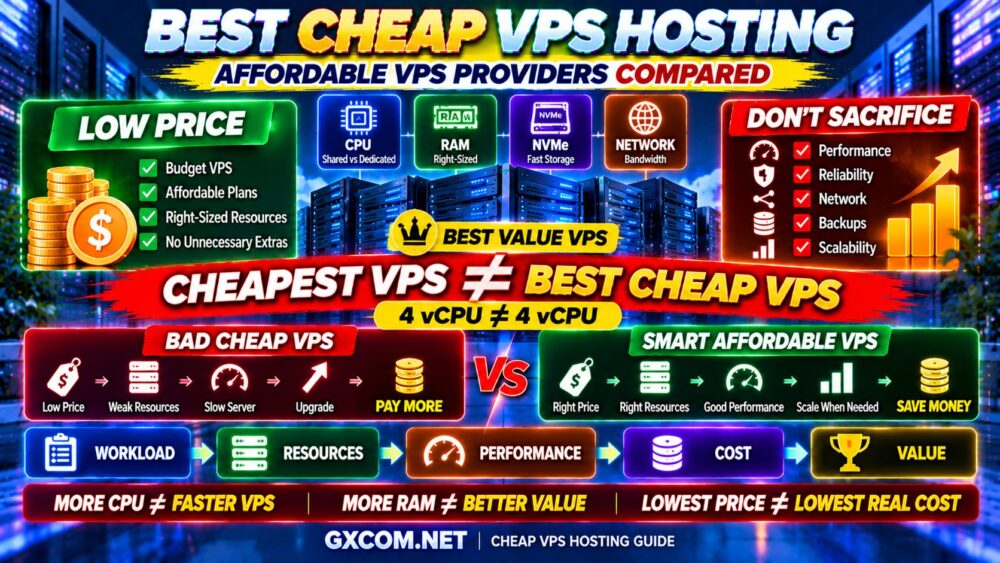
WORKLOAD → RESOURCES → PERFORMANCE → COST → VALUE
Best Cheap VPS Hosting Providers at a Glance
| Provider | Best For | Key Advantage |
|---|---|---|
| DigitalOcean | Developers | Flexible cloud VPS ecosystem |
| Vultr | Global Deployments | Wide infrastructure choices |
| Contabo | High Resource Value | Large RAM and storage allocations |
| IONOS | Budget Business VPS | Low-cost entry into VPS hosting |
| RackNerd | Budget VPS Deals | Value-focused VPS offers |
| VPSDime | RAM-Focused Workloads | Budget virtual server options |
| Database Mart | Business and Windows/Linux Options | Multiple VPS and server configurations |
| Hostwinds | Managed or Unmanaged VPS | Linux and Windows flexibility |
| Kamatera | Custom Cloud VPS | Flexible resource configuration |
Important: VPS prices, promotions, server specifications and available locations can change. Always verify the current configuration, billing terms and renewal conditions directly with the provider before purchasing.
What Is Cheap VPS Hosting?
A VPS, or Virtual Private Server, divides a physical server into isolated virtual environments.
Each VPS receives an allocation of resources such as:
- vCPU
- RAM
- Storage
- Network transfer
- Operating system
Compared with traditional shared hosting, VPS hosting normally provides more control over the operating system and software stack.
Cheap VPS hosting applies the same concept at a lower infrastructure cost.
However, lower cost can be achieved in different ways.
A provider might use:
- Shared CPU resources
- Smaller RAM allocations
- Lower storage capacity
- Self-managed support
- Limited backup features
- Different network allocations
None of these automatically makes a VPS bad.
The important question is whether those compromises match your workload.
Cheap VPS vs Affordable VPS: There Is a Difference
GXCOM.NET separates these two concepts.
Cheap VPS
A cheap VPS primarily competes on the lowest possible purchase price.
Affordable VPS
An affordable VPS delivers the resources required by your workload without unnecessary cost.
For example:
CHEAP VPS
Low Price → Insufficient Resources → Slow Application → Upgrade
versus:
AFFORDABLE VPS
Right Price → Right Resources → Stable Performance → Better Value
This leads to the most important rule in this guide:
CHEAPEST VPS ≠ BEST CHEAP VPS.
1. DigitalOcean — Best Affordable VPS for Developers
Best for: Developers, websites, APIs, staging environments and small cloud applications.
DigitalOcean provides virtual machines called Droplets and is particularly attractive to developers who want straightforward cloud infrastructure.
Its entry-level shared CPU infrastructure can be appropriate for workloads that do not require sustained dedicated compute.
Typical examples include:
- Small websites
- Development servers
- Staging environments
- Personal projects
- Lightweight APIs
The major advantage is the broader ecosystem around the server.
As requirements grow, users can consider additional storage, networking and higher-performance compute options rather than immediately migrating to an entirely different infrastructure platform.
Why DigitalOcean Offers Good Value
- Developer-friendly deployment
- Multiple compute classes
- Cloud infrastructure ecosystem
- Snapshots and backup options
- Block storage
- API support
- Scaling options
DigitalOcean is not necessarily the answer if your only goal is obtaining the maximum RAM for the lowest possible cost.
Its value becomes clearer when infrastructure flexibility and developer experience matter.
2. Vultr — Best Affordable VPS for Global Locations
Best for: Websites and applications that need geographic deployment flexibility.
Vultr is another developer-oriented cloud platform that competes strongly in the VPS market.
One reason to consider Vultr is location flexibility.
Server location can affect latency, particularly for dynamic applications where requests must reach the origin server.
A cheap server located far from your users may provide worse real-world responsiveness than a slightly different VPS deployed closer to the audience.
Vultr Strengths
- Global deployment options
- Multiple compute categories
- Cloud-style infrastructure
- Developer tooling
- Flexible scaling
For globally distributed projects, location can be just as important as CPU and RAM.
CHEAPER SERVER + HIGHER LATENCY ≠ BETTER VALUE.
3. Contabo — Best Cheap VPS for High Resource Value
Best for: Buyers who prioritize RAM, storage capacity and overall resource allocation.
Contabo is frequently considered by budget VPS buyers because its product strategy emphasizes relatively large resource configurations.
This can be attractive for workloads that need memory or storage capacity.
However, buyers should avoid one common mistake:
MORE RESOURCES ≠ MORE PERFORMANCE.
A VPS with a large amount of RAM is valuable only when the application can actually use it.
Similarly, a high vCPU number does not tell you everything about CPU performance.
You should still investigate:
- CPU architecture
- Shared vs dedicated resources
- Storage technology
- Network characteristics
- Server region
Contabo therefore makes the most sense when your workload genuinely benefits from larger resource allocations.
4. IONOS — Best Cheap VPS for Small Business
Best for: Small businesses, lightweight production environments and users moving beyond shared hosting.
IONOS provides another path into lower-cost VPS infrastructure.
It can be attractive to businesses that need more server control without immediately moving to expensive cloud or dedicated infrastructure.
Possible workloads include:
- Business websites
- Small applications
- Development
- Testing
- Custom web stacks
When comparing entry-level plans, pay attention to the complete resource package rather than only the promotional price.
A business website that generates leads or revenue should prioritize stability as well as cost.
5. RackNerd — Best for Budget VPS Deals
Best for: Budget-conscious users, testing, personal projects and lightweight server workloads.
RackNerd is well known among value-focused VPS buyers and frequently targets users looking for inexpensive virtual servers.
Budget VPS deals can be particularly useful for:
- Development
- Testing
- Small websites
- Learning Linux
- Lightweight applications
- Secondary infrastructure
However, promotional VPS deals should always be evaluated beyond the headline price.
Check:
- CPU allocation
- RAM
- Storage
- Bandwidth
- Location
- IPv4 availability
- Backup policy
- Renewal terms
PROMOTIONAL PRICE ≠ TOTAL VPS VALUE.
6. VPSDime — Best for Budget RAM-Focused VPS Workloads
Best for: Users who prioritize memory capacity for relatively lightweight compute workloads.
Some server workloads need more RAM without requiring extremely powerful CPUs.
Examples can include:
- Caching
- Development environments
- Multiple lightweight services
- Memory-oriented applications
For these workloads, buying a conventional VPS package with more CPU than necessary may waste money.

A value-oriented provider such as VPSDime can therefore be worth comparing when RAM allocation is an important part of your buying decision.
Again, match the server to the workload rather than purchasing based on one specification.
7. Database Mart — Best for Flexible VPS and Server Choices
Best for: Users comparing Windows, Linux and broader server configurations.
Database Mart has operated in the hosting market for many years and provides multiple virtual and dedicated server options.
This makes it relevant to users who may need different operating systems or who expect their infrastructure requirements to change.
For budget buyers, the important comparison is not simply how much RAM is included.
Check the entire environment:
- Operating system
- CPU
- RAM
- Storage
- Bandwidth
- Remote access
- Management requirements
Windows buyers in particular should consider licensing and operating-system overhead when comparing the cost with Linux VPS hosting.
8. Hostwinds — Best for Cheap Managed and Unmanaged VPS Choice
Best for: Buyers who want flexibility between managed and unmanaged VPS hosting.
The cheapest server is not necessarily the cheapest server to operate.
An unmanaged VPS may reduce the direct infrastructure bill, but you are responsible for tasks such as:
- Server updates
- Security
- Firewall configuration
- Web server configuration
- Database administration
- Monitoring
- Backups
Hostwinds is worth comparing because it offers different VPS approaches, including Linux and Windows environments.
This allows buyers to consider the cost of management alongside the cost of hardware resources.
For a detailed explanation, read our Managed VPS vs Unmanaged VPS guide.
9. Kamatera — Best Affordable VPS for Custom Resources
Best for: Users who want to avoid paying for resources they do not need.
Fixed VPS packages are convenient, but they can create inefficient combinations.
You may need:
MORE CPU + LESS RAM
or:
MORE RAM + LESS STORAGE
Kamatera's flexible cloud-server approach can be useful when the workload does not fit neatly into a standard hosting tier.
The economic advantage is simple:
BUY THE RESOURCES YOU NEED.
Not:
BUY A BIGGER PACKAGE JUST TO GET ONE RESOURCE.
This can make customizable cloud infrastructure surprisingly competitive for carefully sized workloads.
Best Cheap VPS by Use Case
| Use Case | Providers to Compare |
|---|---|
| Developers | DigitalOcean, Vultr |
| Large Resource Allocation | Contabo |
| Small Business | IONOS |
| Budget VPS Deals | RackNerd |
| RAM-Focused Workloads | VPSDime |
| Windows/Linux Options | Database Mart, Hostwinds |
| Custom Resource Configuration | Kamatera |
How Cheap Should a VPS Be?
There is no universal price at which a VPS becomes “cheap.”
The correct price depends on the resources and services included.
Instead of asking:
HOW MUCH DOES THIS VPS COST?
ask:
WHAT DO I GET FOR THE MONEY?
Compare:
- vCPU
- CPU allocation
- RAM
- Storage type
- Storage capacity
- Bandwidth
- Network port
- IPv4
- Backups
- Support
- Management
Our VPS Hosting Cost guide explains the broader cost structure in more detail.
Cheap VPS CPU: Why vCPU Numbers Can Be Misleading
One of the biggest mistakes in budget VPS shopping is comparing CPU performance using only the number of vCPUs.
For example:
4 vCPU Provider A
is not automatically equivalent to:
4 vCPU Provider B.
Performance can differ because of:
- CPU generation
- Clock speed
- Shared CPU allocation
- Dedicated CPU allocation
- Host-node utilization
- Virtualization architecture
This is why:
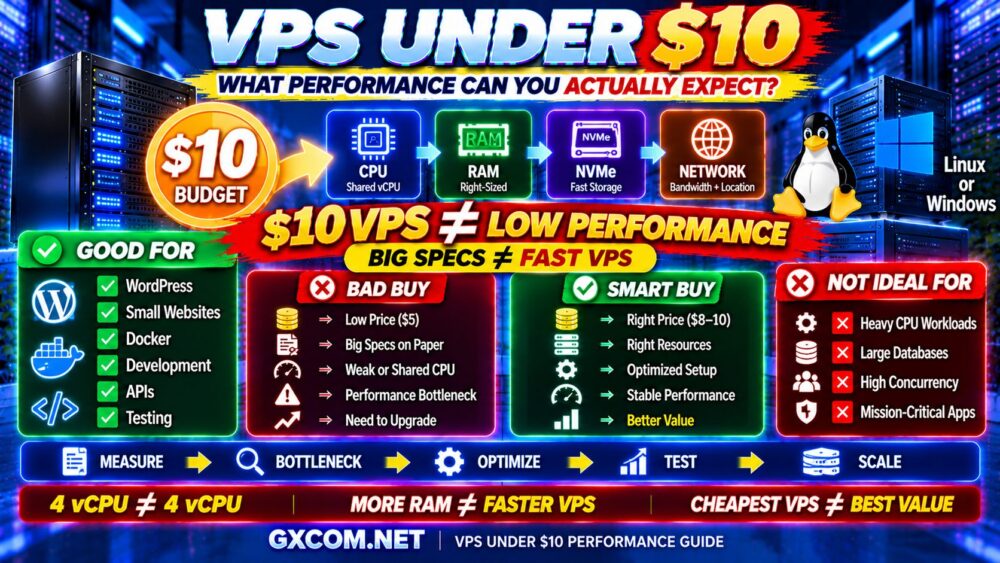
4 vCPU ≠ 4 vCPU.
For sustained CPU-heavy workloads, consistent compute access may matter more than the headline core count.
How Much RAM Does a Cheap VPS Need?
| RAM | Typical Starting Workload |
|---|---|
| 1 GB | Lightweight Linux services and testing |
| 2 GB | Small websites and lightweight applications |
| 4 GB | WordPress and moderate applications |
| 8 GB | Growing sites, databases and business applications |
| 16 GB+ | Heavier applications and memory-intensive workloads |
These are only general starting points.
Optimization can dramatically change memory requirements.
Do not pay for 16 GB of RAM if your workload uses only 2 GB.
At the same time, do not choose insufficient RAM simply to save a small amount.
RIGHT-SIZED RAM > MAXIMUM RAM.
NVMe Matters — But It Isn't Everything
NVMe storage can provide excellent I/O performance for workloads such as:
- Databases
- WordPress
- Ecommerce
- Search indexes
- Logging
- Dynamic applications
But seeing “NVMe” on a product page does not tell you the entire storage-performance story.
Actual performance can also depend on:
- Storage architecture
- Resource contention
- I/O limits
- Workload pattern
See our NVMe VPS Performance Explained guide for a deeper look at IOPS and disk I/O.
Cheap Linux VPS vs Cheap Windows VPS
Linux VPS
Linux is often the natural choice for budget VPS hosting.
Popular workloads include:
- WordPress
- PHP
- Python
- Node.js
- Docker
- Nginx
- Apache
- MySQL/MariaDB
Linux distributions are generally available without the additional operating-system licensing considerations associated with Windows Server.
Windows VPS
Windows VPS may be necessary for:
- Remote Desktop workloads
- Windows Server applications
- Windows-specific business software
- Microsoft-oriented environments
Therefore:
CHEAP WINDOWS VPS ≠ CHEAP LINUX VPS.
Always compare the complete configuration and licensing structure.
Cheap Managed VPS vs Cheap Unmanaged VPS
If you know Linux server administration, an unmanaged VPS can provide excellent value.
If you do not, cheap unmanaged hosting can become expensive in another currency:
YOUR TIME.
Consider:
SERVER COST
+
MANAGEMENT
+
BACKUPS
+
SOFTWARE
+
YOUR TIME
=
REAL VPS COST
This is particularly important for business websites.
Cheap VPS Bandwidth and Network Limits
A budget VPS may advertise a fast network port.
But:
1 Gbps PORT ≠ 1 Gbps REAL-WORLD PERFORMANCE.
Check:
- Monthly transfer allowance
- Inbound traffic policy
- Outbound traffic policy
- Overage charges
- Network routing
- Server location
A server with excellent CPU and RAM can still feel slow if network connectivity to your audience is poor.
Does Server Location Matter for a Cheap VPS?
Yes.
When possible, place the server near your primary audience.
For example:
US USERS → US VPS
EU USERS → EUROPEAN VPS
ASIAN USERS → ASIAN VPS
A CDN can reduce latency for cacheable assets, but dynamic requests still depend on communication with the origin server.
Do not choose a distant server merely because it is slightly cheaper.
Cheap VPS for WordPress: Is It Worth It?
Yes, a low-cost VPS can run WordPress very well when the server and application are properly configured.
Important factors include:
- CPU performance
- Enough RAM
- NVMe storage
- PHP configuration
- Page caching
- Object caching
- Database optimization
- CDN
A well-optimized small VPS can outperform a much larger poorly configured server.
OPTIMIZATION BEFORE UPGRADE.
Cheap VPS for Business Websites
A business VPS should not be selected purely by the lowest price.
If the website generates leads, sales or customer inquiries, downtime and slow performance have a business cost.
Prioritize:
- Reliable infrastructure
- Backup strategy
- Security
- Support
- Predictable performance
- Upgrade options
Saving a small amount on infrastructure is rarely worthwhile if server problems cost customers.
Cheap VPS for Development and Testing
This is where budget VPS hosting can be particularly attractive.
Development workloads often do not require:
- Enterprise support
- Large storage
- Dedicated CPU
- Extensive backup retention
A small VPS can provide an isolated environment for:
- Testing applications
- Learning Linux
- Running CI tasks
- Hosting staging websites
- Testing databases
- Experimenting with Docker
For these workloads, low-cost shared CPU VPS infrastructure can offer excellent value.
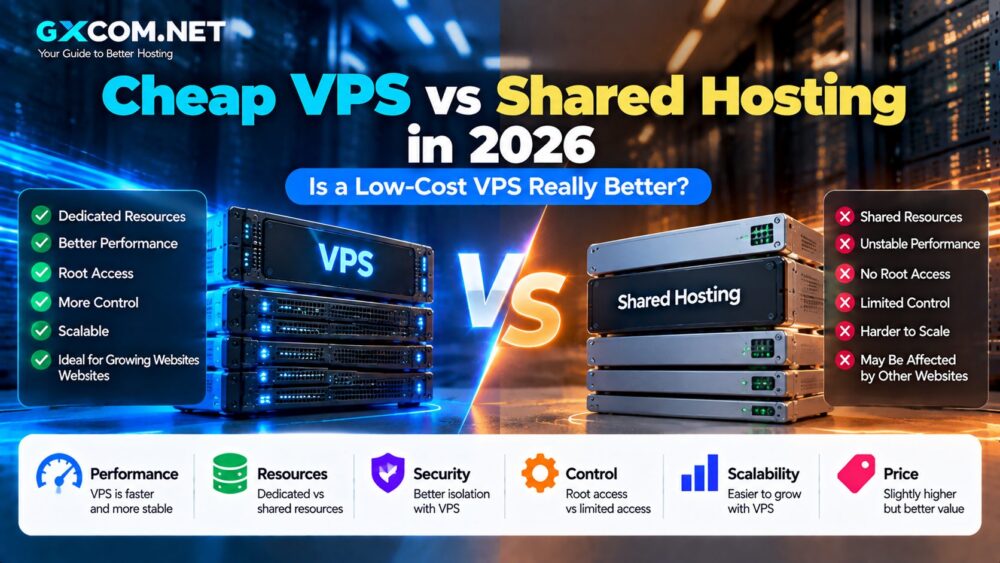
Cheap VPS vs Shared Hosting
Shared hosting is often easier to manage.
VPS hosting provides more control.
| Feature | Shared Hosting | Cheap VPS |
|---|---|---|
| Server Control | Limited | High |
| Root Access | Usually No | Usually Yes |
| Custom Software | Limited | Flexible |
| Management | Usually Included | Often Self-Managed |
| Learning Curve | Low | Higher |
If you simply need to host a small website and do not need server control, shared hosting may still be easier.
If you need root access, custom software or more infrastructure flexibility, VPS becomes more attractive.
See our VPS vs Shared Hosting comparison for more detail.
Cheap VPS vs Premium VPS
What do you get by paying more?
Potential improvements can include:
- Newer CPU architecture
- Dedicated CPU
- Higher storage I/O
- Better network capacity
- More backup features
- Managed support
- Higher availability architecture
But expensive VPS hosting is not automatically better either.
If your workload is lightweight, premium infrastructure may provide performance you never use.
The correct target is:
ENOUGH PERFORMANCE + ENOUGH RESOURCES + LOWEST SENSIBLE COST.
Hidden Costs of Cheap VPS Hosting
A low advertised server price may not represent the complete infrastructure cost.
Potential additional costs include:
- Backups
- Additional IPv4 addresses
- Control panel licenses
- Windows licensing
- Extra storage
- Bandwidth overages
- Server management
- Security software
Therefore:
VPS PRICE ≠ REAL VPS COST.
Calculate the complete environment before comparing providers.
When You Should NOT Buy the Cheapest VPS
A rock-bottom VPS is usually not the right choice when you run:
- Revenue-critical ecommerce
- Large production databases
- High-concurrency applications
- Mission-critical business systems
- Sustained CPU-intensive workloads
For these workloads, predictable performance can be worth significantly more than the lowest infrastructure price.
If performance is the priority, compare the broader options in our Best VPS Hosting Providers guide.
How to Choose the Best Cheap VPS Hosting
1. Define Your Workload
Do not buy resources before knowing what the server will run.
2. Check CPU Type
Determine whether the CPU is shared, dedicated or designed for sustained compute.
3. Choose Enough RAM
Do not underbuy or massively overbuy memory.
4. Check Storage
Look beyond capacity and consider NVMe and disk I/O.
5. Check Bandwidth
Understand transfer limits and network policies.
6. Choose the Right Location
Deploy close to your audience where practical.
7. Check Backup Costs
Do not assume backups are included.
8. Check Management
Know who is responsible for server administration.
9. Check Upgrade Options
Your inexpensive VPS should not become a dead end when the workload grows.
10. Calculate Real Cost
Add all required infrastructure and software before deciding which VPS is actually cheapest.
Cheap VPS Buying Checklist
Before buying, check:
- ✓ CPU generation
- ✓ Shared vs dedicated CPU
- ✓ RAM allocation
- ✓ NVMe or SSD
- ✓ Disk capacity
- ✓ Bandwidth allowance
- ✓ Network port
- ✓ Server location
- ✓ IPv4 included or extra
- ✓ Backup policy
- ✓ Snapshot support
- ✓ Linux or Windows
- ✓ Managed or unmanaged
- ✓ Upgrade options
- ✓ Renewal terms
- ✓ Total real cost
Then ask:
IF THIS VPS COST A LITTLE MORE, WOULD BETTER PERFORMANCE OR RELIABILITY SAVE ME MONEY LATER?
Best Cheap VPS Hosting FAQ
What is the best cheap VPS hosting?
The best cheap VPS depends on your workload. DigitalOcean and Vultr are strong developer-oriented choices, Contabo emphasizes high resource value, IONOS targets cost-conscious infrastructure buyers, RackNerd is popular for budget VPS deals, and Kamatera is useful when custom resource sizing matters.
Is cheap VPS hosting reliable?
It can be. Low price does not automatically mean poor reliability. However, buyers should evaluate CPU allocation, storage, network quality, backups, support and provider infrastructure rather than assuming all VPS plans with similar specifications perform equally.
Is cheap VPS good for WordPress?
Yes. A properly configured low-cost VPS can run WordPress efficiently, particularly when page caching, object caching, database optimization and a CDN are used.
How much RAM do I need for a cheap VPS?
Small Linux services may need relatively little memory, while WordPress, databases and business applications require more. Select RAM according to your actual software stack rather than buying the largest allocation available.
Should I choose NVMe VPS hosting?
NVMe is useful for workloads with frequent disk operations, including databases and dynamic websites. However, storage technology should be evaluated together with CPU, RAM and network performance.
Is Linux VPS cheaper than Windows VPS?
Linux VPS can often have a lower total software cost because common Linux distributions do not require the same Windows Server licensing structure. Actual provider pricing varies.
Is unmanaged VPS cheaper than managed VPS?
Unmanaged VPS usually has lower direct management costs, but you must handle server administration yourself. For businesses without technical staff, managed VPS can sometimes offer better total value.
What hidden costs should I check before buying a cheap VPS?
Check backups, IPv4 addresses, control panel licenses, Windows licensing, additional storage, bandwidth charges, management and security tools.
Final Verdict: The Best Cheap VPS Is About Value, Not the Lowest Price
Cheap VPS hosting can provide exceptional value when you choose the right server for the right workload.
DigitalOcean and Vultr are attractive for developers and flexible cloud deployments.
Contabo is worth comparing when RAM and storage capacity are priorities.
IONOS provides another budget-oriented path into VPS infrastructure.
RackNerd and VPSDime appeal to specific value-focused use cases, while Database Mart and Hostwinds provide broader server choices. Kamatera is particularly useful when custom resource allocation can prevent overpaying for unnecessary capacity.
But no provider should be selected solely because its advertised price is lower.
Use this framework:
WORKLOAD
↓
CPU
↓
RAM
↓
NVMe
↓
NETWORK
↓
MANAGEMENT
↓
REAL COST
↓
BEST VALUE VPS
Remember:
CHEAPEST VPS ≠ BEST CHEAP VPS.
MORE vCPU ≠ MORE PERFORMANCE.
MORE RAM ≠ BETTER VALUE.
LOW PRICE ≠ LOW TOTAL COST.
The best cheap VPS is the server that reliably meets your workload requirements without making you pay for resources you do not need.