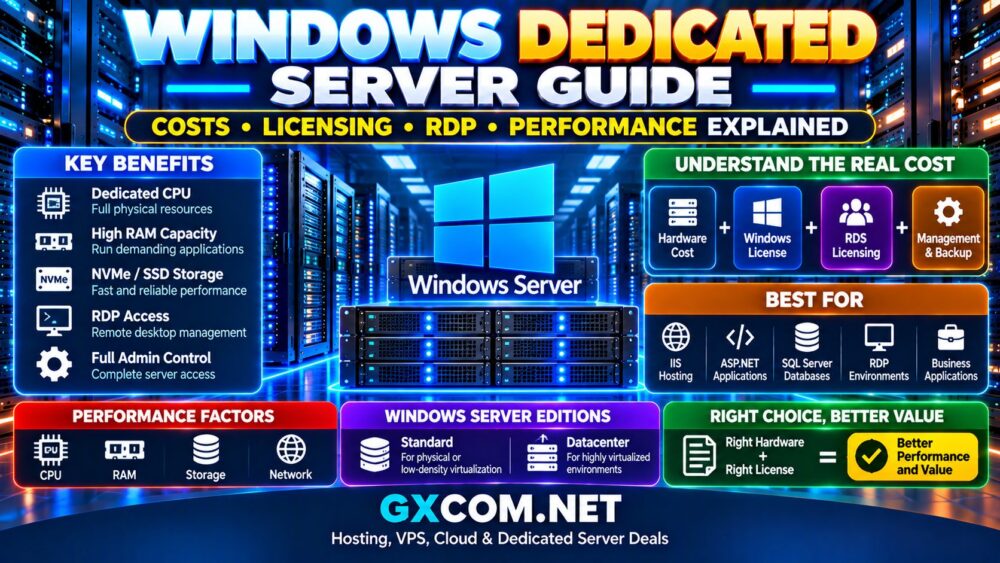
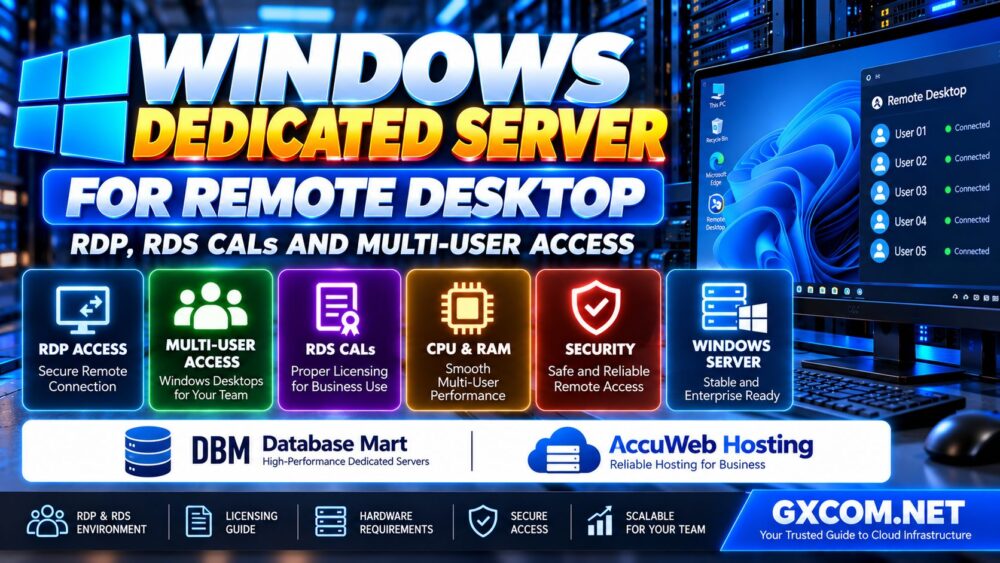
Choosing the best Windows dedicated server hosting is about more than finding a powerful processor or the lowest monthly price. A reliable Windows dedicated server must support your applications, provide suitable hardware, offer clear licensing terms, and give you a practical way to recover when something goes wrong.
Windows dedicated hosting is often considered for ASP.NET applications, Microsoft SQL Server databases, remote desktop environments, enterprise software, and workloads that require full control over a physical machine.
But dedicated hardware alone does not guarantee a better hosting experience. Windows Server licensing, administrative responsibilities, network quality, storage performance, and technical support can significantly affect the final result.
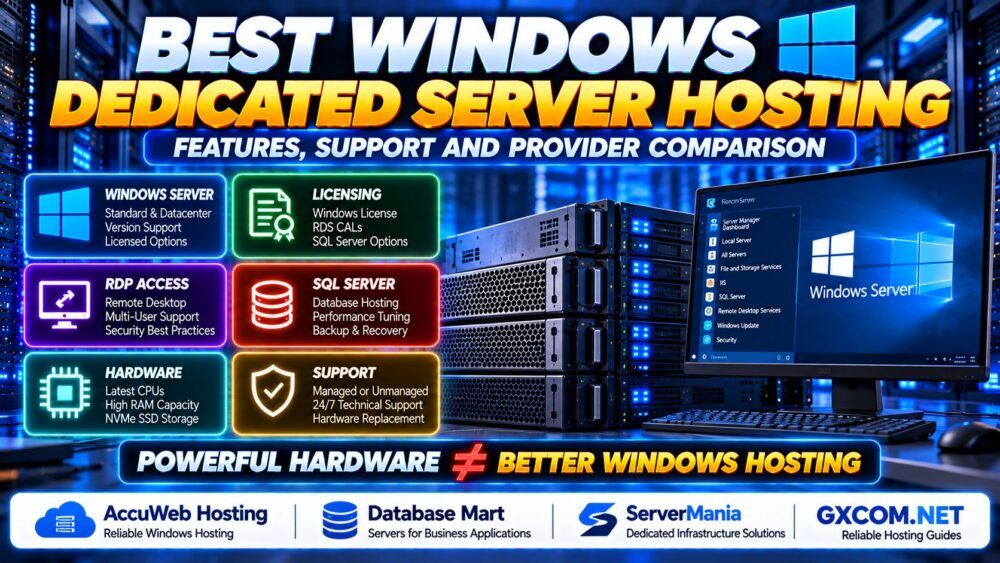
POWERFUL HARDWARE ≠ BETTER WINDOWS HOSTING.
In this guide, we explain how to compare Windows dedicated server providers, what features matter most, and how to select the right hosting environment for your business.
What Is Windows Dedicated Server Hosting?
Windows dedicated server hosting provides access to a physical server running a supported edition of Microsoft Windows Server.
Unlike a typical Windows VPS, a dedicated server allocates the entire physical machine to one customer. This gives administrators greater control over hardware resources, operating system configuration, installed applications, and server-level security policies.
Common Windows dedicated server workloads include:
- ASP.NET and ASP.NET Core websites
- Microsoft IIS web applications
- Microsoft SQL Server databases
- Windows-based business software
- Remote administration and approved remote desktop workloads
- Enterprise application hosting
- Development, testing, and integration environments
Windows dedicated hosting is especially relevant when an application requires Windows-specific components or when physical resource isolation is important.
However, organizations should confirm whether a physical server is genuinely necessary. Some workloads can operate effectively on a properly configured Windows VPS or managed environment.
Best Windows Dedicated Server Hosting Providers to Consider
The following providers are worth evaluating for relevant Windows hosting and dedicated infrastructure requirements.
This comparison focuses on provider suitability and purchasing questions rather than unverified benchmark rankings. Windows Server availability, license inclusion, management options, and hardware configurations must be confirmed for the exact product before ordering.
1. AccuWeb Hosting — For Windows Hosting and Business Applications
AccuWeb Hosting is a candidate to evaluate when searching for Windows-oriented hosting services and dedicated server solutions.
For businesses running Microsoft-based applications, the most important questions involve operating system support, application compatibility, storage performance, and the scope of technical assistance.
Before choosing a configuration, confirm whether the selected dedicated server can be provisioned with the required Windows Server edition and whether installation, licensing, and ongoing administration are included or billed separately.
Best for: Buyers comparing Windows-focused hosting options for websites, applications, and business workloads.
What to verify: Windows Server availability, license charges, management scope, backup options, and technical support boundaries.
2. Database Mart — For Windows Server and Database Workloads
Database Mart is another provider to consider for Windows-related hosting requirements, particularly when database applications and remote administration are part of the project.
For Microsoft SQL Server workloads, compare available memory, storage latency, CPU performance, and the cost of the required database licensing.
A server with more CPU cores is not necessarily the most economical choice when software licensing or single-thread performance affects the overall deployment.
Best for: Organizations evaluating Windows application environments and database-oriented infrastructure.
What to verify: Windows and SQL Server licensing arrangements, supported configurations, backup responsibilities, and remote access policies.
3. ServerMania — For Dedicated Infrastructure and Hardware Selection
ServerMania can be included when comparing dedicated infrastructure for business applications that require specific physical resources.
For a Windows deployment, the key consideration is whether the selected dedicated server product supports the intended Windows Server configuration and whether the provider's management and support arrangements meet your operational requirements.
Compare CPU architecture, available RAM, storage redundancy, network connectivity, and hardware replacement procedures before making a decision.
Best for: Buyers evaluating dedicated hardware and infrastructure requirements for Windows-compatible business workloads.
What to verify: Windows deployment eligibility, licensing, hardware options, remote console availability, and service-level terms.
Windows Dedicated Hosting Provider Comparison
Instead of comparing providers using marketing claims alone, evaluate each shortlisted offer against the same requirements.
| Provider | Evaluation Focus | Important Questions |
|---|---|---|
| AccuWeb Hosting | Windows-oriented hosting requirements | Which Windows editions and management options are available? |
| Database Mart | Windows applications and database workloads | How are Windows and SQL Server licenses handled? |
| ServerMania | Dedicated hardware and infrastructure requirements | Which configurations support the required Windows deployment? |
These are comparison starting points, not verified feature guarantees. Request a written specification and service agreement for any configuration under serious consideration.
1. Choose the Right Windows Server Edition
Windows dedicated servers may support different Microsoft Windows Server editions, depending on the provider and licensing arrangement.
Windows Server Standard and Datacenter are commonly considered for different deployment requirements, but their licensing rights and virtualization capabilities are not interchangeable.
Before purchasing, determine:
- Which Windows Server edition the application requires
- Whether the provider supplies a properly licensed installation
- Whether the license is included in the quoted price
- Whether additional Client Access Licenses are required
- Whether the planned virtualization use is permitted
- Who is responsible for operating system activation and updates
Do not assume that an advertised Windows dedicated server automatically includes every Microsoft license required by the applications running on it.
For a detailed breakdown of licensing considerations, see our Windows Dedicated Server Cost and Licensing Guide.
2. Understand RDP and Remote Desktop Licensing
Remote Desktop Protocol, or RDP, is frequently used to administer Windows Server systems.
However, remote administration and providing desktop sessions to multiple business users are different licensing scenarios.
Windows Server generally allows limited remote connections for administrative purposes under applicable licensing terms. A production Remote Desktop Services deployment serving end users can require additional RDS roles and appropriate licenses.

Before deploying a multi-user remote desktop environment, verify:
- Whether Remote Desktop Services is required
- Which RDS Client Access Licenses apply
- How many users or devices need access
- Whether application licensing permits the intended use
- How authentication and remote access will be secured
RDP ACCESS ≠ UNLIMITED USER LICENSING.
For security, avoid exposing RDP directly to the public internet when a more controlled access method is available. Consider an appropriately secured gateway, VPN, multifactor authentication, and restricted network access.
3. Compare CPU Performance for Windows Workloads
Windows dedicated server performance depends heavily on the applications being hosted.
A business application with limited parallel processing may benefit more from strong single-thread performance than a large number of slower CPU cores.
Other workloads, such as parallel application processing or multiple virtual machines, may benefit from additional cores and memory capacity.
When comparing processors, examine:
- Exact processor model and generation
- Single-thread and multi-thread performance
- Physical core count
- Memory bandwidth and platform capabilities
- Virtualization support where required
- Application-specific CPU requirements
Be particularly careful when evaluating software licensed according to processor or core counts. More hardware resources can increase software costs without delivering a proportional performance benefit.
4. RAM and Storage: What Does Windows Server Need?
Windows Server resource requirements vary according to the operating system edition, installed roles, background services, and hosted applications.
The minimum memory required to install an operating system should not be treated as a recommended production configuration.
RAM for Windows Applications
Memory planning should include:
- Windows Server and background services
- IIS application pools
- ASP.NET application processes
- SQL Server memory allocation
- Antivirus and endpoint security tools
- Monitoring agents and backup software
- Expected concurrent workloads
SQL Server deployments may require careful memory allocation so that the database engine does not compete excessively with the operating system and other applications.
NVMe vs SATA SSD
NVMe storage can be beneficial for applications that generate substantial random I/O or require low-latency database access.
SATA SSD storage may still provide sufficient performance for less demanding applications.
Compare storage performance using relevant workload measurements rather than capacity alone.
Also consider storage redundancy, disk replacement procedures, and the time required to restore data after a failure.
5. Windows Dedicated Hosting for IIS and ASP.NET
Windows Server is a common choice for applications that rely on Microsoft IIS and Windows-specific components.
However, not every ASP.NET application requires a Windows server. Modern ASP.NET Core applications may also run on supported Linux environments.
The hosting decision should reflect the application's actual dependencies.
Windows dedicated hosting may be particularly relevant when a project requires:
- Microsoft IIS-specific configuration
- Windows authentication integration
- Windows-only application dependencies
- Legacy .NET Framework applications
- Specific enterprise software integrations
Before migrating, verify runtime versions, database connectivity, file permissions, certificates, and any components tied to the existing Windows environment.
For ASP.NET Core applications without Windows-specific dependencies, compare the operational and licensing implications of both Windows and Linux hosting.
6. SQL Server Hosting: Performance and Licensing
Microsoft SQL Server can introduce requirements beyond those of a standard website.
Database performance may depend on CPU capacity, memory allocation, transaction log performance, storage latency, and backup design.
Important planning questions include:
- Which SQL Server edition is required?
- How is the database software licensed?
- What are the expected database size and growth rate?
- How many concurrent application connections are expected?
- What backup and recovery objectives apply?
- Does the application require high availability?
Separate the cost of the Windows operating system from the cost of SQL Server and any other commercial software.
Do not assume SQL Server is included simply because the hosting plan advertises Windows Server.
7. Managed vs Unmanaged Windows Dedicated Servers
One of the most important purchasing decisions is whether your organization will administer the server or rely on a managed service.
Unmanaged Windows Dedicated Hosting
In an unmanaged arrangement, the customer generally handles:
- Windows configuration and patching
- Firewall and remote access policies
- IIS and application administration
- Database maintenance
- Monitoring and backup management
- Application-level troubleshooting
This approach may be appropriate for businesses with experienced Windows administrators.
Managed Windows Dedicated Hosting
Managed services may include selected operating system administration, monitoring, updates, or technical assistance.
However, the exact scope varies by provider and plan. Application debugging, SQL Server optimization, licensing, security compliance, and disaster recovery may require separate services.
MANAGED HOSTING ≠ EVERYTHING INCLUDED.
Request a clear responsibility matrix before purchasing a managed Windows dedicated server.
8. Network Quality, Data Center Location and Availability
A dedicated server's network environment can be just as important as its hardware.
Evaluate:
- Data center proximity to users
- Network routing and transit quality
- Port speed and transfer allowances
- Traffic restrictions and overage terms
- Infrastructure redundancy
- Published service-level commitments
A 1 Gbps or 10 Gbps network port does not automatically guarantee sustained throughput at that rate.
For remote desktop workloads, network latency and stability can strongly influence user experience.
For business applications, evaluate both infrastructure availability and the application-level monitoring required to detect failures.
9. Security Features to Check Before Buying
Windows dedicated server security is a shared operational concern. Physical isolation does not eliminate operating system vulnerabilities, credential theft, or application security risks.
Before deploying production workloads, plan for:
- Windows security updates
- Strong administrator authentication
- Restricted RDP access
- Windows Defender Firewall or equivalent controls
- Endpoint protection
- Least-privilege user permissions
- Secure backup credentials
- Event log monitoring
- Regular vulnerability reviews
Where supported, use multifactor authentication and controlled administrative access paths.
Do not rely solely on the provider's physical infrastructure security to protect your Windows applications.
10. Backups, Remote Management and Disaster Recovery
Business-critical Windows workloads need more than an automated backup job.
A complete recovery plan should identify which data is protected, where copies are stored, how frequently backups run, and how restoration will be tested.
Depending on the workload, important backup components may include:
- Application files and configuration
- SQL Server databases and transaction logs
- Important Windows configuration
- Encryption keys and recovery information
- Application-specific data
For database workloads, use a supported, application-consistent backup method.
Remote console access, rescue environments, and hardware-level management can also be important when the operating system becomes inaccessible.
Confirm which tools are included in the selected dedicated server plan and which recovery actions require provider assistance.
BACKUP CREATED ≠ BUSINESS RECOVERED.
11. Compare the Total Cost of Windows Dedicated Hosting
Windows dedicated hosting can involve additional costs that are not immediately visible in the advertised server rental price.
Possible expenses include:
- Windows Server licensing
- SQL Server or other commercial software licenses
- RDS CALs where required
- Server management services
- Backup storage
- Control panels
- Additional IP addresses
- Setup and migration charges
- Extra bandwidth
Compare the total cost of running the intended workload rather than the base rental charge alone.
If budget is the primary consideration, our
If budget is the primary consideration, our Affordable Windows Dedicated Servers Guide focuses specifically on lower-cost purchasing options.
For a broader breakdown of hardware, network, licensing, support, and other infrastructure expenses, see our Dedicated Server Total Cost of Ownership Guide.
12. Windows Dedicated Server Buying Checklist
Use this checklist when requesting quotes or comparing hosting providers.
| Category | Questions to Ask |
|---|---|
| Operating System | Which Windows Server edition and version are supported? |
| Licensing | Is Windows licensing included? Are additional licenses required? |
| CPU | What is the exact processor model and generation? |
| Memory | Is sufficient RAM available for the application and database? |
| Storage | Is NVMe available? What redundancy and backup options exist? |
| Remote Access | How are RDP, remote console access, and recovery handled? |
| Support | What is managed, and what remains the customer's responsibility? |
| Network | What port speed, traffic allowance, and locations are available? |
| Recovery | Are backup restoration and hardware replacement procedures documented? |
| Billing | What are the complete recurring and one-time costs? |
For buyers who also need to compare CPU models, RAM configurations, NVMe storage, and network hardware, our

For buyers who also need to compare CPU models, RAM configurations, NVMe storage, and network hardware, our Dedicated Server Hardware Selection Guide provides a detailed technical framework.
13. Which Windows Dedicated Hosting Provider Should You Choose?
There is no universal winner for every Windows workload.
Consider AccuWeb Hosting when evaluating Windows-oriented hosting services and the management options available for your application.
Include Database Mart when comparing infrastructure for Windows applications, database requirements, and related licensing considerations.
Evaluate ServerMania when physical hardware selection, network requirements, and dedicated infrastructure are central to the deployment.
In every case, confirm that the specific service supports your required Windows edition and software stack before ordering.
The best provider is the one that can meet your application's technical requirements, support expectations, recovery objectives, and sustainable operating budget.
Frequently Asked Questions
What is the best Windows dedicated server hosting?
The best Windows dedicated hosting depends on your application, hardware requirements, Windows licensing, support expectations, and budget. AccuWeb Hosting, Database Mart, and ServerMania are candidates to evaluate for relevant hosting and infrastructure requirements, subject to confirmation of the selected product.
Does Windows dedicated hosting include a Windows Server license?
Not necessarily. Some offers may include licensing, while others charge separately or use different licensing arrangements. Confirm the terms before ordering.
Can I use RDP on a Windows dedicated server?
Windows Server supports remote administration, but providing desktop sessions to multiple end users can involve additional Remote Desktop Services licensing and configuration requirements.
Is Windows dedicated hosting better than Linux dedicated hosting?
Neither is universally better. Windows is appropriate for certain Microsoft-specific applications, while Linux may offer advantages for other software stacks and operational requirements.
Can I run SQL Server on a Windows dedicated server?
Yes, provided the hardware, operating system, SQL Server edition, and licensing arrangement meet the application's requirements. SQL Server licensing may be separate from the Windows Server license.
How much RAM does a Windows dedicated server need?
Required memory depends on the operating system, application stack, database workload, and expected concurrency. Production sizing should be based on actual workload requirements rather than installation minimums.
Is managed Windows dedicated hosting worth it?
Managed hosting may be valuable when an organization lacks sufficient Windows administration resources. Compare the precise management scope before assuming that application support, backups, or licensing are included.
What should I check before migrating to Windows dedicated hosting?
Verify application compatibility, Windows and database licensing, hardware capacity, backup integrity, network requirements, remote access security, and the availability of a rollback plan.
Final Verdict: Choose Windows Hosting Around the Application
The best Windows dedicated server hosting combines suitable physical hardware with clear licensing, reliable network connectivity, practical recovery options, and support that matches the organization's operational capabilities.
Start with the application rather than the provider's marketing claims. Identify the Windows components you need, estimate CPU and memory requirements, understand licensing responsibilities, and confirm how the server will be administered.
AccuWeb Hosting, Database Mart, and ServerMania can be part of a relevant comparison shortlist, but the final choice should be based on verified product specifications and contractual terms.
APPLICATION → WINDOWS LICENSING → HARDWARE → SUPPORT → TOTAL COST.
POWERFUL HARDWARE ≠ BETTER WINDOWS HOSTING.
A well-chosen Windows dedicated server is not simply a powerful physical machine. It is an infrastructure environment that can run your applications securely, predictably, and at a manageable long-term cost.