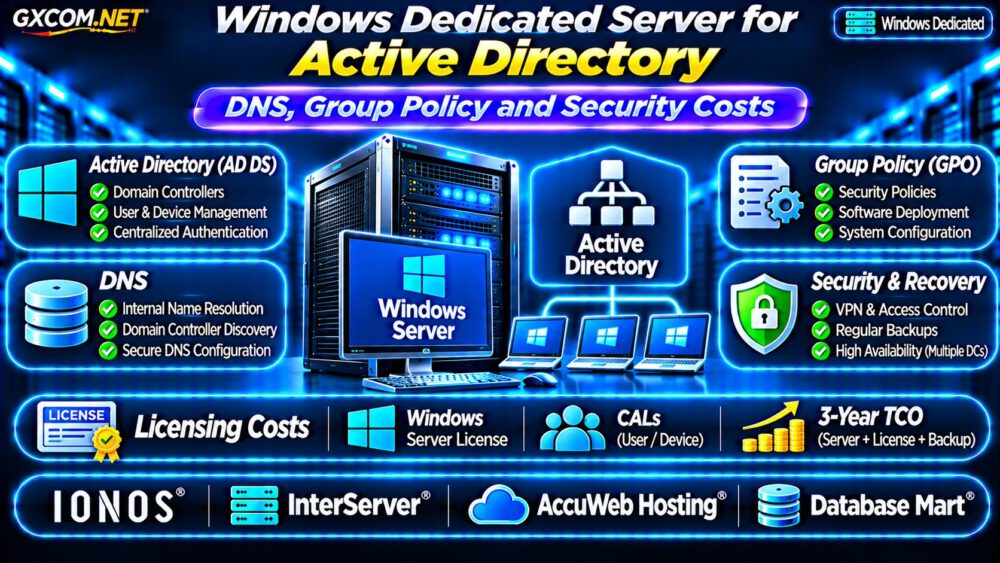
A Windows dedicated server for Active Directory can provide dedicated hardware for centralized identity management, DNS, and Group Policy. However, deploying a domain controller in a hosting data center introduces important questions about network connectivity, Windows Server licensing, security, and recovery.
This guide explains when dedicated infrastructure makes sense for Active Directory Domain Services (AD DS), how to plan the deployment, and which costs to verify before purchasing.
When Should You Host Active Directory on a Dedicated Server?
Active Directory manages users, computers, authentication, and organizational policies in Windows environments. A dedicated server may appeal to businesses that need predictable hardware resources, administrative control, or integration with existing Windows infrastructure.
Nevertheless, a physical dedicated server is not automatically the best domain controller platform. Virtual machines can simplify recovery and redundancy, while managed identity services may reduce infrastructure maintenance.
Compare deployment models using our Dedicated vs Cloud Server Comparison before committing to physical hardware.
Active Directory Domain Controller Requirements
AD DS does not necessarily require an expensive processor. Actual resource requirements depend on directory size, authentication traffic, installed roles, and additional workloads.
For a modest organization, a modern multi-core processor, adequate ECC memory, and reliable SSD storage may provide a practical starting point. Capacity planning should reflect measured demand rather than arbitrary hardware specifications.
A domain controller should generally avoid unnecessary applications. Separating business workloads reduces resource contention and limits security exposure.
Why Redundancy Matters
One dedicated domain controller creates a significant availability risk. Organizations should consider at least two appropriately configured domain controllers, ideally across separate failure domains.
Active Directory replication improves service resilience, but replication does not replace backups. Administrative mistakes or unwanted directory changes can propagate between controllers.
DNS Configuration for Active Directory
DNS is essential to domain controller discovery and many Active Directory operations. Incorrect DNS settings can cause authentication failures, slow logons, and Group Policy processing problems.
Domain-joined systems must resolve the appropriate internal Active Directory DNS records. Public DNS resolvers should not replace internal AD-aware DNS for domain controller discovery.
Plan DNS forwarding, site topology, secure dynamic updates, and network connectivity before deployment.
Private Networking and Domain Connectivity
A hosted domain controller should normally communicate with office networks through appropriately secured private connectivity, such as a site-to-site VPN.

Do not expose directory services, SMB, or remote administration ports broadly to the public internet. Confirm that the hosting provider supports the networking architecture your organization requires.
Group Policy Management and Security
Group Policy enables centralized configuration of Windows computers and user environments. Common applications include password policies, security baselines, Windows Defender settings, and administrative restrictions.
Use clearly documented organizational units and test new policies against a limited group before broader deployment.
Overly complex policies can create troubleshooting difficulties, particularly when remote sites experience network latency or inconsistent DNS resolution.
Maintain controlled administrative permissions and review changes to sensitive Group Policy Objects.
Windows Server Licensing and CAL Costs
Windows Server licensing is a major purchasing consideration. Depending on the licensing arrangement, costs may involve physical-core licensing, edition selection, and applicable Client Access Licenses (CALs).
Windows Server Standard and Datacenter have different virtualization rights and commercial implications. Hosting-provider licensing arrangements may differ from customer-owned licenses.
Ask whether the server quotation includes a properly licensed Windows Server installation and which access licenses remain the customer’s responsibility.
Remote Desktop Services CALs are separate from ordinary Windows Server CAL considerations when applicable.
For additional licensing context, read our Windows Dedicated Server Cost and Licensing Guide.
Security Requirements for Hosted Domain Controllers
Domain controllers are high-value infrastructure. Compromise can affect authentication, administrative access, and business operations.
Prioritize restricted management access, timely security updates, multifactor authentication for supported administrative access paths, and separate privileged accounts.
Use network segmentation and monitor authentication events, directory changes, and privileged activity.
Remote management interfaces should not be publicly accessible without appropriate protection.
Backups and Disaster Recovery
Maintain supported Active Directory-aware backups, including system state where appropriate. Test restoration procedures and document recovery responsibilities.
Restoring a domain controller requires more care than copying ordinary application files. Use supported recovery procedures that account for directory replication and domain controller identity.
Our Snapshot Backup and Recovery Guide explains broader backup planning principles.
Four Windows Dedicated Hosting Providers to Compare
The following approved GXCOM.NET affiliate providers are candidates for Windows infrastructure. Verify Windows licensing, remote management, private networking, and support responsibilities for the selected configuration.
IONOS: Business Infrastructure Planning
IONOS is worth evaluating for business-oriented dedicated hosting. Request details about available Windows Server editions, hardware options, network connectivity, and management responsibilities.
InterServer: Dedicated Hardware Flexibility
InterServer provides another comparison option for organizations evaluating hardware value. Confirm Windows availability, licensing arrangements, remote access, and backup services before ordering.
AccuWeb Hosting: Windows Administration Needs
AccuWeb Hosting can be considered when Windows hosting experience and technical assistance matter. Ask whether AD DS installation, DNS configuration, and domain controller recovery fall within the contracted support scope.
Database Mart: Windows Server Workloads
Database Mart is another candidate for Windows-based dedicated infrastructure. Compare processor capacity, storage redundancy, licensing, network options, and disaster recovery arrangements.
Provider suitability depends on current products and contractual terms. None should be assumed to include managed Active Directory administration by default.
Calculate Three-Year Active Directory Hosting Costs
Total ownership cost includes hardware rental, Windows licensing, access licensing, network connectivity, backup storage, and administrator labor.
Consider a hypothetical monthly infrastructure budget:
- Dedicated server rental: $120.
- Windows Server licensing allowance: $35.
- Backup and monitoring services: $30.
- Private connectivity: $25.
The illustrative monthly total is $210, equivalent to $7,560 over 36 months before taxes, CALs, setup charges, and labor.

This is a planning example, not a current provider quotation. A second domain controller or standby environment adds further costs.
Active Directory Dedicated Server Buying Checklist
- Confirm Windows Server edition and licensing responsibilities.
- Plan at least two domain controllers where availability requires it.
- Verify private networking and internal DNS resolution.
- Restrict administrative access and unnecessary ports.
- Confirm supported backups and recovery procedures.
- Calculate three-year infrastructure and operational costs.
Frequently Asked Questions
Can Active Directory Run on a Dedicated Server?
Yes. Windows Server can provide AD DS on compatible dedicated hardware, subject to appropriate licensing and network configuration.
Should a Domain Controller Have a Public IP Address?
Public addressing may exist in hosted environments, but sensitive directory services should not be exposed openly. Use secure private connectivity and restrictive firewall policies.
Is One Dedicated Domain Controller Enough?
One controller creates a single point of failure. Additional controllers across suitable failure domains improve resilience.
Final Verdict
A Windows dedicated server for Active Directory can support centralized identity infrastructure when organizations need hardware control and suitable private connectivity.
Compare IONOS, InterServer, AccuWeb Hosting, and Database Mart using complete licensing quotations, networking requirements, support terms, and recovery capabilities. Prioritize secure architecture and operational continuity over headline rental prices.
For additional infrastructure planning, explore our Managed vs Unmanaged Hosting Guide.