Hostinger is best known for affordable web hosting, but its VPS platform targets users who need more control, resources and flexibility than traditional shared hosting can provide.
The current Hostinger VPS lineup uses KVM virtualization, AMD EPYC processors and NVMe SSD storage. Hostinger also advertises 1 Gbps network connectivity, weekly backups, firewall management, public API access and data center locations in multiple regions.
That makes Hostinger worth considering for website owners moving beyond shared hosting, developers running applications, and users looking for a relatively approachable VPS environment.
This Hostinger VPS review looks at its current pricing, hardware, storage, management experience, locations, features and the types of users who are most likely to benefit from the service.
GXCOM Editorial Note: Pricing, specifications, availability and promotional offers can change. The prices cited in this review reflect information currently published by Hostinger and should be verified on the provider’s website before purchase. This article does not represent an independent hands-on benchmark unless explicitly stated.
Hostinger VPS at a Glance
| Feature | Hostinger VPS |
|---|---|
| Virtualization | KVM |
| CPU | AMD EPYC |
| Storage | NVMe SSD |
| Network | Up to 1 Gbps |
| Backups | Weekly backups |
| Firewall | Included |
| Root Access | Available |
| API | Public API |
| Operating Systems | Multiple OS options |
| Management | Self-managed with provider tools |
| Money-Back Guarantee | 30 days |
Hostinger currently lists four main KVM VPS plans on its VPS page.
Hostinger VPS Pricing
Pricing is one of the main reasons Hostinger VPS attracts attention from budget-conscious users.
The provider currently lists:
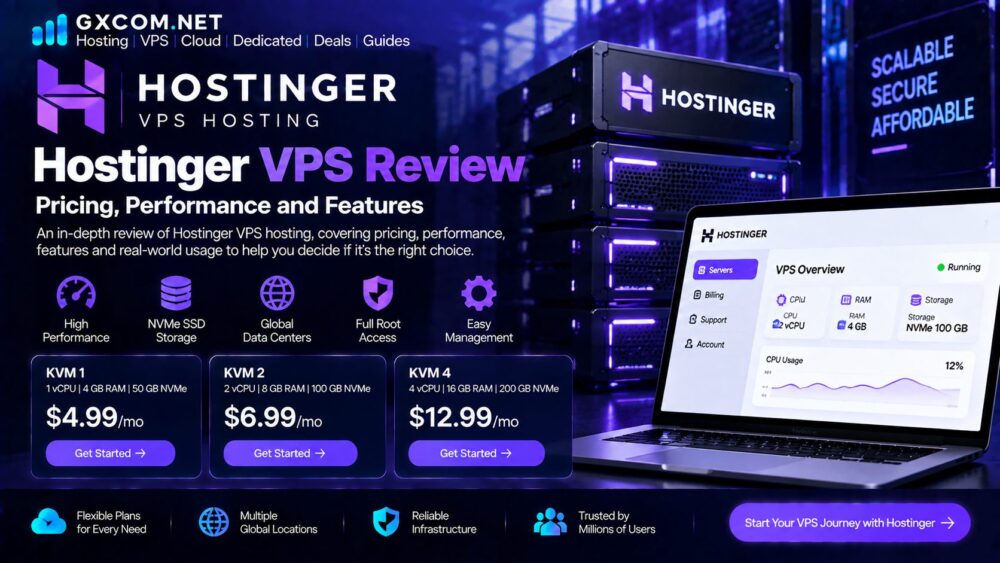
| Plan | Promotional Price | Renewal Price | vCPU | RAM | NVMe | Bandwidth |
|---|---|---|---|---|---|---|
| KVM 1 | $6.49/mo | $11.99/mo | 1 | 4 GB | 50 GB | 4 TB |
| KVM 2 | $8.99/mo | $14.99/mo | 2 | 8 GB | 100 GB | 8 TB |
| KVM 4 | $12.99/mo | $28.99/mo | 4 | 16 GB | 200 GB | 16 TB |
| KVM 8 | $25.99/mo | $49.99/mo | 8 | 32 GB | 400 GB | 32 TB |
Hostinger notes that these monthly figures reflect the total price of the selected billing period divided by the number of months, and the plans are paid upfront.
This distinction matters when comparing Hostinger with providers that advertise month-to-month prices.
The Renewal Price Matters
A common mistake when comparing VPS hosting is looking only at the introductory rate.
For example, KVM 1 is currently advertised at $6.49 per month, while the listed renewal price is $11.99 per month for the specified two-year renewal period. KVM 2 is currently $8.99 per month and renews at $14.99 per month under the listed terms.
For a long-term project, the renewal price should therefore be included in the total cost calculation.
Hostinger VPS Hardware and Performance
Hostinger says its VPS infrastructure uses AMD EPYC processors and NVMe SSD storage across its KVM VPS plans. The company also advertises 1 Gbps network speed.
These specifications are relevant because VPS performance depends on more than the advertised number of CPU cores.
A practical evaluation should consider:
- CPU generation and architecture
- Available CPU resources
- RAM capacity
- NVMe storage
- Network connectivity
- Datacenter location
- Workload characteristics
A 1 vCPU VPS may be sufficient for a small website, while a database-heavy application or busy ecommerce site may need substantially more resources.
For users specifically interested in storage performance, our NVMe VPS hosting guide explains why NVMe storage is useful for modern workloads.
KVM Virtualization
Hostinger uses KVM virtualization across its VPS plans.
KVM, or Kernel-based Virtual Machine, provides virtual machines with an isolated environment and allows users to customize their operating system, control panel and software stack. Hostinger describes its KVM implementation as giving users control while the provider manages the underlying physical server infrastructure.

For users moving from shared hosting, this represents a significant increase in control.
You can install software and configure the server environment according to the needs of your website or application rather than being limited to the tools available on a shared hosting account.
NVMe Storage
All current Hostinger VPS plans listed on the official page include NVMe SSD storage. The entry-level KVM 1 includes 50 GB, while KVM 2 provides 100 GB, KVM 4 provides 200 GB and KVM 8 provides 400 GB.
NVMe storage can be particularly useful for:
- WordPress databases
- Ecommerce websites
- Application servers
- Development environments
- Frequent file operations
- Database-intensive workloads
However, NVMe alone does not guarantee that one VPS will outperform another in every workload. CPU resources, memory, virtualization, networking and software configuration also matter.
Hostinger VPS Network and Locations
Hostinger currently advertises data centers in multiple regions and a network speed of up to 1 Gbps for its VPS service.
Choosing the right location is important because network distance can affect latency.
For example, a website serving mostly visitors in North America may benefit from a nearby US location, while a European audience may be better served from a European datacenter.
The best location is therefore determined by where your users are located rather than simply choosing the location with the lowest VPS price.
Hostinger VPS Management
One of the more important differences between Hostinger VPS and traditional shared hosting is the amount of control available.
Hostinger’s KVM VPS plans provide root access, allowing users to configure the server and install software according to their requirements. The platform also includes provider-side tools for VPS management.
This gives users significantly more flexibility than shared hosting, but it also means that VPS customers need to understand basic server administration.
Users who are not comfortable with Linux, SSH, firewalls, updates and server configuration may prefer a more managed solution.
Our managed VPS hosting guide explains how managed and self-managed VPS services differ.
Backups and Security Features
Hostinger currently lists free weekly backups and firewall management as features included with its VPS plans.
This is useful, but users should still understand what the backup system actually protects and whether the available backup frequency matches the importance of the website.
A business website with frequent content changes may require more frequent backups than a simple personal site.
Server security is also partly the customer’s responsibility.
A VPS should normally be configured with:
- Secure SSH access
- Strong authentication
- Firewall rules
- Regular system updates
- Least-privilege access
- Monitoring
- Independent backup planning
Our server security guides cover practical VPS hardening and security measures.
Hostinger VPS for WordPress
Hostinger VPS can be a useful upgrade path for WordPress websites that have outgrown shared hosting.
A VPS can provide:
- More control
- More predictable resources
- Custom server configurations
- Greater flexibility
- The ability to optimize the software stack
However, VPS hosting also introduces more responsibility.
For a relatively small WordPress website, a managed shared or WordPress hosting plan may be simpler.
For a larger site with custom requirements, higher resource demands or the need for server-level control, VPS hosting becomes more attractive.
Our WordPress hosting section covers the alternatives in more detail.
Hostinger VPS for Developers
Developers may appreciate the combination of KVM virtualization, root access, API support and multiple server configurations.
The platform can be used for:
- Web applications
- APIs
- Development environments
- Databases
- Automation tools
- Docker-based applications
- Testing environments
Hostinger also promotes an AI Web Terminal as part of its VPS offering.
For developers who prefer complete cloud infrastructure platforms, however, services such as DigitalOcean or Vultr may offer a more developer-centric experience.
Which Hostinger VPS Plan Should You Choose?
The best plan depends on your workload.
KVM 1
The entry-level plan provides 1 vCPU, 4 GB RAM, 50 GB NVMe storage and 4 TB bandwidth.
It may be appropriate for:
- Small websites
- Personal projects
- Development environments
- Lightweight applications
KVM 2
With 2 vCPUs, 8 GB RAM, 100 GB NVMe storage and 8 TB bandwidth, KVM 2 provides a meaningful resource increase.
It is a more flexible choice for:
- Medium websites
- WordPress installations
- Multiple small websites
- Applications with moderate resource requirements
KVM 4
KVM 4 provides 4 vCPUs, 16 GB RAM, 200 GB NVMe storage and 16 TB bandwidth.
It is more suitable for:
- Larger websites
- Ecommerce projects
- Multiple applications
- More demanding workloads
KVM 8
The highest listed configuration includes 8 vCPUs, 32 GB RAM, 400 GB NVMe storage and 32 TB bandwidth.
This tier is aimed at projects requiring substantially more resources.
Hostinger VPS Pros and Cons
Pros
Affordable entry point
The current promotional starting price makes Hostinger accessible to users moving from shared hosting.
Modern storage
All listed KVM VPS plans use NVMe SSD storage.
Good resource progression
The jump from 1 vCPU and 4 GB RAM to 8 vCPUs and 32 GB RAM gives users several upgrade paths.
Root access
Users have greater control over the server environment than with shared hosting.
Beginner-friendly ecosystem
Hostinger’s broader product ecosystem can make the transition from shared hosting to VPS less intimidating than moving directly to a highly technical cloud platform.
Cons
Renewal pricing is higher
The initial promotional rate should not be confused with the longer-term renewal price.
Server management requires technical knowledge
Root access provides flexibility but also places more responsibility on the customer.
Not necessarily the best choice for every developer
Users who want highly granular cloud infrastructure, automation and developer-centric tooling may prefer a dedicated cloud platform.
Is Hostinger VPS Good for Beginners?
Hostinger is one of the more approachable options for people moving from shared hosting to VPS.
The combination of a familiar hosting company, straightforward VPS plans and provider management tools reduces some of the complexity associated with running a virtual server.
Nevertheless, VPS hosting should not be confused with fully managed hosting.

Anyone purchasing a VPS should be prepared to learn basic server administration or use an appropriate management solution.
Is Hostinger VPS Worth It?
Hostinger VPS can be worthwhile when you need more control and resources than shared hosting provides without moving immediately to a highly complex cloud infrastructure platform.
Its strongest selling points are currently its accessible entry pricing, KVM virtualization, NVMe storage, multiple configurations and broad feature set.
The main question is whether those advantages match your workload.
For a small website, KVM 1 may already provide sufficient resources.
For a growing WordPress installation, application server or ecommerce project, KVM 2 or KVM 4 may provide a more comfortable resource margin.
For advanced workloads, the decision should be based on actual CPU, RAM, storage and network requirements rather than the number of features included in a plan.
Final Verdict
Hostinger VPS is an interesting option for users who want an affordable entry into VPS hosting while retaining access to modern infrastructure.
The current lineup combines KVM virtualization, AMD EPYC processors, NVMe storage, root access, weekly backups, firewall management and 1 Gbps network connectivity.
Its main strength is balance: the service sits between traditional beginner hosting and more complex developer-focused cloud infrastructure.
For beginners moving beyond shared hosting, Hostinger VPS can be a practical starting point.
For developers, it provides the basic infrastructure needed for applications and custom server environments, although specialized cloud providers may offer greater flexibility for certain workloads.
The most important point is to compare the full cost, resources, server location and management requirements, rather than choosing solely on the advertised promotional price.
Frequently Asked Questions
Is Hostinger VPS good?
Hostinger VPS can be a good choice for website owners, small businesses and developers who need more control than shared hosting provides. The current VPS lineup includes KVM virtualization, AMD EPYC processors and NVMe storage.
How much does Hostinger VPS cost?
Hostinger currently lists KVM VPS plans from $6.49 per month on promotion, with listed renewal pricing starting at $11.99 per month for KVM 1 under the specified billing terms.
Does Hostinger VPS use NVMe?
Yes. Hostinger currently lists NVMe SSD storage across its KVM VPS plans.
Does Hostinger VPS provide root access?
Yes. Hostinger’s KVM VPS offering provides full control over the virtual server environment, including root access and the ability to customize the operating system and software.
Is Hostinger VPS managed?
Hostinger provides VPS management tools and handles the underlying physical infrastructure, but a VPS customer still has responsibility for managing the virtual server environment.
Which Hostinger VPS plan is best?
There is no single best plan for everyone. KVM 1 can suit smaller projects, while KVM 2 and KVM 4 provide more resources for growing websites and applications. The right choice depends on CPU, RAM, storage and traffic requirements.