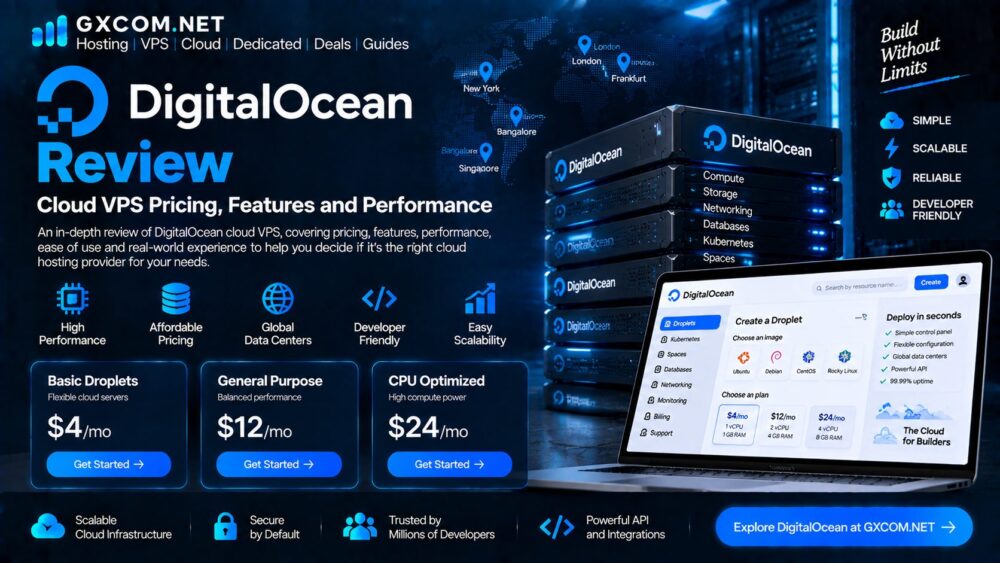
DigitalOcean is a cloud infrastructure provider best known for its developer-focused virtual machines, called Droplets. The platform is designed to make cloud servers relatively simple to deploy while providing the flexibility needed for websites, applications, databases and development workloads.
For users researching cloud VPS hosting, DigitalOcean is often considered alongside providers such as Vultr, Hetzner and other developer-oriented platforms.
This DigitalOcean review looks at its current Droplet pricing, features, server regions, billing model, performance considerations and overall suitability for different workloads.
GXCOM Editorial Note: Pricing, plans, availability and product features can change. The information in this review is based on DigitalOcean’s currently published documentation and pricing. It should not be interpreted as a hands-on benchmark unless a specific test is identified as such.
DigitalOcean at a Glance
| Feature | DigitalOcean |
|---|---|
| Main Virtual Server | Droplets |
| Virtualization | Cloud virtual machines |
| CPU Options | Shared and Dedicated |
| Storage | SSD and NVMe options depending on plan |
| Billing | Per-second billing |
| Minimum Billing | 60 seconds or $0.01 |
| Operating System | Linux-focused |
| Datacenters | 16 across 13 regions |
| Additional Services | Block Storage, Load Balancer, VPC, Kubernetes and more |
| Best For | Developers, applications and cloud workloads |
DigitalOcean describes Droplets as Linux-based virtual machines running on virtualized hardware. Its current product lineup includes shared CPU, dedicated CPU, memory-optimized and storage-optimized configurations.
What Is DigitalOcean?
DigitalOcean provides cloud infrastructure for developers, startups, businesses and other users who need virtual machines and related cloud services.
Its best-known product is the Droplet, which is essentially a cloud virtual server.
Users can deploy a Droplet and then install and configure the software required for their application.
This makes DigitalOcean different from traditional shared hosting.
With shared hosting, much of the server environment is managed by the hosting company.
With a Droplet, the customer gets considerably more control over the virtual server and is generally responsible for operating system updates, software configuration and security.
DigitalOcean Droplet Pricing
Pricing is one of DigitalOcean’s strongest advantages because the platform uses relatively straightforward resource-based pricing.
The current Basic Droplet catalog starts at $4 per month for a configuration with 512 MiB RAM, 1 vCPU, 10 GiB SSD storage and 500 GiB transfer. A 1 GiB / 1 vCPU configuration is currently listed at $6 per month, while a 2 GiB / 1 vCPU option is $12 per month.
DigitalOcean also offers substantially more powerful configurations for production workloads.
For example, its current General Purpose Droplets start at $63 per month for 8 GiB RAM and 2 dedicated vCPUs, while CPU-Optimized and Storage-Optimized options target more specialized workloads.
This gives DigitalOcean a relatively broad price range.
A small development server can cost only a few dollars per month, while dedicated CPU and memory-intensive infrastructure can cost considerably more.
Per-Second Billing
DigitalOcean introduced per-second billing for Droplets beginning January 1, 2026.
The current pricing model uses a minimum billing period of 60 seconds or $0.01, whichever is higher. Bundled Droplet plans also have a monthly cap, while v5 Droplets are billed according to actual usage without a monthly cap.
This is particularly useful for temporary workloads.
For example, developers can create a server for:
- Automated testing
- CI/CD jobs
- Batch processing
- Temporary environments
- Short-term development projects
and avoid paying for a full month when the infrastructure is only needed for a short period.
DigitalOcean Droplet Types
DigitalOcean currently offers several Droplet categories.
Basic Droplets
Basic Droplets use shared CPU resources and are intended for workloads that can tolerate variable CPU performance.
DigitalOcean lists them as suitable for low-traffic web servers, blogs, CMS platforms, small databases and other relatively light workloads.
They are often the first option a new user will investigate because of their low entry price.
General Purpose Droplets
General Purpose Droplets provide dedicated CPU resources with a balanced CPU-to-memory ratio.
DigitalOcean positions these plans for applications such as medium-to-high-traffic web servers, ecommerce websites, databases and SaaS workloads.
These plans are more expensive than Basic Droplets but can provide more consistent CPU performance.
CPU-Optimized Droplets
CPU-Optimized Droplets provide a higher CPU allocation relative to memory.
They are designed for workloads that benefit from fast and consistent CPU performance, including data analytics, media processing and certain compute-intensive applications.
Premium configurations can also provide NVMe storage and higher network speeds.
Memory-Optimized Droplets
Memory-Optimized Droplets allocate significantly more RAM relative to CPU.
They can be useful for:

- Large databases
- In-memory caches
- Data processing
- Memory-intensive applications
Storage-Optimized Droplets
Storage-Optimized Droplets are designed for workloads where fast and large local storage is important.
DigitalOcean currently lists NVMe storage for this product family and positions it for demanding database, analytics and other storage-intensive workloads.
Users specifically looking for high-performance virtual servers can also compare our NVMe VPS hosting research.
DigitalOcean Performance
DigitalOcean offers several different Droplet types, so it would be misleading to assign one performance level to the entire platform.
Performance depends on the selected configuration.
A small Basic Droplet with shared CPU should not be compared directly with a dedicated CPU General Purpose or CPU-Optimized Droplet.
DigitalOcean itself distinguishes shared and dedicated CPU configurations according to workload requirements.
For production workloads, the most important factors include:
- CPU type
- Number of vCPUs
- RAM
- Storage type
- Network capacity
- Datacenter location
- Application architecture
For a simple website, increasing CPU resources may not provide much benefit if the actual bottleneck is database performance or inefficient application code.
Conversely, CPU-heavy applications may benefit considerably from moving from shared to dedicated CPU resources.
NVMe Storage Options
DigitalOcean’s current catalog includes NVMe storage in selected Premium and Storage-Optimized configurations.
The company describes NVMe as providing significantly higher disk performance than its regular SSD offerings and specifically targets high-performance storage workloads with its Storage-Optimized Droplets.
This makes NVMe particularly relevant for:
- Database workloads
- Search indexes
- High-I/O applications
- Large datasets
- Analytics systems
However, users should not assume that an NVMe VPS will automatically make every website faster.
Application optimization, caching, memory, CPU and database configuration remain important.
DigitalOcean Server Locations
DigitalOcean currently lists 16 datacenters across 13 regions.
Its published regions include locations such as New York, San Francisco, Amsterdam, Singapore and London, among others.
Datacenter selection is particularly important when latency matters.
A website serving users primarily in Europe may benefit from a European region, while an application targeting North American customers may be better positioned closer to those users.
For international applications, DigitalOcean’s geographic coverage can be a major benefit.
DigitalOcean Features
A Droplet does not operate in isolation.
DigitalOcean provides a wider set of cloud infrastructure services that can be integrated with Droplets.
Current platform features include:
- Cloud Firewalls
- Volumes Block Storage
- Load Balancers
- VPC networking
- Reserved IPs
- Kubernetes
- Autoscaling-related infrastructure
- APIs and developer tools
DigitalOcean’s documentation specifically highlights integration between Droplets and services such as volumes, firewalls, VPC networking and load balancers.
This ecosystem is one of the reasons DigitalOcean remains attractive to developers who eventually need more than a single VPS.
DigitalOcean for Developers
DigitalOcean is particularly well suited to users who are comfortable with cloud infrastructure.
Developers can use Droplets for:
- APIs
- Web applications
- Databases
- Development environments
- Docker workloads
- Backend services
- Microservices
DigitalOcean also offers APIs and command-line tools for automation.
This allows developers to integrate server deployment into infrastructure workflows instead of relying entirely on a graphical control panel.
DigitalOcean for WordPress
DigitalOcean can run WordPress, but it is not a traditional beginner WordPress hosting service.
A user deploying WordPress on a Droplet is generally responsible for the server environment.
That may include:
- Linux configuration
- Web server installation
- PHP
- MySQL or MariaDB
- SSL
- Firewall configuration
- Backups
- Updates
- Monitoring
For technically experienced WordPress users, this provides extensive control.
For beginners, traditional managed WordPress hosting may be easier.
Our WordPress hosting section covers more managed alternatives.
DigitalOcean Security
Cloud VPS security is partly the customer’s responsibility.
DigitalOcean provides infrastructure-level tools such as Cloud Firewalls and VPC networking, but users still need to properly secure the operating system and applications running on their Droplets.
A typical secure deployment should consider:
- SSH key authentication
- Firewall rules
- Regular operating system updates
- Limited administrative access
- Application security
- Backup strategy
- Monitoring and logging
Our server security guides cover practical VPS security measures.
DigitalOcean Pros and Cons
Pros
Simple Cloud Infrastructure
DigitalOcean has historically emphasized straightforward cloud infrastructure rather than the complexity associated with the largest hyperscale cloud platforms.
Flexible Droplet Options
Users can choose shared CPU, dedicated CPU, memory-optimized or storage-optimized configurations depending on workload requirements.
Transparent Pricing
The published Droplet catalog provides clearly listed hourly and monthly rates, making basic cost comparison relatively straightforward.
Global Datacenters
DigitalOcean currently operates 16 datacenters across 13 regions, providing reasonable geographic flexibility for many applications.
Strong Developer Focus
APIs, documentation and cloud services make the platform particularly attractive for developers.
Cons
More Technical Than Traditional Hosting
A Droplet requires considerably more server administration than managed shared or WordPress hosting.
Costs Increase With Dedicated Resources
The lowest entry-level Droplets are inexpensive, but dedicated CPU, high-memory and storage-optimized configurations can become substantially more expensive.
Not Everything Is Included
Additional services such as block storage, load balancing and other cloud components can increase the total cost of an application.
DigitalOcean vs Traditional VPS Hosting
DigitalOcean sits somewhere between traditional VPS hosting and large-scale cloud infrastructure.
Traditional budget VPS providers often sell fixed configurations.
DigitalOcean gives users more flexibility around infrastructure and integrates the server with broader cloud services.
This makes DigitalOcean particularly attractive when a project may grow from one virtual machine into a more distributed architecture.
If your requirements are simply:
One inexpensive VPS + WordPress + email + a small website
then a traditional hosting provider may be easier and less expensive.
If you need:
API + database + object storage + load balancing + automation
DigitalOcean becomes much more interesting.
Who Should Use DigitalOcean?
DigitalOcean is particularly suitable for:
Developers
Users who need control over the operating system and application stack.
Startups
Teams that want to start with a small server and expand their infrastructure later.
SaaS Projects
Applications requiring cloud virtual machines, networking and supporting services.
Development and Testing
The per-second billing model can be useful for short-lived environments and automated workloads.

Technical WordPress Users
Experienced WordPress administrators can use DigitalOcean for highly customized hosting environments.
Who Should Avoid DigitalOcean?
DigitalOcean may not be the best fit for users who want:
- Completely managed hosting
- A drag-and-drop website building experience
- Minimal server administration
- Traditional shared hosting support
For those users, managed web hosting may be more appropriate.
Is DigitalOcean Worth It?
DigitalOcean remains a compelling option for developers who want relatively simple cloud infrastructure without immediately moving into the complexity of hyperscale cloud platforms.
Its Droplet lineup now covers a wide range of workloads, from very inexpensive shared-CPU servers to dedicated CPU, memory-optimized and storage-optimized infrastructure.
The platform’s per-second billing also improves flexibility for temporary workloads.
The biggest limitation is not the infrastructure itself but the amount of responsibility placed on the customer.
You need to understand Linux, networking, security, backups and application administration.
For experienced users, that control can be an advantage.
For beginners, it can become a burden.
Final Verdict
DigitalOcean is one of the better-known developer-focused cloud VPS platforms and remains worth considering for users who want flexible virtual infrastructure.
Its biggest strengths are straightforward Droplet deployment, a wide range of configurations, published pricing, multiple global regions and a broader cloud ecosystem.
The current platform starts with low-cost Basic Droplets and extends into dedicated CPU, memory-optimized and storage-optimized configurations for more demanding workloads.
For developers and technical users, DigitalOcean can be an excellent fit.
For beginners who simply need managed WordPress hosting, a traditional hosting provider may be easier.
For businesses, the best choice depends on the complete infrastructure requirement rather than the cost of the VPS alone.
GXCOM will continue comparing DigitalOcean with other VPS and cloud providers as pricing, infrastructure and product offerings evolve.
Frequently Asked Questions
Is DigitalOcean a VPS provider?
DigitalOcean provides cloud virtual machines called Droplets. They function as virtual servers and can be used for websites, applications, databases and other workloads.
How much does a DigitalOcean Droplet cost?
Current Basic Droplet pricing starts at $4 per month, with higher configurations available at progressively higher prices.
Does DigitalOcean use NVMe?
Selected DigitalOcean Premium and Storage-Optimized configurations use NVMe storage.
Does DigitalOcean charge by the hour?
DigitalOcean currently bills Droplets on a per-second basis with a 60-second minimum.
Is DigitalOcean good for WordPress?
DigitalOcean can run WordPress effectively, but it is better suited to users who are comfortable managing their own server environment rather than beginners seeking fully managed WordPress hosting.
Is DigitalOcean good for beginners?
It can be used by beginners, but users without Linux or server administration experience may find managed hosting easier.
Is DigitalOcean better than Vultr?
Neither provider is universally better. The best choice depends on pricing, region availability, hardware, workload requirements, support and the specific services you need.