Finding worthwhile dedicated server deals with IPMI access requires comparing more than hardware specifications and monthly rental prices. Remote management permissions can determine whether administrators recover a failed server independently or wait for data center technicians.
For businesses running databases, virtualization hosts, or production applications, this distinction affects recovery time and operational expenses. This guide compares three dedicated hosting providers and explains how to evaluate console access, setup charges, and support costs.
What Does IPMI Access Actually Provide?
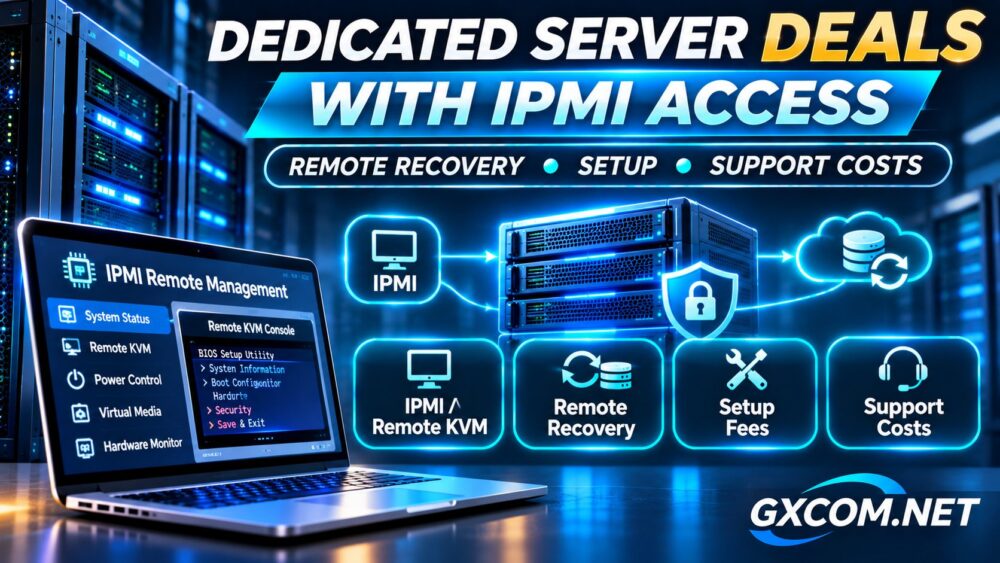
Intelligent Platform Management Interface (IPMI) is a hardware management standard commonly implemented through a baseboard management controller (BMC). A BMC can provide management functions independently of the host operating system, provided its power and management connectivity remain available.
Remote keyboard, video, and mouse access (KVM over IP) may allow administrators to observe boot messages, enter firmware settings, and troubleshoot an inaccessible operating system. However, IPMI support alone does not guarantee that a graphical console or virtual media is included.
Some hardware platforms use alternative management interfaces, such as HPE iLO. Compare the practical permissions rather than insisting on a particular management protocol.
| Management Feature | Recovery Value |
|---|---|
| Remote power control | Restart an unresponsive machine |
| KVM over IP | Inspect boot failures and local console output |
| Virtual media | Boot compatible installation or recovery images |
| Hardware monitoring | Investigate supported sensor readings and events |
Confirm which functions are available to customers and whether access requires a support request.
Compare Three Dedicated Server Providers With Remote Access
Affiliate disclosure: GXCOM.NET may earn a commission from qualifying purchases through affiliate links.
The following comparison uses published provider information reviewed on November 22, 2026. Prices are advertised starting rates, not verified checkout discounts or equivalent hardware benchmarks.
InterServer: Remote Management and US Dedicated Hosting
InterServer advertises IPMI or iLO access, remote KVM, reboot controls, and operating system reinstallation options. Its dedicated server page also lists zero setup fees and managed support options.
A published Ryzen 9900X configuration with 64GB RAM and IPMI console access starts at $166 monthly. Confirm the selected motherboard, virtual media permissions, and management coverage before ordering.

Check InterServer dedicated server plans and available offers.
GTHost: Budget Hardware and Short-Term Rentals
GTHost lists a Xeon E3-1265Lv3 server with 32GB RAM, 960GB SSD storage, and included IPMI from $59 monthly. Its Xeon Silver 4116 configuration with 96GB RAM and two 960GB SSDs starts at $89 monthly.
The provider advertises no setup fees and short rental periods. Its unmanaged model makes it relevant for experienced administrators who can handle their own operating system maintenance. Verify console restrictions, hardware availability, and the exact rental term.
Cherry Servers: Portal-Based Bare Metal Management
Cherry Servers documents out-of-band console access for dedicated bare metal servers through its customer portal. Depending on the motherboard, console access may use HTML5 or require Java.
Evaluate its instant and custom server configurations when deployment flexibility matters. Confirm console compatibility, virtual media availability, provisioning fees, and technician assistance charges for the chosen machine.
Remote Recovery: When IPMI Can Reduce Downtime
A server might become unreachable after an incorrect firewall change, failed kernel upgrade, or bootloader configuration error. When the management network remains accessible, a remote console can provide an alternative administrative path.
Inspect console output before forcing a restart. A hard reset can interrupt active writes and increase the risk of data corruption. Use a graceful recovery procedure whenever possible.
Remote management cannot physically replace failed drives, defective memory, or damaged power supplies. Hardware failures still depend on provider intervention. Our dedicated hosting versus colocation comparison explains the distinction between equipment ownership and maintenance responsibilities.
Setup Fees, Remote Hands and Technical Support
Free setup can reduce initial expenses, but it does not necessarily cover custom operating system installation, RAID configuration, firmware updates, or migration assistance.
Ask whether technicians charge for manual reinstallation, troubleshooting, or work requested outside standard support coverage. Distinguish hardware replacement obligations from optional system administration services.
Review our fully managed versus semi-managed hosting comparison before purchasing additional management services. Console access is a tool, not a substitute for qualified administrators.
Calculate Twelve-Month Recovery and Support Costs
Consider two hypothetical machines with equivalent workload capacity. Server A costs $85 monthly, requires $100 for setup, and incurs three separately billed technician interventions at $40 each. Server B costs $100 monthly with free setup.
| Annual Expense | Server A | Server B |
|---|---|---|
| Rental | $1,020 | $1,200 |
| Setup | $100 | $0 |
| Technician interventions | $120 | $0 |
| Total | $1,240 | $1,200 |
Assume Server B’s administrators resolve all three incidents independently using available console tools. Under these assumptions, the higher rental price saves $40 annually. Without paid interventions, Server A would cost $80 less.
These figures are illustrative, not actual provider quotations. Include internal administration time, licensing, backups, taxes, and expected business interruption costs in a real comparison. See our dedicated server guide for SaaS applications for production availability considerations.

Secure the Management Interface Before Deployment
A compromised management controller can expose powerful hardware controls. Prefer restricted management networks or approved secure access gateways instead of publicly exposing BMC services.
Use unique credentials, multifactor authentication where supported, and narrowly scoped access permissions. Coordinate firmware security updates with the hosting provider, particularly when customers cannot update management controllers themselves.
Test console access before deploying production workloads. Verify independent backups, document recovery procedures, and confirm how to reach support if the management network itself fails.
Pre-Purchase Remote Access Checklist
Request a demonstration or written description of the management portal. Establish whether access is permanent or temporary, whether custom ISO images can be mounted, and whether emergency console sessions require approval. Ask about minimum support charges and escalation procedures outside business hours.
For critical workloads, maintain a separate recovery plan for management network outages and physical hardware failures. Do not assume remote console access guarantees a particular recovery time.
Final Verdict: Buy Recovery Capability, Not Just Hardware
InterServer is worth evaluating for US dedicated hosting, GTHost for budget and short-term rentals, and Cherry Servers for portal-based bare metal management.
The best dedicated server deals with IPMI access combine suitable hardware, usable remote recovery tools, secure management connectivity, and transparent support charges. Obtain written confirmation of included permissions, setup costs, renewal terms, and incident escalation procedures before committing to a server.