Finding the right dedicated server deals for CI/CD requires more than comparing CPU counts and promotional prices. A build farm must execute compilation, automated tests, container builds, and deployment preparation without creating expensive job queues.
Dedicated bare-metal servers can provide predictable hardware access and fixed monthly infrastructure costs for teams running frequent workloads. However, the cheapest server is not necessarily the most economical. CPU architecture, available memory, storage performance, and runner scheduling determine how efficiently a CI/CD environment operates.
This guide explains how to size dedicated build servers, estimate monthly costs, and compare hosting providers before committing to a deployment.
Why Use Dedicated Servers for CI/CD Build Farms?
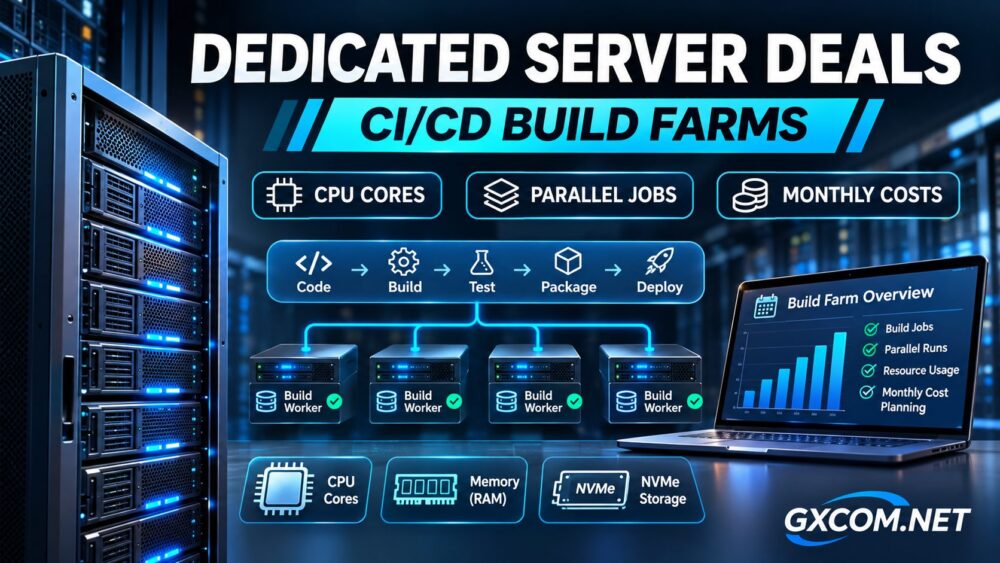
A CI/CD build farm consists of workers that execute jobs submitted by systems such as GitHub Actions, GitLab CI/CD, or Jenkins. These jobs may include compiling applications, running test suites, building Docker images, and generating release artifacts.
Dedicated servers are particularly attractive when workloads are frequent, resource-intensive, and predictable. Unlike shared virtual infrastructure, bare metal provides exclusive access to the host’s physical CPU and memory resources.
However, dedicated hardware does not automatically guarantee faster builds. Inefficient pipelines, slow dependency downloads, insufficient caching, and poorly configured runners can still limit throughput.
Teams investigating inconsistent virtual-machine performance should also review our VPS CPU steal time troubleshooting guide to understand one potential source of shared-host performance variability.
CPU Cores vs. Parallel CI/CD Jobs
Physical Cores, Threads, and Build Performance
CPU selection should begin with the workload rather than the advertised thread count. A processor with 16 physical cores and 32 threads does not necessarily provide twice the compilation throughput of a 16-thread configuration.
Simultaneous multithreading can improve resource utilization, but gains depend on compiler behavior, memory bandwidth, and workload characteristics.
High-frequency processors may perform well for smaller builds with limited parallelism. Higher-core-count processors become attractive when numerous independent jobs can run simultaneously.
Estimating Concurrent Build Capacity
A practical starting estimate is:
CPU-limited concurrent jobs = available physical cores ÷ physical cores allocated per job.
For example, a hypothetical 24-core server allocating four physical cores per CPU-intensive job has a starting capacity of six concurrent jobs, before accounting for operating-system overhead and resource contention.
This is a planning estimate, not a measured performance guarantee. Memory, disk activity, and actual CPU utilization may reduce the sustainable job count.
GitLab Runner also distinguishes global job concurrency, per-runner limits, and request concurrency. Increasing these settings cannot create additional physical processing capacity.

Memory and NVMe Storage Requirements
CPU capacity alone is insufficient for modern build farms. Java compilation, browser-based testing, container image creation, and multiple Docker environments can consume substantial memory.
As an illustrative planning scenario, six jobs requiring 6GB of RAM each consume 36GB before accounting for the operating system, filesystem cache, and supporting services. A 64GB configuration offers additional headroom, although actual requirements must be measured.
NVMe storage is valuable for dependency caches, temporary build directories, container layers, and frequent small-file operations. However, fast local disks will not solve delays caused by remote registries or external artifact repositories.
For reliable operations, consider separate cache and artifact policies, disk-space monitoring, and storage redundancy where appropriate. RAID protects against certain disk failures but does not replace backups.
Dedicated Server Deals: Comparing Five Hosting Providers
Several established hosting companies offer dedicated infrastructure worth evaluating for CI/CD deployments. The following comparison identifies potential purchasing advantages rather than claiming that each provider sells a specialized build-farm package.
Cherry Servers: Configurable Bare-Metal Infrastructure
Cherry Servers offers preconfigured and customizable bare-metal servers, including AMD and Intel processor options. Its infrastructure documentation also describes API-based provisioning and configurable hardware.
This makes Cherry Servers worth investigating for teams prioritizing deployment automation, processor selection, and flexible infrastructure management. Confirm regional availability, storage options, and the exact billing arrangement before ordering.
GTHost: Dedicated Server Procurement
GTHost is another candidate for teams comparing dedicated hosting quotations. Request the exact processor model, physical core count, memory configuration, storage type, network allowance, and replacement procedures.
Evaluate its quotation against your build workload rather than assuming that a higher advertised thread count delivers better compilation performance.
RAKsmart: Regional Infrastructure Considerations
RAKsmart can be included when comparing dedicated-server options across relevant deployment regions. Network location matters when runners frequently download dependencies or transfer artifacts to geographically distributed services.
Before purchasing, confirm the selected server’s CPU generation, bandwidth terms, operating-system support, and applicable contract conditions.
Bacloud: Budget-Oriented Configuration Comparison
Bacloud is worth reviewing when monthly expenditure is a major purchasing constraint. Compare complete hardware specifications and recurring charges rather than promotional pricing alone.
Older processors may offer attractive acquisition costs but can be less efficient for certain compilation workloads. Validate the processor architecture and measured workload requirements before selecting a budget configuration.
NovoServe: Dedicated Infrastructure and Bandwidth Options
NovoServe publishes dedicated-server configurations and promotional offerings, including systems with different Intel Xeon processors, memory capacities, and network arrangements.
Its infrastructure may merit consideration for build farms transferring large artifacts or operating across multiple environments. However, network capacity should not outweigh CPU efficiency when compilation is the primary bottleneck.
Promotional inventory and prices can change, so verify the selected configuration and monthly terms directly before purchasing.
How to Calculate Monthly CI/CD Server Costs
A meaningful cost comparison must account for more than the advertised rental fee.
Monthly total cost = server rental + storage and bandwidth extras + software licensing + backup services + operational overhead.
For example, consider a hypothetical server costing $180 monthly, with $20 in additional services and $50 in allocated operational expenses. The estimated total becomes $250 per month. These figures illustrate the calculation and are not provider quotations.
If that infrastructure completes 5,000 successful jobs monthly, the illustrative cost is $0.05 per successful job. This calculation excludes differences in job duration and should be refined using actual runner utilization.
Dedicated servers are often easier to justify when build demand remains consistently high. For occasional workloads, elastic hosted runners may be more economical because unused dedicated capacity still incurs charges.
Teams comparing infrastructure economics across application workloads can also consult our dedicated server guide for SaaS applications.
Security and Runner Management
Self-hosted runners require careful security controls. GitHub warns that persistent self-hosted runners can be compromised by untrusted workflow code and recommends ephemeral runners for autoscaling.

Use isolated execution environments, restricted credentials, controlled repository access, and automated cleanup. Avoid exposing production secrets to untrusted builds.
Where possible, use disposable virtual machines or containers with appropriate isolation. Container isolation alone should not be treated as a complete security boundary for hostile workloads.
Maintain external logs, patch runner software, and monitor CPU utilization, memory pressure, disk consumption, and queue waiting time.
How to Choose the Best CI/CD Dedicated Server Deal
Start by measuring representative builds. Record average and peak concurrency, CPU utilization, memory consumption, cache hit rates, and time spent waiting for runners.
Then shortlist hardware based on sustained throughput rather than peak specifications. Request quotations from suitable approved providers and compare the complete monthly cost, contract terms, hardware generation, and operational requirements.
If deployment architecture or ownership responsibilities remain uncertain, our fully managed vs. semi-managed hosting cost comparison provides additional context for infrastructure purchasing decisions.
Final Verdict
The best dedicated server deals for CI/CD build farms balance physical CPU capacity, sustainable parallel execution, adequate RAM, fast local storage, and predictable monthly spending.
Cherry Servers, GTHost, RAKsmart, Bacloud, and NovoServe provide a useful starting shortlist, but the right choice depends on verified hardware configurations and actual workload measurements.
Before ordering: benchmark representative pipelines, calculate your effective cost per completed job, confirm the provider’s current offer, and establish a secure runner lifecycle. A well-sized server is more valuable than an impressive specification that remains underutilized.