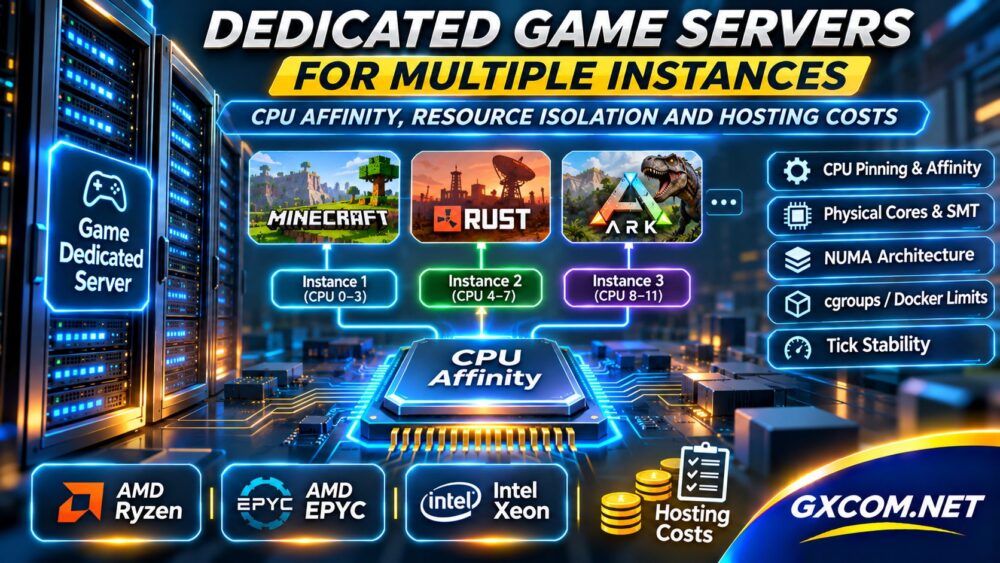
Game server CPU pinning can help administrators manage competing workloads when several multiplayer worlds share a dedicated machine. Exclusive access to physical hardware eliminates unrelated hosting tenants, but Minecraft, Rust and ARK processes can still compete with one another for processor time, memory bandwidth and storage access.
Effective isolation requires understanding processor topology, measuring simultaneous demand and choosing appropriate resource controls. This guide explains practical Linux configuration options and the commercial implications of consolidating multiple game instances.
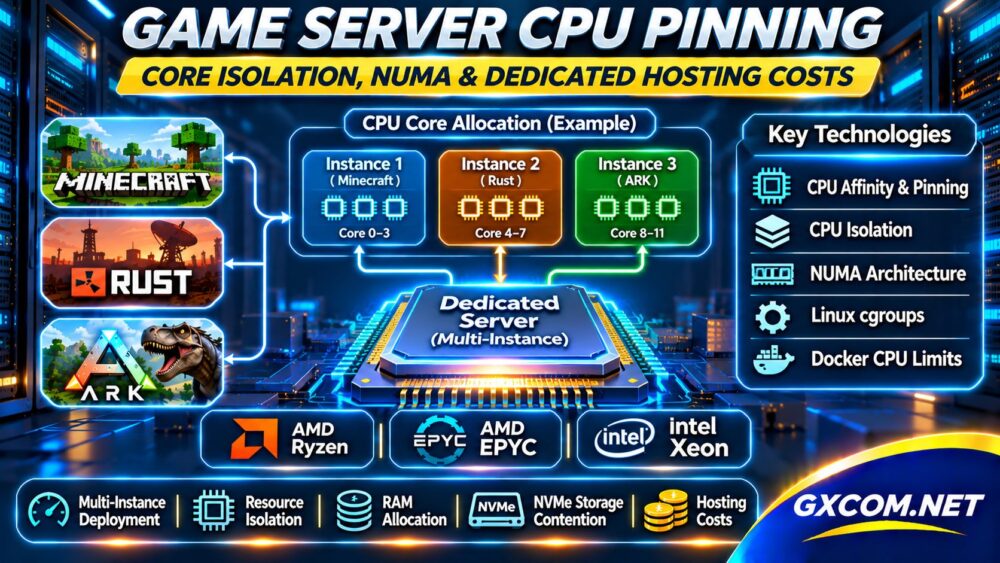
Understand CPU Affinity and Physical Core Isolation
CPU affinity restricts the logical processors on which a thread may execute. Pinning a game process to a selected CPU set can reduce scheduling interference, but does not automatically prevent other processes from using that set.
Simultaneous multithreading (SMT) allows multiple logical processors to share a physical core. Two game instances assigned different logical CPU numbers may therefore compete for execution resources on the same core.
Start by inspecting the actual hardware topology rather than assuming adjacent CPU numbers correspond to separate cores.
lscpu -e=CPU,CORE,SOCKET,NODE
cat /sys/devices/system/cpu/cpu0/topology/thread_siblings_list
For a comparison of broader deployment architectures, consult our dedicated servers for multiple games guide.
Configure Linux CPU Pinning and Resource Controls
The taskset command can launch a process with a specific affinity mask. For example, the following command starts an existing Minecraft server with four permitted logical CPUs:
taskset -c 0-3 java -Xmx8G -jar server.jar noguiThis example assumes the requested CPUs exist and are appropriate for the measured workload. It is not a recommendation that every Minecraft instance needs four cores or eight gigabytes of heap memory.
Linux cgroups provide additional controls for groups of processes. Administrators can manage processor placement, relative scheduling weights, CPU time quotas and memory consumption separately.
| Control | Purpose |
|---|---|
| cpuset.cpus | Allowed logical processors |
| cpu.weight | Relative CPU scheduling weight |
| cpu.max | CPU bandwidth quota |
| memory.max | Memory usage ceiling |
| io.max | Device-specific I/O limits |
Use separate service groups for each instance and reserve processing capacity for operating system services, network interrupts and maintenance. Exclusive partitions require additional configuration beyond process affinity.

Docker CPU Limits and Container Placement
Docker exposes resource controls through container runtime options. The following illustrative command assumes a compatible game container image is already available locally:
docker run --cpuset-cpus="4-7" --cpus="3" --memory="16g" game-imageThe container may execute on four specified logical CPUs but receives a CPU time quota equivalent to three CPUs. A quota can introduce throttling even when other processors are idle. The memory ceiling can trigger process termination if consumption cannot be reclaimed.
Production deployment additionally requires persistent volumes, appropriate ports, game configuration and backup arrangements. Resource controls alone do not provide a complete hosting environment.
Account for NUMA and Processor Architecture
Non-uniform memory access (NUMA) means memory access characteristics can vary according to processor and memory placement. On larger servers, particularly multisocket systems, placing a busy process far from its allocated memory may increase access latency.
Inspect node topology using numactl –hardware where available. Evaluate CPU and memory placement together; restrictive binding can cause local memory shortages while capacity remains elsewhere.
Modern AMD Ryzen processors are candidates for workloads sensitive to individual thread performance. AMD EPYC includes both high-frequency entry server models and larger processors offering additional memory channels and expansion capacity. Intel Xeon platforms can provide substantial memory and core capacity, depending on generation and socket configuration.
Compare exact models, cache topology, sustained clocks and memory channels. The EPYC 4564P, for example, has sixteen cores and two memory channels, so the EPYC name alone does not establish a wide memory architecture.
Plan Simultaneous Minecraft, Rust and ARK Workloads
Minecraft Java simulation can become constrained by a busy main thread, while generation tasks and garbage collection create additional demand. Rust entities, NPCs and persistent structures can increase processing requirements as worlds mature. ARK clusters require independent resource budgets for active maps.
Measure peak thread activity, resident memory, save duration and game-specific simulation metrics. Compare overlapping evening peaks rather than adding average utilization measurements. Our game server tick rate guide explains why timely simulation matters.
For a hypothetical 128 GB machine, allocating 24 GB, 32 GB and 40 GB to three instances leaves 32 GB for system services and additional demand. These allocations are planning assumptions, not official game requirements or capacity guarantees.
Schedule backups, compression, updates and map generation outside busy periods. Separate physical drives where practical, because separate directories on one NVMe device do not eliminate storage contention. Keep recoverable backups outside the primary machine.
Compare Dedicated Hosting Configurations
The following published offers were reviewed in November 2026. They represent different hardware configurations and billing currencies, not equivalent performance tiers.
| Provider | Processor | RAM | Storage | Monthly price |
|---|---|---|---|---|
| InterServer | Ryzen 3900X, 12 cores | 64 GB | 2 TB NVMe | $157 |
| Cherry Servers | EPYC 4564P, 16 cores | 192 GB | 2 × 1 TB NVMe | $257.58 |
| HOSTKEY | Ryzen 9950X, 16 cores | 128 GB | 2 × 2 TB NVMe | €329 |
InterServer lists the Ryzen configuration in its gaming inventory and also offers Xeon and EPYC builds. Confirm availability and protection terms for the selected machine.

Cherry Servers advertises hourly and fixed-term game hosting with DDoS protection. Its higher memory configuration may suit consolidation projects requiring several independent worlds.
HOSTKEY offers unmanaged physical servers, basic attack protection and optional paid administration. Confirm game traffic coverage, permitted commercial use and usable storage after RAID configuration before ordering.
Calculate Consolidation Costs and Failure Risks
Suppose a dedicated machine costs $240 monthly, with $20 for offsite backups and $40 for administration. Three active instances would share a $300 monthly budget, averaging $100 per instance. Four would average $75 only if sufficient capacity remains without additional spending.
Consolidation also increases the impact of hardware failure. Include recovery infrastructure, spare capacity, additional IP addresses and migration expenses. Our dedicated game server requirements guide provides further purchasing context.
Validate Isolation Before Expanding
Compare unrestricted scheduling against a carefully designed affinity configuration under representative concurrent gameplay. Record simulation delays, CPU throttling, memory pressure and storage latency. Keep configuration changes reversible. Select the hardware and resource policy that meets measured requirements without assuming that CPU pinning alone guarantees better performance.