Running Minecraft, Rust, and ARK communities on separate hosting plans can become difficult to manage as your audience grows. Multiple billing accounts, inconsistent hardware, scattered backups, and limited administrative control may encourage operators to consolidate their workloads onto one physical machine.
However, dedicated game servers for multiple games require more than a powerful processor and generous memory. Each game competes for CPU time, RAM, storage performance, and network resources. Without effective resource allocation and isolation, one busy game instance can disrupt every other community sharing the machine.
This guide explains how to plan multi-game dedicated hosting, separate demanding workloads, monitor resource usage, and determine when consolidated infrastructure makes financial and technical sense.
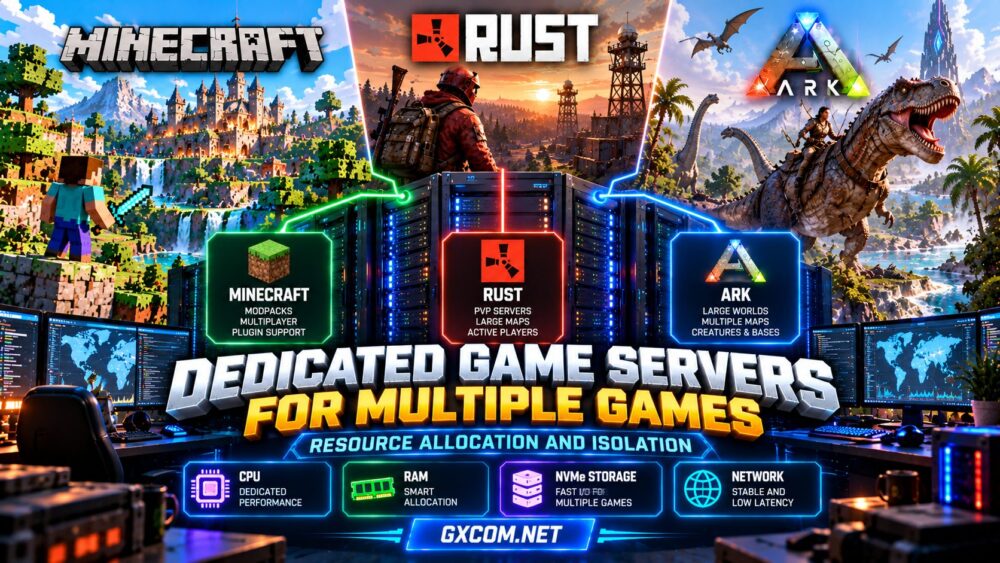
Why Host Multiple Games on One Dedicated Server?
A dedicated server provides access to physical hardware assigned to one customer. Unlike a conventional shared VPS, its CPU and memory resources are not ordinarily shared with unrelated hosting tenants.
For communities operating several games, consolidation can offer centralized administration, consistent monitoring, and greater control over software environments.
Potential advantages include:
- Centralized management: Maintain several game instances from one infrastructure environment.
- Hardware control: Allocate physical CPU capacity and memory according to workload priorities.
- Operational flexibility: Install compatible server software, automation tools, and monitoring services.
- Resource efficiency: Share unused capacity between workloads when demand patterns permit.
The trade-off is concentration risk. Hardware failure, operating-system problems, or a network outage can affect every game hosted on that machine.
For a broader infrastructure comparison, read our gaming VPS vs dedicated server guide.
Understanding Different Game Server Workloads
Not every game consumes hardware resources in the same way. Minecraft, Rust, and ARK can all be demanding, but their performance bottlenecks differ.
Minecraft: Strong Single-Core Performance
Minecraft servers are sensitive to processing speed in important simulation operations. Modpacks, chunk generation, automated farms, and entity-heavy worlds can increase CPU and memory pressure.
Multiple Minecraft instances may compete for fast processor cores even when total CPU utilization appears moderate.
Rust: Persistent Simulation and Player Activity
Rust workloads depend on map size, active players, entities, plugins, and server configuration. Busy PvP periods and persistent world activity can produce substantial resource demand.
Consistent CPU access and sufficient memory are important when sharing hardware with other games.
ARK: Memory and World Complexity
ARK servers can require significant memory, especially with large maps, extensive structures, numerous creatures, or multiple instances. ARK: Survival Ascended generally needs more substantial resources than Survival Evolved.
Administrators should evaluate the exact edition and map rather than applying one generic ARK resource estimate.
How to Allocate CPU Resources Across Multiple Games
CPU allocation is one of the most important aspects of multi-game hosting. Even a powerful dedicated processor can experience contention when several simulation-heavy workloads peak simultaneously.
Start by identifying each game’s sustained and peak CPU demand. Avoid assuming that one advertised processor thread represents the same performance as one independent physical core.
CPU Affinity and Pinning
CPU affinity allows administrators to restrict processes to selected logical processors. On Linux, tools such as taskset or systemd CPUAffinity can help control where workloads execute.
Affinity may reduce unwanted scheduling overlap, but it does not create additional computing capacity. Hyperthreaded logical CPUs can still share physical execution resources.

For demanding workloads, consider the processor’s core topology, simultaneous multithreading, and NUMA layout before defining CPU boundaries.
CPU Quotas and Scheduling Priorities
Linux control groups can impose CPU quotas or relative scheduling weights. These controls help prevent background services from consuming unlimited processing time.
However, aggressive quotas may throttle game servers during legitimate bursts. Test changes under realistic player activity instead of applying arbitrary limits.
Our high-frequency CPU guide for game servers explains why processor architecture and per-core performance matter.
RAM Allocation: Preventing One Game from Exhausting Memory
Memory allocation should account for each game, the operating system, control panels, databases, monitoring tools, and temporary update processes.
The following example illustrates a possible planning budget for a dedicated machine with 64 GB of RAM. It is not a benchmark or a guarantee of player capacity.
| Workload | Illustrative RAM Budget |
|---|---|
| Modded Minecraft instance | 12 GB |
| Rust instance | 16 GB |
| ARK instance | 24 GB |
| Operating system and supporting services | 4 GB |
| Unallocated headroom | 8 GB |
Actual consumption may differ significantly. In particular, ARK editions, Minecraft modpacks, and Rust world configurations must be evaluated individually.
On Linux, memory controls can help limit processes or containers, but setting limits too low may trigger out-of-memory termination. Monitor working sets, memory pressure, and swap activity before changing allocations.
Do not allocate every available gigabyte to game processes. Reserve headroom for system stability, maintenance, and unexpected workload spikes.
NVMe Storage and I/O Isolation
Fast storage benefits game servers, but simultaneous disk operations can create contention even on NVMe drives.
Consider a scenario where Minecraft performs a world backup while Rust saves its map and ARK installs an update. Each operation competes for storage bandwidth and I/O responsiveness.
To reduce interference:
- Schedule large backups outside peak gameplay periods.
- Separate temporary files and backups where practical.
- Monitor disk latency, throughput, and available capacity.
- Use independent backup destinations rather than relying solely on local storage.
- Evaluate storage redundancy and recovery procedures before deployment.
Containers can help organize file systems and services, but ordinary container isolation does not automatically guarantee dedicated disk performance.
Choosing Between Containers, Virtual Machines, and Separate Processes
Administrators have several options for organizing multiple game instances on dedicated hardware.
| Deployment Method | Main Benefit | Main Limitation |
|---|---|---|
| Separate OS processes | Low overhead and straightforward deployment | Limited isolation without additional controls |
| Containers | Consistent deployment and resource controls | Shared host kernel |
| Virtual machines | Stronger operating-system separation | Additional memory and administration overhead |
Containers are useful for organizing compatible Linux workloads, while virtual machines can support different operating-system environments. Separate processes may be sufficient for smaller, trusted deployments.
Whichever method you choose, isolate service credentials, configure firewall rules, assign unique network ports, and restrict administrative access.
Network Isolation, Ports, and DDoS Protection
Hosting multiple games on one public IP address is possible when services use compatible, nonconflicting ports. However, each game has its own networking requirements.
Document port assignments, firewall policies, bandwidth usage, and any required query or management interfaces.
Network isolation can limit unnecessary communication between instances, but it cannot eliminate the shared risk of a saturated uplink or an attack targeting the server’s public address.
Evaluate the hosting provider’s DDoS mitigation policies and whether the protection is suitable for the protocols your games use.
Dedicated Hardware vs Separate Managed Game Hosting
Consolidation is not always the best choice. Separate managed hosting plans can reduce administration work and provide operational separation between communities.
For example, Host Havoc and Survival Servers are worth evaluating when comparing independently managed game-server services. Confirm support for each required game, version, and location before purchasing.
Sparked Host is another game-hosting option to investigate for suitable workloads. Compare its current products, resource policies, backup options, and upgrade terms against the cost of maintaining your own machine.
AlphaVPS offers an infrastructure-oriented comparison point for administrators considering self-managed virtual servers. Do not assume that a VPS product provides the same physical resource isolation as a dedicated bare-metal server; verify the exact product category before ordering.
For broader provider selection, explore our best dedicated game servers comparison.
Monitoring and Scaling a Multi-Game Server
After deployment, collect performance measurements separately for every game instance. Whole-machine CPU averages can conceal a saturated core or an overloaded individual process.

Track per-instance CPU utilization, memory pressure, disk latency, network throughput, and game-specific responsiveness.
Monitor Minecraft tick performance, Rust simulation behavior, and ARK server responsiveness during realistic peak activity.
When performance declines, identify the constrained resource before upgrading. Moving one demanding game to another machine may be more effective than increasing resources for every instance.
Our dedicated game server requirements guide provides additional hardware-planning context.
Multi-Game Dedicated Server Buying Checklist
- Calculate concurrent CPU and RAM demand for every game.
- Verify processor generation, core topology, and sustained performance.
- Reserve memory for the OS, monitoring, and maintenance tasks.
- Choose sufficient SSD or NVMe capacity for worlds, updates, and backups.
- Plan process, container, or virtual-machine isolation.
- Confirm network capacity, DDoS policies, and server location.
- Document recovery procedures and future expansion options.
Frequently Asked Questions
Can one dedicated server run Minecraft, Rust, and ARK?
Yes, if the operating environment is compatible and the hardware provides sufficient resources for all three workloads simultaneously. Capacity depends on the specific game configurations.
Does CPU pinning improve game server performance?
It can improve scheduling predictability in some situations, but it does not guarantee higher performance. Poorly planned affinity settings can create new bottlenecks.
Are containers better than virtual machines for game hosting?
Neither is universally better. Containers offer convenient deployment with shared-kernel isolation, while virtual machines provide stronger operating-system separation at additional overhead.
Is one dedicated server cheaper than several game hosting plans?
Possibly. Compare hardware costs, software licensing, backups, administration time, and outage risks rather than subscription prices alone.
Final Thoughts
Successful dedicated game servers for multiple games depend on careful resource allocation and isolation. Strong CPU performance, adequate RAM, responsive storage, and predictable networking must work together.
Compare consolidated dedicated infrastructure with separate services from Host Havoc, Survival Servers, and Sparked Host, or self-managed infrastructure options such as AlphaVPS where appropriate. Choose the architecture that matches your community’s workloads, technical capabilities, and long-term growth plans.