Cloud bills can grow even when an application uses the same server capacity every month. The difference often comes down to purchasing strategy: pay standard rates as resources run, or commit to eligible usage in exchange for discounted pricing.
This Cloud Reserved Instances vs On-Demand guide explains utilization, commitment risk, break-even calculations, and practical ways to reduce infrastructure costs. It also distinguishes major cloud commitment products from ordinary hosting contracts, helping buyers avoid expensive assumptions.
Reserved Instances vs On-Demand: Quick Verdict
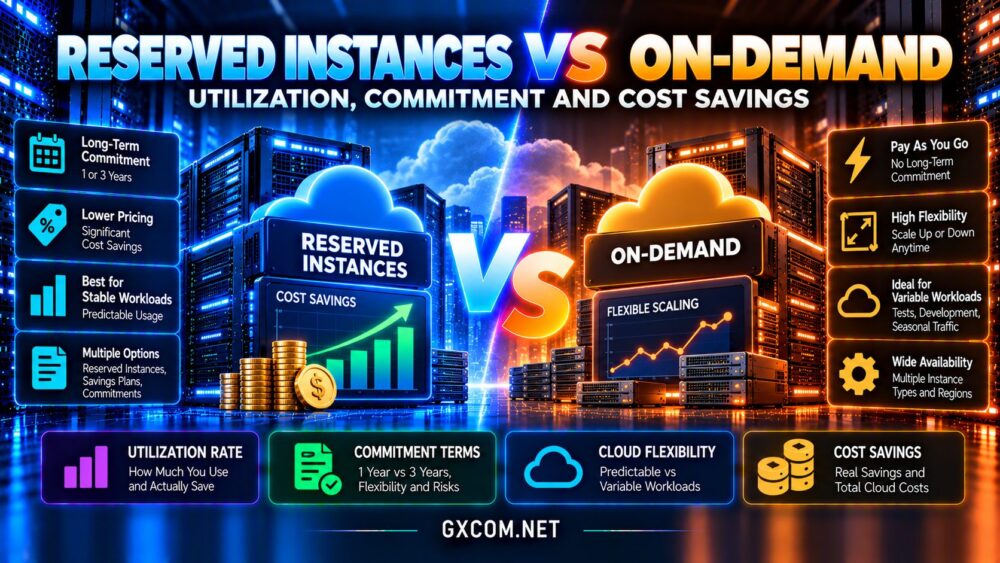
Choose committed pricing for predictable, continuously needed compute when you can satisfy the product’s eligibility rules throughout the commitment period. Choose on-demand pricing for experiments, temporary environments, unpredictable demand, or applications likely to change platform or instance type.
Many organizations benefit from combining both: commitments for measured baseline consumption and flexible capacity for growth or spikes. The cheapest advertised hourly rate is not necessarily the lowest total bill.
What Are Cloud Reserved Instances?
A reserved instance is commonly a pricing commitment that provides a discount on eligible compute usage. For example, Amazon EC2 Reserved Instances can apply billing benefits according to specified attributes and terms; certain offerings also have capacity-reservation characteristics, which must be evaluated separately.
AWS Savings Plans, Azure Reservations, and Google Cloud committed use discounts use different eligibility and commitment models. Some commitments are tied to particular resources, while others provide more flexibility across eligible compute usage.
Consequently, a reservation should not be confused with ownership of hardware, a dedicated server, or guaranteed capacity across every region. Read the exact product terms before ordering.
How On-Demand Cloud Pricing Works
On-demand computing lets customers provision resources without making the same long-term purchasing commitment. Charges may be calculated by seconds, minutes, hours, or other units depending on the provider and service.
This model suits staging environments, seasonal campaigns, short projects, and workloads with uncertain architecture. Teams can change instance sizes or shut down unused resources without leaving an equivalent long-term compute commitment behind.
However, on-demand flexibility does not mean zero obligations. Storage, reserved IP addresses, snapshots, network transfer, and managed services can continue generating charges after a virtual machine stops.
For broader infrastructure choices, see our cloud hosting vs VPS comparison.
Understanding Utilization and Commitment Coverage
Utilization describes how much of a purchased commitment is actually consumed by eligible usage. Coverage describes what portion of eligible usage receives commitment-based pricing. These measures are related but not interchangeable.
A company might achieve high commitment utilization while covering only a small percentage of its total cloud workload. Conversely, purchasing too many commitments can produce high coverage but poor utilization and unnecessary expense.

Review at least several weeks of hourly usage data, preferably across representative business cycles. Separate steady baseline demand from traffic peaks, development environments, and projects nearing retirement.
Calculate the Break-Even Utilization Rate
Consider a simplified example in which on-demand compute costs $0.10 per running hour, while an equivalent fixed commitment effectively costs $0.06 for every hour in its term, regardless of whether the workload runs.
Over a 720-hour illustrative month, the commitment costs $43.20. On-demand costs $72 if the workload runs continuously, but only $36 if it runs for 360 hours.
Ignoring additional charges, the break-even utilization is 60%: $43.20 divided by the $72 full-month on-demand equivalent. Below that threshold, on-demand costs less; above it, the commitment can save money.
These numbers are illustrative, not live provider prices. Real commitments may involve upfront payments, variable discount eligibility, different billing scopes, and fees that change the calculation.
One-Year vs Three-Year Commitments
Longer commitments may offer deeper discounts, but they also increase forecasting risk. An application can be redesigned, consolidated, migrated, or retired before a three-year term ends.
A one-year commitment often better suits organizations expecting moderate changes. Longer terms are more appropriate when usage is consistently measurable and the selected cloud architecture is unlikely to change materially.
Before signing, examine payment options, modification rules, cancellation restrictions, regional limitations, and what happens when the preferred instance family changes.
AWS, Azure and Google Cloud Are Not Identical
AWS Reserved Instances and Savings Plans have distinct discount mechanisms and flexibility characteristics. Azure Reservations apply to eligible services under their own scopes and exchange or cancellation conditions. Google Cloud committed use discounts likewise have product-specific commitments and eligibility requirements.
Some products discount compute consumption without reserving capacity. Others may involve separate capacity reservation features. Commitments also do not automatically discount storage, bandwidth, licenses, or every managed service.
Use each provider’s official pricing calculator and billing reports. Never assume a discount percentage from one platform transfers directly to another.
When On-Demand Is the Better Deal
On-demand instances are often preferable for workloads running only during business hours, testing environments, migration projects, and applications with uncertain future requirements.
They also reduce commitment risk when a team expects to move from virtual machines to containers, serverless platforms, or managed databases. The value of architectural flexibility can exceed a nominal compute discount.
For short-lived workloads, automate shutdown schedules and remove unnecessary resources. Compare storage and network charges separately from compute.
Build a Hybrid Cloud Purchasing Strategy
Start by identifying the minimum compute demand that persists through ordinary days, weekends, and seasonal changes. Consider commitments for a conservative portion of that baseline rather than buying against peak usage.
Keep additional on-demand capacity available for launches, promotions, and unexpected demand. Revisit coverage and utilization after significant application changes, migrations, or traffic shifts.
For hosting alternatives, our best cloud hosting services guide examines broader platform considerations. Budget-conscious buyers can also compare affordable cloud VPS deals before accepting a long-term commitment.
Cloud Providers Worth Comparing
Kamatera: Configurable Cloud Infrastructure
Kamatera is relevant for buyers who want configurable virtual servers and flexible resource selection. Evaluate current billing rules, server sizing, support, and backup costs rather than assuming its plans follow hyperscaler Reserved Instance terms.
Vultr: Cloud Compute Options
Vultr provides cloud compute choices worth evaluating for workloads that may require rapid deployment or changes in capacity. Compare instance specifications, available locations, network charges, and actual billing terms.
OVHcloud: Cloud and Dedicated Alternatives
OVHcloud is another candidate when weighing public cloud resources against more predictable infrastructure arrangements. Check the specific service’s commitment, included bandwidth, and storage policies.
Cloudways: Managed Cloud Hosting
Cloudways offers a managed hosting approach that can reduce direct server administration. Its value should be evaluated through the complete managed-service price, not treated as equivalent to buying a hyperscaler reservation.
Compare these options with our managed cloud hosting comparison and cloud hosting offers guide.

Hidden Costs That Reduce Savings
A compute discount does not necessarily reduce the total invoice by the same percentage. Databases, backups, object storage, data transfer, monitoring, support, and software licensing may remain outside the commitment.
For example, a substantial compute discount can produce modest overall savings when compute represents only a fraction of monthly spending. Calculate savings against the entire workload bill, not just the instance line item.
Also account for staff time spent forecasting demand and managing commitments. A simpler plan can sometimes deliver better operating value than a complicated discount portfolio.
Frequently Asked Questions
Are Reserved Instances always cheaper?
No. Savings depend on eligible usage, utilization, contract terms, and whether the workload continues running.
Do reservations guarantee server capacity?
Not universally. Billing discounts and capacity reservations are separate concepts in many cloud products.
Can I cancel a cloud commitment early?
Rules vary by provider and product. Some commitments are noncancelable or subject to specific conditions.
Should startups use reserved pricing?
Only for sufficiently predictable workloads. Early-stage projects often benefit from retaining flexibility.
Final Verdict: Commit Carefully, Stay Flexible
The Cloud Reserved Instances vs On-Demand decision is fundamentally a forecast of future resource consumption. Commitments reward predictable eligible usage, while on-demand pricing protects flexibility when demand changes.
Measure baseline consumption, calculate break-even utilization, and confirm product-specific restrictions before purchasing. Evaluate Kamatera, Vultr, OVHcloud, and Cloudways as broader cloud hosting alternatives, without confusing their commercial models with hyperscaler reservations.
For many businesses, a conservative commitment combined with on-demand capacity offers a practical balance between cost savings and operational freedom.