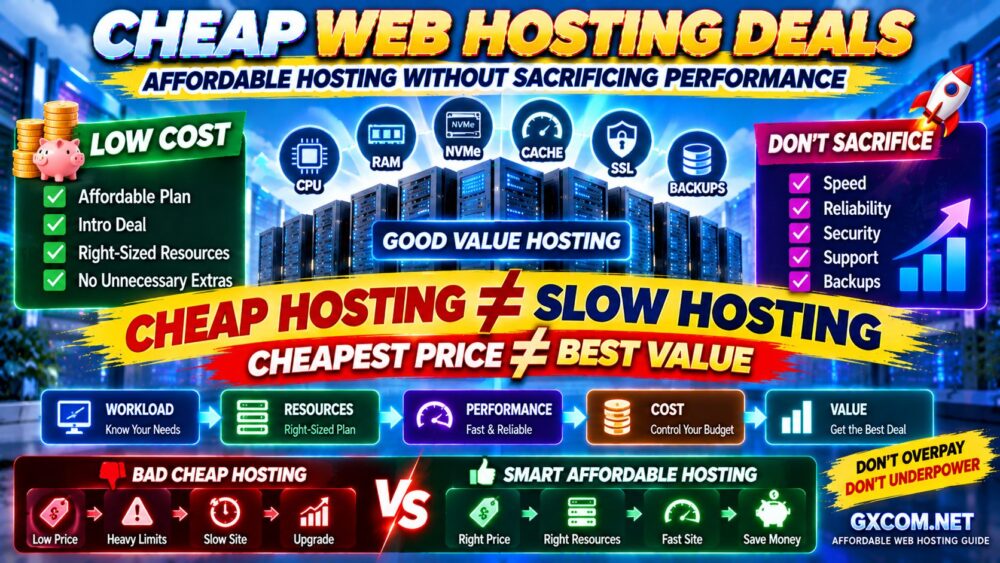
Cheap web hosting does not have to mean slow websites, unreliable servers or weak support.
The challenge is separating genuinely affordable hosting from plans that look inexpensive only because important resources and features have been removed.
A low introductory price can be attractive, but the real value of a hosting deal depends on much more than the number displayed on the pricing page.
You also need to consider performance, storage technology, resource limits, backups, SSL, email, support, renewal pricing and how easily the plan can grow with your website.
The goal is not simply to find the cheapest hosting available.
It is to find cheap web hosting deals that provide enough performance and reliability for a real website without forcing you to pay for resources you do not need.
In this guide, GXCOM.NET explains how to find affordable web hosting without sacrificing the features that actually matter, while comparing providers such as IONOS, InterServer, hosting.com, Bluehost, GreenGeeks, FastComet, HostArmada and ChemiCloud.
Cheap Web Hosting Deals at a Glance
| Provider | Best For | Why It Stands Out |
|---|---|---|
| IONOS | Low-Cost Entry | Strong introductory promotions |
| InterServer | Simple Value | Useful alternative to long promotional contracts |
| hosting.com | Performance Value | NVMe, caching and room to grow |
| Bluehost | WordPress Beginners | Easy WordPress-focused setup |
| GreenGeeks | Feature Value | Backups, migration and hosting features |
| FastComet | Managed Features | Performance and security tools |
| HostArmada | Affordable Managed Hosting | Competitive introductory offers |
| ChemiCloud | Backups and Migration | Strong bundled feature set |
Important: Hosting promotions and renewal rates change frequently. Always verify the current price, billing term, included features and renewal cost directly with the provider before purchasing.
What Is Cheap Web Hosting?
Cheap web hosting is generally an entry-level hosting service designed to keep infrastructure costs low by sharing server resources among multiple customers.
For many websites, that is completely reasonable.
A new blog, portfolio, local business website or small WordPress site does not necessarily need a VPS or dedicated server.
The problem begins when “cheap” is achieved by imposing resource limits that are too restrictive for the workload.
Good affordable hosting should provide:
- Enough CPU for the website
- Enough memory for normal traffic
- Reasonable storage performance
- Reliable network connectivity
- SSL
- Backups or a practical backup option
- Basic security
- Support
- A clear upgrade path
The correct goal is:
LOW COST + ENOUGH RESOURCES + RELIABLE PERFORMANCE
not:
LOWEST POSSIBLE PRICE AT ANY COST.
Cheap Hosting vs Affordable Hosting: What's the Difference?
The words are often used interchangeably, but they represent two very different buying strategies.
CHEAP HOSTING
Focuses primarily on the lowest advertised price.
AFFORDABLE HOSTING
Focuses on getting the required performance and features at a reasonable total cost.
That distinction matters.
A very cheap hosting plan can become expensive if you later need to purchase:
- Backups
- Security tools
- Website migration
- CDN services
- Additional storage
A slightly more expensive plan with these features included may deliver better overall value.
CHEAPEST PRICE ≠ LOWEST REAL COST.
1. IONOS — Best for a Low-Cost Entry Point
Best for: Beginners and small websites prioritizing a low initial hosting cost.
IONOS is frequently one of the most visible providers in searches for inexpensive web hosting because it regularly uses aggressive introductory promotions.
Depending on the current plan, its web hosting products can combine features such as:
- NVMe storage
- SSL
- Domain-related promotions
- Malware scanning
- Support
This can make IONOS attractive to users launching a first website on a limited budget.
However, low introductory pricing makes renewal especially important.
Always compare:
PRICE TODAY
versus
PRICE AFTER THE PROMOTIONAL PERIOD
If the website will operate for several years, the second number may matter much more than the first.
2. InterServer — Best for Straightforward Hosting Value
Best for: Users who want affordable hosting while paying attention to long-term cost.
InterServer is worth comparing with providers that rely heavily on long-term introductory discounts.
When evaluating it, focus on the complete hosting package rather than attempting to compare promotional percentages alone.
Important considerations include:
- Website allowance
- Storage
- SSL
- Security
- Backups
- Control panel
- Support
For budget hosting, predictable long-term value can sometimes matter more than obtaining the largest first-term discount.
3. hosting.com — Best Cheap Hosting for Performance Value
Best for: Users willing to spend slightly more for stronger performance features and growth potential.
hosting.com, formerly A2 Hosting, is relevant when “cheap” means cost-effective rather than simply choosing the lowest possible price.
Its web hosting platform emphasizes features such as NVMe storage, caching, security and migration.
This can be useful for WordPress and business websites where page speed matters.
A cheap plan becomes poor value if visitors regularly experience slow pages.
That is why performance should remain part of the purchasing decision even when budget is the primary constraint.
LOW PRICE + SLOW WEBSITE = FALSE ECONOMY.
4. Bluehost — Best Affordable Hosting for WordPress Beginners
Best for: New WordPress users who want an easy starting point.
Bluehost frequently targets new website owners with introductory hosting offers and WordPress-oriented features.
Depending on the plan and current promotion, users may find features related to:
- WordPress installation
- SSL
- CDN
- Security
- Website migration
- Backups
- Domain registration
The convenience can be valuable to beginners who would otherwise need to configure several services separately.
But again, calculate the renewal cost before choosing a long-term plan.
A cheap first year does not automatically mean cheap hosting over three or five years.
5. GreenGeeks — Best for Affordable Hosting With Useful Features
Best for: Small businesses, blogs and WordPress users who value included features.
GreenGeeks combines promotional hosting pricing with features that may reduce the need for separate services.
Depending on the plan, these can include:
- SSL
- Backups
- CDN integration
- WordPress tools
- Website migration
Its environmental positioning also differentiates it from many conventional budget hosting providers.
The important question is not whether GreenGeeks has the lowest advertised price.
It is whether the total feature package represents good value for your particular website.
6. FastComet — Best for Affordable Hosting With Managed Features
Best for: Users who want more hosting tools while remaining within a moderate budget.
FastComet combines introductory discounts with managed hosting features and performance-oriented technology.
Depending on the plan, the platform may include:
- NVMe storage
- cPanel
- Security features
- Backup and restore functionality
- WordPress caching
- Migration assistance
This illustrates an important rule when shopping for cheap hosting:
COMPARE FEATURES PER DOLLAR, NOT JUST DOLLARS.
If one provider includes tools that another sells separately, the apparently more expensive plan may actually cost less to operate.

7. HostArmada — Best Affordable Managed-Style Hosting
Best for: Users who want an inexpensive entry point with a more managed hosting experience.
HostArmada frequently competes with introductory discounts while bundling hosting management and performance features.
It can therefore appeal to website owners who want to keep initial costs down without moving to a completely self-managed environment.
When comparing a HostArmada deal, check:
- Initial term
- Renewal cost
- Storage allowance
- Backup policy
- Website limits
- Available server locations
- Upgrade options
These details matter more over time than the headline discount percentage.
8. ChemiCloud — Best Affordable Hosting for Backups and Migration
Best for: Users who place extra value on bundled website management features.
ChemiCloud is another provider where the feature package can be more important than simply chasing the lowest promotional price.
Depending on the current plan, features may include:
- NVMe storage
- SSL
- Daily backups
- Website migration
- LiteSpeed
- Security features
- Multiple hosting locations
If backups and migration would otherwise require additional paid services or technical work, including them can improve the real value of the hosting plan.
How Much Should Cheap Web Hosting Cost?
There is no single correct price because promotions, billing periods and hosting resources vary.
Instead of setting an arbitrary monthly price ceiling, compare the complete contract.
Calculate:
INITIAL HOSTING PAYMENT
+
RENEWAL COST
+
REQUIRED ADD-ONS
+
DOMAIN / EMAIL COSTS
=
REAL HOSTING COST
This is particularly important because an advertised monthly equivalent may require paying one, two or three years in advance.
Always look at the amount actually due at checkout.
Why Cheap Hosting Can Still Be Fast
Price alone does not determine website speed.
A relatively inexpensive hosting plan can perform well when:
- The server uses modern CPUs
- Storage is fast
- The website is optimized
- Caching is configured correctly
- A CDN handles static content
- The database is efficient
- Traffic fits within the plan's resource limits
For example, a lightweight WordPress blog with effective page caching may require surprisingly few server resources.
That means a properly configured affordable hosting plan can sometimes outperform an expensive but poorly optimized website.
EXPENSIVE HOSTING ≠ AUTOMATICALLY FAST WEBSITE.
CPU Matters More Than Many Cheap Hosting Buyers Realize
Storage capacity is easy to advertise.
CPU allocation is often more important for dynamic website performance.
CPU handles tasks such as:
- PHP execution
- WordPress requests
- Database processing
- Plugin operations
- Dynamic page generation
A hosting account can have plenty of storage while still feeling slow if CPU resources are heavily restricted.
When possible, check the provider's resource limits rather than comparing only storage and bandwidth.
RAM and Concurrent Website Requests
Memory supports PHP processes, databases, caching and other services.
Small websites may need relatively modest memory, but demand increases with:
- More visitors
- More plugins
- WooCommerce
- Logged-in users
- Dynamic pages
- Background tasks
Again, the goal is not buying the largest number.
It is matching resources to workload.
WORKLOAD → RESOURCES → PERFORMANCE → COST
Does NVMe Matter for Cheap Web Hosting?
NVMe storage can provide higher IOPS and lower latency than older storage technologies.
It can be useful for database-heavy and dynamic workloads.
However, simply seeing “NVMe” on a pricing page does not guarantee a fast website.
Performance still depends on:
- CPU
- Memory
- Server configuration
- Database efficiency
- Caching
- Resource contention
NVMe is a positive feature, but it should be evaluated as part of the complete hosting platform.
Cheap Hosting and WordPress Performance
WordPress can run well on affordable hosting when the site is properly optimized.
A practical performance stack can look like:
CDN
↓
PAGE CACHE
↓
WEB SERVER
↓
PHP
↓
DATABASE
Before paying for a much larger hosting plan, optimize:
- Images
- Plugins
- Database
- Caching
- Theme
- Third-party scripts
A poorly optimized WordPress installation can waste the resources of an expensive hosting plan.
Cheap Hosting for Small Business Websites
Many small business websites do not require expensive infrastructure.
A local service website may primarily need:
- Fast page loading
- Reliable uptime
- SSL
- Professional email
- Backups
- Security
- Support
If an affordable shared hosting plan delivers these requirements reliably, upgrading to VPS infrastructure may provide little immediate business benefit.
For a broader comparison, see our Best Web Hosting for Small Business guide.
Cheap Hosting for Ecommerce: Be More Careful
Ecommerce websites are more demanding than ordinary brochure websites.
WooCommerce and similar platforms process:
- Dynamic product pages
- Shopping carts
- Customer sessions
- Checkout requests
- Inventory updates
- Database queries
Many of these operations cannot be cached as aggressively as static content.
Therefore, choosing the absolute cheapest hosting plan for an ecommerce store can be risky.
For a revenue-generating store:
RELIABILITY + PERFORMANCE > SMALLEST POSSIBLE HOSTING BILL.
Cheap Hosting for High-Traffic Websites
Cheap shared hosting can handle more traffic than many users expect when pages are lightweight and heavily cached.
But high traffic eventually increases the importance of:
- CPU
- RAM
- PHP workers
- Database capacity
- Concurrency
- Network capacity
If traffic growth is becoming a major concern, read our Best Hosting for High-Traffic Websites guide.
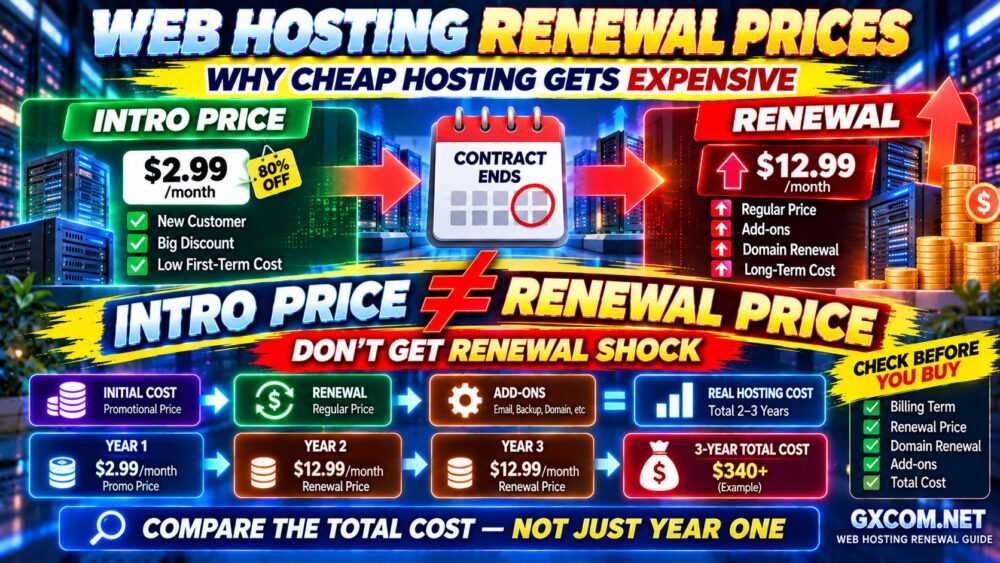
Introductory Price vs Renewal Price
This is one of the biggest traps in cheap web hosting.
A plan may look extremely inexpensive during the first term.
Then it renews at the provider's regular price.
The correct comparison is:
YEAR 1
Promotional Price
+
YEAR 2
Renewal Price
+
YEAR 3
Renewal Price
=
3-YEAR HOSTING COST
That number tells you much more than the introductory monthly rate.
Our Best Web Hosting Deals guide compares the broader relationship between discounts, included features and long-term value.
Watch for Long Prepayment Requirements
A low advertised monthly rate may require a long prepaid contract.
For example, the pricing page might show a monthly equivalent while checkout requires payment for the entire term upfront.
This is not necessarily bad.
A long contract can lock in a promotional rate.
But ask:
- How much do I pay today?
- How long is the contract?
- How long is the refund period?
- What happens at renewal?
LOW MONTHLY EQUIVALENT ≠ LOW UPFRONT PAYMENT.
Don't Overpay for Storage You Will Never Use
Many ordinary websites use surprisingly little storage.
A business website with optimized images may need only a fraction of the storage advertised by large hosting plans.
Do not automatically upgrade because one package offers significantly more disk space.
Instead, prioritize:
- Performance
- Reliability
- Backups
- Resource limits
- Support
MORE STORAGE ≠ BETTER HOSTING.
Unlimited Hosting Is Not Unlimited Computing Power
Some plans advertise unlimited or unmetered resources.
That does not mean one customer can consume unlimited CPU, memory or server processes.
Shared hosting platforms still require resource controls to prevent one website from affecting everyone else.
Check for limits involving:
- CPU
- Memory
- Processes
- Inodes
- I/O
- Database usage
These limits can matter more than an “unlimited” storage headline.
Backups: The Feature You Should Not Sacrifice
A cheap hosting plan without a reliable recovery strategy can become expensive very quickly.
Websites can fail because of:
- Plugin conflicts
- Human error
- Malware
- Database corruption
- Bad updates
Before purchasing, check:
BACKUP FREQUENCY
↓
RETENTION
↓
RESTORE PROCESS
↓
RESTORE COST
Even when provider backups are included, maintaining an independent backup for important websites is a sensible risk-management strategy.
SSL: Don't Pay Extra Unless You Need Something Special
Basic SSL certificates are widely available and commonly included with modern hosting.
For most blogs and ordinary business websites, a standard domain-validated SSL certificate is sufficient for encrypted HTTPS connections.
Do not let a large “FREE SSL” banner distract you from more important differences such as performance, backups and renewal cost.
Email Hosting: Check Before You Buy
Budget hosting packages differ significantly in their email policies.
Some include domain-based email.
Others limit mailboxes or encourage customers to purchase a separate email product.
If professional email matters, check this before purchasing:
[email protected]
[email protected]
[email protected]
An inexpensive hosting plan can become less attractive when multiple additional email subscriptions are required.
Free Website Migration Can Save More Than a Discount
If you already operate a website, moving hosts can require technical work.
Migration may involve:
- Files
- Database
- DNS
- SSL
- Testing
A provider that assists with migration can save time and reduce risk.
This is an example of why the lowest hosting price is not always the lowest total cost.
When Cheap Hosting Becomes Too Cheap
There is a point where saving money starts damaging the website.
Warning signs include:
- Frequent downtime
- Very slow dynamic pages
- Repeated CPU throttling
- Very restrictive I/O limits
- Poor support
- No usable backup system
- Unexpected add-on costs
- No practical upgrade path
If hosting problems are costing your business customers, sales or staff time, the inexpensive plan is no longer inexpensive.
CHEAP SERVER + LOST REVENUE = EXPENSIVE HOSTING.
When Should You Upgrade From Cheap Shared Hosting?
Do not upgrade just because somebody says VPS is “better.”
Upgrade when measurements show the current environment is limiting the website.
Typical signs include:
- CPU limits repeatedly reached
- Memory exhaustion
- Slow database queries
- Traffic spikes causing errors
- WooCommerce performance problems
- Need for server-level customization
The natural path is often:
SHARED HOSTING
↓
HIGHER-RESOURCE HOSTING
↓
VPS / CLOUD
↓
DEDICATED INFRASTRUCTURE
Move when the workload requires it—not because the next plan has a larger specification sheet.
How to Find the Best Cheap Web Hosting Deal
Step 1: Define Your Website
Is it a blog, portfolio, small business site, WordPress site or ecommerce store?
Step 2: Estimate the Workload
Consider traffic, dynamic pages, plugins and database activity.
Step 3: Compare Resources
Look beyond storage.
Check CPU, memory, I/O and process limits where the provider publishes them.
Step 4: Compare Included Features
Check:
- SSL
- Backups
- Domain
- CDN
- Security
- Migration
Step 5: Calculate Long-Term Cost
Do not stop at the introductory rate.
Calculate renewal and required add-ons.
Step 6: Check the Upgrade Path
Make sure the provider has somewhere for your website to go if it grows.
Cheap Web Hosting Checklist
Before purchasing, verify:
- ✓ Promotional price
- ✓ Amount due at checkout
- ✓ Contract length
- ✓ Renewal price
- ✓ Website limit
- ✓ Storage
- ✓ CPU/resource limits
- ✓ SSL
- ✓ Backup policy
- ✓ CDN
- ✓ Security
- ✓ Migration
- ✓ Support
- ✓ Refund period
- ✓ Upgrade options
Then ask:
IS THIS HOST CHEAP BECAUSE IT IS EFFICIENT—OR CHEAP BECAUSE TOO MUCH HAS BEEN REMOVED?
Cheap Web Hosting Deals FAQ
What is the best cheap web hosting?
The best option depends on your website. IONOS can be attractive for low introductory cost, Bluehost for WordPress beginners, hosting.com for performance-oriented value, while GreenGeeks, FastComet, HostArmada, ChemiCloud and InterServer offer different combinations of features and pricing.
Is cheap web hosting reliable?
It can be. Shared hosting is inexpensive partly because infrastructure costs are distributed among many customers. Reliability depends on the provider, platform design and whether your workload fits within the plan's limits.
Can cheap hosting handle WordPress?
Yes. Many small and medium WordPress websites can run effectively on affordable shared hosting when themes, plugins, caching, images and databases are properly optimized.
Can cheap web hosting handle high traffic?
It depends on the workload. A heavily cached content site can serve substantial traffic using modest resources, while a dynamic ecommerce website may require significantly more CPU, memory and database capacity.
Why is cheap hosting so inexpensive for the first year?
Many hosting companies use introductory promotions for new customers. The plan may renew later at the provider's regular rate.
What should I avoid with cheap hosting?
Watch for unclear renewal pricing, weak backup policies, restrictive resource limits, expensive required add-ons, poor support and contracts that require a large upfront commitment without sufficient flexibility.
Is NVMe necessary for cheap web hosting?
NVMe can improve storage performance, but it is only one component. CPU, memory, caching, database efficiency and server configuration also affect website speed.
Should I choose the cheapest hosting provider?
Not automatically. Choose the least expensive provider that still delivers the performance, reliability, backups, support and features your website requires.
Final Verdict: Cheap Hosting Should Save Money, Not Sacrifice Your Website
Cheap web hosting can provide excellent value when the plan matches the workload.
A blog, portfolio or small business website often does not need expensive cloud infrastructure or a dedicated server.
But choosing hosting based entirely on the lowest promotional price can create problems later.
The better process is:
WEBSITE
↓
WORKLOAD
↓
RESOURCES
↓
FEATURES
↓
RENEWAL COST
↓
REAL VALUE
IONOS can be attractive when the lowest initial cost is important.
InterServer is worth comparing when long-term pricing simplicity matters.
hosting.com provides a stronger performance-oriented value proposition, while Bluehost remains relevant for WordPress beginners.
GreenGeeks, FastComet, HostArmada and ChemiCloud offer different combinations of promotional pricing, management and included features.
Whichever provider you choose, remember three rules:
CHEAPEST PRICE ≠ BEST VALUE.
MORE STORAGE ≠ BETTER PERFORMANCE.
LOW INTRO PRICE ≠ LOW LONG-TERM COST.
The best cheap hosting deal is not the cheapest plan on the screen.
It is the least expensive plan that reliably does the job your website actually needs.