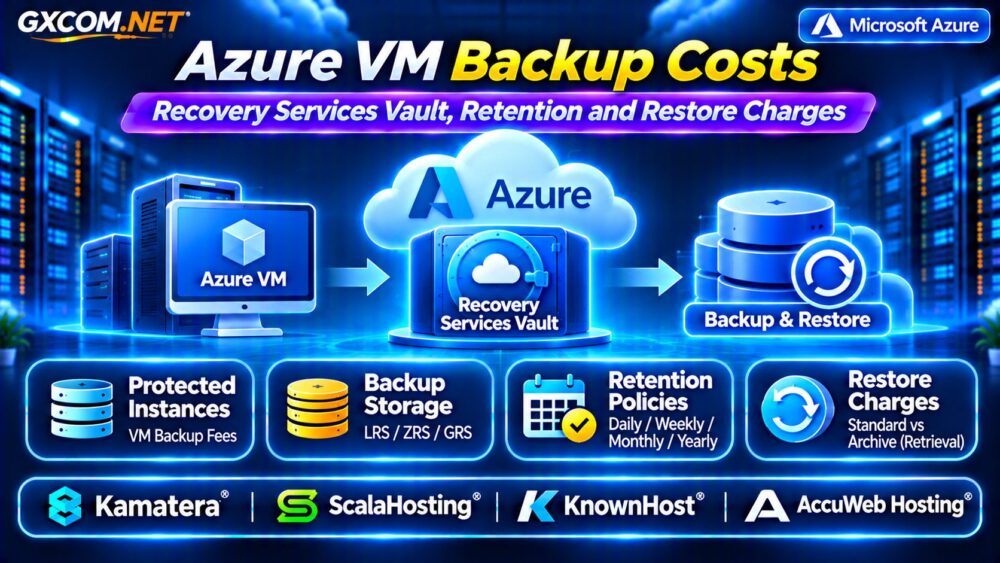
Azure VM backup costs can become a significant recurring expense for businesses running Windows and Linux virtual machines on Microsoft Azure. Even after paying for VM compute and managed disks, enabling Azure Backup can introduce protected instance fees, vault storage charges, snapshot expenses, and additional recovery-related costs.
Understanding these charges helps administrators build reliable backup policies without overspending. This guide explains Recovery Services vault pricing, retention, storage redundancy, archive retrieval, and practical ways to compare cloud hosting alternatives.
How Azure VM Backup Pricing Works
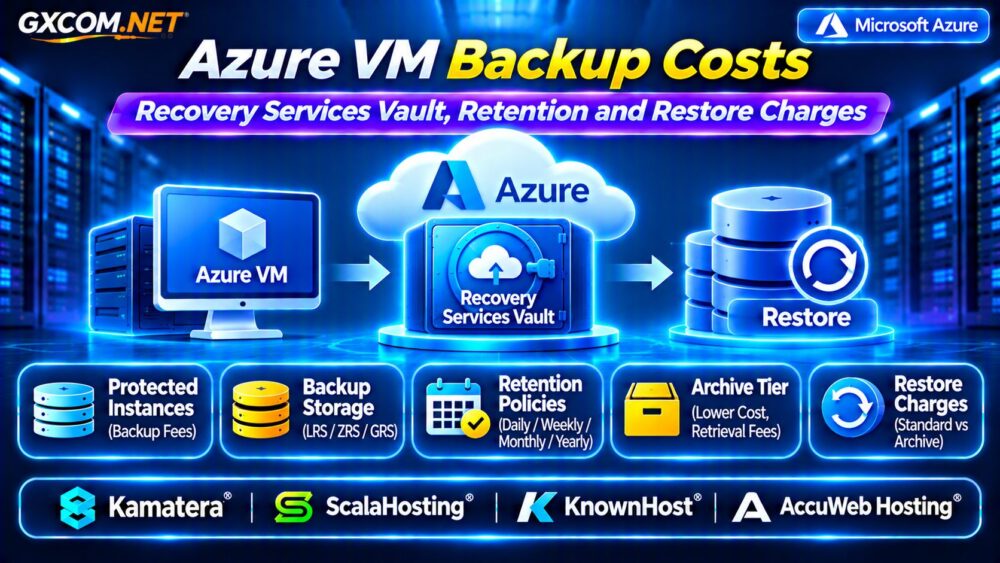
Azure Backup pricing for virtual machines generally has two main components: the protected instance charge and backup storage consumption.
The protected instance charge depends on the amount of protected data. Backup storage charges depend on the recovery data retained and the selected storage configuration.
Additional costs can arise from Instant Restore snapshots, archived recovery points, and resources created during restoration. These expenses are separate from ordinary VM compute and production disk charges.
Recovery Services Vault Costs Explained
A Recovery Services vault stores backup recovery points and manages protection policies for supported workloads. Creating the vault itself does not automatically mean every VM incurs an identical monthly fee.
For Azure VM backup, protected instance pricing is based on protected data size, commonly using categories up to 50 GB, above 50 GB through 500 GB, and additional increments beyond 500 GB.
Protected size is not necessarily the total provisioned capacity of attached disks. The relevant protected data measurement determines the billing category.
Check the latest regional pricing and protected workload calculation before estimating expenses.
Azure Backup Storage: Why Bills Increase
Backup storage charges reflect retained recovery data rather than simply the size of the original virtual machine.
Incremental backups preserve changed blocks, but frequent database writes, application updates, and long retention schedules can increase storage consumption.
For example, two VMs containing 200 GB of protected data may generate different backup storage bills if one changes substantially more data each day.
Administrators should monitor actual vault consumption instead of assuming backup storage will remain equal to the initial dataset.
LRS vs ZRS vs GRS Backup Redundancy
Storage redundancy affects resilience and monthly spending. Locally redundant storage (LRS) maintains copies within one Azure region. Zone-redundant storage (ZRS) distributes supported data across availability zones.
Geo-redundant storage (GRS) replicates backup data to a paired region, offering additional protection against regional disruption.
GRS generally costs more than LRS. Cross-region restore also depends on supported vault configurations and feature availability.

Choose redundancy according to recovery requirements, regulatory obligations, and the consequences of a regional outage.
How Backup Retention Changes Costs
Retention policies determine how long daily, weekly, monthly, and yearly recovery points remain available.
Longer retention generally increases stored backup data. However, the relationship is not linear because incremental changes, recovery point dependencies, and storage optimization affect consumption.
A business retaining seven years of backups should model storage differently from one keeping only 30 days.
Before shortening retention, confirm compliance requirements and recovery needs. Our VPS Snapshot Backup and Recovery Guide explains related protection principles.
Standard vs Enhanced Backup Policies
Azure supports Standard and Enhanced backup policies for eligible virtual machines.
Enhanced policies can provide more frequent backup scheduling and additional capabilities, depending on the workload and configuration.
More frequent recovery points may improve recovery flexibility but can also increase snapshot usage and retained data.
Select the policy based on business recovery objectives rather than automatically choosing the most frequent schedule.
Instant Restore Snapshot Charges
Instant Restore uses retained snapshots to accelerate supported restoration operations.
These snapshots consume Azure snapshot storage and may generate charges separate from vault backup storage.
Longer snapshot retention can provide more recent recovery choices, but it also extends storage consumption.
When comparing backup policies, include snapshot expenses alongside protected instance and vault storage charges.
Archive Tier Pricing and Retrieval Fees
Azure Backup Archive tier can reduce storage expenses for eligible long-term recovery points that are rarely accessed.
Archived backups require rehydration before restoration, introducing additional recovery time and retrieval charges.
Archive storage also has minimum retention-related billing conditions, including a 180-day period for applicable archived data.
Moving frequently restored backups into Archive tier can therefore increase recovery costs and delay business operations.
Does Azure Charge for VM Restoration?
Standard-tier Azure Backup restoration generally does not incur a separate Azure Backup restore-operation fee.
However, restoring archived recovery points can generate data retrieval charges. Newly created VMs, managed disks, networking resources, and other infrastructure may also be billed normally.
Recovery testing creates operational costs even when the backup service does not charge separately for the restore operation.
Review our Cloud Server Disaster Recovery Guide for broader recovery budgeting.
Example: Calculate a Monthly Backup Budget
Consider a hypothetical VM with 200 GB of protected data and 350 GB of retained backup storage.
| Component | Illustrative Monthly Cost |
|---|---|
| Protected instance allowance | $10.00 |
| 350 GB storage at $0.025/GB | $8.75 |
| Instant Restore snapshots | $3.00 |
| Total | $21.75 |
These figures are hypothetical assumptions, not current Azure quotations. Actual costs depend on region, storage redundancy, retention, protected size, and consumption.
Four Cloud Hosting Alternatives to Compare
1. Kamatera: Configurable Cloud Servers
Kamatera is relevant for organizations evaluating customizable cloud infrastructure and optional backup arrangements.
Compare available backup services, retention settings, storage charges, and restoration responsibilities for the selected configuration.
2. ScalaHosting: Managed VPS Solutions
ScalaHosting may suit businesses seeking managed VPS resources and reduced routine administration.
Review plan-specific backup frequency, retention limits, restoration assistance, and any additional fees.
3. KnownHost: Managed Hosting Support
KnownHost is worth considering when server management and recovery support are important purchasing factors.
Verify backup coverage, restore procedures, support commitments, and responsibility boundaries.
4. AccuWeb Hosting: Windows VPS Options
AccuWeb Hosting provides an alternative for organizations comparing Windows-based virtual servers.

Evaluate Windows licensing, storage capacity, backup availability, and restore assistance before migrating.
Five Ways to Reduce Azure VM Backup Costs
- Exclude unnecessary disks where supported and appropriate.
- Align retention periods with business and compliance requirements.
- Select storage redundancy according to actual recovery risks.
- Use Archive tier only for eligible long-term recovery points.
- Monitor protected instances, vault storage, and snapshots separately.
For alternative Windows infrastructure, read our Azure VM vs Windows VPS Comparison.
Frequently Asked Questions
Does Azure Backup Continue Charging After VM Deletion?
Yes, charges may continue while retained backup data remains protected in the vault, even after the original VM is removed.
Does Longer Retention Always Double Backup Costs?
No. Storage growth depends on changed data, recovery point retention, and backup optimization rather than retention duration alone.
Can Managed VPS Hosting Replace Azure Backup?
It may provide an alternative infrastructure approach, but backup redundancy, retention, recovery objectives, and support responsibilities must be compared individually.
Final Verdict
Azure VM backup costs depend on protected data size, retained recovery points, storage redundancy, snapshot policies, and archive recovery requirements.
Use Microsoft’s current pricing calculator and test recovery procedures before changing protection policies.
For organizations evaluating other infrastructure, compare Kamatera, ScalaHosting, KnownHost, and AccuWeb Hosting using verified backup capabilities. Our Managed Cloud Hosting Comparison provides further purchasing guidance.