VPS hosting and cloud hosting can both provide more power, flexibility and control than traditional shared hosting, but the two solutions are not always built or managed in the same way.
In this VPS Hosting vs Cloud Hosting comparison, we examine performance, pricing, scalability, reliability, server control and common use cases to help you understand which infrastructure model better matches your website or application.
There is also an important technical distinction: VPS and cloud are not necessarily opposites. A cloud provider can deliver virtual private servers as cloud virtual machines. For this comparison, VPS hosting refers primarily to a conventional virtual server with a defined allocation of resources, while cloud hosting refers to infrastructure designed around a broader pool of cloud resources and easier scaling.
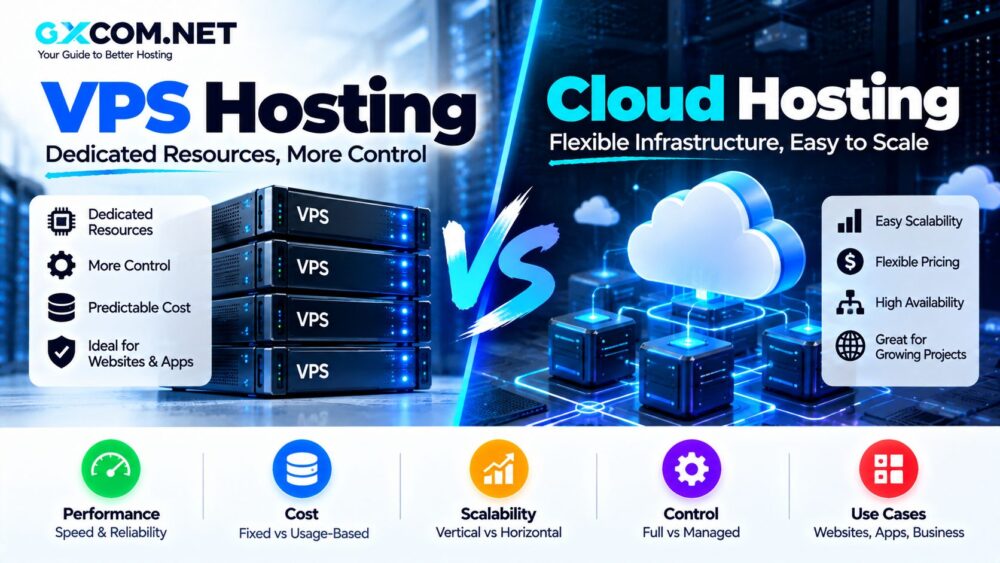
VPS Hosting vs Cloud Hosting: Quick Comparison
| Feature | VPS Hosting | Cloud Hosting |
|---|---|---|
| Infrastructure | Virtual server | Cloud infrastructure / virtual resources |
| Resources | Defined VPS allocation | Can be dynamically provisioned |
| Scalability | Usually vertical or additional VPS instances | Designed for vertical and horizontal scaling |
| Pricing | Often predictable fixed plans | Often usage-based or flexible plans |
| Root Access | Common | Depends on cloud product |
| Management | Managed or unmanaged | Managed or unmanaged |
| Complexity | Usually simpler | Can range from simple to highly complex |
| Best For | Websites, apps, developers | Scaling apps, variable workloads, distributed systems |
What Is VPS Hosting?
VPS stands for Virtual Private Server. Virtualization divides physical server hardware into multiple isolated virtual machines, with each VPS receiving an allocation of CPU, memory, storage and networking resources.
A VPS normally operates like an independent server. Depending on the provider, you may receive root access and the ability to install your preferred operating system, web server, database and application stack.
Typical VPS workloads include:
- WordPress websites
- Ecommerce stores
- APIs
- Docker containers
- Development servers
- Databases
- SaaS applications
- Game servers
Modern VPS products can also run on cloud infrastructure. DigitalOcean Droplets, for example, are virtual machines that can operate independently or form part of a larger cloud architecture.
What Is Cloud Hosting?
Cloud hosting generally delivers computing resources from a broader cloud infrastructure rather than tying an application exclusively to a conventional single-server hosting architecture.
Cloud environments can combine virtual machines, networking, storage, load balancing and other services. Applications can be designed to use multiple instances and distribute workloads across infrastructure.
This architecture is particularly useful when workloads need to expand, contract or operate across multiple servers.
Cloud hosting can also take very different forms. A basic cloud VM may look almost identical to a VPS, while a managed cloud platform may hide most server administration from the customer.
VPS vs Cloud Hosting: The Biggest Difference
The biggest practical difference is usually not virtualization itself. Both VPS and cloud environments rely heavily on virtual machines.
The difference is how those resources are deployed and scaled.
A conventional VPS typically begins with one virtual server:
Website → VPS → Physical Infrastructure
A scalable cloud architecture can instead involve multiple infrastructure components:
Users
  ↓
Load Balancer
  ↓
Multiple Cloud Instances
  ↓
Database / Storage / Other Services
This allows cloud applications to scale horizontally by adding instances rather than only increasing the resources of one server.
Performance: VPS Hosting vs Cloud Hosting
Neither technology is automatically faster.
Performance depends on factors such as:
- CPU architecture and generation
- Shared or dedicated CPU allocation
- RAM
- Storage technology
- Network performance
- Application optimization
- Database configuration
- Server location
A properly configured VPS with dedicated CPU resources can outperform a poorly configured cloud environment. Likewise, a well-designed cloud architecture can handle workloads that would overwhelm a small VPS.
Shared CPU Matters
Some lower-cost virtual machines use shared CPU resources. This means CPU time can depend partly on activity from other virtual machines running on the underlying host.
For sustained CPU-intensive applications, dedicated CPU instances can provide more consistent compute availability.
Storage Performance Matters
SSD and NVMe storage can significantly affect database and application performance. When comparing plans, look beyond the words “VPS” and “cloud” and examine the actual infrastructure specifications.
Scalability: Where Cloud Hosting Has an Architectural Advantage
Scalability is one of the main reasons businesses adopt cloud infrastructure.
There are two major ways to scale hosting.
Vertical Scaling
Vertical scaling means increasing the resources of an existing server:
- More CPU
- More RAM
- More storage
VPS hosting commonly uses this approach. For example, you might upgrade from a 2 GB VPS to an 8 GB VPS as traffic increases.
Horizontal Scaling
Horizontal scaling means adding additional server instances.
Instead of relying on one increasingly powerful server, an application can distribute workloads across several machines.
Cloud platforms are particularly suited to this architecture because new instances, networking resources and other services can be provisioned programmatically.
DigitalOcean, for example, supports both resizing individual Droplets and scaling horizontally using multiple Droplets. Cloud scalability can also involve automatically adding or reducing resources as demand changes.
Cost: Is VPS or Cloud Hosting Cheaper?
For small and predictable workloads, a conventional VPS can be easier to budget.
You might purchase a VPS with a fixed allocation of:
- 2 vCPUs
- 4 GB RAM
- NVMe storage
- Monthly bandwidth
and pay a predictable monthly amount.
Cloud pricing can be more flexible. Many platforms charge by usage or by the time individual infrastructure resources are provisioned.
This flexibility can reduce waste when infrastructure is scaled down during periods of low demand, but it can also make costs more complicated when an architecture uses compute instances, storage, bandwidth, databases, load balancers and other billable services.
Example: Predictable Workload
A WordPress website receiving relatively consistent traffic may be economical on a fixed VPS because its resource requirements are predictable.
Example: Variable Workload
An ecommerce application experiencing large seasonal traffic spikes may benefit more from cloud infrastructure capable of scaling resources around changing demand.
Reliability and Availability
A traditional single VPS represents one virtual server. Even when the provider has reliable underlying infrastructure, your application can still depend heavily on that individual instance unless you build redundancy around it.
Cloud infrastructure makes it easier to design applications around multiple servers, load balancing and distributed resources.
However, simply purchasing something called “cloud hosting” does not automatically make an application highly available.
True high availability depends on architecture. Databases, storage, DNS, networking and application servers all need appropriate redundancy.
VPS Hosting Gives You More Control — Sometimes
Traditional VPS products commonly provide root access.
This allows experienced users to:
- Install custom software
- Choose the operating system
- Configure firewalls
- Run Docker
- Configure Nginx or Apache
- Manage databases
- Automate deployments
Cloud virtual machines can provide the same level of control. However, some products marketed as managed cloud hosting deliberately abstract server administration away from the customer.
Hostinger, for example, currently distinguishes its managed cloud hosting from VPS by giving VPS customers root-level server control while its managed cloud product handles more server administration for the customer.
Management: VPS and Cloud Can Both Be Managed or Unmanaged
It is incorrect to assume that VPS always means unmanaged and cloud always means managed.
Both models exist in both forms.
An unmanaged VPS gives you responsibility for operating-system maintenance, security, web-server configuration and much of the troubleshooting.
A Managed VPS Hosting service shifts more of those responsibilities to the provider.
Cloud hosting has the same distinction. Infrastructure-as-a-Service virtual machines may require substantial administration, while managed cloud platforms can handle much of the server stack.
VPS Hosting vs Cloud Hosting for WordPress
For a single WordPress website with predictable traffic, VPS hosting can provide an effective combination of performance, price and control.
VPS is particularly attractive when you want:
- Dedicated RAM allocation
- Custom PHP settings
- Server-level caching
- Root access
- Database optimization
Cloud hosting becomes more attractive when the website experiences unpredictable traffic, needs easier resource scaling or is part of a larger infrastructure environment.
Nontechnical WordPress users should also consider management requirements. A managed cloud platform may be easier to operate than a self-managed Linux VPS.
VPS vs Cloud Hosting for Ecommerce
Ecommerce infrastructure must handle dynamic requests, databases, inventory systems, customer sessions and payment integrations.
A VPS can work well for a small or medium-sized online store with predictable demand.
Cloud infrastructure becomes increasingly useful when traffic changes dramatically during:
- Black Friday
- Holiday sales
- Product launches
- Advertising campaigns
- Flash sales
The ability to add infrastructure around traffic spikes can be more valuable than maintaining permanently oversized server resources.
VPS vs Cloud Hosting for Developers
Developers can use both models effectively.
A VPS is useful for:
- Development environments
- Docker
- APIs
- Small SaaS applications
- Testing
- Private services
Cloud infrastructure becomes more attractive when applications require:
- Multiple instances
- Load balancing
- Managed databases
- Object storage
- Kubernetes
- Autoscaling
- Global deployment
If your priority is comparing individual VPS services, see our Best VPS Hosting Providers comparison.
VPS Hosting Advantages
- Predictable monthly pricing
- Root access is widely available
- Simple architecture
- Good price-to-performance ratio
- Suitable for websites and applications
- Easier to understand than complex cloud environments
VPS Hosting Disadvantages
- Scaling may require resizing or additional instances
- Single-server deployments can create application-level failure points
- Unmanaged VPS requires technical knowledge
- Resources are limited by the selected instance
Cloud Hosting Advantages
- Strong scalability options
- Flexible resource provisioning
- Horizontal scaling
- Access to broader cloud services
- Suitable for variable workloads
- Can support highly available architectures
Cloud Hosting Disadvantages
- Architecture can become more complex
- Usage-based bills can be harder to predict
- Bandwidth and additional services can increase costs
- Cloud platforms may require additional technical knowledge
VPS or Cloud Hosting: Which Should You Choose?
Consider VPS hosting when your workload is relatively predictable and you want a straightforward virtual server with clear resources and strong server-level control.
VPS is particularly practical for:
- WordPress websites
- Small business websites
- Developer environments
- APIs
- Small SaaS projects
- Users who want root access
Consider cloud hosting when scalability, distributed infrastructure and changing resource demand are more important.
Cloud infrastructure is particularly useful for:
- Rapidly growing applications
- Variable traffic
- High-availability architectures
- Large ecommerce platforms
- Distributed applications
- Infrastructure requiring multiple cloud services
Can You Combine VPS and Cloud?
Yes. In fact, many modern “VPS” products are already cloud virtual machines.
A virtual machine can begin as a single server and later become one component of a larger cloud architecture containing load balancers, databases, storage and additional instances.
This is why the distinction between VPS and cloud hosting has become less rigid. The more useful question is often whether you need a simple virtual server or a broader, scalable cloud architecture.
VPS Hosting vs Cloud Hosting: Final Thoughts
VPS hosting offers a straightforward way to obtain isolated virtual server resources, predictable configurations and extensive server control. It remains a strong fit for websites, developers, small businesses and applications with relatively predictable workloads.
Cloud hosting focuses more heavily on flexible infrastructure, scalability and the ability to combine multiple computing services. It becomes particularly valuable when traffic is unpredictable or applications need to scale across multiple instances.
Neither architecture is automatically faster or cheaper. A properly sized VPS may provide better value for a stable workload, while a well-designed cloud environment may provide better scalability for a rapidly changing application.
Compare CPU, RAM, storage, bandwidth, management requirements and expected growth rather than choosing a platform based only on the words “VPS” or “cloud.”