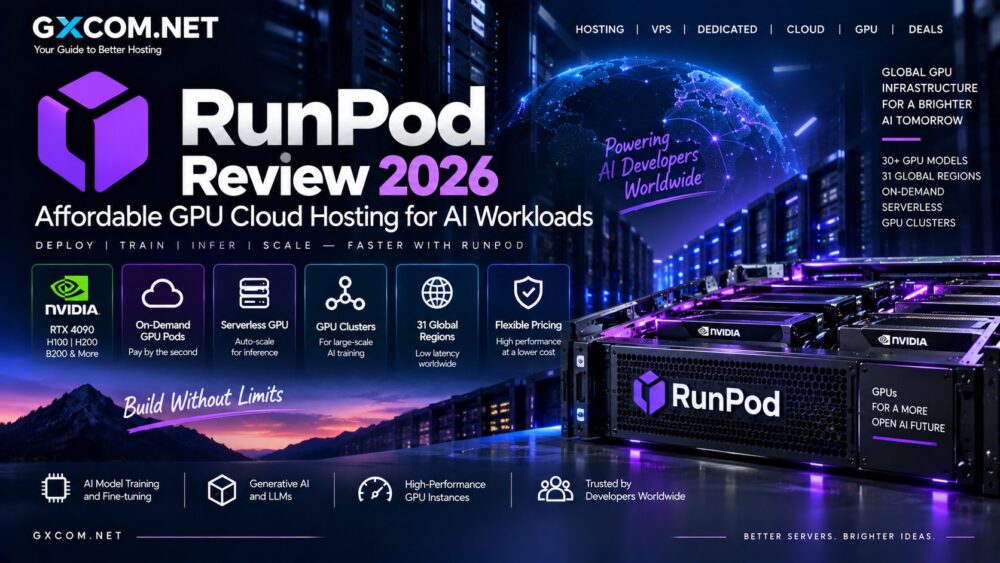
AI developers no longer have to choose between buying expensive GPUs and paying hyperscale cloud prices for every experiment. RunPod has built a GPU-focused cloud around on-demand instances, serverless inference and multi-GPU clusters. In this RunPod Review 2026, we examine GPU performance, current pricing, RTX 4090 and H100 availability, Serverless, storage and where RunPod fits for AI workloads.
RunPod is particularly interesting because its GPU catalog spans relatively affordable development GPUs through high-end NVIDIA Blackwell hardware. Developers can use a lower-cost RTX-class GPU for experimentation, move to H100 or H200 for demanding models, or deploy multi-node infrastructure when a project grows.
That flexibility makes RunPod relevant to individual AI developers, startups and larger machine-learning teams—but the cheapest GPU is not automatically the right GPU for every workload.
Last updated: September 2026. RunPod GPU prices and availability change frequently. Verify the current rate and region before deploying production workloads.
RunPod Review 2026: Quick Overview
| Feature | RunPod |
|---|---|
| Primary Focus | GPU cloud infrastructure for AI |
| Main Products | Pods, Serverless and Clusters |
| GPU Selection | 30+ GPU models |
| Regions | 31 global regions |
| Billing | Per-second usage |
| Popular GPUs | RTX 4090, RTX 5090, A100, H100, H200, B200, B300 |
| Best For | AI development, training, inference and image generation |
| Main Advantage | Broad GPU selection with flexible usage-based pricing |
| Main Drawback | Availability and infrastructure characteristics vary by GPU and cloud tier |
What Is RunPod?
RunPod is an AI developer cloud built around GPU computing rather than traditional website hosting.
The platform currently divides its infrastructure into three major products:
- Pods – on-demand GPU instances for development, training and persistent workloads.
- Serverless – GPU workers designed for API-based inference that can scale with demand.
- Clusters – multi-GPU infrastructure for larger distributed workloads.
This structure lets a developer use the same provider across different stages of an AI project rather than treating every workload as a conventional virtual machine.
Users researching the wider market should also explore our GPU cloud providers section before selecting infrastructure.
RunPod GPU Selection
GPU choice is one of RunPod’s strongest characteristics.
The current catalog ranges from affordable RTX and workstation GPUs to NVIDIA data-center accelerators with very large VRAM capacities.
Available options include hardware such as:
- NVIDIA RTX A5000
- NVIDIA RTX 3090
- NVIDIA RTX 4090
- NVIDIA RTX 5090
- NVIDIA A40
- NVIDIA RTX A6000
- NVIDIA L40S
- NVIDIA A100
- NVIDIA H100
- NVIDIA H200
- NVIDIA B200
- NVIDIA B300
This range matters because AI workloads have very different requirements. Running Stable Diffusion or a smaller quantized LLM does not necessarily justify renting an H100, while large-model training can quickly exceed the memory capacity of an RTX 4090.
RunPod GPU Performance
There is no single RunPod performance score because the underlying GPU determines much of the compute performance.
The more useful comparison is between workload requirements and available hardware.
| GPU Class | Typical Use |
|---|---|
| RTX 4090 / RTX 5090 | Development, image generation, smaller-model inference |
| A40 / A6000 / L40S | Inference, graphics and larger models |
| A100 | Training, fine-tuning and larger AI models |
| H100 / H200 | Large-model training and high-throughput inference |
| B200 / B300 | Large and memory-intensive next-generation AI workloads |
VRAM is often one of the first constraints. RunPod’s current catalog ranges from 24 GB GPUs to B300 instances with 288 GB of GPU memory.
RunPod Pricing in 2026
Affordable pricing is a major reason people search for a RunPod Review 2026.
RunPod uses usage-based GPU pricing, and its current Secure Cloud rates cover a wide range of budgets.
| GPU | VRAM | Secure Cloud Price* |
|---|---|---|
| RTX A5000 | 24 GB | $0.27/hr |
| RTX 4090 | 24 GB | $0.74/hr |
| RTX 5090 | 32 GB | $0.99/hr |
| A40 | 48 GB | $0.49/hr |
| RTX A6000 | 48 GB | $0.53/hr |
| A100 80 GB | 80 GB | $1.59/hr |
| H100 PCIe | 80 GB | $2.89/hr |
| H100 SXM | 80 GB | $3.49/hr |
| H200 | 141 GB | $4.59/hr |
| B200 | 180 GB | $6.79/hr |
| B300 | 288 GB | $7.89/hr |
*Representative Secure Cloud rates checked in September 2026. Prices and availability can change. Community Cloud and Serverless use different rates.

RunPod Community Cloud vs Secure Cloud
One important detail when comparing RunPod prices is the distinction between Community Cloud and Secure Cloud.
Community Cloud can offer lower GPU prices. For example, RunPod currently lists an RTX 4090 from $0.34 per hour in Community Cloud, compared with $0.74 per hour in Secure Cloud.
That difference can become substantial over hundreds of GPU hours.
Price should not be the only criterion, however. Production teams should compare reliability requirements, infrastructure characteristics, availability and compliance needs before selecting the cheapest deployment tier.
RunPod RTX 4090 Pricing
RTX 4090 is one of the most interesting GPUs for cost-conscious AI developers because it combines strong compute performance with 24 GB of VRAM.
RunPod currently lists:
- Community Cloud RTX 4090 from $0.34/hour
- Secure Cloud RTX 4090 at $0.74/hour
- Serverless 24 GB PRO workers at $1.10/hour
The 4090 can be particularly useful for image generation, experimentation, fine-tuning smaller models and inference workloads that fit inside its memory.
For models requiring substantially more VRAM, moving to A100 or H100-class hardware may be necessary.
RunPod H100 Pricing
H100 targets a different workload class.
RunPod currently offers H100 variants including PCIe, SXM and NVL configurations. Secure Cloud prices range from $2.89 per hour for H100 PCIe to $3.49 per hour for H100 SXM, while the 94 GB H100 NVL is listed at $3.19 per hour.
H100 is particularly relevant to:
- Large language model training
- Transformer workloads
- Large-model inference
- Fine-tuning
- High-throughput AI applications
For additional GPU-generation analysis, see our A100 and H100 GPU coverage.
RunPod Serverless Review
RunPod Serverless is designed around inference rather than maintaining a permanently running GPU instance.
Applications send requests to an endpoint and workers scale according to demand. Flex workers can scale to zero when idle, which can reduce wasted GPU spending for applications with intermittent traffic.
This is particularly relevant to:
- AI APIs
- Chat applications
- Image generation services
- LLM inference
- AI agents
- Bursty production workloads
RunPod states that Serverless billing is measured per second. Its current catalog ranges from lower-memory GPU workers through B300-class infrastructure.
Pods vs Serverless
| Feature | RunPod Pods | RunPod Serverless |
|---|---|---|
| Primary Use | Development and training | API inference |
| Environment | Persistent instance | Autoscaling workers |
| Control | Higher | More abstracted |
| Idle Workloads | Can continue costing money | Flex workers can scale to zero |
| Best For | Interactive GPU workloads | Request-driven applications |
Developers training models or using interactive notebooks will often prefer Pods. Production applications serving unpredictable inference traffic may benefit from Serverless.
RunPod GPU Clusters
Single-GPU instances are not enough for every AI workload.
RunPod Clusters are designed for multi-GPU and multi-node jobs. The current platform supports clusters scaling to dozens of GPUs with shared storage options.
This becomes relevant for:
- Distributed training
- Large language models
- Research workloads
- Large-scale fine-tuning
- High-performance computing
Current public cluster pricing includes A100 SXM and H200 SXM options, while additional GPU types can require contacting sales.
RunPod Storage Pricing
GPU price is only part of an AI cloud bill.
Models, datasets, checkpoints and generated files require persistent storage.
RunPod currently lists storage options including:
- Container Disk – $0.10/GB/month
- Running Volume Disk – $0.10/GB/month
- Idle Volume Disk – $0.20/GB/month
- Standard Network Storage under 1 TB – $0.07/GB/month
- Standard Network Storage over 1 TB – $0.05/GB/month
Teams working with large model weights or training datasets should include storage costs when comparing providers rather than looking only at GPU hourly rates.
RunPod for Stable Diffusion and Image Generation
Image generation is one of the workloads where lower-cost RTX GPUs can make RunPod attractive.
An RTX 4090 or similar GPU can provide strong performance without paying H100 rates for a workload that may not benefit from data-center-class hardware.
RunPod also provides templates that can simplify deployment of popular AI environments.
RunPod for LLMs
LLM requirements vary dramatically with model size, precision and workload.
A quantized smaller model may fit comfortably on a 24 GB GPU, while larger models can require 48 GB, 80 GB or substantially more VRAM.
RunPod’s broad catalog allows developers to move between GPU classes without buying physical hardware.
This makes experimentation easier, but developers should monitor utilization carefully. Leaving an expensive GPU running while unused can quickly eliminate the cost advantage of cloud infrastructure.
RunPod vs Lambda GPU Cloud
RunPod and Lambda both focus heavily on AI infrastructure, but their product positioning differs.
RunPod provides an unusually broad GPU catalog, including consumer, workstation and data-center accelerators, with Community Cloud, Secure Cloud, Serverless and cluster options.
Lambda focuses strongly on AI-oriented NVIDIA infrastructure and larger training environments.
Neither provider is automatically cheaper for every workload. GPU model, availability, storage and utilization can change the final economics.
Read our Lambda GPU Cloud Review 2026 for a closer comparison.
RunPod vs Dedicated GPU Servers
RunPod removes the upfront cost of purchasing GPUs and allows infrastructure to be rented only when required.
That is attractive for experimentation and workloads that fluctuate.

Continuous GPU workloads create a different calculation. If the same GPU runs near full utilization every day for months, dedicated infrastructure may become economically attractive.
Our GPU Server vs Cloud GPU comparison explains this rent-versus-dedicated trade-off.
RunPod Pros & Cons
| Pros | Cons |
|---|---|
| Wide selection of GPU models | GPU availability varies |
| Low-cost Community Cloud options | Cheapest infrastructure may not fit every production requirement |
| Per-second billing | Storage adds to total cost |
| Pods, Serverless and Clusters | Powerful GPUs become expensive when left running |
| Consumer and enterprise GPUs available | Choosing between many GPU types can be complex |
| Strong fit for AI developers | Less relevant for conventional web hosting |
Who Should Consider RunPod?
RunPod is particularly relevant to users who want flexible GPU infrastructure without buying hardware.
Typical users include:
- Independent AI developers
- AI startups
- Machine-learning engineers
- LLM developers
- Stable Diffusion users
- Research teams
- AI inference services
Who May Prefer an Alternative?
Businesses requiring a broad ecosystem of databases, enterprise applications and managed cloud services may prefer a hyperscale provider.
Teams with permanently high GPU utilization should also compare cloud spending against dedicated GPU servers.
The lowest hourly rate should not be the only deciding factor. Availability, reliability, storage, region and workload completion time all influence real infrastructure cost.
RunPod Review 2026: Final Verdict
Our RunPod Review 2026 shows why the platform has become relevant to cost-conscious AI developers: it combines a broad GPU catalog with per-second billing and several deployment models ranging from individual GPU Pods to Serverless inference and multi-node clusters.
The ability to rent GPUs ranging from affordable RTX-class hardware through A100, H100, H200 and Blackwell accelerators gives developers considerable flexibility to match infrastructure to a workload.
RunPod is especially compelling for experimentation, model development, image generation, fine-tuning and AI inference where purchasing physical GPUs would create unnecessary upfront cost.
The main limitation is the same one facing most GPU clouds: costs rise quickly when expensive accelerators run continuously. Teams should therefore optimize around total workload cost rather than selecting a provider purely because one GPU has a low advertised hourly price.
For developers seeking flexible and potentially affordable GPU server options, RunPod deserves comparison with Lambda and other specialized AI infrastructure providers.