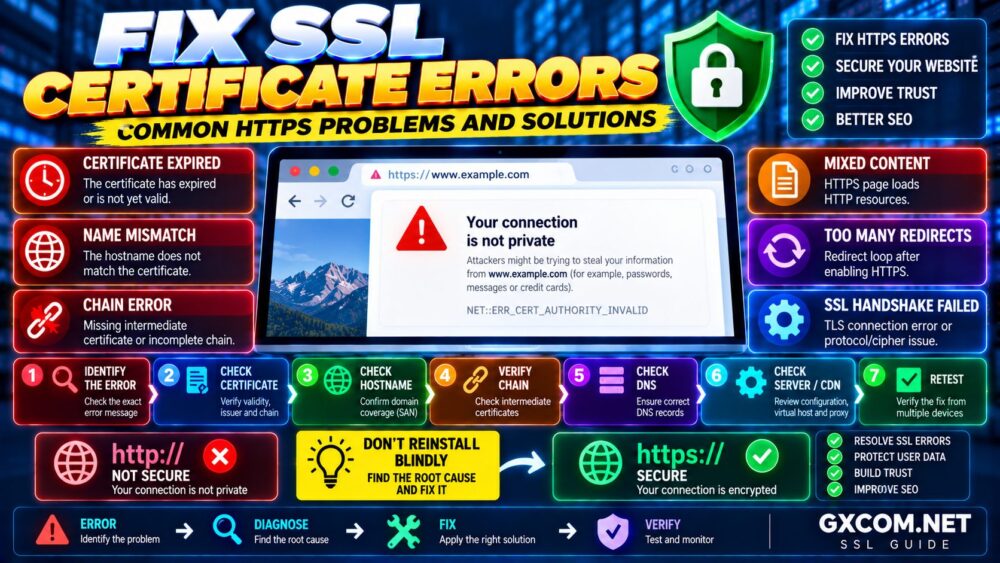
SSL certificates are essential for modern websites because they protect communication between visitors and servers through HTTPS encryption.
However, incorrect configuration, expired certificates, domain changes or server settings can cause SSL certificate errors that prevent websites from loading correctly.
This guide explains common SSL Certificate Errors, why they happen and how to fix HTTPS problems effectively.
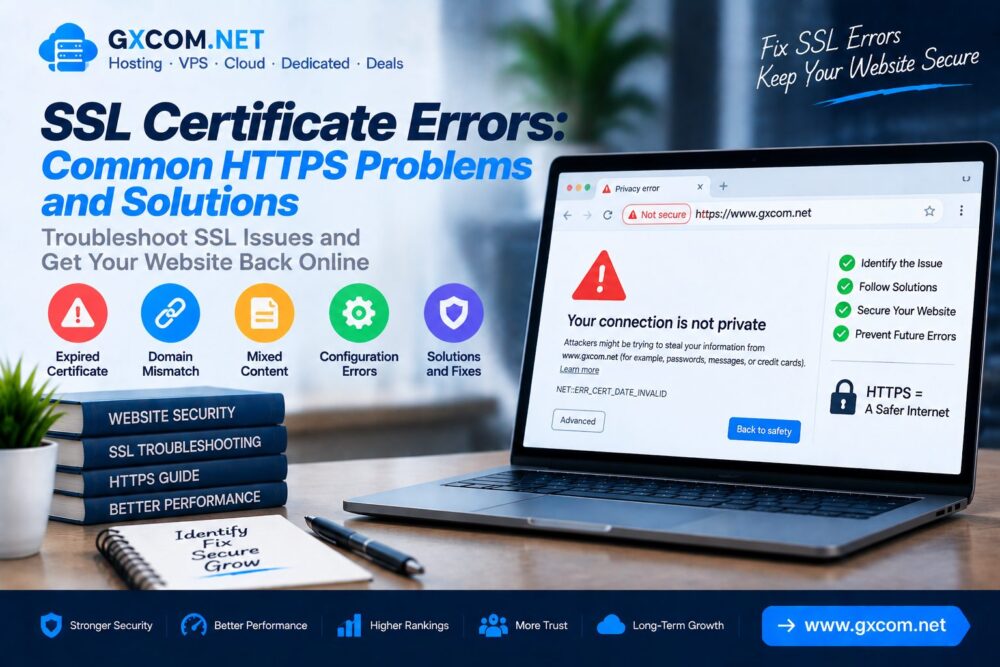
Why SSL Certificate Errors Happen
SSL errors usually occur when a browser cannot verify the security certificate installed on a website.
Common causes include:
- Expired SSL certificates
- Incorrect domain configuration
- Missing intermediate certificates
- HTTPS redirect problems
- Mixed content issues
- Server configuration mistakes
Common SSL Certificate Errors Overview
| Error Type | Common Cause |
|---|---|
| Certificate Expired | SSL renewal failed |
| Certificate Not Trusted | Incorrect certificate chain |
| Domain Mismatch | Certificate does not match domain |
| Mixed Content Warning | HTTP resources on HTTPS website |
| SSL Connection Failed | Server configuration problem |
1. SSL Certificate Expired Error
An expired certificate is one of the most common HTTPS problems.
When an SSL certificate expires:
- Browsers show security warnings
- Visitors cannot trust the connection
- Website access may be blocked
Solution
- Renew the SSL certificate
- Enable automatic renewal
- Check certificate expiration dates regularly
2. SSL Certificate Not Trusted Error
A browser may display a warning when it cannot verify the certificate authority.
Possible causes:
- Incorrect certificate installation
- Missing intermediate certificates
- Self-signed certificates
Solution
- Install the complete certificate chain
- Use certificates from trusted providers
- Verify server SSL configuration
3. SSL Certificate Domain Mismatch
A domain mismatch happens when the SSL certificate does not match the website address.

Examples:
- Certificate issued for example.com but visitor opens www.example.com
- Domain changed without updating SSL
- Incorrect subdomain configuration
Solution
- Install a certificate covering the correct domain
- Include required subdomains
- Check DNS configuration
4. Mixed Content HTTPS Warning
Mixed content occurs when an HTTPS website loads some resources using HTTP.
Common affected resources:
- Images
- JavaScript files
- CSS files
- External scripts
Solution
- Replace HTTP URLs with HTTPS
- Update WordPress database links
- Check themes and plugins
- Remove insecure resources
WordPress users can also review our WordPress SSL installation guide for HTTPS setup instructions.
5. SSL Handshake Failed Error
The SSL handshake is the process where browsers and servers establish a secure connection.
Handshake failures may happen because of:
- Incorrect TLS settings
- Server compatibility issues
- Firewall restrictions
- Expired certificates
Solution
- Update server software
- Enable modern TLS versions
- Review firewall settings
- Check SSL configuration
6. Too Many Redirects HTTPS Error
Incorrect HTTP to HTTPS redirect settings can create redirect loops.
Common causes:
- Wrong WordPress URL settings
- Incorrect server rules
- Cloudflare SSL mode conflicts
Solution
- Check WordPress URL settings
- Review .htaccess rules
- Verify CDN SSL settings
7. WordPress SSL Errors
WordPress websites may experience SSL issues after migration, hosting changes or HTTPS activation.
Common WordPress SSL problems:
- Mixed content warnings
- Incorrect site URLs
- Plugin conflicts
- Redirect loops
Solution
- Update WordPress URLs
- Check plugin compatibility
- Clear website cache
- Verify SSL installation
8. Cloudflare SSL Certificate Problems
Websites using CDN services may encounter SSL configuration problems between the CDN and origin server.
| SSL Mode | Description |
|---|---|
| Flexible | HTTPS visitor connection only |
| Full | Encrypted connection to origin server |
| Full Strict | Requires valid origin certificate |
9. How Hosting Affects SSL Problems
SSL performance depends partly on server configuration and hosting infrastructure.
A reliable hosting environment should provide:
- Automatic certificate renewal
- Correct SSL configuration
- Modern TLS support
- Security monitoring
For websites requiring better server control, explore our best VPS reviews.
SSL Troubleshooting Checklist
| Check | Action |
|---|---|
| Certificate Status | Verify expiration date |
| Domain Match | Confirm correct domain |
| HTTPS Redirect | Check configuration |
| Mixed Content | Replace HTTP resources |
| Server Settings | Review SSL configuration |
How To Test SSL Certificate
Website owners can verify SSL configuration by checking:

- Browser security status
- Certificate information
- HTTPS connection
- Certificate expiration date
- SSL configuration reports
SSL Certificate Errors Prevention Tips
- Enable automatic renewal
- Use trusted certificate providers
- Monitor certificate expiration
- Keep server software updated
- Regularly check HTTPS status
Frequently Asked Questions
Why is my SSL certificate not working?
SSL may fail because of expired certificates, incorrect configuration, domain mismatch or server issues.
How do I fix HTTPS certificate errors?
Check certificate status, verify domain settings, fix mixed content and review server SSL configuration.
Can SSL errors affect SEO?
SSL errors can affect visitor trust and website accessibility, which may negatively influence overall website performance.
How often should SSL certificates be renewed?
SSL certificates should be renewed before expiration to avoid HTTPS interruptions.
Final Thoughts
SSL certificate errors can prevent visitors from accessing websites and reduce trust in online platforms.
Most HTTPS problems can be solved by checking certificate status, domain settings, server configuration and website resources.
With proper SSL management and reliable hosting infrastructure, websites can maintain secure HTTPS connections and provide safer experiences for users.