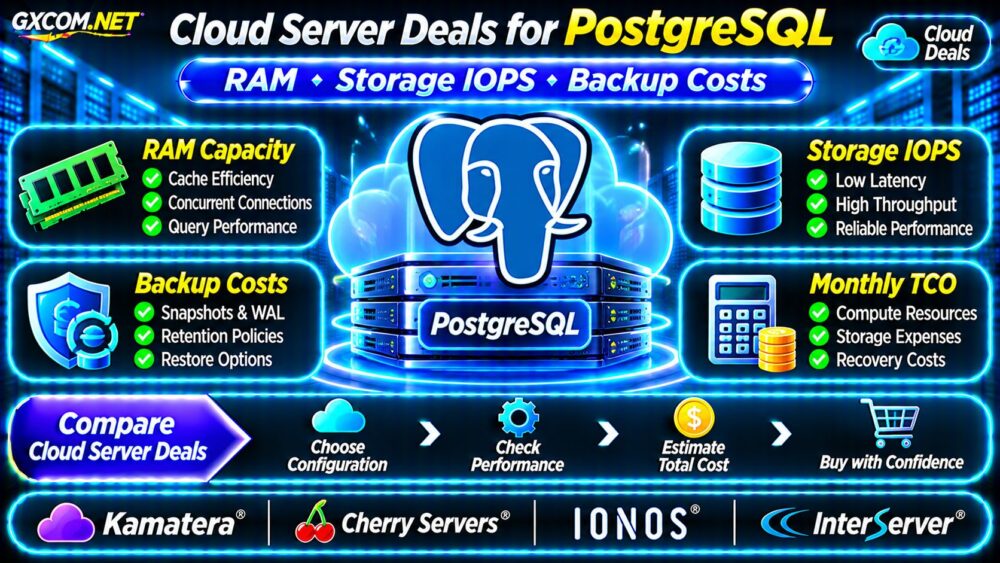
Cloud server deals for PostgreSQL should be evaluated by more than advertised CPU cores and monthly prices. Database workloads depend on available RAM, storage latency, sustained I/O performance, and reliable recovery options. A low-cost virtual machine can become expensive when additional disks, snapshots, backups, and network services appear on the bill.
This guide explains how to compare cloud infrastructure for PostgreSQL, estimate ownership costs, and assess four approved hosting providers without assuming that any particular plan guarantees database performance.
What Makes a Good PostgreSQL Cloud Server Deal?
A useful offer balances memory capacity, predictable storage behavior, backup protection, and manageable recurring charges. PostgreSQL performance depends on workload characteristics, not merely the advertised server specifications.
Before purchasing, identify database size, peak connections, transaction frequency, read/write patterns, and recovery requirements. An analytical database with large sequential scans needs different resources from a transaction-heavy application performing frequent small writes.
Compare complete configurations rather than entry-level prices. Our affordable cloud VPS deals comparison provides broader purchasing context.
PostgreSQL RAM: Cache Capacity and Query Memory
PostgreSQL uses shared memory for caching database pages, while the operating system also maintains filesystem caches. More RAM may reduce physical disk reads when frequently accessed data fits in memory.
However, allocating all available memory to PostgreSQL is unsafe. The operating system, background processes, active connections, and query operations need additional capacity.
Understand shared_buffers and work_mem
The shared_buffers setting controls PostgreSQL’s shared buffer cache. The work_mem setting affects memory available to individual query operations such as sorts and hashes; multiple operations and sessions can consume memory simultaneously.
Do not size a server by multiplying one memory setting by the advertised connection limit alone. Instead, measure actual workload behavior and leave sufficient headroom for traffic spikes.
As illustrative purchasing categories, 4GB may suit modest development workloads, while 8GB or 16GB configurations provide more room for growing applications. These are not universal PostgreSQL requirements.
Storage IOPS: Why Disk Latency Matters
Storage performance involves IOPS, throughput, and latency. IOPS measures operations per second, throughput measures transferred data, and latency describes how long an operation takes.
PostgreSQL workloads may generate random reads, index lookups, temporary files, and write-ahead log activity. A disk with impressive sequential throughput may still perform poorly under latency-sensitive random I/O.
Shared Storage Versus Provisioned Performance
Cloud storage products can use shared infrastructure, performance tiers, or provisioned IOPS. Actual behavior depends on the selected service and its limits.

Ask whether IOPS are guaranteed, capped, burstable, or merely illustrative. Also verify disk throughput ceilings, queue depth, volume resizing, and additional charges for higher performance tiers.
Benchmark representative database operations before assuming that an NVMe label guarantees faster transactions.
WAL, Checkpoints and Database Write Costs
PostgreSQL uses write-ahead logging (WAL) to support crash recovery and transactional durability. WAL writes and checkpoints can influence storage activity, particularly during sustained updates.
Checkpoint operations write modified pages to storage. Heavy write workloads can therefore expose weaknesses in disk latency and sustained throughput.
When comparing cloud plans, evaluate write performance under realistic concurrency instead of relying exclusively on generic disk benchmarks.
Monitor transaction latency, checkpoint activity, disk utilization, and available capacity. Unexpected WAL accumulation can also increase storage consumption.
PostgreSQL Backup Costs: Beyond Snapshots
A server snapshot is not automatically a complete PostgreSQL recovery strategy. Backup consistency, retention, restore procedures, and recovery objectives must be considered separately.
PostgreSQL’s pg_basebackup can create physical base backups. When combined with appropriate WAL archiving, physical backups can support point-in-time recovery (PITR).
Logical backups using pg_dump serve different purposes and should not be confused with continuous physical recovery.
Calculate Retention and Restore Expenses
Backup spending may include retained storage capacity, snapshot services, object storage requests, network transfer, and restoration infrastructure.
For example, a database with frequent updates may generate substantial WAL archives even when its primary data directory grows slowly.
Define recovery point objectives (RPO) and recovery time objectives (RTO) before selecting retention policies. Test restoration periodically because an untested backup does not establish that recovery will succeed.
Four Cloud Infrastructure Providers to Compare
The following approved suppliers represent infrastructure purchasing candidates. Their inclusion does not imply verified PostgreSQL-specific discounts, managed database services, or benchmark rankings.
Kamatera: Configurable Cloud Resources
Kamatera is relevant when buyers want to compare customizable cloud server configurations. Examine RAM allocation, available storage products, billing increments, and backup options for the selected instance.
Confirm whether additional volumes or management services create separate charges.
Cherry Servers: Infrastructure Flexibility
Cherry Servers is worth investigating for teams requiring greater control over infrastructure selection. Compare the exact cloud or server product, storage configuration, resource allocation, and operational responsibilities.
Do not assume that every product provides identical storage performance or automated database backups.
IONOS: Cloud Server Budget Planning
IONOS can be evaluated for cloud infrastructure with clearly defined resource requirements. Check available instance specifications, storage options, regional availability, and backup arrangements.
Review the current contract and billing terms rather than assuming all services follow the same charging model.
InterServer: Fixed-Monthly VPS Alternative
InterServer provides a comparison point for teams considering a continuously running Linux VPS instead of more granular cloud billing.
Verify CPU allocation, RAM, storage policies, backups, and renewal terms. A fixed-monthly plan may simplify budgeting, but database suitability still requires workload testing.
Calculate the Real Monthly PostgreSQL Hosting Cost
Total cost should include compute, database storage, backups, applicable network charges, and operational services.
| Hypothetical Monthly Expense | Cloud A | Cloud B |
|---|---|---|
| Compute and RAM | $24 | $36 |
| Database storage | $8 | $10 |
| Backup storage | $6 | $5 |
| Other billable services | $4 | $3 |
| Monthly total | $42 | $54 |
| Annual total | $504 | $648 |
These figures are hypothetical budgeting examples, not supplier quotations. They exclude taxes, administrator labor, and unexpected recovery operations.
A more expensive configuration may deliver better value if it reduces application delays or meets recovery requirements, but that conclusion requires actual measurements.

For flexible infrastructure billing considerations, see our pay-as-you-go cloud server deals guide.
How to Avoid Hidden PostgreSQL Cloud Charges
- Confirm whether stopped instances remain billable.
- Check persistent volume and snapshot retention fees.
- Verify provisioned IOPS and storage throughput charges.
- Estimate WAL archive growth and backup frequency.
- Review outbound transfer and recovery-related expenses.
- Compare full-month costs with fixed-monthly alternatives.
Our managed cloud hosting deals comparison also explains how management responsibilities can affect infrastructure purchasing decisions.
Frequently Asked Questions
Is 4GB RAM Enough for PostgreSQL?
It can support some smaller workloads, but suitability depends on database size, connections, queries, and competing processes. Measure memory pressure before selecting a production configuration.
Are NVMe Cloud Servers Always Faster?
No. Actual performance depends on storage architecture, IOPS limits, latency, contention, and workload characteristics.
Are Cloud Snapshots Sufficient for PostgreSQL Backups?
Not necessarily. A reliable recovery strategy must address consistency, WAL availability, retention, and tested restoration procedures.
Final Verdict: Compare Total Database Value
The best cloud server deals for PostgreSQL combine sufficient RAM, suitable storage IOPS, reliable backup planning, and transparent monthly charges.
Compare Kamatera, Cherry Servers, IONOS, and InterServer against measured database requirements. Prioritize predictable performance and recoverability over the lowest advertised server price.
Explore more infrastructure options in our Cloud Deals category.