Finding worthwhile cloud hosting deals with managed backups means looking beyond the advertised server price. Automatic backups may be included, but snapshot storage, longer retention, restoration assistance, and disaster recovery can introduce additional costs.
For SaaS businesses, WooCommerce stores, WordPress publishers, and development teams, backup reliability matters as much as compute performance. This guide explains how to compare managed cloud backup services, understand snapshot fees, and estimate recovery expenses before purchasing hosting.
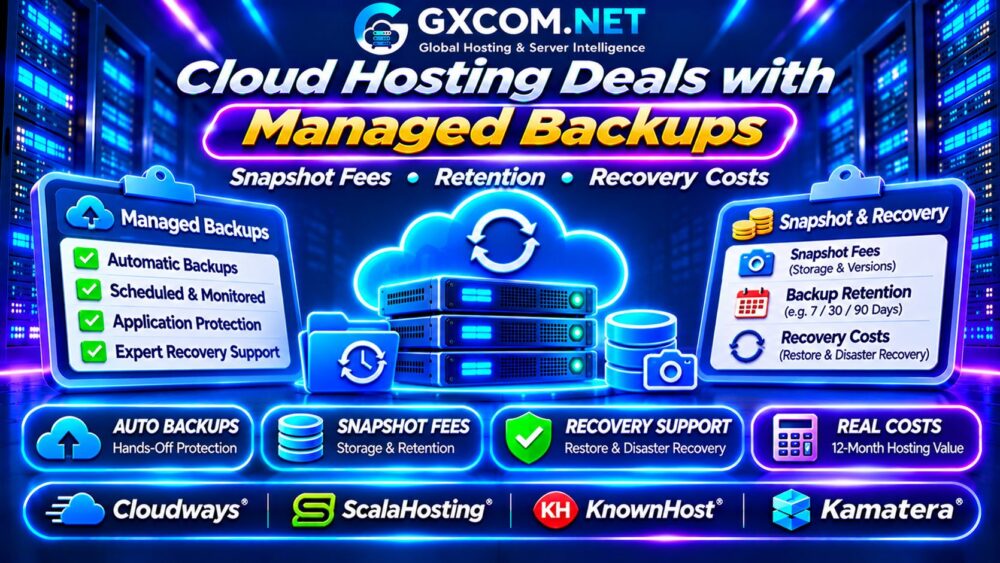
What Are Managed Cloud Hosting Backups?
Managed backups generally involve a hosting provider handling some combination of scheduling, monitoring, retention, and recovery assistance. However, the exact responsibilities depend on the service agreement.
Some managed plans include automated backups and self-service restoration. Others provide backup tools while leaving recovery testing, application consistency, or disaster recovery planning to customers.
Before comparing prices, establish who creates backups, checks their success, protects stored copies, and performs restoration when something fails.
For a broader comparison of managed infrastructure, read our Managed Cloud Hosting Providers Comparison.
Cloud Snapshots vs Managed Backups
Cloud snapshots capture a storage state at a particular point in time. Depending on the platform, they may support rapid rollback or volume restoration. Managed backups can include scheduled copies, retention management, monitoring, and recovery workflows.
Neither label guarantees an independent, application-consistent backup. Database-heavy workloads may require coordinated snapshots or database-aware backup procedures.
| Feature | Cloud Snapshot | Managed Backup |
|---|---|---|
| Primary purpose | Point-in-time storage recovery | Scheduled data protection |
| Scheduling | Manual or automated | Usually policy-driven |
| Retention | Platform-dependent | Service-plan dependent |
| Restore assistance | May be self-service | Depends on support scope |
Understand these distinctions before assuming that a snapshot automatically protects your entire application.
How Cloud Snapshot Fees Work
Snapshot charges may depend on stored data, changed blocks, retained versions, storage location, and provider-specific billing rules. Some platforms include a limited allocation, while others bill snapshot storage separately.
For example, an illustrative 150GB of billable snapshot data at $0.05 per GB-month costs $7.50 monthly. This is a hypothetical calculation, not a current provider rate.
Multiple snapshots do not necessarily consume their full source-volume size individually. Incremental storage mechanisms can reduce consumption, although frequent changes may increase the total.

Ask whether deleting a server automatically removes its snapshots or leaves chargeable recovery data behind.
Backup Retention and Storage Growth
Retention determines how long recovery points remain available. Daily backups with seven retained copies provide a different recovery window from hourly backups retained for thirty days.
Longer retention helps when accidental deletion, corruption, or unauthorized changes remain unnoticed. However, retaining more versions may increase storage consumption.
Consider how database growth, uploaded media, application logs, and frequent file changes affect backup volume.
Our Snapshot and Backup Recovery Guide explains why retention and independent copies matter.
Four Approved Cloud Hosting Providers to Compare
Cloudways: Managed Application Hosting
Cloudways is relevant to businesses seeking managed cloud application environments. Compare available backup schedules, retention controls, recovery options, and any charges associated with backup storage or additional services.
Check whether restoring an application differs from recovering an entire server and whether support assistance is included.
ScalaHosting: Managed Cloud VPS
ScalaHosting is worth evaluating for managed VPS customers who want hosting administration and backup-related features together.
Review the selected plan’s included recovery points, storage limits, restore permissions, and whether backups remain accessible after service changes.
KnownHost: Managed Hosting Support
KnownHost is another candidate for organizations prioritizing managed hosting assistance. Examine backup frequency, restore procedures, support responsibilities, and available recovery options.
Ask whether database-level restoration, full-server recovery, and emergency assistance have different conditions.
Kamatera: Configurable Cloud Infrastructure
Kamatera provides a comparison option for customers requiring configurable cloud resources. Evaluate the available backup services, snapshot arrangements, storage pricing, and administrative responsibilities.
Do not assume that optional backup services are included in the base cloud server price.
These providers are purchasing candidates, not a verified ranking of current backup discounts or identical managed services.
Recovery Costs Beyond Backup Storage
A low backup storage price does not guarantee inexpensive restoration. Recovery can involve data retrieval, server rebuilding, replacement compute resources, transfer charges, or paid technical assistance.
Ask whether the provider supports self-service recovery, file-level restoration, database restoration, and complete server recovery. Confirm whether emergency assistance is covered by the management agreement.
Recovery Time Objective (RTO) describes the target restoration time. Recovery Point Objective (RPO) describes the maximum acceptable data loss measured in time.
Neither target is automatically guaranteed by purchasing managed backups. Verify contractual commitments and test recovery procedures.
Compare Real Cloud Backup Costs Over 12 Months
Consider two hypothetical cloud hosting offers with equivalent compute resources and backup requirements.
| Monthly Expense | Plan A | Plan B |
|---|---|---|
| Cloud hosting | $30 | $42 |
| Backup storage | $10 | Included |
| Managed recovery service | $8 | Included |
| Monthly total | $48 | $42 |
| 12-month total | $576 | $504 |
Plan B saves $72 annually despite its higher base subscription. These figures are illustrative and exclude taxes, exceptional recovery operations, and additional storage growth.
Before deciding, compare recovery quality, included support, and renewal terms rather than relying only on the monthly total.
When Managed Backups Are Worth Paying For
Managed backups can be valuable when downtime affects revenue, internal teams lack recovery expertise, or applications require frequent protection.
However, a self-managed environment with properly tested independent backups may suit technically experienced teams. Compare administrative labor, recovery complexity, and service expectations.
For infrastructure selection, explore our Best Cloud Hosting Solutions Guide.

Independent Backups and Disaster Recovery
Even a managed backup service should not be your only protection. Provider account problems, storage incidents, or compromised credentials may affect both production systems and recovery data.
Maintain appropriate independent copies, separate access controls, and documented restoration procedures. For critical workloads, evaluate regional redundancy and application recovery architecture.
Our High-Availability Cloud Servers Guide explains additional availability considerations.
Managed Cloud Backup Buying Checklist
- Verify automated backup frequency and monitoring.
- Confirm retention periods and usable recovery points.
- Review snapshot storage and incremental billing.
- Check self-service and assisted restore fees.
- Calculate backup transfer and storage growth costs.
- Test recovery and compare annual subscription totals.
Frequently Asked Questions
Are Managed Cloud Backups Always Free?
No. Backup creation may be included while storage, retention upgrades, or recovery assistance cost extra.
Do Cloud Snapshots Replace Full Backups?
Not necessarily. Snapshot independence, consistency, retention, and recovery options vary by platform.
Can Cloud Recovery Cost More Than Backup Storage?
Yes. Additional compute, data transfer, retrieval, and technical assistance may increase recovery expenses.
Final Verdict
The best cloud hosting deals with managed backups combine reliable recovery points, transparent snapshot charges, practical restoration support, and predictable renewal pricing.
Compare Cloudways, ScalaHosting, KnownHost, and Kamatera against your actual recovery requirements. Choose the hosting arrangement that protects critical workloads at a sustainable total cost.