Dedicated server hardware failure can interrupt applications, databases, and customer-facing services even when a hosting provider advertises high uptime. Failed drives, defective memory, motherboard problems, and power supply faults create different recovery challenges.
Before purchasing dedicated hosting, businesses should examine hardware replacement SLAs, spare-part availability, remote management access, and recovery responsibilities. The cheapest server may become expensive when replacement hardware or technical assistance is unavailable during an outage.
What Happens When Dedicated Server Hardware Fails?
Unlike virtual infrastructure that may support automated workload migration, a traditional dedicated server depends on its physical components. A serious hardware failure can make the operating system and applications unavailable until repairs or replacement infrastructure are ready.
Common incidents include:
- SSD or HDD failures affecting storage availability.
- RAM errors causing crashes or corrupted operations.
- Power supply failures interrupting server operation.
- Motherboard or CPU faults preventing startup.
- RAID controller failures complicating disk recovery.
Redundant components may reduce certain risks, but no single hardware feature eliminates every failure scenario.
Understanding Hardware Replacement SLAs
A hardware replacement service-level agreement describes the provider’s contractual responsibilities when covered equipment fails. However, SLA wording matters more than an advertised replacement time.
Response Time vs Replacement Time
Response time generally measures how quickly support acknowledges or begins investigating an incident. Replacement time concerns the repair or exchange of defective equipment.
Neither necessarily guarantees that your application will be fully operational afterward.
| SLA Metric | What to Verify |
|---|---|
| Support response | When investigation begins |
| Hardware replacement | When covered components are replaced |
| Service restoration | Whether OS and application recovery are included |
| SLA exclusions | Maintenance, diagnosis, stock shortages and other conditions |
| Service credits | Eligibility, limits and claim procedures |
Ask whether the replacement clock starts when the ticket opens, after diagnosis, or after the provider confirms a hardware fault.
Spare Parts Availability and Data Center Location
A provider cannot replace a failed component immediately if compatible parts are unavailable. Older processors, specialized motherboards, and uncommon storage controllers may create procurement delays.
Before ordering, ask whether the data center maintains local spare drives, memory modules, power supplies, and compatible replacement systems.

Also confirm whether technicians operate around the clock and whether component replacement requires scheduled access or additional approval.
Older Hardware vs Modern Platforms
Older dedicated servers may offer attractive rental prices, but replacement inventory and hardware efficiency deserve consideration.
Modern platforms can provide better performance per watt and more upgrade flexibility. Nevertheless, newer equipment is not automatically more reliable. Evaluate the provider’s maintenance procedures and replacement capabilities.
RAID Redundancy Does Not Replace Backups
RAID can maintain availability during certain disk failures, depending on its configuration and the number of failed drives. However, it does not protect against accidental deletion, ransomware, catastrophic controller failures, or data corruption.
Replacing a failed drive may also trigger a rebuild that increases disk activity and temporarily affects performance.
Our Snapshot Backup and Recovery Guide explains why independent recovery copies remain essential.
Remote Console, IPMI and Rescue Access
When SSH becomes unavailable, remote management tools can help administrators diagnose boot failures and network configuration problems.
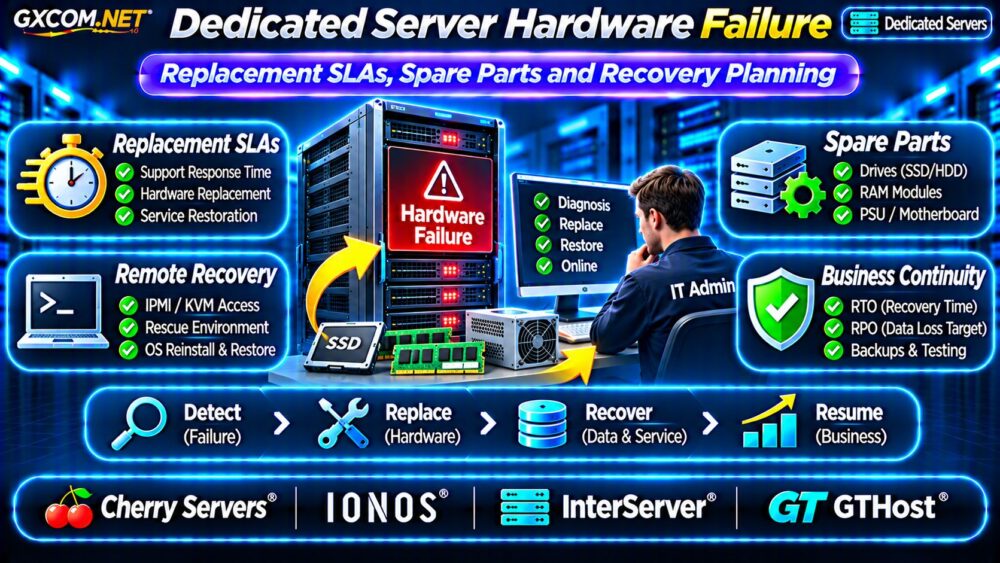
Depending on the hardware and provider, available options may include IPMI, remote KVM, virtual media, rescue environments, or an operating system reinstall interface.
These features are not interchangeable. IPMI access may expose sensitive management functions and should be protected through appropriate network restrictions and authentication.
Before purchasing unmanaged infrastructure, verify which recovery tools are actually included and whether emergency support carries additional charges.
Review our Unmanaged Server Security Checklist for related operational precautions.
RTO and RPO: Plan Beyond Hardware Replacement
Recovery Time Objective (RTO) represents the target duration for restoring a service. Recovery Point Objective (RPO) defines the maximum acceptable data loss measured in time.
For example, a business may target a four-hour RTO and a one-hour RPO. Meeting those objectives requires suitable backups, tested procedures, and sufficient replacement capacity.
A provider replacing hardware within a specified period does not automatically satisfy either objective.
Create a Practical Recovery Plan
- Document operating system and application configurations.
- Maintain independent, tested backups.
- Record network, DNS, and firewall settings.
- Prepare replacement hardware requirements.
- Test database restoration and application startup.
- Assign incident communication responsibilities.
Businesses with strict availability requirements may need standby infrastructure or replication rather than relying solely on repairs.
Four Dedicated Hosting Providers to Compare
The following approved GXCOM.NET affiliate providers are candidates for dedicated infrastructure. Compare their current contractual terms rather than assuming identical hardware replacement guarantees.
Cherry Servers: Bare Metal Recovery Planning
Cherry Servers is worth evaluating for bare metal deployments requiring hardware control and documented recovery procedures. Ask about spare-part availability, replacement workflows, remote management tools, and support coverage.
IONOS: Business Dedicated Infrastructure
IONOS provides another comparison option for business-oriented dedicated hosting. Examine the selected server’s hardware support terms, maintenance exclusions, available management services, and recovery responsibilities.
InterServer: Hardware Value and Support Costs
InterServer is a candidate for organizations balancing dedicated hardware costs against operational requirements. Confirm replacement procedures, compatible spare inventory, support availability, and potential recovery charges.
GTHost: Location and Hardware Availability
GTHost can be compared when server location and hardware configuration influence purchasing decisions. Request information about local spare parts, remote access, technician availability, and replacement conditions.
No provider should be ranked solely by an advertised SLA without examining its definitions and exclusions.
Calculate the Business Cost of Server Downtime
Server rental represents only part of the financial exposure. Downtime may affect transactions, customer support, employee productivity, and contractual commitments.

Consider a hypothetical business losing $150 in contribution margin per hour during an outage. Six hours of disruption would represent $900 in estimated lost contribution before recovery labor and other expenses.
This example is illustrative, not a universal downtime estimate.
Compare that exposure with the additional cost of better backups, standby infrastructure, or stronger support arrangements.
For architecture alternatives, read our Dedicated vs Cloud Server Comparison.
Dedicated Server Hardware Failure Checklist
- Verify hardware replacement SLA definitions.
- Confirm local spare-part availability.
- Check remote console and rescue access.
- Review backup independence and restoration testing.
- Define realistic RTO and RPO targets.
- Calculate downtime exposure and recovery costs.
Frequently Asked Questions
How Long Does Dedicated Server Hardware Replacement Take?
It depends on the provider, component, location, diagnosis, and contractual terms. Request a written replacement commitment for the selected configuration.
Does a Hardware Replacement SLA Guarantee Uptime?
No. Hardware replacement and application availability are different obligations. Service restoration may require additional work.
Should Businesses Keep a Standby Server?
Standby infrastructure can be valuable when downtime costs exceed the expense of maintaining and testing an alternative environment.
Final Verdict
Dedicated server hardware failure planning should begin before deployment. Prioritize clear replacement SLAs, accessible spare parts, independent backups, and tested recovery procedures.
Compare Cherry Servers, IONOS, InterServer, and GTHost using written support terms and complete quotations. The strongest purchasing decision balances hardware value with realistic business continuity requirements.