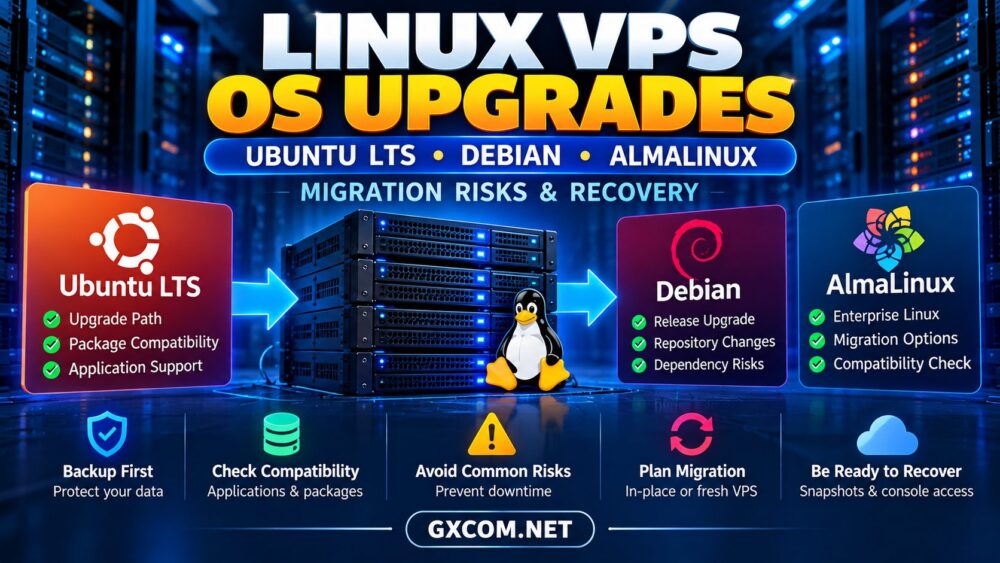
Upgrading a Linux VPS can improve security, extend software support, and unlock newer application features. However, an operating system upgrade is not the same as installing routine security patches.
Major Linux VPS OS upgrades can change kernels, libraries, package repositories, database compatibility, and network behavior. A poorly planned upgrade may leave a production server inaccessible or an application unable to start.
This guide compares Ubuntu LTS, Debian, and AlmaLinux upgrade risks, explains safer migration strategies, and highlights what to look for when choosing a Linux VPS provider.
Why Linux VPS OS Upgrades Are Risky
A major distribution upgrade replaces important operating-system components. Applications built for older libraries may stop working, while custom repositories can introduce dependency conflicts.
Common failure points include:
- Unsupported third-party packages
- Database or PHP version incompatibility
- Changed firewall and networking settings
- Kernel module or driver problems
- Insufficient disk space
- Interrupted package upgrades
- Broken SSH configuration
For production workloads, identify these risks before scheduling maintenance.
Ubuntu LTS Upgrades: Stability vs Application Compatibility
Ubuntu Long Term Support releases are popular for VPS hosting because they provide extended maintenance and predictable release cycles.
However, moving between LTS releases can introduce newer versions of Python, PHP, OpenSSL, system libraries, and database clients.
Before upgrading, review Ubuntu’s official release notes and supported upgrade path. Do not assume that skipping several major releases is supported.
Check third-party repositories, application dependencies, web server configuration, and database compatibility.
For business applications, test the upgrade on a cloned environment before changing the production server.
Debian Release Upgrades: Package and Repository Risks
Debian is widely used for servers because of its conservative packaging approach and stable release model.
A Debian release upgrade still requires careful repository management. Outdated package sources, pinned packages, and external software repositories can prevent a clean transition.
Read the official release notes for both the current and target versions. Resolve broken packages and confirm available storage before starting.
Administrators should also check services that depend on particular database engines, scripting runtimes, or system configuration files.
Never assume an application will remain compatible simply because the operating system upgrade completes successfully.
AlmaLinux Migration: Enterprise Linux Considerations
AlmaLinux appeals to administrators who prefer an Enterprise Linux-compatible environment.
Its migration requirements differ from Ubuntu and Debian because of the RPM package ecosystem, enterprise repositories, and related system-management tools.
Review supported upgrade or migration utilities, repository compatibility, and the official documentation for the exact source and target versions.

Pay particular attention to SELinux policies, third-party RPM packages, control panels, and application stacks.
A migration between different Linux distribution families generally requires a fresh installation and application migration rather than a conventional in-place upgrade.
In-Place Upgrade vs Fresh VPS Migration
Administrators typically choose between upgrading the existing server and deploying a new VPS with the target operating system.
| Approach | Advantages | Risks |
|---|---|---|
| In-Place Upgrade | Keeps existing server and configuration | Dependency conflicts, difficult rollback |
| Fresh VPS Migration | Clean environment, parallel testing | Requires data transfer and cutover planning |
For important production services, a fresh VPS often provides a more controlled migration process.
You can configure the replacement environment, test applications, synchronize data, and switch traffic after validation.
Our cloud server migration guide explains additional planning considerations.
Backup and Snapshot Planning Before Upgrading
Never begin a major OS upgrade without a recoverable backup.
Create independent backups of application files, databases, configuration files, and essential credentials. Confirm that the backup can be restored to another environment.
A VPS snapshot may provide convenient rollback, but snapshot behavior varies by provider and storage configuration.
Snapshots should complement, not replace, independent backups.
For database-heavy applications, coordinate backups and writes to avoid restoring inconsistent data.
SSH, Bootloader and Network Recovery
Operating-system upgrades can change SSH settings, network configuration, bootloader behavior, or firewall rules.
Before upgrading, confirm whether the provider offers an independent console, recovery environment, or reinstall option.
Keep a second administrative session available during maintenance and document the current network settings.
If SSH access fails, an out-of-band console may help diagnose the problem without relying on the guest operating system’s network connection.
See our unmanaged VPS rescue access guide for VNC, recovery mode, and reinstallation planning.
Linux VPS Upgrade Checklist
Use this checklist before scheduling an upgrade:
- Confirm the supported distribution upgrade path.
- Review official release notes and known issues.
- Inventory applications and third-party repositories.
- Check disk capacity and filesystem health.
- Create and verify independent backups.
- Test the process on a staging VPS.
- Confirm console and recovery access.
- Schedule a maintenance window.
- Upgrade and validate critical services.
- Monitor logs, performance, and application errors.
Document a rollback decision point before making changes.
Best Linux VPS Providers for Upgrade Flexibility
Choosing a VPS with appropriate administrative access and recovery controls can make future operating-system migrations easier.
InterServer — Budget Linux VPS Projects
InterServer is worth considering for administrators seeking affordable Linux VPS infrastructure. Compare operating-system images, backup options, and management responsibilities before ordering.
Best fit: Smaller websites, development servers, and budget-conscious Linux deployments.
RackNerd — Cost-Conscious Self-Managed Hosting
RackNerd can suit Linux users comfortable handling their own server maintenance and application migration.
Check which distribution images, console tools, and reinstall options are available for the specific VPS product.
Best fit: Personal infrastructure, testing environments, and lightweight Linux services.
Kamatera — Configurable Cloud VPS Migration
Kamatera is relevant when administrators want configurable cloud resources for a replacement server or parallel migration environment.
Review resource allocation, storage choices, operating-system availability, and total running costs.
Best fit: Custom application stacks and staged infrastructure migrations.
ScalaHosting — Managed Linux VPS Requirements
ScalaHosting is worth comparing when businesses prefer management assistance instead of handling every operating-system maintenance task independently.
Confirm whether major distribution upgrades, application compatibility testing, and migration assistance are included in the selected service agreement.

Best fit: Business websites and teams with limited Linux administration resources.
How to Evaluate Linux VPS Hosting Costs
The cheapest VPS is not necessarily the least expensive migration option.
Consider temporary parallel servers, backup storage, additional IP addresses, application licensing, and staff time.
For budget comparisons, review our affordable cloud VPS deals guide.
Before selecting a provider, compare broader infrastructure options in our best VPS hosting providers comparison.
Linux VPS OS Upgrade FAQ
Should I upgrade Ubuntu LTS directly on production?
Test the supported upgrade path on staging first. For critical workloads, a fresh VPS migration may reduce operational risk.
Can Debian be upgraded without reinstalling?
Debian supports documented release upgrades, but the correct procedure depends on the installed and target versions.
Can I migrate Ubuntu directly to AlmaLinux?
A fresh installation with application and data migration is generally safer than attempting a cross-distribution in-place conversion.
Will a VPS snapshot guarantee rollback?
No. Snapshot coverage and restoration behavior vary. Maintain separately verified backups.
Final Verdict: Plan the Upgrade Before Changing Production
Linux VPS OS upgrades require more than running package-management commands. Ubuntu LTS, Debian, and AlmaLinux each introduce distinct compatibility and migration considerations.
Test first, verify backups, prepare rescue access, and document recovery procedures.
When choosing between InterServer, RackNerd, Kamatera, and ScalaHosting, prioritize operating-system compatibility, recovery options, and management responsibilities alongside price.