Comparing Google Cloud Compute Engine vs VPS is about more than virtual CPU counts or advertised monthly prices. Compute Engine offers flexible virtual machines integrated with Google’s cloud infrastructure, while conventional VPS hosting often emphasizes predictable resource packages and simpler billing.
For websites, business applications, and development environments, either approach can work. The better choice depends on performance requirements, network architecture, administration skills, and long-term operating costs.
Compute Engine vs Traditional VPS: Key Differences
Google Compute Engine is an infrastructure-as-a-service platform offering virtual machines across multiple machine families and regions. Users configure compute resources, operating systems, storage, networking, and supporting services.
A traditional VPS usually bundles CPU, memory, storage, and an applicable traffic allowance into a hosting plan. This can simplify budgeting, although resource sharing, management responsibilities, and network policies differ between providers.
For a broader explanation, read our cloud hosting vs VPS comparison. Buyers seeking straightforward deployments should also compare Vultr, Kamatera, and Hostwinds before committing to a complex cloud configuration.
Virtual Machine Features and CPU Performance
Compute Engine Machine Families
Compute Engine provides general-purpose, compute-optimized, memory-optimized, and other specialized machine families. E2 instances target cost-conscious workloads, while N2 and other families provide different performance and configuration characteristics.
Custom machine types are available for supported families, allowing teams to adjust vCPU and memory allocations. However, performance depends on processor generation, machine series, workload behavior, and applicable resource-sharing policies.
Shared vs Dedicated CPU Resources
VPS plans may use shared CPU allocations or offer more isolated resources. An advertised four-vCPU server does not necessarily deliver the same sustained performance across providers.
Compare processor architecture, sustained CPU availability, memory, storage latency, and virtualization policies. Test application response times under realistic load rather than relying exclusively on benchmark scores.
Storage, Networking and Backup Capabilities
Compute Engine supports persistent storage options, including Persistent Disk and Hyperdisk, with capabilities varying by configuration. Storage capacity and performance can introduce charges separate from VM compute usage.
Traditional VPS plans commonly include a defined storage allocation. Some offer NVMe-backed storage, but performance guarantees and backup coverage must be verified individually.
Networking creates another important distinction. Compute Engine can use VPC networks, firewall rules, private connectivity, load balancing, and additional cloud services. These features provide flexibility but may increase operational complexity.

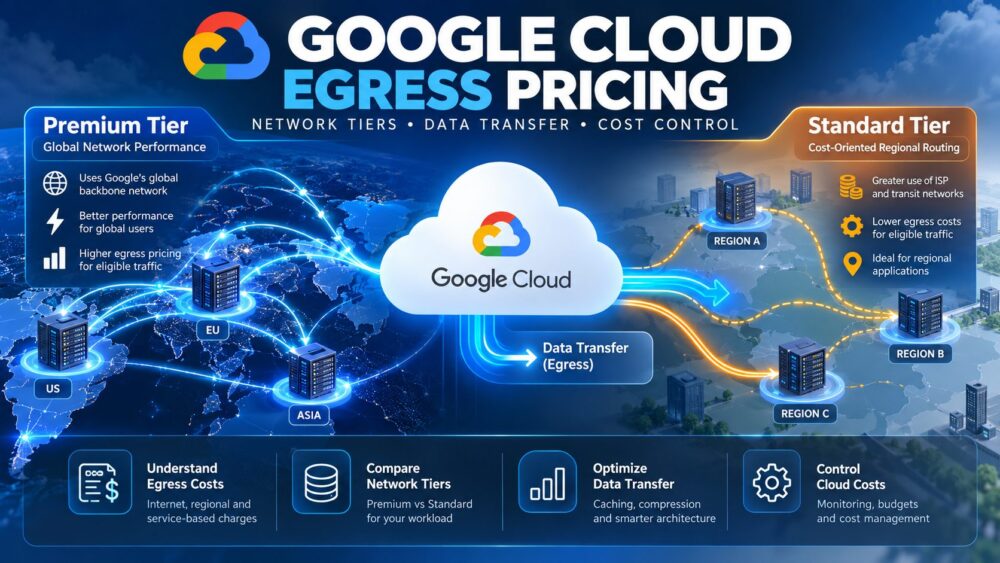
Internet egress, external IP addresses, snapshots, and cross-region transfers can also affect the bill. Our cloud VPS bandwidth costs guide explains why network port speed and monthly transfer allowances require separate evaluation.
Google Compute Engine vs VPS: Feature Comparison
| Feature | Google Compute Engine | Traditional VPS |
|---|---|---|
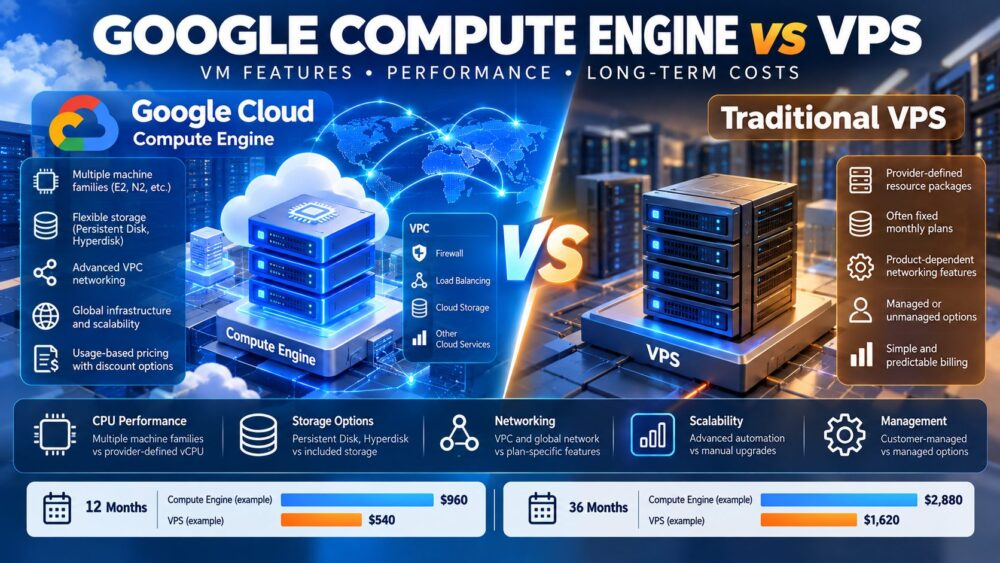
| Compute configuration | Multiple machine families and supported custom types | Provider-defined resource packages |
| Billing model | Usage-based compute and additional services | Often fixed monthly plans |
| Storage | Separately configured and billed options | Frequently included allocation |
| Networking | Advanced VPC and cloud integrations | Product-dependent networking features |
| Scaling | Extensive automation options | Plan upgrades or custom automation |
| Administration | Customer-managed unless additional services are used | Managed or unmanaged options |
Long-Term Hosting Costs: 12 vs 36 Months
Compute Engine pricing depends on machine configuration, running time, storage, networking, operating system licenses, and optional services. Eligible sustained use discounts or committed use discounts can reduce certain compute expenses, but eligibility and commitment terms matter.
Traditional VPS hosting may offer predictable recurring prices, although renewal changes, backups, additional IP addresses, management, and traffic policies can affect total spending.
Illustrative Total Cost Comparison
Consider a hypothetical Compute Engine deployment costing $55 monthly for compute and $25 for supporting infrastructure. Its estimated total is $80 per month, or $960 over 12 months and $2,880 over 36 months.
Now consider a VPS configuration costing $45 monthly, including its assumed storage and transfer requirements. That equals $540 over 12 months and $1,620 over 36 months.
The illustrative difference is $420 after one year and $1,260 after three years. These are teaching assumptions, not current provider quotations. Actual results may reverse when Google Cloud discounts, VPS upgrades, support, or application requirements change.
Include engineering time, backup testing, security maintenance, and migration expenses in every long-term comparison.
Four Cloud VPS Providers Worth Comparing
Businesses without specialized Google Cloud dependencies should evaluate alternative infrastructure models before choosing a provider. The following options serve different operational priorities.
Vultr: Flexible Cloud Compute
Vultr offers cloud compute options for developers seeking configurable virtual infrastructure. Compare compute families, regional availability, included transfer, storage performance, and backup charges against your intended Compute Engine deployment.
Kamatera: Customizable Cloud Servers
Kamatera may suit businesses needing adjustable CPU, memory, and storage configurations. Review network billing, optional management, backup services, and the cost of maintaining additional environments.
Hostwinds: VPS and Cloud Hosting
Hostwinds provides VPS and cloud hosting options for conventional application workloads. Compare managed and unmanaged configurations, bandwidth policies, administrative access, and renewal terms before selecting a plan.
ScalaHosting: Managed and Self-Managed VPS
ScalaHosting offers managed and self-managed VPS options for websites and business applications. Its managed services may reduce routine administration, while self-managed configurations can provide greater control. Verify product-specific permissions, backups, and support coverage.
For additional purchasing options, explore our affordable cloud VPS deals comparison rather than evaluating infrastructure solely by introductory pricing.
When Compute Engine Is the Better Choice
Compute Engine becomes attractive when applications require specialized machine families, sophisticated VPC networking, automated infrastructure, or close integration with other Google Cloud services.
It can also support environments with changing demand, provided scaling rules and supporting services are configured appropriately. Our Google Compute Engine vs Cloud Run guide examines another important architectural choice.

When a Traditional VPS Makes More Sense
A VPS may be preferable for predictable WordPress traffic, small business applications, development servers, and projects requiring conventional operating system access without extensive cloud integrations.
Choose based on sustained performance, backup requirements, management responsibilities, and total recurring costs. A lower monthly price is valuable only when the infrastructure meets application reliability and security requirements.
How to Reduce Long-Term Infrastructure Costs
- Right-size resources: Measure CPU, memory, and storage utilization before upgrading.
- Review discounts: Evaluate eligible Google Cloud commitments against realistic workload stability.
- Control network spending: Monitor internet egress and avoid unnecessary cross-region transfers.
- Automate maintenance: Reduce repetitive deployment and administration work.
- Test recovery: Verify backups and restoration procedures before relying on them.
For broader purchasing comparisons, review our cloud hosting deals guide and compare complete infrastructure costs rather than individual server prices.
Final Verdict
Google Cloud Compute Engine vs VPS is ultimately a comparison between infrastructure flexibility and operational simplicity. Compute Engine provides extensive configuration and integration options, while conventional VPS hosting can offer predictable resource packages and straightforward administration.
Evaluate Vultr, Kamatera, Hostwinds, and ScalaHosting alongside Compute Engine when their products match your workload. Over 12 or 36 months, the best hosting choice is the one that delivers reliable performance, manageable operations, and a sustainable total cost.