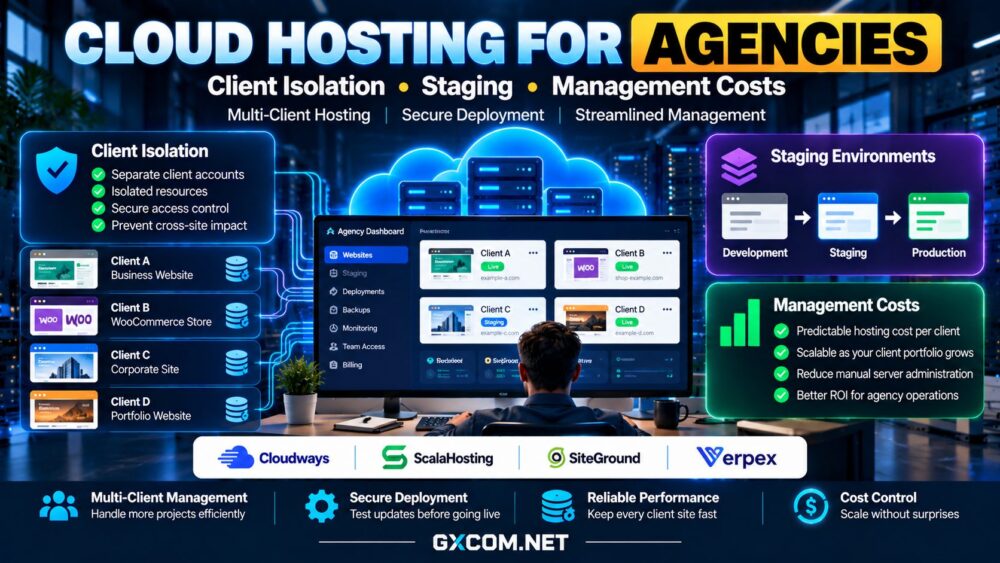
Choosing cloud hosting for agencies is different from buying a server for one website. An agency may manage dozens of client projects, each with its own traffic patterns, plugins, administrators, and deadlines. One compromised account or poorly timed update should not disrupt every customer. Meanwhile, hosting expenses must remain predictable as the client portfolio grows.
This guide explains client isolation, staging workflows, access controls, and management costs. It compares Cloudways, ScalaHosting, SiteGround, and Verpex as options to investigate, without assuming their products provide identical cloud infrastructure or management features.
Why Agencies Need a Different Hosting Strategy
Agencies balance performance with repeatable operations. Every new client introduces deployment, monitoring, backups, security updates, billing, and eventual handover. A low-cost server can become expensive if technicians repeatedly perform these tasks manually.
Start by categorizing clients according to traffic, application complexity, compliance requirements, and service expectations. A brochure website and a busy WooCommerce store may need different isolation and resource policies. Our cloud hosting services guide explains the broader infrastructure choices.
Client Isolation: Accounts Are Not Always Security Boundaries
Hosting multiple domains under one administrator account may simplify setup, but it can increase the impact of stolen credentials, vulnerable plugins, or resource exhaustion. Separate WordPress logins do not necessarily isolate the underlying file system, processes, or database permissions.
Compare three approaches: multiple sites within one hosting account, separately managed accounts on a shared server, and individual virtual servers or isolated application environments. The strongest choice depends on the actual operating-system boundaries and provider configuration, not marketing labels.
For sensitive or high-value clients, investigate separate credentials, least-privilege access, distinct databases, file ownership, and per-site resource limits. Ask whether one site’s CPU spike can slow another and whether administrators can access neighboring client files.
Isolation also affects recovery. Independent backups and restoration procedures reduce the chance that fixing one client’s site will overwrite another customer’s data.
Staging Environments: Test Before You Deploy
A useful agency staging environment lets developers test plugin updates, theme changes, PHP upgrades, and new features without modifying the live website. However, a staging button alone does not guarantee a safe workflow.

Confirm whether staging copies include databases and uploaded media, whether they consume additional storage, and whether the platform supports selective deployment. Pushing an outdated staging database into production can overwrite new orders, form submissions, or customer records.
Protect staging with authentication, block indexing, disable real payment transactions, and avoid sending customer notifications from test copies. Use version control for code changes and keep a documented rollback plan.
For ecommerce projects, our WooCommerce cloud hosting guide explains why checkout testing requires particular care.
Access Control and Client Handover
Agencies need more than a single shared password. Look for separate team roles, multifactor authentication, audit trails, and the ability to grant temporary developer access. The client should retain appropriate ownership of domains, content, and business data.
Before signing a hosting contract, determine whether a site can be transferred to another account without rebuilding it. Check how backups, DNS records, SSL certificates, and billing ownership are handled during handover.
Cloud Hosting Providers for Agencies to Compare
Cloudways: Managed Workflows for Multiple Applications
Cloudways is relevant to agencies that want application deployment and server management tools without administering every infrastructure component manually. Examine team access, staging, backups, application organization, and the support tier attached to the selected configuration.
Check whether multiple client sites share server resources and how costs change when a demanding customer needs a separate instance. A convenient dashboard does not automatically provide strong tenant isolation.
ScalaHosting: Managed VPS and Account Separation
ScalaHosting merits evaluation when an agency wants managed server assistance and more direct control over resource allocation. Review available account-management tools, backup arrangements, migration assistance, and the precise isolation model of the chosen plan.
Ask whether client accounts can be delegated independently and which administration tasks remain the agency’s responsibility. The cost of managed support should be compared with internal technician hours.
SiteGround: WordPress-Oriented Agency Operations
SiteGround is worth investigating for agencies maintaining WordPress client sites. Compare its current cloud offerings with other hosting products, especially staging availability, collaborator access, caching, and account transfer capabilities.
Features can vary by product and subscription tier. Confirm resource limits and renewal conditions rather than assuming every agency-oriented feature is included in every plan.
Verpex: Evaluate Reseller and Multi-Client Options
Verpex can be considered when agencies are comparing reseller-style hosting and client account management. Its reseller offerings should not automatically be treated as equivalent to dedicated cloud instances.
Verify account separation, management panels, backup responsibilities, resource limits, and support scope for the actual product. A reseller arrangement may be practical for smaller sites, while demanding applications could justify individual cloud servers.
Calculate Hosting Cost per Client
Evaluate agency hosting costs by combining infrastructure, backups, control panels, premium support, monitoring, licenses, and administration time. Then divide the realistic monthly total by the number of actively supported clients.
For illustration, an agency spending $180 on infrastructure, $30 on backups, and $90 on technical labor incurs $300 monthly. Across ten clients, that is $30 per client before profit, taxes, and other business overhead. These are hypothetical figures, not supplier quotes.
Do not assume the cost per client declines indefinitely. High-traffic customers may require isolated resources, and adding more sites can increase support requests. Review cloud hosting offers for alternative purchasing models.

Support, Security, and Recovery Responsibilities
Ask who applies operating-system patches, updates WordPress, investigates malware, and restores failed deployments. A managed server may still leave application maintenance to the agency. Confirm response channels, escalation rules, backup retention, and restoration fees in writing.
Our managed cloud hosting support guide explains how to separate provider obligations from agency responsibilities. Test recovery procedures before onboarding critical client websites.
When to Split Clients Across Servers
Separate servers become more attractive when clients have different security requirements, unpredictable traffic, incompatible software stacks, or strict uptime expectations. Isolation can increase spending but reduce shared failure risk and simplify capacity planning.
Before consolidating sites, benchmark uncached application requests and establish thresholds for CPU, memory, database connections, and storage usage. Document when a client must move to a dedicated environment.
Final Verdict: Optimize for Repeatable Client Operations
The best cloud hosting for agencies supports safe client separation, dependable staging, controlled access, and transparent management costs. Cloudways, ScalaHosting, SiteGround, and Verpex serve different operational models; verify the exact product before comparing features.
Choose a setup your team can maintain consistently, price each client according to actual resource needs, and preserve a clear path for migration or handover. Sustainable agency hosting is measured by reliable delivery, not merely the lowest server invoice.