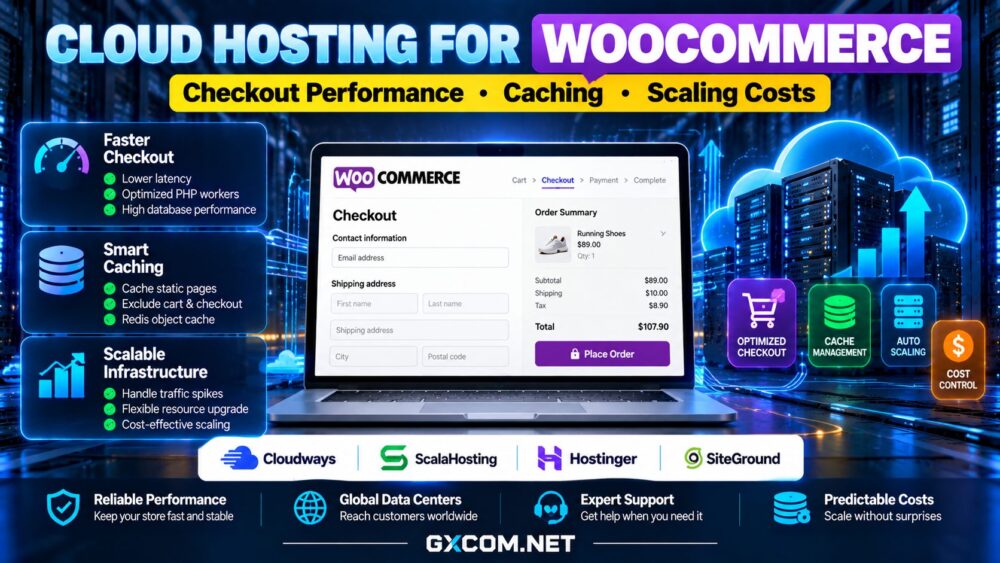
Choosing cloud hosting for WooCommerce requires more than comparing homepage speed scores. Product browsing can benefit from aggressive caching, but cart updates, customer accounts, and checkout requests often need dynamic processing. A store that loads quickly for anonymous visitors can still lose sales when shoppers reach payment.
This guide explains how server resources, caching rules, database performance, and scaling affect real shopping sessions. It also examines Cloudways, ScalaHosting, Hostinger, and SiteGround as options to investigate, with an emphasis on support scope and total operating costs rather than promotional prices.
Why WooCommerce Checkout Performance Is Different
A cached product page may require little application processing after its first request. Checkout is different: WooCommerce must validate cart contents, calculate shipping and taxes, interact with payment services, and update orders. Logged-in customers may also trigger personalized queries that bypass full-page caches.
Consequently, a fast content delivery network cannot compensate for an overloaded PHP worker pool or a slow database. Measure uncached requests, especially add-to-cart actions, cart refreshes, and checkout submissions. Monitor time to first byte alongside server CPU, memory, PHP worker saturation, and database query duration.
Our cloud hosting services comparison provides broader infrastructure context, but WooCommerce purchasing decisions should prioritize transactional performance.
Configure Caching Without Breaking the Cart
Page caching is valuable for catalog pages, editorial content, and many anonymous product views. However, cart, checkout, and account pages generally require careful exclusions. Caching a personalized response for another visitor can expose incorrect cart information or cause checkout failures.
Check the current WooCommerce compatibility guidance for your cache plugin, reverse proxy, and CDN. Configure appropriate exclusions for dynamic routes, relevant cookies, and session-sensitive responses. Test coupon application, shipping calculations, login, and payment redirects after every caching change.
An object cache such as Redis may reduce repeated database work, but it is not a substitute for correct page-cache rules. Its benefit depends on query patterns, memory allocation, eviction settings, and application compatibility. Database indexing and plugin quality can matter just as much.
CPU, PHP Workers, RAM, and Database Capacity
For a busy store, the number of concurrent uncached requests is often more useful than a generic promise of unlimited visits. PHP workers process dynamic application requests; when all workers are occupied, additional requests may queue. Slow payment or shipping integrations can keep workers busy longer.

Look for sufficient CPU capacity, predictable memory allocation, and monitoring that reveals worker saturation. NVMe storage can help with disk-intensive operations, but storage marketing alone does not establish database performance. A poorly optimized plugin can overwhelm even a generously provisioned instance.
Review our NVMe VPS performance guide for storage considerations, then test the actual WooCommerce workload before upgrading hardware.
WooCommerce Cloud Hosting Providers to Compare
Cloudways: Managed Cloud Workflows
Cloudways is worth considering for WooCommerce teams seeking managed deployment workflows and server-level controls without maintaining every infrastructure component themselves. Examine the selected cloud plan, caching stack, backup options, staging capabilities, and available support tiers.
Ask how application troubleshooting differs from infrastructure support. A managed platform can simplify operations, but custom checkout code and third-party payment plugins may remain the merchant’s responsibility.
ScalaHosting: Management and Resource Control
ScalaHosting is relevant for merchants comparing managed VPS-style resources and administration assistance. Evaluate the actual package’s CPU, RAM, control panel, backup policy, and support boundaries.
For stores with sustained dynamic traffic, predictable resource allocation can be useful. Confirm whether performance optimization, malware cleanup, and application-level troubleshooting are included or require separate work.
Hostinger: Compare Managed WooCommerce Options
Hostinger offers hosting products aimed at WordPress and online stores. Check which specific plan supplies the resource limits, staging tools, caching features, and support arrangements your store needs; not every WordPress plan should be treated as an equivalent cloud server.
Compare introductory commitments with renewal terms and confirm how backups and upgrades work when traffic increases.
SiteGround: WordPress-Oriented Hosting Features
SiteGround is another option to evaluate for WooCommerce-focused hosting. Review its current cloud and WordPress offerings separately, including caching configuration, resource allocation, staging availability, and management scope.
Its suitability depends on the chosen service rather than brand reputation alone. Verify the exact product’s limits and renewal conditions before making a purchase.
Scaling for Promotions and Seasonal Traffic
A flash sale creates two kinds of demand: cacheable browsing and uncached cart or checkout activity. Adding a CDN can reduce requests for static assets and eligible pages, but it does not eliminate database writes or payment processing.
Before a campaign, load-test realistic customer journeys with test accounts and sandbox payments. Monitor concurrent checkouts, failed requests, worker queues, database connections, and checkout completion rates. Keep payment gateway rate limits and external service delays in the test plan.
Vertical scaling adds resources to an instance; horizontal scaling distributes work across multiple instances. The latter may require shared sessions, compatible storage, coordinated caches, and careful database architecture. Do not assume every managed hosting plan offers automatic horizontal scaling.
Calculate the Real Cost of Scaling
Compare the server subscription with backups, CDN or WAF services, additional storage, premium support, and developer administration time. A lower entry price can become expensive if upgrades require a large plan jump or a long prepaid commitment.

For example, a hypothetical $30 monthly server plus $8 in backups and $12 in additional services totals $50 monthly. If a seasonal upgrade adds $25 for two months, annual spending rises by $50. These figures are illustrative, not supplier quotations.
Use our cloud hosting offers guide to compare purchasing models, and our managed cloud hosting comparison to assess management value.
Security, Backups, and Recovery Before Launch
Protect administrative accounts with multifactor authentication, restrict unnecessary access, keep plugins updated, and confirm payment data is handled through an appropriate gateway integration. Hosting security features do not replace application maintenance.
Verify backup frequency, retention, off-site storage, and restoration procedures. Test a full restore in staging rather than assuming a successful backup job guarantees a recoverable store. Define acceptable data loss and downtime for orders before a high-traffic campaign.
Final Verdict: Optimize the Checkout Journey
The best WooCommerce cloud hosting choice is the one that maintains responsive uncached transactions at a predictable operating cost. Cloudways, ScalaHosting, Hostinger, and SiteGround offer different service approaches worth comparing, but exact features depend on the selected plan.
Start with real checkout measurements, correct cache exclusions, and database monitoring. Then select resources and support that fit your busiest realistic shopping period, not just an attractive homepage benchmark.