When multiple websites share one hosting server, a single overloaded account can affect neighboring customers. Sudden CPU spikes, excessive PHP processes, and poorly optimized applications may create performance problems even when the underlying hardware is powerful.
This is why CloudLinux vs Standard Linux Hosting matters to WordPress owners, hosting resellers, and businesses managing multiple websites. CloudLinux provides specialized resource management and account isolation features, while conventional Linux distributions offer flexible alternatives that depend more heavily on administrator configuration.
Understanding these differences helps buyers evaluate hosting stability, security, performance limits, and long-term costs.
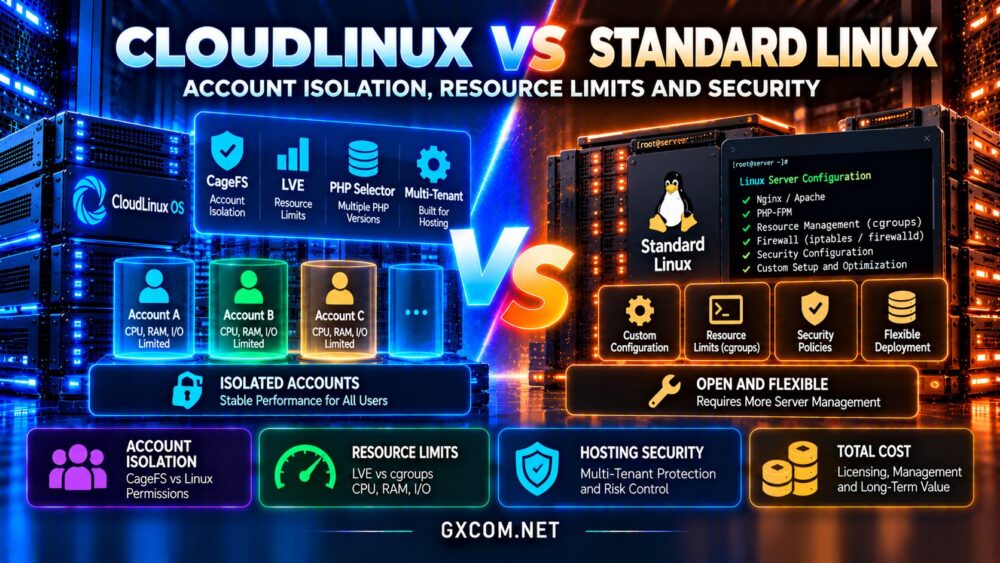
CloudLinux vs Standard Linux Hosting: Quick Verdict
Choose CloudLinux hosting when you need a shared or reseller hosting environment with integrated per-account resource controls, filesystem isolation, and tools designed for managing many customers.
Choose standard Linux hosting when you need a configurable VPS, dedicated server, or cloud environment and have the expertise to implement appropriate resource controls and security policies.
Neither option guarantees better speed or complete security. Hardware quality, account limits, server management, caching, and application maintenance remain essential.
What Is CloudLinux Hosting?
CloudLinux OS is a commercial Linux distribution designed primarily for multi-tenant hosting environments. It builds on familiar Linux administration while adding tools that help providers separate customer workloads.
Its major technologies include Lightweight Virtual Environment, commonly called LVE, and CageFS. Depending on the edition and configuration, hosting providers may also offer PHP Selector and additional application management features.
CloudLinux is especially relevant to shared hosting and reseller platforms where hundreds of websites may operate on the same physical server.
For buyers comparing these environments, our VPS vs shared hosting comparison explains the underlying hosting models.
What Is Standard Linux Hosting?
Standard Linux hosting generally refers to hosting environments built on distributions such as AlmaLinux, Ubuntu, Debian, or other Linux operating systems without the specialized CloudLinux hosting stack.
These systems can run Apache, NGINX, LiteSpeed-compatible configurations, PHP, databases, and WordPress applications.
Linux also provides mechanisms such as control groups, namespaces, filesystem permissions, and mandatory access controls. Administrators can combine these technologies to restrict resources and isolate workloads.
The main difference is integration. CloudLinux packages hosting-specific management features, while standard Linux deployments may require separate tools and additional configuration.
Account Isolation: CageFS vs Traditional Linux Permissions
Account isolation is one of the most important considerations in shared hosting. Customers should not be able to browse another customer’s private files or interfere with neighboring applications.
How CageFS Works
CageFS creates a virtualized filesystem view for individual hosting users. When correctly deployed, it restricts what users can see and helps prevent accidental exposure of other accounts’ files and system information.
This approach is particularly valuable on servers hosting unrelated customers under separate accounts.
Isolation on Standard Linux
Traditional Linux systems use ownership, permissions, access controls, namespaces, and other security mechanisms. Containers and virtualization can provide additional boundaries when properly implemented.
However, simply creating separate Linux users does not automatically reproduce every CageFS feature.

CloudLinux simplifies a specific hosting isolation workflow, but it does not replace application security, patching, or responsible server administration.
Resource Limits: Understanding CloudLinux LVE
Lightweight Virtual Environment technology allows hosting administrators to apply resource controls to individual accounts.
Depending on configuration, limits can cover CPU usage, physical memory, concurrent entry processes, process counts, and disk I/O.
These controls help prevent one account from consuming excessive shared resources during traffic spikes or inefficient application execution.
What Happens When a Website Reaches Its Limit?
Reaching a resource limit may cause requests to slow down, processes to be restricted, or visitors to encounter errors. The precise behavior depends on which limit is exceeded.
For example, a WordPress website exhausting its entry process allocation may struggle to handle additional concurrent dynamic requests.
CloudLinux can protect neighboring accounts, but restrictive limits can still produce a poor experience for the affected website.
Buyers should therefore ask providers for actual CPU, memory, I/O, and process allocations rather than accepting vague descriptions such as unlimited hosting.
Does CloudLinux Improve WordPress Performance?
CloudLinux can improve performance consistency across a crowded shared server by reducing the impact of resource-intensive neighboring accounts.
However, it does not automatically accelerate PHP execution, database queries, or uncached WordPress pages.
A website with inefficient plugins, insufficient memory, or an overloaded database may remain slow even when account isolation is working correctly.
Likewise, a carefully managed standard Linux server with adequate resources can deliver excellent WordPress performance.
Measure the Right Performance Indicators
Evaluate uncached response time, CPU pressure, memory consumption, disk I/O, database latency, and performance during concurrent visits.
Check whether the provider discloses resource limits and offers practical upgrade paths when your website grows.
Our managed WordPress vs shared hosting guide covers additional performance and management considerations.
Security: Is CloudLinux Safer Than Standard Linux?
CloudLinux provides useful isolation features for multi-user hosting environments, but security depends on more than the operating system.
CageFS can reduce cross-account filesystem visibility. Resource controls can also limit certain forms of disruption caused by excessive account activity.
Neither feature guarantees protection against vulnerable WordPress plugins, stolen passwords, malicious administrators, or every privilege-escalation vulnerability.
Standard Linux can also be secured through careful permissions, timely updates, access restrictions, monitoring, and workload isolation.
When evaluating a hosting provider, ask about malware scanning, backups, patch management, account separation, and incident response procedures.
PHP Selector and WordPress Compatibility
CloudLinux environments may include PHP Selector, allowing supported hosting accounts to choose among available PHP versions and extensions.
This can help agencies maintain websites with different application requirements during upgrades.
However, older PHP versions may contain security weaknesses. Compatibility should never become an excuse to postpone essential application maintenance indefinitely.
Standard Linux hosting can also support multiple PHP versions through alternative packages, PHP-FPM pools, containers, or hosting control panels.
The best solution is one that provides supported PHP versions, predictable updates, and straightforward application testing.
Shared Hosting vs VPS: Which Benefits More?
CloudLinux’s strongest value proposition appears in shared and reseller hosting, where many independent accounts compete for the same server resources.
For a single-purpose VPS, the customer already receives a virtualized environment with defined resource allocations. Adding CloudLinux may provide limited benefit unless the VPS itself hosts multiple separate customer accounts.
Dedicated server operators running reseller businesses may find CloudLinux useful because they manage many tenants within one operating system.
For agencies considering that model, see our reseller hosting for agencies guide.
CloudLinux Licensing and Total Hosting Costs
CloudLinux OS requires commercial licensing, although shared hosting providers commonly incorporate software expenses into their service pricing.
Standard Linux distributions are often available without a distribution license fee, but management, security software, monitoring, and technical support still create operational costs.
A lower software cost does not necessarily produce a cheaper managed hosting service.
Compare the complete package, including CPU allocations, storage, backups, control panel licensing, support quality, renewal pricing, and migration assistance.
For hosting resellers, consistent account isolation and easier resource management may justify additional software expenses.
Hosting Providers Worth Comparing
Verpex: Shared and Reseller Hosting
Verpex is relevant for customers comparing multi-account hosting and reseller services. Review its current account limits, isolation technologies, backup policies, and management features for the specific plan.

KnownHost: Managed Hosting and VPS
KnownHost offers hosting options for customers evaluating managed environments and server upgrades. Confirm the operating system, resource controls, and security responsibilities associated with each service.
ChemiCloud: WordPress Hosting
ChemiCloud is worth considering for WordPress-focused hosting comparisons. Evaluate published resource limits, account protection, backups, and renewal terms rather than assuming every plan uses the same infrastructure.
HostArmada: Managed Website Hosting
HostArmada provides another managed hosting option for website owners. Ask which isolation and resource management mechanisms apply to the selected package.
Compare these providers alongside the criteria in our web hosting services comparison.
Frequently Asked Questions
Is CloudLinux faster than regular Linux?
Not inherently. Its main advantage is controlling resource competition in shared environments, not automatically accelerating applications.
Does CloudLinux prevent one website from affecting others?
It can substantially limit resource interference when configured correctly, but no isolation system eliminates every possible disruption.
Do I need CloudLinux for a VPS?
Usually not for a single application. It becomes more relevant when the VPS hosts multiple independent customer accounts.
Is CloudLinux free?
CloudLinux OS is commercially licensed. Hosting providers may include its cost within their advertised plans.
Final Verdict: CloudLinux or Standard Linux Hosting?
The CloudLinux vs Standard Linux Hosting decision depends primarily on how many accounts share the infrastructure and who manages their resources.
CloudLinux is attractive for shared and reseller environments requiring integrated account isolation and predictable resource controls.
Standard Linux remains an excellent choice for VPS, dedicated, and cloud deployments where administrators can configure appropriate security and workload management.
Before purchasing, compare Verpex, KnownHost, ChemiCloud, and HostArmada using verified plan specifications, transparent limits, security practices, and total hosting costs.