Managed cloud hosting promises a simpler way to run WordPress without maintaining an entire server yourself. Yet convenience comes at a cost, and not every platform handles traffic spikes, backups, or resource upgrades in the same way.
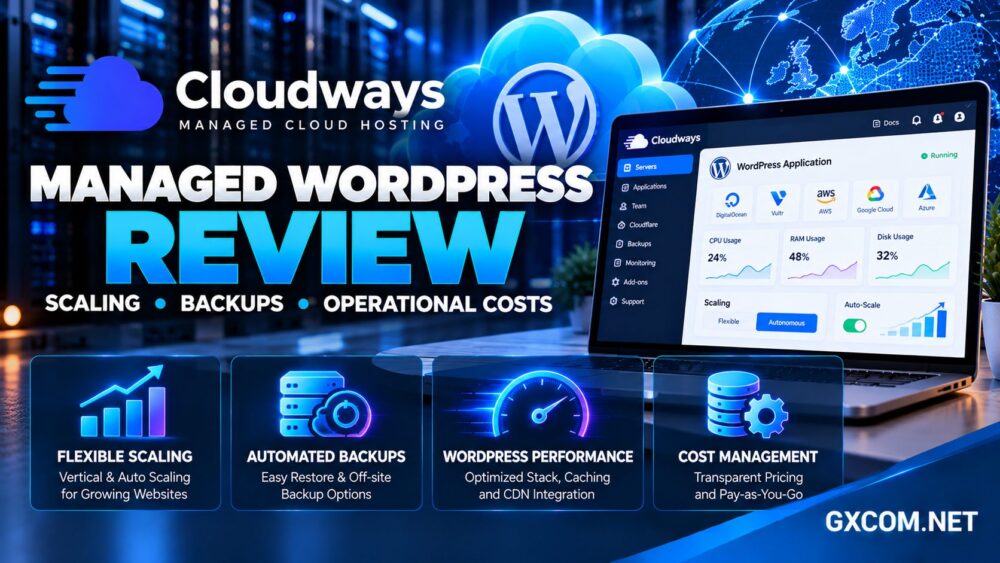
In this Cloudways Managed WordPress Cloud review, we examine two distinct products—Cloudways Flexible and Cloudways Autonomous—and explain their differences in scaling, backup management, technical support, and operational expenses.
The goal is to determine when Cloudways offers meaningful value over conventional shared hosting, self-managed cloud servers, and competing managed WordPress platforms.
Cloudways Managed WordPress Cloud Review: Quick Verdict
Cloudways is a strong candidate for website owners who want cloud infrastructure with managed server services, deployment tools, caching, and centralized administration.
Flexible is particularly relevant to agencies and developers who want to select server resources and manage multiple applications. Autonomous targets WordPress businesses that need application-level autoscaling during changing traffic conditions.
The trade-off is cost visibility. Server resources, backup storage, premium services, and usage-based charges can affect the final bill.
Our verdict: Cloudways is worth considering when reduced operational workload justifies the platform expense. Buyers should choose Flexible or Autonomous based on workload behavior, not simply the advertised entry price.
Cloudways Flexible vs Autonomous: Key Differences
Cloudways Flexible is a managed cloud hosting platform built around configurable servers. Customers select infrastructure resources, deploy applications, and use platform tools for maintenance, backups, monitoring, and scaling.
Cloudways Autonomous is designed around managed WordPress applications with automatic resource scaling. Instead of manually increasing an entire server’s size during traffic spikes, the platform can add application capacity as demand rises.
| Feature | Flexible | Autonomous |
|---|---|---|
| Primary workload | WordPress and PHP applications | WordPress and dynamic websites |
| Scaling model | Vertical server scaling | Application autoscaling |
| Infrastructure control | Greater server configuration choice | More platform-managed |
| Backup charges | Off-site storage billed separately | Off-site backups included |
| Billing basis | Server usage | Application and autoscaling usage |
For a broader comparison of hosting architectures, see our managed cloud hosting providers comparison.
Scaling: Vertical Upgrades vs True Autoscaling
Scaling is one of the most important differences between Cloudways products.
Vertical Scaling on Cloudways Flexible
Flexible allows customers to increase server resources such as CPU, RAM, and storage through supported infrastructure configurations.
This approach can help a steadily growing WordPress website handle more simultaneous requests or demanding background processes.
However, vertical scaling is not the same as automatically adding computing capacity whenever traffic increases. Administrators must plan resource changes, consider provider-specific limitations, and review the resulting billing impact.
Autoscaling on Cloudways Autonomous
Autonomous uses application-level scaling based on demand. Its architecture can add additional application instances with processing resources and PHP workers, then reduce them when traffic declines.
This is attractive for WooCommerce promotions, online courses, ticket launches, and websites with unpredictable visitor surges.
Additional scaling capacity can generate usage charges. Customers should configure available budget controls and understand what happens when those limits are reached.

Our cloud hosting vs VPS comparison explains the wider trade-offs between cloud flexibility and fixed server resources.
WordPress Speed, Caching and Application Performance
Cloudways includes performance-oriented infrastructure and caching tools, but real website speed depends on more than the hosting brand.
Its Flexible platform advertises optimized server software, caching options, and a newer NGINX-based Lightning Stack. Available features vary by configuration and platform.
Autonomous emphasizes application-level optimization, object caching, and integrated delivery features for WordPress workloads.
Neither approach guarantees that a poorly optimized website will become fast automatically.
What Should You Benchmark?
Test uncached WordPress pages, logged-in sessions, WooCommerce checkout, database-heavy searches, and background tasks.
A cached homepage can load quickly while dynamic requests remain limited by PHP execution, database queries, or insufficient application capacity.
Review server metrics, application errors, and response times before paying for additional resources.
Backups and Restoration: What Is Included?
Cloudways provides managed backup functionality, but the commercial details differ between Flexible and Autonomous.
On Flexible, off-site backup storage is charged according to the amount of stored backup data. More frequent changes and longer retention can increase storage usage.
On Autonomous, Cloudways states that off-site backup costs are included in the selected plan.
Both approaches can reduce routine administration, but backups should be evaluated according to recovery requirements rather than feature labels alone.
Questions to Ask Before Relying on Backups
- How frequently are backups created?
- How long are recovery points retained?
- Can individual applications be restored?
- Are database and file recovery supported?
- What happens during a failed deployment or migration?
Businesses should also maintain an independent backup strategy for critical content, customer records, and transaction data.
A backup is only useful when restoration works. Test recovery procedures before an emergency.
Security, Staging and Daily Management
Cloudways provides centralized tools for application deployment, SSL configuration, staging, monitoring, and server administration.
Staging environments are particularly valuable for testing WordPress updates, plugin compatibility, and theme changes before modifying a production website.
Security-related features include firewall controls and platform-specific protections, but customers remain responsible for application security, user permissions, and safe plugin maintenance.
Managed hosting reduces infrastructure responsibilities; it does not eliminate the need for operational discipline.
For a deeper explanation of management boundaries, read our managed vs unmanaged hosting guide.
Technical Support: Where Does Management End?
Cloudways advertises around-the-clock support and offers different support arrangements depending on the product and service level.
Its managed platform can help with infrastructure-related troubleshooting, platform settings, and common deployment problems.
However, custom WordPress development, unusual third-party integrations, and application-specific bugs may require separate developer assistance.
Before migrating a business-critical website, verify the support scope for plugin conflicts, database optimization, malware recovery, and complex deployment requirements.
For agencies, predictable support responsibilities can be as valuable as additional computing resources.
Cloudways Pricing and Operational Costs
Cloudways uses usage-based billing, but Flexible and Autonomous calculate charges differently.
Flexible generally bills for running server resources, with additional costs for applicable services and consumption. Autonomous bills active applications and can charge for additional autoscaling capacity or resource overages.
These distinctions make a simple advertised monthly price an incomplete measure of ownership cost.
Build a Realistic Hosting Budget
- Base server or application plan
- Additional CPU and memory requirements
- Backup storage and retention
- Bandwidth or storage overages
- Premium support and optional services
- Email, DNS, and other integrations
- Developer time and migration work
For example, a business with stable traffic may find a predictable Flexible configuration easier to budget. A store with occasional large promotions may value Autonomous scaling, provided it monitors additional usage charges.
Stopping a Flexible server does not necessarily eliminate billing while infrastructure resources remain allocated. Review the provider’s billing documentation before assuming a paused workload is free.
Our cloud hosting offers guide helps compare promotional pricing with ongoing infrastructure expenses.
Cloudways vs Other Managed Cloud Hosting Providers
Cloudways should be compared against providers that solve similar problems through different management models.
ScalaHosting offers managed cloud VPS hosting and its SPanel environment. It may appeal to businesses seeking managed server resources with a different control panel ecosystem.
Kamatera emphasizes configurable cloud infrastructure. It is relevant for users who want greater control over server sizing and deployment, although management services and responsibilities require separate evaluation.
Hostinger offers WordPress-focused hosting products that may be attractive to smaller websites seeking simpler administration and a more conventional hosting experience.

SiteGround provides managed WordPress tools, security features, and a streamlined platform for businesses prioritizing convenience.
Compare resource allocation, application limits, backup policies, management coverage, and long-term expenses rather than relying on marketing claims.
Who Should Choose Cloudways?
Cloudways Flexible may suit developers, agencies, and growing WordPress businesses that want configurable cloud resources without managing every infrastructure component.
Cloudways Autonomous may better suit WooCommerce stores, membership platforms, and high-traffic applications facing unpredictable demand.
Beginners with small, low-traffic websites may prefer simpler shared or managed WordPress hosting. Highly experienced administrators may prefer direct infrastructure management when minimizing platform overhead is the priority.
Frequently Asked Questions
Does Cloudways automatically scale WordPress websites?
Cloudways Autonomous supports application autoscaling. Cloudways Flexible primarily offers vertical server scaling, which is a different mechanism.
Are Cloudways backups free?
Off-site backup storage is separately billed on Flexible. Cloudways states that off-site backup costs are included with Autonomous plans.
Is Cloudways suitable for WooCommerce?
Yes, depending on store size, transaction volume, application configuration, and the selected hosting product.
Does Cloudways include email hosting?
Customers should evaluate available email add-ons or external email services rather than assuming traditional mailbox hosting is included.
Is Cloudways cheaper than a self-managed VPS?
Not necessarily. Its value comes partly from managed services and operational tools. Compare the complete cost, including administration time.
Final Verdict: Is Cloudways Worth It?
This Cloudways Managed WordPress Cloud review finds a capable platform for businesses that value managed infrastructure, WordPress deployment tools, and flexible growth options.
Flexible is better suited to customers who want configurable server resources, while Autonomous offers a more automated scaling model for variable traffic.
The main purchasing consideration is operational cost. Review backup charges, scaling usage, support scope, and add-ons before choosing a plan.
For growing WordPress businesses, Cloudways deserves consideration alongside ScalaHosting, Kamatera, Hostinger, and SiteGround.