When a Minecraft server crashes during a community event or a Rust server becomes unreachable after an update, hardware specifications are only part of the problem. The quality of technical support can determine how quickly administrators understand the incident, restore service, and communicate with players.
Unfortunately, comparing game server hosting support is not as simple as looking for a 24/7 badge. Providers differ in their management responsibilities, support channels, response commitments, troubleshooting boundaries, and escalation procedures.
This guide explains how to evaluate managed game hosting services, distinguish response times from resolution times, and compare support policies before choosing a provider for Minecraft, Rust, ARK, or another multiplayer game.
Why Game Server Hosting Support Matters
Game communities depend on availability, predictable performance, and the preservation of player progress. Even short interruptions can disrupt scheduled events, competitive sessions, or collaborative projects.
Support becomes particularly important when an issue cannot be resolved through a hosting control panel. Examples include persistent network connectivity failures, unexplained server crashes, failed migrations, or problems involving the provider’s underlying infrastructure.
Reliable support should help administrators identify the responsible system, understand the next action, and receive appropriate assistance within the provider’s documented service scope.
For smaller communities, support accessibility may be more valuable than purchasing additional hardware that the game does not need. Our game server hosting guide for small communities explores this balance.
Managed vs Unmanaged Game Server Hosting Support
The word “managed” does not have one universal meaning across hosting providers. Some services handle the game installation and basic control panel, while others offer additional assistance with updates, backups, or configuration.
| Support Area | Managed Game Hosting | Self-Managed VPS or Server |
|---|---|---|
| Initial game installation | Often simplified or automated | Usually administrator responsibility |
| Operating-system maintenance | Typically handled within the managed platform | Usually customer responsibility |
| Game configuration | Support scope varies | Primarily self-managed |
| Mods and plugins | May be limited or excluded | Customer troubleshooting |
| Infrastructure failures | Provider responsibility within service terms | Provider handles covered infrastructure |
| Backup restoration | Depends on included features | Customer manages recovery unless contracted otherwise |
Before purchasing, determine exactly which tasks the provider performs and which remain your responsibility. A managed label should never replace a careful review of the support policy.
Response Time vs Resolution Time: The Critical Difference
Two support measurements are frequently confused: first response time and resolution time.
First Response Time
First response time measures how long it takes for a support representative to acknowledge or meaningfully answer a submitted request.
A fast acknowledgement is useful, but it does not necessarily indicate that troubleshooting has started or that the issue will be resolved quickly.
Resolution Time
Resolution time measures the interval required to restore service or otherwise resolve the reported problem. Complex incidents may require additional investigation, vendor coordination, or hardware intervention.
A provider might respond promptly while taking longer to resolve an issue that depends on upstream networking or a game software defect.
Why 24/7 Support Is Not a Resolution Guarantee
Twenty-four-hour support availability may mean that tickets can be submitted or reviewed at any time. It does not automatically guarantee instant human responses, immediate engineering intervention, or a specific resolution deadline.

Check whether advertised commitments apply to live chat, tickets, infrastructure emergencies, or every support category.
Comparing Game Hosting Support Channels
Different communication channels serve different purposes. The most useful support system offers clear routing and maintains an accessible record of the incident.
| Channel | Best Use | Potential Limitation |
|---|---|---|
| Live chat | Quick questions and basic guidance | Complex issues may require escalation |
| Support tickets | Detailed technical investigations | Response frequency may vary |
| Knowledge base | Routine setup and troubleshooting | Articles may not cover unusual failures |
| Community Discord or forum | Peer advice and announcements | Not necessarily an official support channel |
| Emergency escalation | Critical incidents where offered | Eligibility and procedures may be restricted |
Do not assume a community chat server is monitored by authorized technical staff. For account security, billing disputes, or sensitive server details, use the provider’s designated official channel.
Incident Escalation: What Happens When Basic Support Cannot Help?
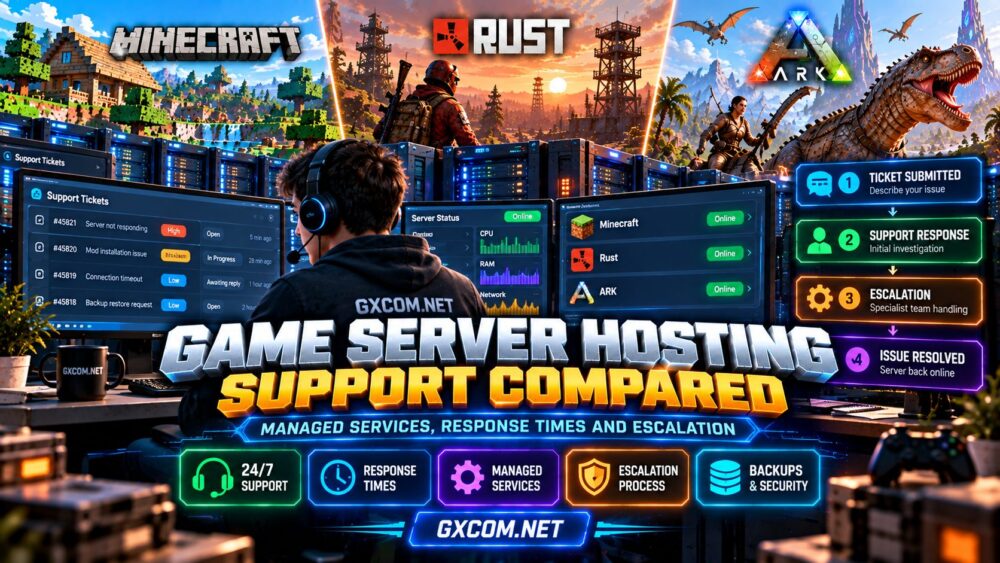
Escalation is the process of transferring an unresolved issue to personnel with the necessary authority or expertise.
A useful escalation process may involve:
- Initial triage: Confirm the affected service, symptoms, and incident severity.
- Basic troubleshooting: Review logs, recent changes, and available diagnostics.
- Specialist investigation: Involve systems, network, or platform engineers when appropriate.
- Service recovery: Restore the affected function or implement a documented workaround.
- Follow-up: Explain the outcome and identify preventive actions when possible.
These steps describe a recommended workflow, not a promise that every hosting company follows an identical process.
Ask whether critical outages receive priority, whether customers can request escalation, and how updates are communicated during prolonged incidents.
Service Level Agreements and Uptime Guarantees
A service level agreement, or SLA, may define availability commitments, exclusions, measurement methods, and remedies when the provider fails to meet specified conditions.
However, an uptime percentage does not necessarily establish a guaranteed support response time. Likewise, a service-credit policy does not prevent downtime or compensate for every business impact.
Review the precise scope of any SLA, including scheduled maintenance, third-party software failures, DDoS-related exclusions, and claim procedures.
For additional context, our guide to choosing a game hosting provider covers infrastructure and service evaluation beyond support.
Minecraft, Rust, and ARK: Different Support Needs
Minecraft: Mods, Plugins, and Version Compatibility
Minecraft administrators frequently encounter plugin conflicts, modpack installation problems, world corruption, and version mismatches.
Before choosing a managed host, verify whether support covers only the underlying server or also assists with specific Minecraft distributions and common configuration issues.
Some problems originate in third-party plugins and may fall outside the provider’s responsibility.
Rust: Wipes, Connectivity, and Server Stability
Rust communities may need assistance with server updates, connectivity failures, scheduled wipes, or unexpected crashes.
Ask whether the hosting panel supports relevant maintenance operations and whether staff can distinguish infrastructure incidents from game configuration errors.
For performance-related troubleshooting, see our Rust server lag and performance guide.
ARK: Maps, Mods, and Recovery
ARK support questions may involve large world saves, mod compatibility, version changes, and recovery from damaged files.
Because game editions differ, confirm that the provider supports the exact ARK version and understands the relevant installation and backup procedures.
Backup availability is especially important for communities with substantial player-built progress.
Five Game Hosting Providers to Evaluate
Host Havoc, Godlike.Host, Sparked Host, Survival Servers, and GameServerKings are five game-hosting providers worth including in a support-policy comparison.
Rather than assigning unsupported response-time rankings, evaluate each provider using the same questions:
- Which official support channels are available for the selected plan?
- Are support hours and response commitments documented?
- Does assistance include game-specific configuration or only infrastructure issues?
- What happens when a ticket requires engineering escalation?
- Are backup restoration and migration assistance included?
- Which game versions and server locations are currently supported?
For Minecraft communities, compare the applicable offerings from Godlike.Host, Sparked Host, and GameServerKings, subject to current product availability.
For Rust and ARK communities, Host Havoc and Survival Servers are additional options to investigate. Always confirm the exact game, plan, and support scope before ordering.
Our game server hosting providers comparison provides a broader starting point for evaluating hosting choices.
How to Test Support Before Buying
You can learn a great deal about a provider without creating an artificial emergency or purchasing an expensive package.
Contact the official pre-sales team with a legitimate, specific question about your intended workload. For example, ask whether assistance covers restoring an ARK world backup or troubleshooting a Minecraft modpack installation.
Evaluate whether the reply addresses the question clearly, identifies service limitations, and points to relevant documentation.

One interaction cannot establish a provider’s average response time, but it can reveal how clearly the company explains its responsibilities.
When Better Support Is Worth Paying For
Enhanced support can justify additional cost when downtime affects a large community, administrators have limited availability, or game-server maintenance requires unfamiliar expertise.
Smaller private communities may prefer an affordable hosting plan with clear documentation and reliable basic assistance.
Established communities should place greater emphasis on incident communication, recovery procedures, escalation paths, and support scope.
Compare the cost of additional assistance with the administrative time and operational risk it may reduce.
Game Server Hosting Support Checklist
- Confirm what managed hosting actually includes.
- Distinguish first response targets from resolution commitments.
- Check official support channels and operating hours.
- Understand escalation procedures for critical incidents.
- Review SLA exclusions and service-credit conditions.
- Verify game-specific assistance and backup restoration policies.
- Keep copies of logs, configuration changes, and support tickets.
Frequently Asked Questions
Does 24/7 game server support mean instant assistance?
No. Availability, first response targets, and resolution commitments are different. Review the provider’s published terms for the selected support channel.
Will managed hosting support fix broken Minecraft plugins?
Not necessarily. Third-party plugin troubleshooting may be excluded or limited. Confirm the provider’s game-specific support boundaries.
What should I include in a game hosting support ticket?
Include the affected server, incident time, symptoms, recent changes, relevant logs, and troubleshooting steps already attempted. Never disclose passwords or private credentials in an unsecured message.
When should I request escalation?
Follow the provider’s escalation procedure when an incident remains unresolved, becomes more severe, or requires expertise beyond initial support.
Final Verdict
Effective game server hosting support depends on more than an attractive support badge. Managed service boundaries, meaningful response commitments, transparent escalation, and reliable recovery procedures determine how useful assistance will be when problems occur.
Compare the current support terms of Host Havoc, Godlike.Host, Sparked Host, Survival Servers, and GameServerKings against your actual requirements. The best support arrangement is the one that provides appropriate help when your community needs it most.