Your dedicated server suddenly stops responding to SSH. The website is offline, the firewall may be blocking access, and a remote reboot does not fix the problem. What can you do when you cannot physically reach the machine?
This is where dedicated server IPMI, KVM over IP, rescue mode, and remote recovery tools become valuable.
These technologies provide different ways to inspect, control, and recover physical servers when ordinary network access is unavailable. However, they are not interchangeable, and not every hosting provider includes the same capabilities.
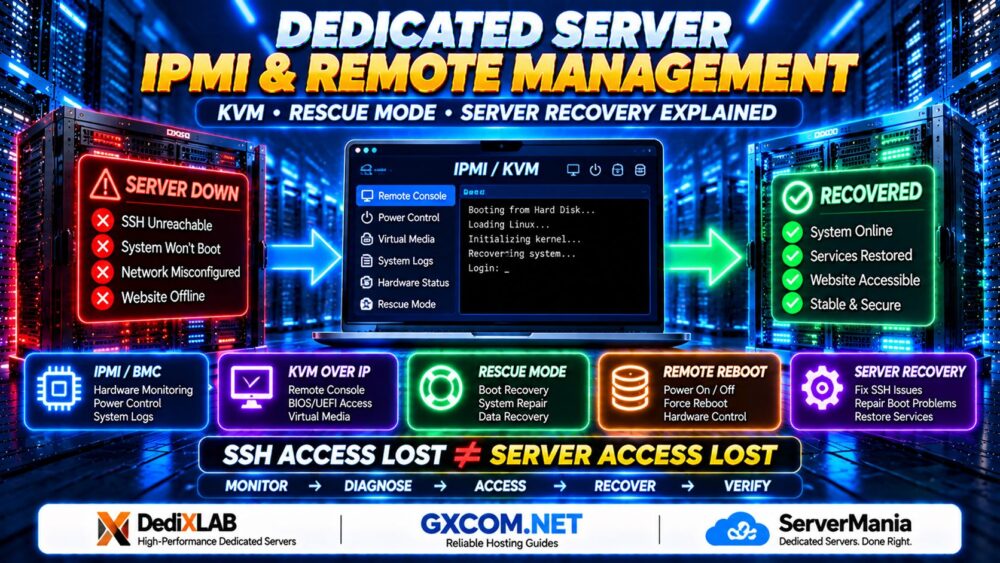
SSH ACCESS LOST ≠ SERVER ACCESS LOST.
In this guide, we explain how dedicated server remote management works, when to use IPMI or KVM, how rescue environments help recover failed Linux systems, and which features to verify before renting a bare metal server.
What Is Dedicated Server Remote Management?
Dedicated server remote management refers to the tools and interfaces used to monitor, control, troubleshoot, and recover a physical server without being present at the data center.
Remote administration can operate through the installed operating system or through a separate management interface.
The distinction matters when the operating system stops responding.
| Technology | Main Purpose | Works Without a Running OS? |
|---|---|---|
| SSH | Linux command-line administration | No |
| RDP | Windows remote desktop administration | No |
| IPMI / BMC | Hardware monitoring and power management | Usually, when management power and connectivity remain available |
| KVM over IP | Remote keyboard, video, and mouse access | Often, including BIOS/UEFI access |
| Rescue Mode | Boot into a recovery environment | Independent of the installed OS, but requires successful recovery boot |
| Remote Reboot | Restart a server through a provider control interface | Depends on implementation |
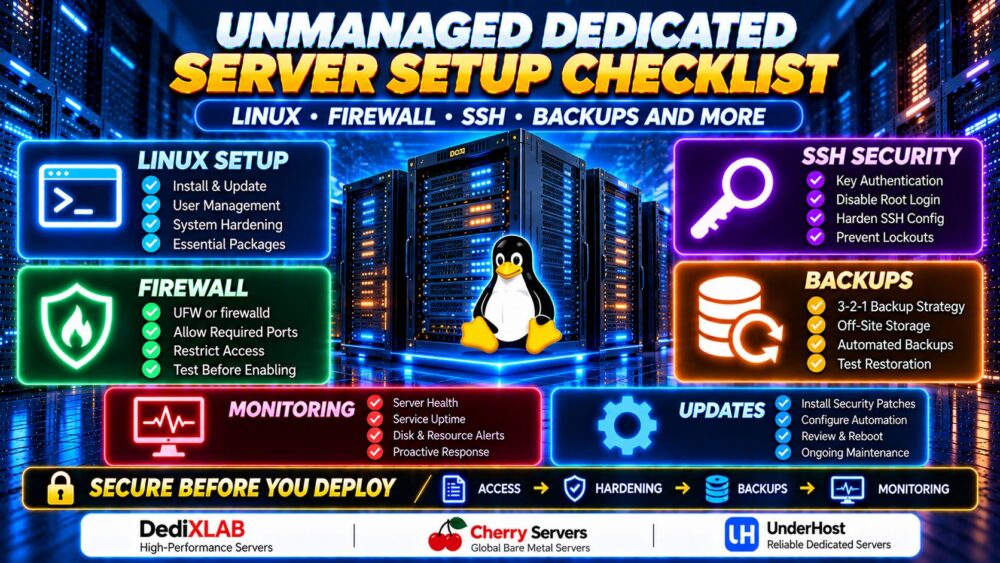
For administrators managing their own Linux environment, our Unmanaged Dedicated Server Setup Checklist covers SSH hardening, firewall configuration, updates, and backups.
1. What Is IPMI on a Dedicated Server?
IPMI stands for Intelligent Platform Management Interface. It is a standardized interface for certain hardware management functions, commonly implemented through a baseboard management controller (BMC).
A BMC is a dedicated management processor that can operate separately from the server's main operating system.
Depending on the hardware and provider configuration, IPMI-based management can support:
- Remote power on, power off, and reset
- Hardware health monitoring
- Temperature and fan information
- System event logs
- Power supply and sensor status
- Remote management integration
Some BMC platforms also provide browser-based consoles, virtual media, and modern management APIs. These features are vendor-specific and should not be assumed to be part of IPMI itself.
IPMI vs BMC: Are They the Same?
Not exactly. A BMC is the hardware management controller, while IPMI is one interface or protocol that a BMC may support.
Modern server platforms may also expose management functions through Redfish or vendor-specific interfaces such as iDRAC and iLO.
When a hosting provider advertises IPMI access, ask what interface is actually available and whether it includes a remote console.
2. What Is KVM over IP?
KVM stands for Keyboard, Video, and Mouse. KVM over IP allows an administrator to interact with a server's console remotely.
Unlike SSH, which depends on a functioning operating system and network service, hardware-level KVM can display boot screens and firmware menus before Linux or Windows starts.
This is particularly useful when:
- The server cannot boot normally
- SSH access is blocked
- A firewall configuration is incorrect
- The network interface has been misconfigured
- The system requires BIOS or UEFI changes
- An operating system installation needs console access
KVM over IP vs KVM Virtualization
These are different technologies despite sharing the same abbreviation.
KVM over IP provides remote console access to a physical machine.
Kernel-based Virtual Machine (KVM) is a Linux virtualization technology used to run virtual machines.
When comparing dedicated hosting offers, confirm which meaning the provider uses.
What Is Virtual Media?
Some remote management systems let administrators mount an ISO image or other installation media remotely.
This can simplify operating system installation, diagnostics, or recovery when the provider permits virtual media access.
Availability, performance, and permissions depend on the management platform and hosting service.
3. IPMI vs KVM vs Rescue Mode: Which One Do You Need?
Each tool addresses a different recovery problem.
| Situation | Preferred Starting Point |
|---|---|
| SSH service stopped | KVM console or rescue environment |
| Incorrect Linux firewall rules | KVM console, then inspect firewall configuration |
| Server is powered off | Remote power management or provider support |
| Linux bootloader failure | KVM console or rescue mode |
| Corrupted configuration files | Rescue environment and verified backups |
| Suspected disk failure | Hardware diagnostics and provider support |
| Operating system reinstallation | Provider reinstall tool, rescue mode, or virtual media |
IPMI and BMC tools help manage hardware. KVM provides console interaction. Rescue mode provides a temporary recovery operating environment.

A complete recovery strategy may require more than one of these capabilities.
4. What Is Dedicated Server Rescue Mode?
Rescue mode is a recovery environment that allows administrators to inspect or repair a server without booting its normal installed operating system.
Depending on the provider, rescue mode may use network boot, a temporary Linux environment, or recovery media.
Common rescue tasks include:
- Inspecting partitions and filesystems
- Repairing bootloader configuration
- Correcting invalid network settings
- Resetting authorized account credentials
- Reviewing system logs
- Copying data from an inaccessible installation
- Restoring files from backups
Rescue mode is not guaranteed to repair every failure. Physical disk damage, unsupported encryption configurations, or severe filesystem corruption may require additional tools or provider intervention.
How Does Rescue Mode Work?
A typical recovery workflow involves:
- Activating the provider's rescue environment.
- Rebooting into the temporary recovery system.
- Authenticating using the provider's approved access method.
- Identifying the installed disks and partitions.
- Inspecting the problem before making changes.
- Repairing configuration or restoring verified data.
- Unmounting filesystems safely and rebooting normally.
The exact steps differ by provider, operating system, disk layout, and encryption configuration.
5. How to Recover a Dedicated Server After Losing SSH Access
Suppose an administrator changes the SSH configuration or firewall rules and can no longer connect.
Before assuming the server has failed, determine whether the problem is limited to SSH, general networking, or the operating system itself.
Step 1: Check Provider Monitoring and Power Status
Review the hosting control panel for hardware status, network alerts, maintenance notices, and available console tools.
A remote power cycle should not be the first response to every outage, especially when the server may be writing important data.
Step 2: Open the Remote Console
If KVM over IP is available, connect through the provider's approved management interface.
Check whether the operating system is running, displaying boot errors, or waiting for administrator input.
Step 3: Inspect Network and SSH Services
For a Linux system accessible through the console, useful commands include:
ip addr
ip route
ss -tlnp
systemctl status ssh
On Rocky Linux, AlmaLinux, and some other distributions, the SSH service is commonly named sshd rather than ssh.
Review relevant logs using:
journalctl -u ssh -b
Replace the service name where necessary.
Step 4: Validate SSH Configuration
If the SSH daemon is installed, validate its configuration before restarting or reloading the service:
sudo sshd -t
Check the effective settings and any configuration files included through the SSH configuration directory.
If firewall rules caused the problem, inspect them through the console before applying corrections.
Step 5: Test Remote Access Again
After correcting the issue, open a new SSH connection and verify administrative access before ending the recovery session.
RECOVER ACCESS FIRST. CHANGE SECURITY SETTINGS SECOND.
6. Recovering a Linux Server That Will Not Boot
Boot failures can result from damaged bootloader files, incorrect filesystem entries, failed updates, storage problems, or other configuration errors.
A remote console can reveal boot messages that are invisible through SSH.
If the system cannot boot normally, activate a supported rescue environment and inspect the storage layout.
Identify Disks and Filesystems
lsblk -f
blkid
df -h
Do not assume the operating system is installed on a particular device such as /dev/sda. NVMe drives, RAID arrays, and logical volumes can use different device names.
Review Filesystem and Boot Configuration
Where appropriate, examine the installed system's /etc/fstab, bootloader configuration, and recent system logs.
Filesystem repair utilities should only be used after identifying the correct device and confirming that the filesystem is not mounted in a way that makes repair unsafe.
On encrypted systems, additional authentication and recovery keys may be required.
When Should You Contact the Hosting Provider?
Escalate to provider support when diagnostics indicate physical hardware problems, inaccessible management interfaces, disk controller faults, or conditions outside your administrative permissions.
Unmanaged hosting typically places operating system administration with the customer, but physical hardware replacement remains subject to the provider's service agreement.
7. IPMI Security: Why Management Interfaces Need Protection
Remote management interfaces are powerful because they can control hardware and access sensitive server functions.
That also makes them high-value security targets.
Where supported, follow these precautions:
- Do not expose management interfaces directly to the public internet.
- Use a private management network, VPN, or provider-approved access gateway.
- Replace default credentials with unique strong credentials.
- Enable multifactor authentication on the provider portal where available.
- Restrict management access to authorized administrators.
- Keep BMC firmware updated through an approved maintenance process.
- Disable unnecessary legacy management protocols.
- Review management access logs and user permissions.
- Revoke temporary access when recovery work is complete.
Some legacy IPMI implementations have known security weaknesses. Prefer current, supported management platforms and secure access methods whenever possible.
REMOTE CONTROL WITHOUT ACCESS CONTROL IS A SECURITY RISK.
8. Does Every Dedicated Server Include IPMI or KVM?
No. Dedicated server management capabilities depend on the hardware, provider, data center, and service package.
Some providers expose a BMC interface through a secure portal. Others offer temporary KVM access, remote reboot controls, or a separate rescue environment.
Access may be permanently available, enabled only on request, or restricted to provider technicians.
DediXLAB: Verify Remote Management Availability
When evaluating dedicated server configurations from DediXLAB, ask which remote recovery tools are available for the selected hardware.
Confirm whether console access, remote reboot, rescue mode, and operating system reinstall options are included, restricted, or subject to additional arrangements.
ServerMania: Evaluate Infrastructure and Recovery Support
ServerMania is another dedicated infrastructure provider to consider when comparing server administration requirements.
Request details about remote console availability, hardware replacement procedures, recovery assistance, and the responsibilities assigned to customers under unmanaged hosting.
For a broader view of dedicated infrastructure choices, see our Bare Metal Server Providers Comparison.
Neither provider should be assumed to offer identical management features across every server model or location.
9. Remote Management Features to Check Before Buying
Before renting an unmanaged dedicated server, ask the provider the following questions:
- Is a hardware management controller available?
- Does the plan include IPMI, Redfish, or another management interface?
- Can I access a remote KVM console?
- Is the console permanently available or activated on request?
- Can I remotely power cycle the server?
- Is rescue mode supported?
- Can I mount installation media remotely?
- Is operating system reinstallation self-service?
- How is the management interface secured?
- Does recovery access cost extra?
- What happens if the management controller itself fails?
- How quickly can hardware faults be escalated?
These capabilities can influence the operational value of a dedicated server even when two providers offer similar CPU, RAM, and storage specifications.
10. Remote Recovery vs Backups: Why You Need Both
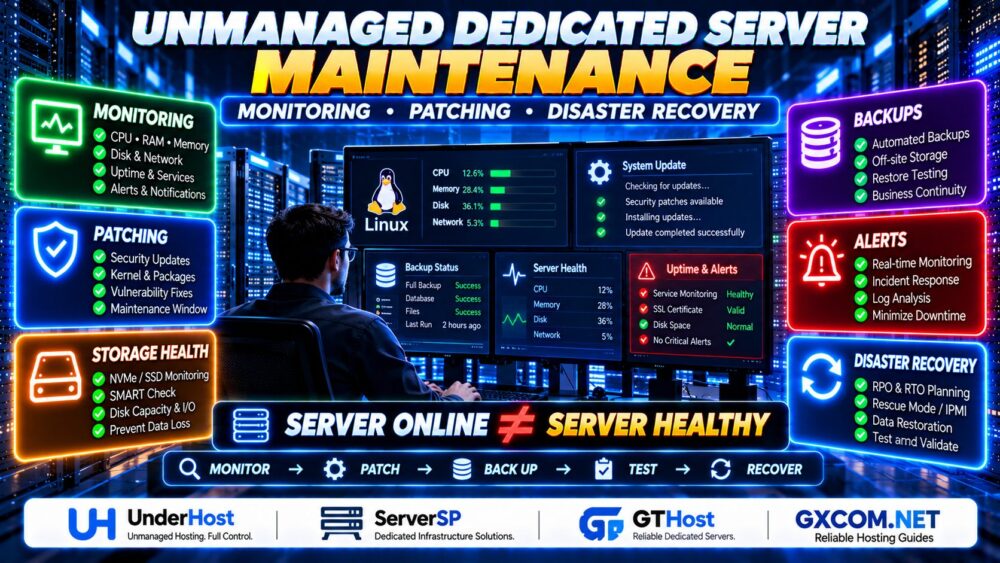
Remote management helps administrators regain control of a server, but it does not replace a data protection strategy.
IPMI cannot restore deleted customer records by itself. KVM does not protect against ransomware. Rescue mode cannot guarantee recovery from a physically failed storage device.
Maintain independent backups, document recovery procedures, and test restoration on a suitable schedule.
REMOTE ACCESS ≠ DATA RECOVERY.
For critical workloads, define recovery point and recovery time objectives that match your business requirements.
Dedicated Server IPMI and Remote Management FAQ
What is IPMI used for on a dedicated server?
IPMI provides an interface for selected hardware management functions, such as power control, health monitoring, and system event information, through a compatible management controller.
Can IPMI work when Linux is not running?
Often yes. A BMC can operate independently of the installed operating system, provided management power, connectivity, and the controller remain functional.
Is IPMI the same as KVM?
No. IPMI is a hardware management interface, while KVM over IP provides remote console interaction. A BMC platform may offer both.
Can KVM fix an SSH lockout?
KVM can provide console access to investigate and correct SSH or firewall problems, assuming the operating system remains usable and console access is available.
What is rescue mode on a dedicated server?
Rescue mode boots a temporary recovery environment so administrators can inspect disks, repair configuration problems, and restore data without using the normal installed operating system.
Is remote KVM access free?
It depends on the provider and selected plan. Some services include console access, while others restrict or separately arrange it.
Is it safe to expose IPMI to the internet?
Direct public exposure is generally discouraged. Use secure management networks, access gateways, strong authentication, and supported firmware.
Can rescue mode recover data from a failed hard drive?
Not necessarily. Severe physical failures may require hardware replacement and restoration from independent backups.
Do unmanaged dedicated servers include hardware support?
Hardware maintenance is generally governed by the provider's infrastructure service agreement, while operating system and application administration are usually the customer's responsibility.
Final Verdict: Choose Recovery Capabilities Before You Need Them
Dedicated server IPMI, KVM over IP, and rescue mode are essential concepts for anyone responsible for unmanaged physical infrastructure.
IPMI and BMC interfaces help with hardware-level management. KVM provides access to the server console. Rescue mode offers a temporary environment for diagnosing and repairing an installed operating system.
Before selecting a dedicated server from DediXLAB, ServerMania, or another provider, confirm which management tools are available, how they are secured, and what support applies during a hardware failure.
For more information about the responsibilities of running your own infrastructure, read our Unmanaged Dedicated Server Explained guide.
MONITOR → DIAGNOSE → ACCESS → RECOVER → VERIFY.
THE BEST RECOVERY PLAN STARTS BEFORE THE SERVER FAILS.