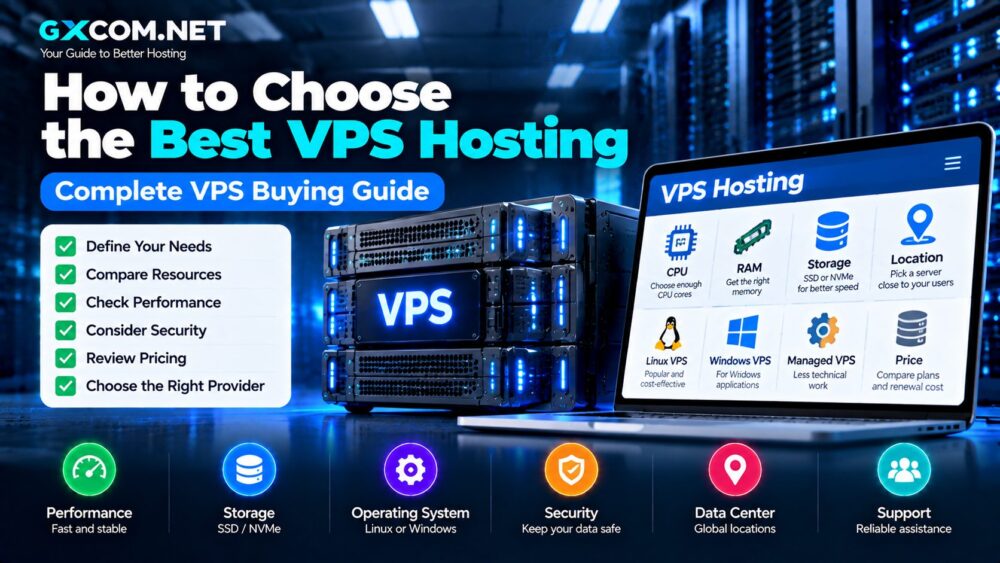
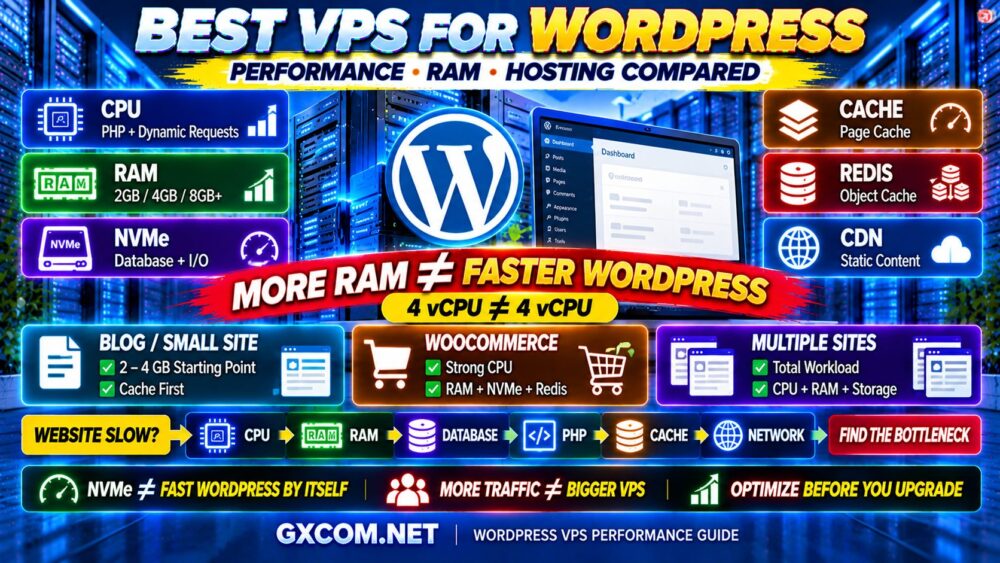
Choosing the best VPS hosting provider is not simply about finding the most CPU cores, the largest RAM allocation, or the lowest monthly price.
Two VPS plans can advertise similar specifications and still deliver very different real-world performance. CPU allocation, virtualization, storage, networking, server location, and management all influence the experience.
That is why the best VPS hosting should be selected according to your workload rather than a specification sheet alone.
In this guide, GXCOM.NET compares eight VPS and cloud infrastructure providers: VPSServer, Kamatera, ScalaHosting, Hostwinds, Contabo, IONOS, Cherry Servers, and AlphaVPS. Each serves different technical and business requirements.
Whether you host WordPress, business applications, databases, development environments, or ecommerce websites, the objective remains the same: choose sufficient resources without paying for unnecessary capacity.
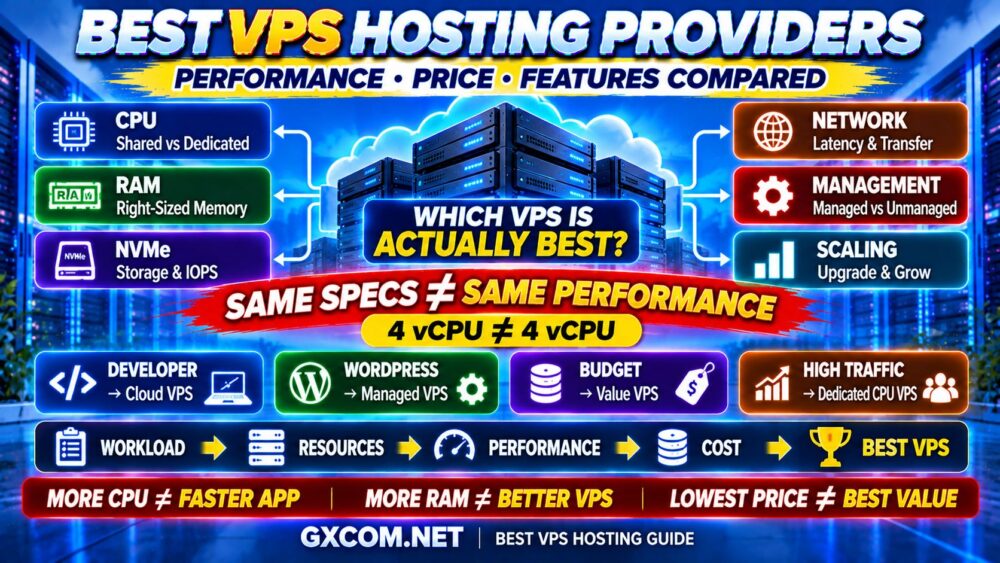
Best VPS Hosting Providers at a Glance
| Provider | Best For | Key Consideration |
|---|---|---|
| VPSServer | Developer VPS and cloud workloads | Deployment flexibility and server configurations |
| Kamatera | Custom cloud infrastructure | Adjustable CPU, RAM, and storage resources |
| ScalaHosting | Managed VPS hosting | Server management and administration support |
| Hostwinds | Linux and Windows VPS | Operating system and management choices |
| Contabo | Resource-focused VPS buyers | RAM, storage capacity, and CPU allocation |
| IONOS | Small business VPS | Entry-level configurations and operating costs |
| Cherry Servers | Infrastructure expansion | Virtual servers and dedicated infrastructure |
| AlphaVPS | Self-managed VPS environments | Resource allocation and administration flexibility |
Important: Plans, specifications, server locations, and promotions can change. Verify current availability, billing terms, and included features before purchasing.
What Makes a VPS Hosting Provider the Best?
No single VPS provider is ideal for every workload. Developers may prioritize operating system access and deployment flexibility. Businesses may value managed support, while databases require consistent processing and storage performance.
Evaluate these factors before comparing providers:
- CPU generation and shared versus dedicated allocation
- RAM capacity and upgrade options
- NVMe or SSD storage performance
- Network quality, bandwidth, and server locations
- Managed versus unmanaged administration
- Backups, security, and disaster recovery
- Support coverage and total ownership costs
A provider with generous specifications is not necessarily the fastest option. Real value depends on how well the infrastructure supports your applications.
1. VPSServer — VPS Hosting for Developers
Best for: Developers, websites, applications, and users seeking configurable virtual server infrastructure.
VPSServer is worth evaluating when deployment flexibility matters. Developers often need operating system control, predictable resource allocation, and the ability to adjust infrastructure as projects grow.
Its VPS offerings provide an alternative to conventional shared hosting. However, buyers should compare the available CPU types, storage configurations, locations, and management responsibilities.
Why Consider VPSServer?
- Virtual server infrastructure for custom applications
- Operating system and deployment choices
- Resource configurations for different workloads
- Options for developers managing their own software stacks
Before ordering, verify current resource limits and whether additional services are included. Also check how upgrades and billing changes are handled.
Best fit: Technical users who want VPS flexibility without relying on conventional shared hosting.
2. Kamatera — Best for Custom Cloud Configuration
Best for: Businesses and developers who need precise control over virtual server resources.
Kamatera offers configurable cloud infrastructure. Its approach can suit applications that need more memory without a proportional CPU increase, or greater processing capacity without extensive storage.
This flexibility helps buyers avoid oversized fixed packages. However, configuration choices also require careful cost planning.
Kamatera Strengths
- Customizable CPU, RAM, and storage resources
- Cloud infrastructure for varied applications
- Multiple deployment and networking options
- Scalability for changing workloads
Review backup services, networking charges, operating system licensing, and management requirements when calculating total costs.
Best fit: Users who understand their workloads and prefer granular infrastructure configuration.
3. ScalaHosting — Best for Managed VPS Hosting
Best for: WordPress websites, business applications, and customers seeking management assistance.
Running an unmanaged VPS requires technical responsibility. Administrators must handle operating system updates, security, application configuration, monitoring, and troubleshooting.
ScalaHosting offers managed VPS services designed to reduce that workload. This can be valuable for businesses that prefer concentrating on websites rather than routine server maintenance.
Why Managed VPS Can Offer Better Value
The real cost of hosting includes more than the advertised server fee.

Total cost = Hosting + Management + Backups + Software + Support
Managed services may justify higher monthly fees when they reduce technical administration time. However, support coverage varies by plan and should be checked carefully.
Read our managed vs unmanaged VPS comparison before choosing your management model.
Best fit: Businesses that prioritize managed operations and predictable administrative responsibilities.
4. Hostwinds — Linux and Windows VPS Options
Best for: Buyers evaluating Linux or Windows virtual servers.
Hostwinds offers VPS products for different operating system requirements. This makes it relevant to businesses running Linux web stacks or Windows-dependent applications.
Management requirements and included features may vary by product. Buyers should verify whether their chosen plan includes the assistance they expect.
Important Buying Considerations
- Linux or Windows operating system compatibility
- CPU and RAM allocation
- Storage capacity and transfer allowances
- Management and support responsibilities
- Upgrade options and backup services
Windows licensing can increase total costs compared with similar Linux configurations. Always check the final checkout amount.
Best fit: Businesses that need a VPS matched to specific operating system requirements.
5. Contabo — VPS Hosting for Resource-Focused Buyers
Best for: Users who prioritize memory, storage capacity, and virtual server resources.
Contabo attracts buyers comparing resource allocations against monthly costs. Its VPS offerings can be relevant to websites, development projects, and applications requiring substantial memory or storage.
However, a large advertised vCPU allocation does not guarantee consistent processing performance.
What Should You Check?
- Processor architecture and CPU sharing policies
- RAM and storage allocation
- Disk performance and network limitations
- Server location and routing quality
- Backup options and renewal costs
Choose the configuration that fits your workload rather than automatically selecting the largest package.
Best fit: Buyers seeking substantial VPS resources who can independently evaluate performance requirements.
6. IONOS — VPS Hosting for Small Businesses
Best for: Small businesses, lightweight applications, and users moving beyond shared hosting.
IONOS offers VPS infrastructure that can suit business websites and development environments. Its entry-level products may appeal to buyers seeking operating system control at an accessible starting cost.
However, low introductory prices should be compared with ongoing charges and included resources.
Suitable Workloads
- Small business applications
- Development and testing
- Lightweight web servers
- Custom application environments
Review CPU performance, memory limits, support terms, and backup availability before choosing a plan.
Best fit: Businesses needing more server control without immediately purchasing dedicated hardware.
7. Cherry Servers — Infrastructure Growth Beyond VPS
Best for: Infrastructure buyers considering future expansion into dedicated or bare-metal servers.
Some applications begin on virtual servers but eventually require more predictable hardware resources.
Cherry Servers is relevant to this transition because its infrastructure portfolio includes dedicated server options alongside virtualized offerings.
Potential use cases include growing databases, compute-intensive applications, and workloads requiring greater hardware control.
Still, migration between product types should not be assumed to be automatic. Verify available migration tools, networking compatibility, and operational requirements.
Best fit: Organizations planning infrastructure growth beyond a basic VPS.
8. AlphaVPS — Self-Managed VPS for Technical Users
Best for: Developers and administrators comfortable managing virtual servers independently.
AlphaVPS provides another option for buyers seeking VPS infrastructure. It is particularly relevant when users prefer direct operating system administration.
Self-managed hosting offers flexibility but also requires technical discipline. Security updates, firewall rules, application monitoring, and backup procedures remain essential.
What to Evaluate
- Available CPU and RAM configurations
- Storage capacity and performance
- Operating system compatibility
- Network and transfer allowances
- Support scope and recovery options
Best fit: Technically experienced users who value infrastructure control.
Best VPS Provider by Use Case
| Use Case | Provider to Evaluate |
|---|---|
| Developer VPS | VPSServer |
| Custom cloud configuration | Kamatera |
| Managed VPS | ScalaHosting |
| Linux and Windows VPS | Hostwinds |
| Resource-focused VPS | Contabo |
| Small business VPS | IONOS |
| Future dedicated infrastructure | Cherry Servers |
| Self-managed VPS | AlphaVPS |
These recommendations describe relevant purchasing scenarios, not independent benchmark rankings.
Shared CPU vs Dedicated CPU VPS
Shared CPU plans distribute physical processing resources across multiple virtual machines. They often suit development, staging, personal websites, and workloads with occasional traffic spikes.
Dedicated CPU products provide more predictable access to allocated processing resources. They can be useful for sustained workloads, databases, and demanding applications.
However, processor generation and allocation policies still matter.
Four shared vCPU cores are not necessarily equivalent to four dedicated vCPU cores.
How Much RAM Does a VPS Need?
| RAM | Typical Starting Workload |
|---|---|
| 1GB | Lightweight Linux services and testing |
| 2GB | Small websites and basic applications |
| 4GB | WordPress and moderate web workloads |
| 8GB | Growing websites and business applications |
| 16GB+ | Demanding databases and high-concurrency workloads |
These figures are starting points, not universal requirements. A well-optimized application may use fewer resources than an inefficient deployment.
NVMe vs SSD VPS: Does Storage Matter?
Storage performance matters for databases, ecommerce, logging, and applications with frequent disk operations.
NVMe can offer lower latency and higher I/O throughput than older storage interfaces. However, storage performance also depends on the underlying hardware and provider allocation policies.
Fast storage cannot compensate for inadequate CPU resources or poorly optimized software.
Learn more in our NVMe VPS vs SSD performance guide.
Linux VPS vs Windows VPS
Linux VPS hosting commonly supports WordPress, PHP, Python, Node.js, databases, and containerized applications.
Windows VPS is more appropriate when software requires Windows Server, Remote Desktop, or Windows-specific application dependencies.
Operating system requirements should determine the choice. Licensing and administration costs may also affect the final price.
VPS Pricing: Calculate the Real Cost
Monthly pricing can include more than CPU, RAM, and storage.
- Network transfer and additional IP addresses
- Operating system licenses
- Managed administration
- Control panels and application software
- Backups and additional storage
- Support and migration services
A low advertised monthly fee may become less attractive after adding necessary services.
For current promotional purchasing considerations, explore our affordable cloud VPS deals guide.

Best VPS for WordPress and Ecommerce
WordPress benefits from balanced CPU, RAM, storage, caching, and database performance.
Managed hosting from providers such as ScalaHosting may suit businesses that want assistance with server administration.
Developers comfortable with Linux may prefer configurable infrastructure from Kamatera or VPSServer.
Ecommerce requires additional attention because checkout sessions, shopping carts, and customer accounts generate dynamic requests.
Prioritize predictable performance, reliable backups, monitoring, and security rather than selecting hosting solely by monthly price.
Server Location, Network Quality and Backups
Deploy servers near your primary audience when practical. Geographic distance can affect latency, although routing and network congestion also influence responsiveness.
A 1Gbps network port does not guarantee 1Gbps application throughput. Review transfer allowances, routing quality, and provider network policies.
Backups deserve equal attention. Snapshots can support recovery workflows, but independent backups provide additional protection against infrastructure or account failures.
How to Choose the Best VPS Hosting Provider
- Define your application and expected traffic.
- Estimate CPU and memory requirements.
- Choose appropriate storage capacity and performance.
- Select a server location near your audience.
- Decide whether managed support is necessary.
- Verify backup and restoration options.
- Check upgrade flexibility and network limits.
- Calculate the complete monthly and renewal costs.
For broader purchasing research, compare the providers in our cheap VPS providers guide.
Best VPS Hosting FAQ
What is the best VPS hosting provider?
The best provider depends on your workload. Kamatera suits configurable cloud requirements, ScalaHosting focuses on managed services, and VPSServer is another option for developers. Other providers address different infrastructure needs.
Is a cheap VPS suitable for WordPress?
Yes, for some smaller websites. However, caching, database optimization, PHP configuration, and traffic patterns influence the resources required.
Is dedicated CPU better than shared CPU?
Dedicated CPU allocation can offer more predictable processing access for sustained workloads. Shared CPU may be sufficient for smaller or bursty applications.
Should I choose Linux or Windows VPS?
Choose the operating system required by your software. Linux is common for web applications, while Windows is necessary for certain Microsoft-dependent workloads.
When should I upgrade to a dedicated server?
Consider dedicated infrastructure when sustained resource demand, hardware control, or performance requirements exceed what your VPS configuration can reasonably provide.
Final Verdict: Choose the VPS That Fits Your Workload
There is no universal winner in VPS hosting.
VPSServer and Kamatera are relevant to buyers seeking configurable virtual infrastructure. ScalaHosting is worth evaluating for managed hosting, while Hostwinds offers operating system choices.
Contabo and IONOS serve different resource and budget requirements. Cherry Servers provides options for future infrastructure expansion, while AlphaVPS deserves consideration from self-managed VPS users.
The right decision begins with your application, not a provider ranking.
Workload → CPU → RAM → Storage → Network → Management → Total Cost
Choose a VPS that delivers suitable resources, manageable operating costs, and enough flexibility for future growth.