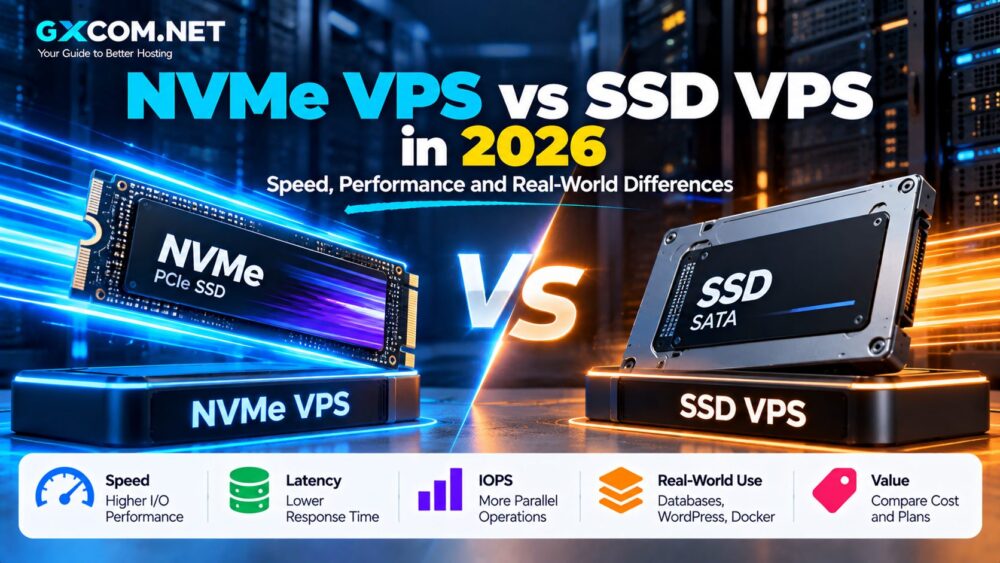
NVMe VPS hosting has become increasingly common, with providers promising faster storage, lower latency and better server performance than traditional SSD VPS plans.
But does NVMe actually make a VPS noticeably faster?
The short answer is: it can—but the NVMe label alone does not guarantee fast VPS performance.
Traditional SATA SSDs are already dramatically faster than hard drives for random access workloads. NVMe takes storage performance further by using PCIe and a protocol designed specifically for modern solid-state storage.
However, VPS performance also depends on CPU allocation, virtualization, storage architecture, I/O limits, IOPS limits and how heavily the host node is being used.
This guide compares NVMe VPS vs SSD VPS for speed, latency, IOPS, databases, WordPress, WooCommerce, applications and cost so you can decide whether paying for NVMe is worthwhile.
NVMe IS FASTER TECHNOLOGY.
BUT NVMe VPS ≠ AUTOMATICALLY FASTER VPS.
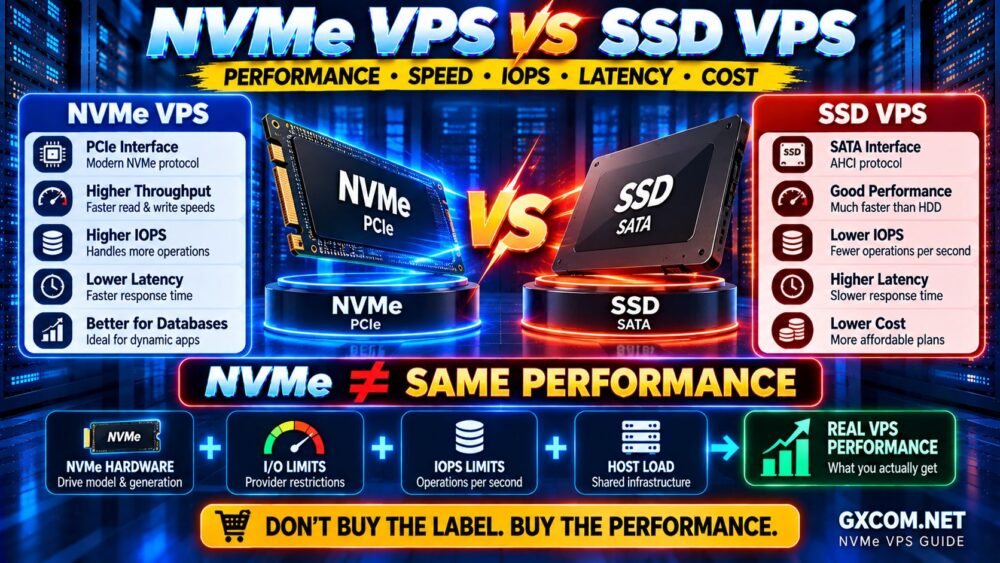
NVMe VPS vs SSD VPS: Quick Comparison
| Feature | NVMe VPS | SATA SSD VPS |
|---|---|---|
| Storage Interface | PCIe | SATA |
| Protocol | NVMe | AHCI |
| Potential Throughput | Much Higher | Lower |
| Potential IOPS | Much Higher | Lower |
| Storage Latency | Generally Lower | Generally Higher |
| Parallel Operations | Excellent | More Limited |
| Database Workloads | Excellent | Good |
| Basic Websites | Excellent | Usually More Than Enough |
| Cost | May Be Higher | Often Lower |
At the hardware level, NVMe clearly has the performance advantage.
But VPS customers do not normally receive unrestricted access to the raw performance of a physical drive.
That distinction is critical.
What Is an SSD VPS?
An SSD VPS is a virtual private server whose underlying storage uses solid-state drives rather than traditional mechanical hard drives.
When hosting companies advertise an “SSD VPS,” they commonly mean storage based on SATA SSDs, although the exact storage architecture can vary.
SSDs eliminated many of the mechanical limitations of HDD storage.
Compared with HDDs, SSDs provide:
- Much lower access latency
- Higher random read/write performance
- Higher IOPS
- No moving mechanical parts
- Faster application response
For ordinary websites and many small applications, SATA SSD storage can still provide excellent performance.
What Is an NVMe VPS?
An NVMe VPS uses storage based on the Non-Volatile Memory Express protocol.
Instead of communicating through the older SATA interface, NVMe storage typically connects through PCI Express.
NVMe was designed specifically for solid-state storage and supports much greater parallelism than older storage protocols.
This gives NVMe the potential for:
- Higher sequential throughput
- Higher random IOPS
- Lower latency
- More simultaneous storage operations
- Better performance under demanding workloads
For database-heavy and storage-intensive applications, these characteristics can matter significantly.
NVMe vs SATA SSD: Why the Technology Is Faster
SATA was originally designed in an era dominated by mechanical hard drives.
Even though SATA SSDs dramatically improved storage performance, they still communicate through an older interface and protocol stack.
NVMe was designed around modern flash storage.
The simplified concept is:
SATA SSD
↓
SATA Interface
↓
AHCI
↓
SSD
Compared with:
NVMe SSD
↓
PCIe
↓
NVMe Protocol
↓
FLASH STORAGE
NVMe can support many more command queues and commands per queue than AHCI, allowing modern storage hardware to process far more operations in parallel.
That architectural advantage is particularly useful for servers handling many simultaneous storage requests.
NVMe VPS vs SSD VPS: Sequential Speed
One of the easiest differences to demonstrate between storage technologies is sequential throughput.
A SATA SSD is constrained by the SATA interface, while modern NVMe drives can achieve substantially higher sequential transfer speeds through PCIe.
However, this is where VPS marketing can become misleading.
If the physical NVMe storage can deliver several gigabytes per second, that does not mean your VPS will receive several gigabytes per second of disk throughput.
The provider may impose:
- Disk I/O limits
- IOPS limits
- Storage QoS policies
- Virtualization limits
- Fair-use restrictions
Therefore:
PHYSICAL NVMe SPEED
≠
YOUR VPS DISK SPEED
NVMe VPS vs SSD VPS: IOPS
IOPS means Input/Output Operations Per Second.
This metric is especially important for workloads involving many small random reads and writes.
Examples include:
- Databases
- WordPress
- WooCommerce
- Application servers
- Search indexes
- Logging
- Mail servers
NVMe storage has the potential to deliver substantially higher IOPS than SATA SSD storage.
But again, the physical storage specification does not tell you how many IOPS your virtual server can actually use.
A provider can place an IOPS limit on each VPS.
For example, two providers could both advertise:
100 GB NVMe VPS STORAGE
while delivering very different real-world storage performance.
Disk I/O vs IOPS: What Is the Difference?
These two metrics are related but should not be treated as identical.
Disk I/O throughput measures how much data can be transferred over a period of time.
IOPS measures how many individual storage operations can be processed over a period of time.
A workload moving a few very large files behaves differently from a database making thousands of small random requests.
Think of it as:
DISK I/O = HOW MUCH DATA?
IOPS = HOW MANY OPERATIONS?
This is why a single storage benchmark number cannot fully describe VPS disk performance.
Latency: An Important NVMe Advantage
Storage latency measures how long it takes to complete an I/O request.
NVMe generally provides lower latency than SATA SSD technology because of its architecture and direct PCIe connectivity.
Lower storage latency can help workloads that constantly interact with storage, particularly databases and transaction-heavy applications.
However, website visitors experience total application latency—not storage latency alone.
A page request may involve:
NETWORK
↓
WEB SERVER
↓
PHP / APPLICATION
↓
DATABASE
↓
STORAGE
↓
RESPONSE
If PHP or CPU is the bottleneck, replacing SATA SSD with NVMe may produce a smaller improvement than expected.
Why Two NVMe VPS Plans Can Have Very Different Performance
This is one of the most important things to understand before buying an NVMe VPS.
The label NVMe describes the storage technology.
It does not describe the entire storage environment.
Real VPS disk performance can depend on:
- NVMe drive model and generation
- Local vs networked storage
- RAID configuration
- Storage controller architecture
- Host node load
- Number of VPS instances sharing storage
- Disk I/O limits
- IOPS limits
- Virtualization platform
- Provider oversubscription
This leads to a critical VPS buying rule:
SAME NVMe LABEL ≠ SAME PERFORMANCE.
CPU Can Matter More Than NVMe
Storage is only one part of VPS performance.
For many websites, CPU performance has a larger impact on dynamic page generation than the difference between SATA SSD and NVMe.
A VPS with:
- Modern CPU architecture
- High clock performance
- Reasonable CPU allocation
- Quality SATA SSD storage
can sometimes outperform an “NVMe VPS” running on an overloaded node with heavily shared CPU resources.
Do not evaluate VPS hosting using storage type alone.
The correct model is:
CPU
+
RAM
+
STORAGE
+
NETWORK
+
RESOURCE ALLOCATION
=
REAL VPS PERFORMANCE
NVMe VPS vs SSD VPS for WordPress
Does WordPress need NVMe?
Not necessarily.
A small cached WordPress website can perform extremely well on a quality SATA SSD VPS.
When full-page caching serves most public traffic, many requests may avoid expensive PHP and database processing.
NVMe becomes more valuable as the workload becomes increasingly dynamic or storage-intensive.
Examples include:
- Large WordPress databases
- High publishing activity
- Large numbers of logged-in users
- Search-heavy websites
- Membership websites
- High-concurrency applications
If your WordPress website is slow, do not automatically assume the storage is responsible.
Our How to Speed Up a Website guide explains how to identify broader performance bottlenecks.
NVMe VPS vs SSD VPS for WooCommerce
WooCommerce is a stronger use case for high-performance storage because many requests are dynamic.
Operations can involve:
- Product queries
- Cart sessions
- Checkout
- Inventory updates
- Customer accounts
- Orders
- Background tasks
These operations can create more database activity than a conventional cached blog.
NVMe may therefore provide more meaningful benefits for busy WooCommerce stores, particularly when storage or database I/O is already a bottleneck.
But CPU, PHP workers, database configuration and caching still matter.
NVMe VPS vs SSD VPS for Databases
Databases are among the workloads most likely to benefit from NVMe.
Database servers often generate many random read and write operations, making latency and IOPS particularly important.
NVMe can be advantageous for:
- MySQL
- MariaDB
- PostgreSQL
- Large WordPress databases
- Transactional applications
- Analytics workloads
However, storage cannot compensate for poorly designed database queries.
FASTER STORAGE CAN MAKE A QUERY FASTER.
IT DOES NOT MAKE A BAD QUERY EFFICIENT.
NVMe VPS vs SSD VPS for Web Applications
Modern web applications may benefit from NVMe when they perform frequent database operations, logging, indexing or file processing.
NVMe is particularly attractive when the workload involves:
- Frequent random I/O
- Many concurrent operations
- Large databases
- Search indexing
- Application builds
- Container workloads
- Data processing
For a lightweight static website, the practical difference may be much smaller.
NVMe VPS vs SSD VPS for Backups and Large Files
Sequential storage performance can matter when moving or processing large amounts of data.
NVMe can potentially reduce the time required for:
- Local backup creation
- Archive extraction
- Large database imports
- Large database exports
- Application deployment
- File processing
But external backup transfers can still be limited by network speed.
A 10 Gbps-capable NVMe storage system cannot make a remote backup transfer exceed the available network throughput.
THE SLOWEST PART OF THE PATH STILL WINS.
Does NVMe Improve Website Loading Speed?
Sometimes—but not always dramatically.
Website loading speed depends on much more than storage.
It includes:
- DNS
- Network latency
- Server response time
- CPU processing
- PHP execution
- Database queries
- Caching
- CDN performance
- Frontend assets
If your website already serves cached pages quickly, switching from SATA SSD to NVMe may produce little visible difference for visitors.
If the application performs frequent uncached database operations, NVMe can matter considerably more.
Our Website Caching Explained guide shows why caching can sometimes have a larger impact than simply purchasing faster storage.
NVMe VPS vs SSD VPS: Cost
NVMe infrastructure historically commanded a larger premium, but NVMe has become increasingly common across modern VPS platforms.
As a result, you may find NVMe VPS plans priced very close to conventional SSD plans.
Do not compare price using storage technology alone.
Compare the complete package:
- vCPU allocation
- CPU generation
- RAM
- Storage capacity
- Storage performance policies
- Bandwidth
- Network port
- Backups
- Management
- Support
A $6 NVMe VPS is not automatically better value than an $8 SSD VPS.
The cheaper server may have weaker CPU performance, less RAM, tighter I/O limits or poorer network quality.
PRICE PER GB IS NOT THE SAME AS VALUE PER WORKLOAD.
NVMe VPS Providers Worth Comparing
When shopping for VPS hosting, look beyond the NVMe badge and compare the complete infrastructure.
DigitalOcean is useful to compare when you want a developer-focused cloud environment with straightforward virtual server deployment.
Vultr is another option worth evaluating for cloud compute across multiple locations and infrastructure configurations.
Database Mart is relevant for users comparing VPS and server configurations where storage capacity, Windows/Linux options and workload requirements may differ.
For users who want VPS-level resources without taking full responsibility for server administration, managed VPS providers such as ScalaHosting can represent a different buying path.
The important point is not to choose a provider simply because its product page says “NVMe.”
Compare:
CPU → RAM → NVMe → IOPS → NETWORK → SUPPORT → PRICE.
When NVMe VPS Is Worth Paying More For
NVMe is easier to justify when your workload involves:
- Database-intensive applications
- Busy WooCommerce stores
- High-concurrency dynamic websites
- Search or indexing workloads
- Large database imports and exports
- Application development and builds
- Frequent file processing
- Storage-intensive services
For these workloads, lower latency and greater I/O capability can provide meaningful benefits.
When SATA SSD VPS Is Still Enough
A conventional SSD VPS can remain an excellent choice for:
- Small business websites
- Personal websites
- Low-traffic WordPress sites
- Development servers
- VPN servers
- Lightweight applications
- Small databases
- Websites with effective caching
If the SSD VPS is significantly cheaper and your workload is not storage-bound, paying extra for NVMe may produce little practical benefit.
Should You Upgrade an Existing SSD VPS to NVMe?
Do not migrate simply because NVMe is newer.
First identify the bottleneck.
Check:
- CPU usage
- Memory usage
- Disk latency
- Disk I/O
- IOPS
- Database performance
- Network latency
- Application response time
If storage is not limiting your application, an NVMe migration may provide only a modest improvement.
If disk latency or I/O is consistently restricting performance, NVMe becomes a much stronger upgrade.
This follows the same principle explained in our How to Troubleshoot a Slow Server guide:
MEASURE → FIND THE BOTTLENECK → FIX THE BOTTLENECK.
NVMe VPS Buying Checklist
Before purchasing an NVMe VPS, check:
- ✓ CPU model or generation
- ✓ Shared vs dedicated CPU allocation
- ✓ RAM allocation
- ✓ NVMe storage capacity
- ✓ Disk I/O policy
- ✓ IOPS policy
- ✓ Local vs networked storage
- ✓ Backup options
- ✓ Network port speed
- ✓ Traffic allowance
- ✓ Datacenter location
- ✓ Upgrade options
For broader VPS selection criteria, compare these factors alongside the providers in our Best NVMe VPS Hosting resources.
BUY THE WORKLOAD FIT.
NOT THE STORAGE LABEL.
Common NVMe VPS Buying Mistakes
Assuming All NVMe VPS Plans Are Equally Fast
Provider I/O policies, storage architecture and host utilization can produce major differences.
Looking Only at Sequential Speed
Databases and applications may depend more heavily on latency and random IOPS.
Ignoring CPU Performance
A faster disk cannot compensate for heavily constrained CPU resources.
Paying for NVMe When the Workload Is Not Storage-Bound
A small cached website may see little practical improvement.
Choosing the Cheapest NVMe VPS
Compare the entire server configuration and resource policy rather than the NVMe label alone.
Benchmarking Only Once
Shared infrastructure can behave differently at different times. A single benchmark is not always representative of sustained performance.
NVMe VPS vs SSD VPS FAQ
Is NVMe VPS faster than SSD VPS?
At the storage technology level, NVMe has substantially greater performance potential than SATA SSD, including higher throughput, higher IOPS and lower latency. Actual VPS performance still depends on provider resource limits and infrastructure.
Is NVMe VPS worth it?
It is particularly worthwhile for database-intensive, dynamic and storage-heavy workloads. For lightweight cached websites, a quality SATA SSD VPS may already provide sufficient performance.
Does NVMe make WordPress faster?
It can improve storage and database operations, but WordPress performance also depends on CPU, PHP, caching, database efficiency and plugins. NVMe alone cannot fix every WordPress bottleneck.
Is NVMe better for WooCommerce?
NVMe can be useful for WooCommerce because stores generate more dynamic database activity than highly cached content websites. CPU and PHP resources remain equally important.
What is more important for VPS performance: CPU or NVMe?
It depends on the workload. CPU-bound applications benefit more from stronger processing resources, while storage-bound workloads benefit more from NVMe performance. Many real applications depend on both.
Why is my NVMe VPS slow?
Possible causes include CPU contention, I/O limits, IOPS limits, overloaded host infrastructure, insufficient RAM, inefficient database queries, network latency or application configuration.
Are all NVMe VPS providers equally fast?
No. The underlying storage architecture, virtualization, I/O limits, hardware, host utilization and provider resource policies can produce substantial differences.
Should I replace my SSD VPS with NVMe?
Only if the new VPS provides better overall value or storage is a meaningful bottleneck. Migrating solely because the new plan says NVMe may not noticeably improve your application.
Final Verdict: NVMe VPS or SSD VPS?
NVMe is the superior storage technology.
It offers greater throughput, more parallelism, higher IOPS potential and lower latency than traditional SATA SSD storage.
But choosing the best VPS requires more than comparing storage labels.
The real equation is:
VPS PERFORMANCE
=
CPU
+
RAM
+
STORAGE
+
I/O + IOPS
+
NETWORK
+
PROVIDER RESOURCE POLICY
Choose an NVMe VPS when storage latency, database activity and I/O performance matter to your workload.
Choose a quality SSD VPS when your workload is lightweight, storage is not the bottleneck and the plan offers better overall value.
Most importantly:
NVMe ≠ SAME PERFORMANCE.
Two servers can both advertise NVMe while delivering very different real-world results.
DON'T BUY THE NVMe LABEL.
BUY THE VPS THAT DELIVERS THE RIGHT PERFORMANCE FOR YOUR WORKLOAD.