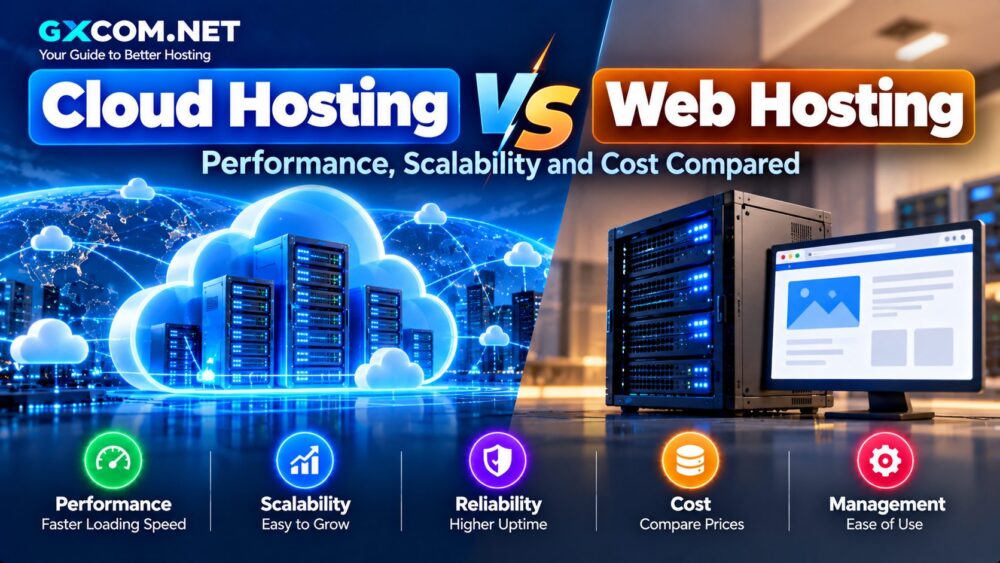
Cloud hosting is often associated with expensive infrastructure, but website owners do not necessarily need an enterprise budget to gain access to scalable resources, NVMe storage and managed cloud platforms.
The challenge is finding Cheap Cloud Hosting that actually provides good long-term value. A low introductory price means little if renewal costs are excessive, resources are too limited or essential features require expensive add-ons.
This guide compares affordable cloud hosting options for websites, WordPress, ecommerce and growing online projects, with particular attention to pricing structure, resources, management and scalability.
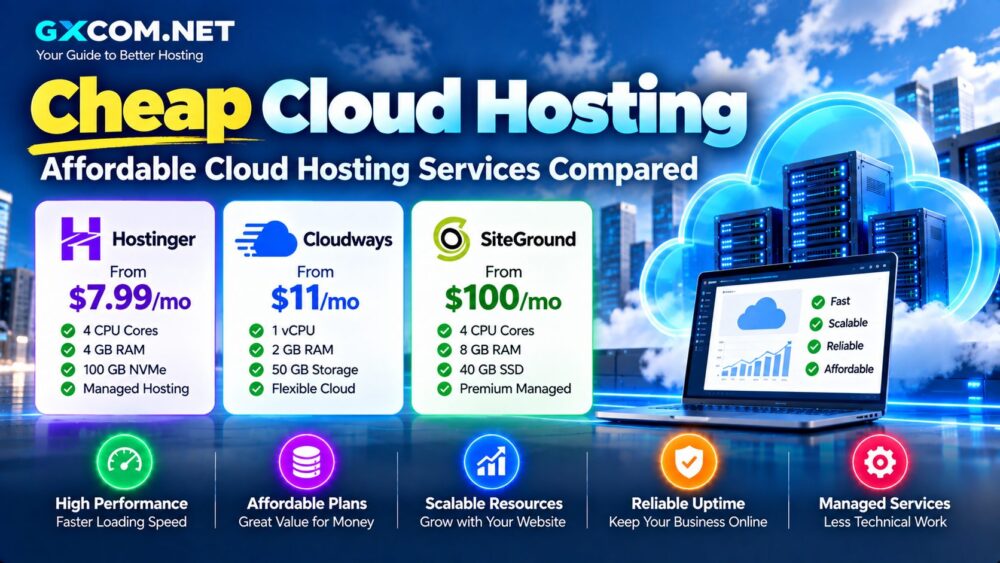
Cheap Cloud Hosting Services Compared
| Provider | Starting Price* | Hosting Model | Best For |
|---|---|---|---|
| Hostinger | $7.99/mo | Managed cloud hosting | Websites and ecommerce |
| Cloudways | $11/mo | Managed cloud platform | Developers, agencies and WordPress |
| SiteGround | $100/mo | Premium managed cloud | High-resource business websites |
*Prices are based on provider information checked in September 2026 and can change. Hostinger's listed starting rate is promotional and requires a long-term commitment. Cloudways uses usage-based billing. Always verify the final checkout and renewal price before purchasing.
SiteGround is included as a comparison point rather than a budget recommendation: its managed cloud starts in a substantially higher price category.
What Is Cheap Cloud Hosting?
Affordable cloud hosting combines cloud infrastructure with a price that remains practical for individuals, small businesses and growing websites.
Depending on the provider, a cloud hosting service may include:
- Virtualized CPU and memory resources
- SSD or NVMe storage
- Managed server administration
- Automatic backups
- CDN integration
- Dedicated IP addresses
- Scaling options
- WordPress management
However, the term “cloud hosting” covers several different products. Some services resemble premium web hosting, while others provide a managed layer over cloud infrastructure.
This distinction matters because two plans with similar monthly prices can require very different levels of technical knowledge.
1. Hostinger – Affordable Managed Cloud Hosting
Hostinger is one of the more accessible options for users who want managed cloud hosting without administering a server themselves.
At the time of this update, its Cloud Startup plan is advertised at $7.99 per month when purchasing a 48-month term. The plan renews at $25.99 per month, making renewal pricing an important part of the buying decision.
The current Cloud Startup configuration includes:
- 4 CPU cores
- 4 GB RAM
- 100 GB NVMe storage
- Dedicated IP
- CDN
- Daily backups
- Managed WordPress, WooCommerce and web apps
Hostinger also states that the plan supports unlimited websites, although resource limits still apply to the account as a whole.
Best for: small businesses, growing WordPress sites, ecommerce projects and users upgrading from shared hosting.
2. Cloudways – Flexible Pay-As-You-Go Cloud Hosting
Cloudways takes a different approach. Instead of selling a conventional fixed web hosting package, it provides a managed platform on top of cloud infrastructure.
Its current Flexible pricing page lists an entry configuration at $11 per month with:
- 1 vCPU
- 2 GB RAM
- 50 GB storage
- 2 TB transfer
- Unlimited websites within available server resources
Cloudways also supports vertical scaling, staging, server-level firewall tools, caching and managed application features.
Billing is pay-as-you-go, which can be attractive for projects that do not want to commit to a multi-year hosting contract.
The tradeoff is that optional services and additional usage can increase the final bill. Offsite backup storage, for example, is billed separately on the Flexible platform.
Best for: developers, agencies, WordPress users and businesses that prefer flexible billing.
3. SiteGround – Premium Cloud Hosting for Larger Workloads
SiteGround demonstrates why “affordable” needs context.
Its managed cloud platform currently starts at $100 per month for the Jump Start configuration, which includes:
- 4 CPU cores
- 8 GB memory
- 40 GB SSD storage
- 5 TB data transfer
That makes SiteGround significantly more expensive than entry-level cloud hosting.
However, the product targets a different type of customer: businesses requiring dedicated cloud resources, managed infrastructure and substantially larger resource allocations.
It should not be compared with an $8 cloud plan based only on the monthly price.
Best for: established businesses, agencies and resource-intensive websites with larger hosting budgets.
Cheap Cloud Hosting vs Shared Hosting
Shared hosting remains cheaper for most new websites.
If you are launching a small blog, portfolio or basic company website, there may be little reason to pay for cloud resources immediately.
Cloud hosting becomes more attractive when a website needs:
- More CPU and RAM
- Better handling of traffic spikes
- Dedicated resources
- More scalable infrastructure
- Higher application performance
Our Cloud Hosting vs Web Hosting guide explains when moving beyond conventional hosting makes sense.
Cheap Cloud Hosting vs Cloud VPS
Low-cost cloud hosting and Cloud VPS can overlap in price, but they are not necessarily interchangeable.
Managed cloud hosting focuses on making website management easier. The provider typically handles much of the underlying server environment.
A Cloud VPS is usually better suited to users who need:
- Root access
- Operating system control
- Custom server software
- SSH administration
- Developer infrastructure
If you are comfortable managing Linux, a Cloud VPS may provide more infrastructure control for the money. If you primarily want to host websites, managed cloud hosting can reduce administrative work.
How Much Should Affordable Cloud Hosting Cost?
There is no single price that defines affordable cloud hosting.
A better approach is to evaluate what you receive for the monthly cost.
| Price Range | Typical Positioning |
|---|---|
| Under $10/mo | Promotional managed cloud or entry cloud infrastructure |
| $10–$30/mo | Entry managed cloud and growing websites |
| $30–$100/mo | Premium managed hosting and higher-resource workloads |
| $100+/mo | Dedicated-resource managed cloud and business infrastructure |
These ranges are useful for understanding the market rather than rigid definitions. Resource allocations and included services vary considerably.
Watch the Renewal Price
Introductory pricing is one of the biggest traps when comparing hosting.
A provider may advertise a very low monthly equivalent when customers prepay several years of service. When the initial term ends, the renewal rate can be much higher.
Before purchasing, calculate:
- Total upfront payment
- Initial effective monthly price
- Renewal price
- Renewal billing period
- Estimated two- or four-year cost
This provides a much more realistic comparison than looking only at the largest discount displayed on a hosting page.
Check CPU and RAM Before Buying
Cheap hosting is not good value if the resources cannot handle your workload.
CPU affects how quickly a server can process application requests, while RAM is important for databases, PHP processes, caching and concurrent workloads.
A small WordPress website may need relatively few resources. WooCommerce, membership sites and busy dynamic applications can require considerably more.
NVMe and SSD Storage
Storage technology is another important factor.
NVMe storage can provide faster I/O than conventional SATA SSD storage, which can help database-heavy and dynamic applications.
But storage type should not be evaluated in isolation. CPU, memory, caching, application configuration and network performance all contribute to real-world website speed.
Bandwidth and Traffic Limits
Some cloud platforms include a fixed transfer allowance, while others charge for additional usage.
Check:
- Included bandwidth
- Overage charges
- CDN traffic policies
- Backup traffic
- Regional pricing differences
This is particularly important for image-heavy websites, download services and applications with international traffic.
Managed vs Unmanaged Cloud Hosting
A $5 unmanaged cloud server may appear cheaper than a $10–$20 managed hosting service, but they are different products.
With unmanaged infrastructure, you may be responsible for:
- Operating system updates
- Web server configuration
- Security patches
- Firewall rules
- Database management
- Backups
- Server troubleshooting
Managed hosting includes more of this work in the service price.
For business owners without server administration experience, paying slightly more for management can be cheaper than maintaining the infrastructure independently.
Best Cheap Cloud Hosting for WordPress
WordPress users should prioritize more than raw server specifications.
Look for:
- Server-level caching
- Automatic WordPress updates
- Daily backups
- Staging
- CDN integration
- Malware protection
- Easy migration
Hostinger provides a straightforward managed environment, while Cloudways gives technically confident WordPress users more infrastructure flexibility.
Best Affordable Cloud Hosting for Ecommerce
Ecommerce hosting requires more care because checkout, carts, customer accounts and inventory systems create dynamic requests that cannot always be cached.
For WooCommerce and similar applications, prioritize:
- CPU resources
- Available memory
- Database performance
- Backup frequency
- Security
- Traffic scalability
Choosing a plan only because it has the lowest advertised price can create performance problems as the store grows.
How to Choose Cheap Cloud Hosting
Compare the real monthly cost. Include renewal prices and mandatory add-ons.
Check resource allocations. CPU, RAM and storage matter more than marketing labels.
Understand the management level. Decide whether you want to manage the server yourself.
Review scalability. Check how easily you can increase resources when traffic grows.
Check backup policies. Confirm frequency, retention and restoration options.
Choose suitable data center locations. Hosting near your main audience can help reduce latency.
Consider support. Technical support can be particularly valuable when hosting business-critical websites.
Affordable Does Not Always Mean Cheapest
The lowest monthly price is not necessarily the lowest total cost.
A slightly more expensive hosting plan may include backups, CDN services, management, migration and security features that would otherwise require separate products.
Likewise, paying for resources you never use is unnecessary.
The goal is to match hosting resources and management features to the workload rather than simply buying the cheapest plan available.
Cheap Cloud Hosting: Final Thoughts
Affordable cloud hosting has made scalable website infrastructure accessible to projects that previously relied entirely on shared hosting.
Hostinger provides one of the lower-cost managed entry points, particularly for customers willing to use a longer billing term. Cloudways offers flexible managed infrastructure with usage-based billing, while SiteGround represents the higher end of managed cloud hosting rather than the budget segment.
Before choosing a service, compare CPU, RAM, storage, bandwidth, backups, management and renewal pricing alongside the advertised monthly rate.
For a broader comparison of managed platforms, see our Best Cloud Hosting Providers guide.
The right low-cost cloud hosting service is not simply the one with the smallest price tag. It is the service that provides enough performance and scalability for your website without forcing you to pay for infrastructure you do not need.