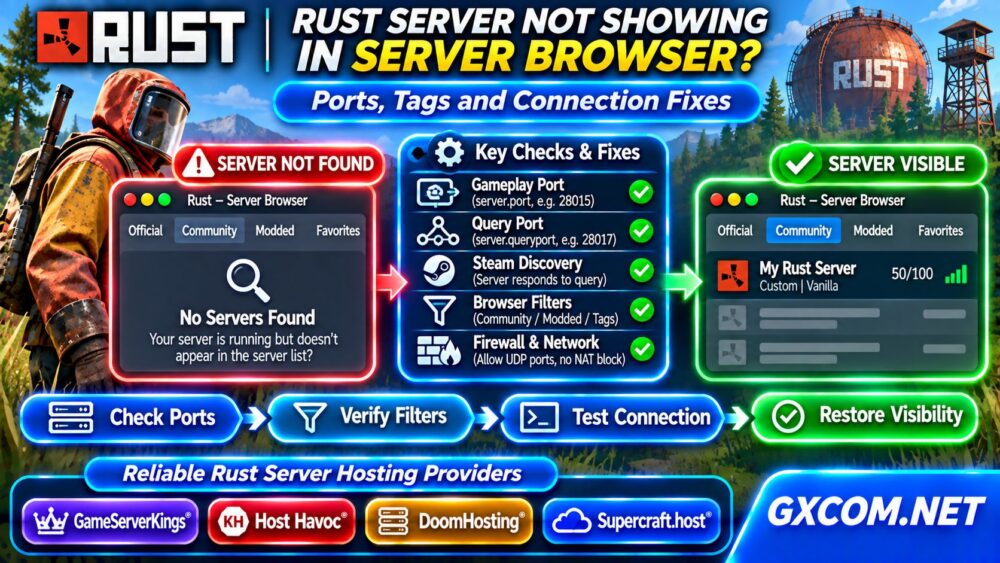
Choosing the right Rust server map size is an important decision for community owners. A larger world offers more room for monuments, bases, exploration, and player movement, but it can also increase world generation time, memory consumption, storage requirements, and administration costs.
However, map size alone does not determine server performance. Player activity, entity counts, plugins, CPU capacity, and save operations can be equally important. This guide explains how Rust world size affects hosting requirements and how to choose a sensible configuration before paying for a server.
What Does Rust Server Map Size Mean?
Rust procedural maps are generated using settings such as world size and seed. The size setting influences the overall dimensions of the playable world, while the seed helps determine the generated layout.
Administrators commonly encounter configurations around 3,000, 4,000, or 4,500 world-size units, although supported values and generation behavior depend on the current game version and server environment.
A larger map generally provides more geographical space. It does not automatically guarantee better gameplay, higher player capacity, or improved performance.
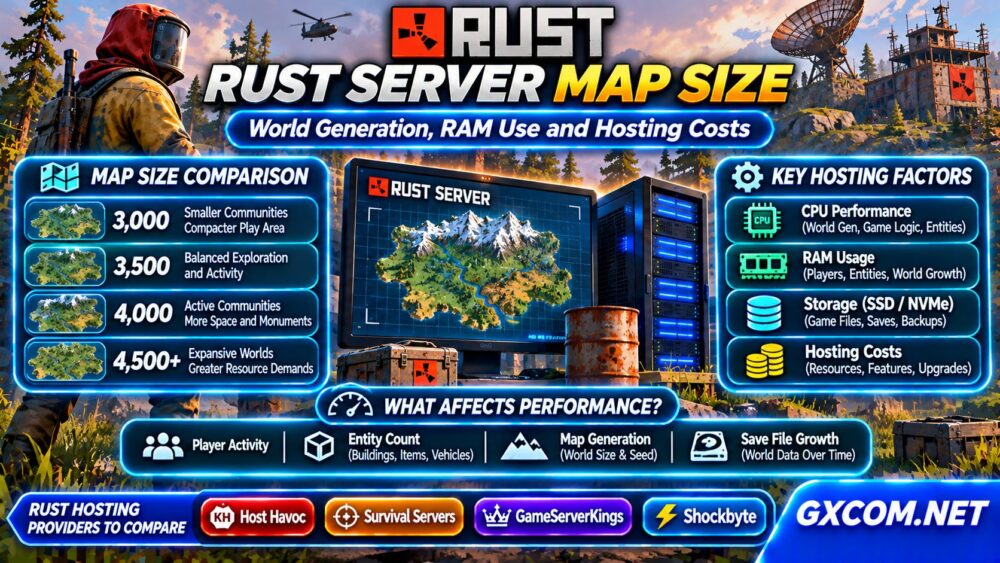
Rust Map Size Comparison for Different Communities
| Map Size | Community Scenario | Planning Consideration |
|---|---|---|
| Around 3,000 | Smaller communities | Compact exploration and encounters |
| Around 3,500 | Small to medium groups | Balance space and activity |
| Around 4,000 | Active community servers | More exploration and infrastructure |
| 4,500 or larger | Expansive communities | Greater resource and testing demands |
These are planning examples, not official player-count limits. A lightly populated large map may behave differently from a smaller world containing thousands of persistent entities.
How Map Generation Affects CPU and RAM
Procedural world generation requires the server to construct terrain and associated world data. This can create significant temporary CPU and memory demand, especially during startup or when generating a new world.
Once the map is generated, normal operation introduces additional workloads: player movement, AI, building structures, combat, and persistence.
Strong CPU performance matters because certain server operations depend heavily on individual threads. More virtual CPU cores do not necessarily compensate for slow per-core performance or contention on shared hardware.
For broader infrastructure comparisons, explore our Game Dedicated Servers guides.
Does a Larger Rust Map Always Need More RAM?
Generally, larger worlds can increase memory pressure, but there is no dependable formula connecting map size directly to a fixed RAM allocation.

Actual memory usage depends on generated content, active players, entities, server extensions, and software behavior. Memory demand can also change substantially over a wipe cycle.
For initial purchasing research, administrators may compare plans offering approximately 12–16 GB or more for demanding Rust workloads. This is a budgeting reference, not a verified minimum or a guarantee that a particular player count will run smoothly.
Ask hosting providers whether RAM is dedicated, what happens when memory limits are reached, and whether upgrades preserve existing server data.
Player Count, Entities, and World Growth
Player slots and map dimensions measure different things. A server configured for many players can still struggle if CPU performance, memory, or networking cannot sustain the workload.
Buildings, deployables, dropped items, vehicles, and other persistent objects contribute to server processing and saved-world growth. Busy communities can accumulate considerable state between wipes.
Monitor actual entity counts, server frame performance, memory consumption, and save duration rather than relying on the map-size setting alone.
When performance declines, investigate the workload before assuming that a larger hosting plan is the only solution.
Storage Requirements and Save File Growth
Rust servers need storage for game files, generated maps, world saves, logs, plugins, and backups. Storage consumption can increase as the community builds and the world evolves.
SSD or NVMe storage is generally preferable for workloads involving frequent file access, but the advertised storage interface does not establish guaranteed I/O performance.
Keep adequate free capacity for updates and backups. Test restoration procedures before a major wipe or migration, and maintain independent backup copies whenever possible.
Our VPS Snapshot and Backup Recovery Guide explains the difference between recovery mechanisms.
How to Change Rust Server Map Size
On a self-managed Rust server, world configuration commonly involves startup parameters such as +server.worldsize and +server.seed. Managed hosting panels may expose equivalent settings through their interfaces.
Changing world size or seed can require generating a different map. Do not assume that an existing world and its structures will remain compatible with the new configuration.
Before making changes:
- Back up world files and relevant configuration.
- Record the current seed, size, and server version.
- Check the hosting panel’s map-generation procedure.
- Generate or deploy the intended world during maintenance.
- Test player connections, monuments, plugins, and performance.
Plan disruptive map changes around a scheduled wipe and communicate them clearly to players.
How Map Size Influences Rust Hosting Costs
Hosting prices reflect multiple factors, including CPU resources, RAM allocation, storage, network capacity, management features, and billing terms.
A larger map can increase resource requirements, but paying for additional RAM alone may not resolve CPU bottlenecks or excessive entity processing.
Compare the total cost of operating the server, including backups, upgrades, renewal pricing, and administrator time. Our Game Server Deals section provides another starting point for evaluating offers.
Rust Hosting Providers Worth Comparing
Host Havoc, Survival Servers, and GameServerKings are relevant candidates for administrators comparing Rust-oriented hosting. Evaluate each provider’s current game support, configuration controls, resource policies, and backup options.
Shockbyte is another provider to investigate if an appropriate Rust product is available. Confirm its current plan specifications and game support before ordering.

Do not treat provider names as performance rankings. Compare the actual CPU policy, memory limits, storage capacity, server location, and support responsibilities of the plans under consideration.
For broader purchasing research, visit our Game Hosting Comparisons section.
When Should You Upgrade to Dedicated Hardware?
A managed game hosting plan may be sufficient for a small community. Dedicated hardware becomes worth investigating when sustained CPU contention, resource limitations, or multiple active instances make shared infrastructure unsuitable.
Before upgrading, collect performance observations during peak activity and confirm that inefficient plugins, excessive entities, or configuration problems are not the primary cause.
Compare infrastructure choices using our Dedicated Server vs VPS comparison.
Frequently Asked Questions
Is a 4,000 Rust Map Too Large?
Not necessarily. Suitability depends on server resources, active players, entity growth, and the desired gameplay experience.
Does Increasing Map Size Increase RAM Usage?
It can, but memory consumption also depends on generated content, player activity, plugins, and persistent entities.
Should I Choose a Smaller Map for Better Performance?
A smaller map may reduce some workload, but it cannot fix every CPU, memory, storage, or configuration bottleneck.
Final Verdict
Choose Rust map size according to community activity, exploration preferences, and available infrastructure. Test world generation, monitor memory and CPU usage, maintain backups, and compare hosting plans using measured workloads rather than assuming that bigger maps always require the most expensive server.