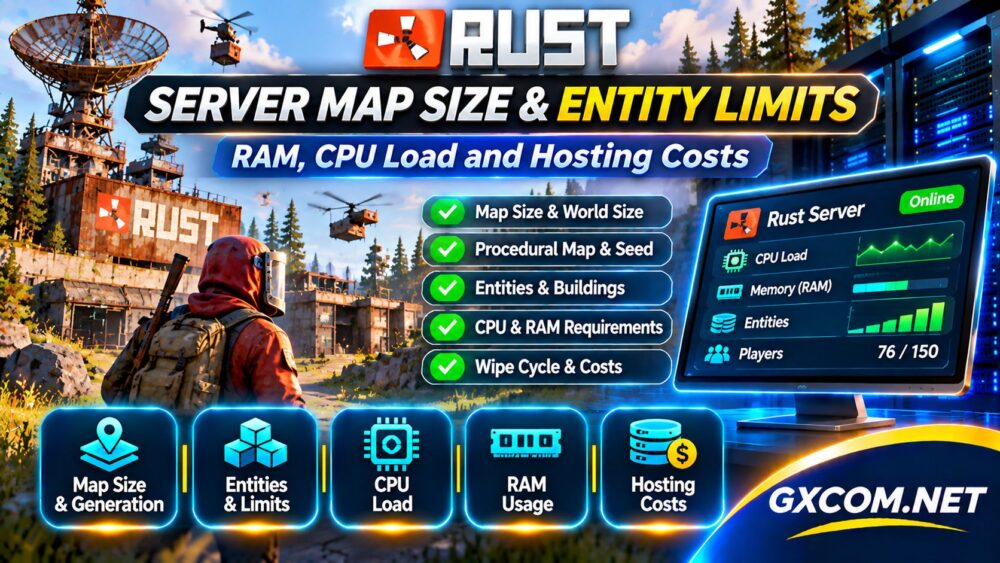
Understanding Rust server entity limits is essential for communities that experience increasing memory consumption, declining server performance or unexpected crashes between wipes. A newly generated world may operate comfortably, while the same server struggles after players construct extensive bases, deploy equipment and accumulate persistent objects.
Effective capacity planning requires administrators to examine entity behavior, map complexity, processor availability and resource growth throughout the wipe cycle. This guide explains these relationships and compares hosting options for communities requiring additional operational headroom.
What Are Rust Server Entity Limits?
Entities are objects managed by the game server, including building components, deployables, vehicles, NPCs and various interactive objects. Depending on their behavior, these objects require memory, simulation processing, network updates or persistent storage.
There is no universal safe entity count that applies to every Rust server. Different entity types create different workloads. A large collection of relatively inactive structures may behave differently from concentrated groups of NPCs, automated equipment and actively interacting players.
Administrators should establish practical limits using observed server performance rather than adopting an arbitrary entity threshold from another community.
How Procedural Maps Influence Entity Growth
Rust procedural worlds use settings that determine map dimensions and generated layouts. Facepunch documents world sizes between 1000 and 6000, alongside configurable map seeds.
+server.level "Procedural Map"
+server.worldsize 4000
+server.seed 1234
This illustrative configuration creates a procedural world using the specified size and seed. Different seeds can produce different terrain and monument arrangements, while game updates may affect generation behavior.
Increasing world size provides additional geographical space but does not directly establish how many entities players will create. A smaller, densely populated world can experience heavier localized activity than a larger, sparsely populated map.
For initial world selection and configuration guidance, consult our Rust server map size guide.
Map Generation vs Persistent Simulation Workloads
| Server Phase | Primary Workload | Monitoring Priority |
|---|---|---|
| Fresh map generation | Terrain creation and world initialization | Peak RAM and startup duration |
| Early wipe | Player connections and rapid construction | CPU capacity and connection stability |
| Mid-cycle operation | Persistent structures and ongoing interactions | Entity growth and memory usage |
| Late wipe | Accumulated world state and complex bases | Server FPS, memory headroom and save duration |
Measure these phases separately. A temporary startup memory spike requires a different response from steadily increasing memory pressure during several weeks of gameplay.

Facepunch recommends 12 GB of available RAM for server deployment, with additional memory needed for a 6000-size map. This reference is not a guarantee of sufficient capacity for heavily modified communities or mature worlds.
Which Entities Increase CPU and Memory Pressure?
Buildings and Deployable Objects
Large compounds introduce additional persistent structures, inventories and interactive equipment. Their impact depends on construction patterns, decay settings and nearby player activity. Increasing RAM may accommodate additional world state without addressing expensive simulation operations.
NPCs and Monument Activity
NPC behavior, navigation and combat can contribute processing overhead. Custom monuments and scripted encounters may introduce additional complexity. Investigate locations where performance consistently deteriorates rather than assuming every monument creates equivalent load.
Plugins and Automated Events
Plugins performing frequent entity searches, spawning custom NPCs or processing economy events can amplify existing workloads. Test extensions individually and compare resource usage under similar player activity. A poorly optimized plugin may cost more processing time than numerous lightweight administrative tools.
Monitor Entity Growth Throughout Each Wipe
Record entity counts, memory consumption, processor utilization, server FPS and save duration at regular intervals. Include concurrent player numbers so measurements taken during different activity levels remain interpretable.
Where available, inspect per-thread processor utilization. A saturated simulation thread may limit performance even when overall CPU utilization appears relatively low.
Compare measurements before and after major construction periods or plugin changes. Keep historical records across multiple wipes to establish realistic purchasing requirements. Our Rust server hardware requirements guide provides additional infrastructure planning considerations.
Compare Rust Hosting Providers for Growing Worlds
The following publicly listed configurations provide different approaches to resource allocation. Prices are published references reviewed in November 2026, not independently tested performance rankings.
| Provider | Configuration | Monthly Reference |
|---|---|---|
| Shockbyte | Fuel, 10 GB RAM | $24.99 |
| Host Havoc | 30 player slots | $16.00 |
| Sparked Host | Leather, 16 GB RAM | $24.00 reference price |
Shockbyte: Map and Wipe Automation
Shockbyte advertises configurable maps, automatic wipes, backups and Oxide installation. Its Metal package begins at $40 monthly with 12 GB or more of memory. Confirm the selected allocation and upgrade pricing for worlds approaching existing resource limits.
Host Havoc: Configuration and Recovery Tools
Host Havoc provides game configuration controls, scheduled wipe tasks, plugin management and offsite backups. Its slot-based entry offer requires further investigation of effective memory availability and CPU policies before deployment into a demanding community.
Sparked Host: Resource-Based Expansion
Sparked Host supports Carbon and uMod alongside automatic backups and hosting upgrades. Its offers page identifies a Leather configuration with 16 GB memory, three advertised CPU cores and 100 GB NVMe storage. Verify whether the CPU allocation is shared and confirm applicable renewal pricing.

Manage Wipe Cycles and Entity Cleanup
Schedule world resets according to community expectations, measured resource growth and game compatibility requirements. Preserve configuration files, plugin data and the appropriate world backups before destructive maintenance.
Review abandoned structures, decay rules and excessive event spawning. Use supported cleanup mechanisms and test administrative changes before applying them to production. Indiscriminate entity removal can destroy legitimate player property or disrupt dependent systems.
A map expansion should normally be planned as a new world deployment rather than an in-place enlargement of existing terrain. Distinguish map wipes from blueprint resets because they affect different aspects of player progression.
Calculate Long-Term Rust Hosting Costs
Consider a hypothetical community paying $25 monthly for hosting, $4 for additional backups and $6 for resource upgrades during six months of the year. Its annual infrastructure cost would be $384 before taxes and administrative labor.
Include migration downtime, storage retention and renewal conditions when evaluating alternative packages. Our Rust server hosting deals guide explains additional purchasing considerations.
Choose Resources Based on Entity Behavior
Effective Rust capacity planning depends on measurable workload growth rather than a universal entity ceiling. Monitor performance throughout each wipe, distinguish temporary generation requirements from persistent simulation demand and select hosting with practical upgrade options. Invest in additional resources when measurements demonstrate a genuine capacity shortage instead of relying exclusively on larger maps, higher player limits or advertised hardware specifications.