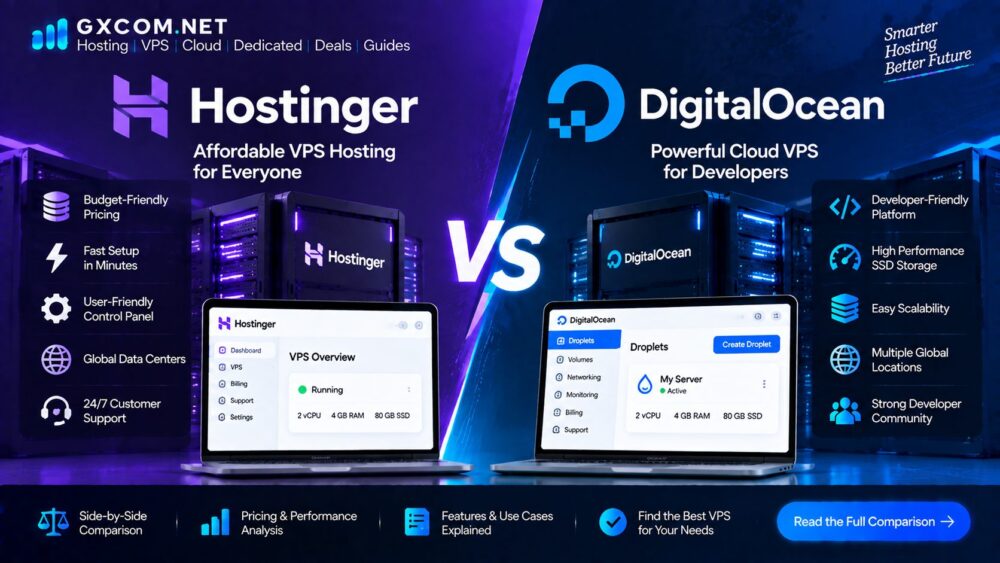
Hostinger and DigitalOcean are both popular choices for users who need more control than traditional shared hosting provides, but they are built for very different types of customers.
Hostinger approaches VPS hosting from a traditional hosting perspective, emphasizing accessible pricing, easier management and a straightforward path from shared hosting to a virtual server. DigitalOcean takes a more developer-focused cloud infrastructure approach, with Droplets, flexible server configurations, APIs and a broader collection of cloud services.
So which one is better for VPS hosting?
The answer depends on whether you value simplicity and website-focused hosting or developer flexibility and cloud infrastructure.
GXCOM Verdict: Hostinger is generally the easier choice for beginners, WordPress users and small businesses. DigitalOcean is more attractive for developers, applications and users who want greater infrastructure flexibility.
Hostinger vs DigitalOcean at a Glance
| Feature | Hostinger VPS | DigitalOcean |
|---|---|---|
| Best For | Websites and small businesses | Developers and applications |
| Entry Pricing | Low-cost promotional VPS plans | Low-cost cloud Droplets |
| Virtual Server | KVM VPS | Droplets |
| Storage | NVMe SSD | Configuration dependent |
| Management | Easier hosting environment | Primarily self-managed |
| Root Access | Yes | Yes |
| API | Yes | Yes |
| Global Locations | Multiple regions | 16 datacenters across 13 regions |
| Backups | Weekly backups on listed VPS plans | Additional backup options |
| Cloud Ecosystem | Hosting-focused | Broad cloud services |
| Learning Curve | Lower | Higher |
Hostinger currently advertises AMD EPYC processors, NVMe SSD storage, 1 Gbps network connectivity, weekly backups, firewall management and a public API across its VPS plans. DigitalOcean’s Droplets are Linux-based virtual machines with shared-CPU and dedicated-CPU configurations, multiple storage options and a broader cloud infrastructure ecosystem.
Hostinger vs DigitalOcean Pricing
Pricing is one of the biggest differences between these two services.
Hostinger currently lists its KVM 1 VPS at a promotional rate of $6.49 per month with 1 vCPU, 4 GB RAM, 50 GB NVMe storage and 4 TB bandwidth. Its listed renewal price is $11.99 per month under the displayed two-year billing terms. KVM 2 is currently listed at $8.99 per month promotional pricing with 2 vCPUs, 8 GB RAM, 100 GB NVMe storage and 8 TB bandwidth.
DigitalOcean takes a different approach.
Its Basic Droplets currently start at $4 per month for a small shared-CPU configuration, while higher-performance options increase in price according to CPU, memory and storage resources. DigitalOcean also offers dedicated CPU, memory-optimized, CPU-optimized and storage-optimized Droplets.
The important point is that these prices are not directly comparable.
Hostinger’s entry VPS plans bundle a relatively large amount of RAM, storage and bandwidth into a fixed plan, while DigitalOcean allows users to choose from different configurations and add additional infrastructure services as needed.
Which Is Cheaper?
For a simple website, Hostinger can offer strong value because more resources are bundled into the VPS plan.
For short-lived development or testing workloads, DigitalOcean’s usage-based model can be attractive. Since January 1, 2026, Droplets have used per-second billing with a minimum charge of 60 seconds or $0.01, whichever is higher.
That means the cheapest option depends heavily on how you use the server.
Hostinger vs DigitalOcean Performance
It is difficult to declare one provider universally faster because server performance depends on the exact configuration, workload and location.
Hostinger’s current VPS lineup uses AMD EPYC processors and NVMe SSD storage, with a 1 Gbps network speed listed across its plans.
DigitalOcean provides several Droplet classes, from shared CPU configurations to dedicated CPU and specialized memory- and storage-optimized servers. Its current v5 configurations use fifth-generation AMD EPYC processors, and DigitalOcean says these provide up to 30% higher per-core performance than previous-generation Droplets based on its internal testing.
The result is that DigitalOcean gives users more ways to match hardware to a workload.
For example:
Small WordPress website: Hostinger may be simpler and more than adequate.
CPU-intensive application: A DigitalOcean dedicated-CPU configuration may make more sense.
Database-heavy workload: DigitalOcean’s memory-optimized or storage-optimized options provide more specialized choices.
General website hosting: Hostinger’s fixed VPS packages are easier to evaluate.
For readers specifically interested in storage speed, our best NVMe VPS hosting comparison covers storage-focused VPS options.
Hostinger vs DigitalOcean Features
Hostinger Features
Hostinger’s VPS product is designed to give website owners many of the features they expect from a hosting company while still providing VPS-level control.
Current listed features include:
- KVM virtualization
- AMD EPYC processors
- NVMe SSD storage
- 1 Gbps network speed
- Weekly backups
- Firewall management
- Public API
- AI Web Terminal
- Multiple datacenter locations
The biggest advantage is simplicity.

A user who has already used Hostinger shared or WordPress hosting will generally find the transition to its VPS environment more familiar.
DigitalOcean Features
DigitalOcean is designed more like a cloud infrastructure platform.
Droplets integrate with services such as:
- Cloud Firewalls
- VPC networking
- Volumes
- Load Balancers
- Reserved IPs
- Kubernetes
- APIs
- Automation tools
This broader infrastructure ecosystem gives developers substantially more flexibility.
The trade-off is complexity.
The more services you combine, the more configuration and administration are required.
Hostinger vs DigitalOcean Management
This may be the biggest difference of all.
Hostinger
Hostinger is more suitable for users who want a hosting-oriented control experience.
You still have VPS administration responsibilities, but the overall product is positioned closer to traditional web hosting.
This can make it easier for:
- Bloggers
- Small businesses
- WordPress users
- Website owners
- First-time VPS users
DigitalOcean
DigitalOcean’s core Droplet offering is unmanaged. Users are responsible for managing the server and software environment.
That means you need to be comfortable with:
- Linux
- SSH
- Server updates
- Firewalls
- Backups
- Web servers
- Databases
- Application deployment
For developers, this is often an advantage rather than a disadvantage.
For beginners, it can create a much steeper learning curve.
Our managed VPS hosting guide explains when a managed environment may be a better fit.
Server Locations
Location is another important consideration.
DigitalOcean currently operates 16 datacenters across 13 regions, including locations in North America, Europe and Asia-Pacific.
Hostinger also advertises multiple worldwide VPS locations.
For either provider, choosing a location close to your primary audience is usually more important than simply choosing the cheapest server.
For example, a website serving mostly UK visitors may benefit from a UK or nearby European datacenter.
A website serving North American visitors should generally consider a suitable US region.
Which Has Better Global Coverage?
DigitalOcean provides a clearly documented regional infrastructure with 16 datacenters across 13 regions.
Hostinger offers multiple VPS locations but presents the service more from a traditional hosting perspective.
For developers building distributed applications, DigitalOcean’s regional infrastructure may be more attractive.
For a single website, the difference may be much less important.
Hostinger vs DigitalOcean for WordPress
For WordPress users, the decision is relatively straightforward.
Choose Hostinger if:
- You want easier management
- You are moving from shared hosting
- You run a business website
- You prefer bundled hosting features
- You want a simpler VPS experience
Choose DigitalOcean if:
- You understand Linux administration
- You want complete server customization
- You manage multiple applications
- You need cloud infrastructure services
- You are comfortable managing WordPress yourself
For many small WordPress websites, Hostinger is likely to be the easier option.
DigitalOcean becomes more interesting when WordPress is part of a larger technical environment.
Our WordPress hosting section covers simpler alternatives for users who do not need VPS-level administration.
Hostinger vs DigitalOcean for Developers
DigitalOcean has a clear advantage for developers who want infrastructure flexibility.
Droplets can be integrated into broader cloud architectures, and the platform provides APIs, CLI tools and infrastructure automation capabilities.
This makes DigitalOcean suitable for:
- APIs
- SaaS platforms
- Development environments
- Docker applications
- Backend systems
- Databases
- Microservices
Hostinger can still run many of these workloads, but its strongest value proposition remains closer to hosting and website infrastructure.
Hostinger vs DigitalOcean for Small Businesses
Small businesses usually care about three things:
Cost
Reliability
Ease of management
Hostinger generally has the advantage in simplicity.
A business owner may not want to spend time learning Linux administration simply to keep a company website online.
DigitalOcean can still be an excellent choice when the business has a technical team or developer responsible for infrastructure.
Backup and Security
Neither provider eliminates the need for good server security practices.
Hostinger currently lists weekly backups, snapshots and firewall management with its VPS service.
DigitalOcean provides infrastructure tools including Cloud Firewalls and VPC networking, but users remain responsible for securing and managing their Droplets.
In either case, users should consider:
- Secure SSH access
- Strong authentication
- Firewall configuration
- Regular updates
- Backup verification
- Monitoring
- Least-privilege access
Our server security guides cover these practices in more detail.
Scalability
DigitalOcean generally has the advantage when you expect your infrastructure to become more complex.
You can combine Droplets with:
- Load Balancers
- VPC networking
- Block Storage
- Databases
- Kubernetes
- Other cloud services
Hostinger also offers larger VPS configurations, making it possible to upgrade within the VPS product line.
For a single website, this may be all the scalability you need.
For a growing software platform, DigitalOcean’s broader cloud architecture can become more useful.
Hostinger vs DigitalOcean: Pros and Cons
Hostinger Pros
- Easy entry into VPS hosting
- NVMe storage
- AMD EPYC processors
- Large bundled resource allocations
- Beginner-friendly approach
- Website-focused features
- Weekly backups listed with VPS plans
Hostinger Cons
- Promotional pricing differs from renewal pricing
- Less suitable for users seeking a broad cloud architecture
- VPS administration is still required
DigitalOcean Pros
- Developer-focused cloud platform
- Flexible Droplet configurations
- Multiple CPU and memory options
- Broad cloud ecosystem
- Extensive regional infrastructure
- Per-second Droplet billing
- Strong API and automation capabilities
DigitalOcean Cons
- More technical
- Core Droplets are unmanaged
- Additional services can increase total cost
- Requires stronger server administration skills
Which Is Better: Hostinger or DigitalOcean?
The answer depends on the user rather than the brand.
Hostinger is better for:
Beginners
Users new to VPS hosting will generally find the hosting-oriented environment easier to understand.
WordPress websites
Small and medium WordPress projects can benefit from a simpler VPS environment.
Small businesses

Businesses that want more resources without hiring a server administrator may prefer the easier route.
Users focused on bundled value
Hostinger includes substantial VPS resources in fixed plans, making the cost relatively easy to understand.
DigitalOcean is better for:
Developers
Developers who want APIs, automation, flexible configurations and cloud services will generally get more from DigitalOcean.
SaaS applications
Applications that may eventually require multiple servers, networking or supporting cloud services can benefit from DigitalOcean’s ecosystem.
Custom infrastructure
DigitalOcean provides more ways to tailor compute resources to a specific workload.
Temporary workloads
Per-second billing can make DigitalOcean attractive for testing, automation and short-lived infrastructure.
Final Verdict
Hostinger and DigitalOcean are both strong VPS hosting options, but they solve different problems.
Hostinger is the better choice for most beginners, website owners and small businesses that want an easier VPS experience with substantial bundled resources.
DigitalOcean is the better choice for developers and technical teams that need flexible cloud infrastructure, automation and a wider selection of supporting services.
If your goal is simply to run a WordPress website or business website with more resources than shared hosting provides, Hostinger is likely the more straightforward option.
If your goal is to build applications, APIs, SaaS products or more complex cloud infrastructure, DigitalOcean deserves serious consideration.
Ultimately, the better provider is not necessarily the one with the lowest starting price. Compare the complete configuration, ongoing cost, server location, management requirements and future infrastructure needs before making a decision.
GXCOM will continue updating this comparison as provider pricing, infrastructure and product offerings change.
Frequently Asked Questions
Is Hostinger better than DigitalOcean?
Hostinger is generally better for beginners and website owners who want a simpler VPS experience. DigitalOcean is generally better for developers who need flexible cloud infrastructure.
Is DigitalOcean cheaper than Hostinger?
DigitalOcean can have a lower entry price for very small Droplets, while Hostinger can offer substantial bundled resources at a competitive promotional price. The better value depends on the exact configuration and workload.
Is Hostinger VPS good for WordPress?
Yes. Hostinger VPS can be suitable for WordPress websites that need more control or resources than shared hosting provides.
Is DigitalOcean good for WordPress?
Yes, but it is better suited to experienced users who are comfortable managing Linux, web servers, databases, security and updates.
Which is easier to manage, Hostinger or DigitalOcean?
Hostinger is generally easier for traditional website hosting users, while DigitalOcean requires more server administration and technical knowledge.
Which is better for developers?
DigitalOcean is generally the stronger choice for developers because of its flexible Droplet configurations, APIs, automation options and broader cloud services.
Which is better for a small business?
For a typical small business website, Hostinger is likely to be the easier option. A business with an in-house development team may benefit more from DigitalOcean’s flexibility.