A VPS snapshot can restore a server after a failed update, but can it protect your business after ransomware, accidental deletion, or a storage failure? The answer depends on how the snapshot is stored, who can delete it, and whether an independent recovery copy exists.
This VPS snapshots vs backups comparison explains recovery time, data protection, database consistency, retention, and storage costs. It also shows how to choose a practical recovery strategy for WordPress, ecommerce, databases, and production cloud servers.
VPS Snapshots vs Backups: Quick Verdict
Use snapshots for convenient recovery points before software updates, configuration changes, and server migrations. They are particularly useful when you need to roll back an entire instance.
Use independent backups for long-term protection against deletion, compromise, infrastructure failure, and data corruption. Store recovery copies outside the primary server’s immediate failure and administrative boundaries.
For important workloads, the best solution usually combines both methods rather than choosing only one.
What Is a VPS Snapshot?
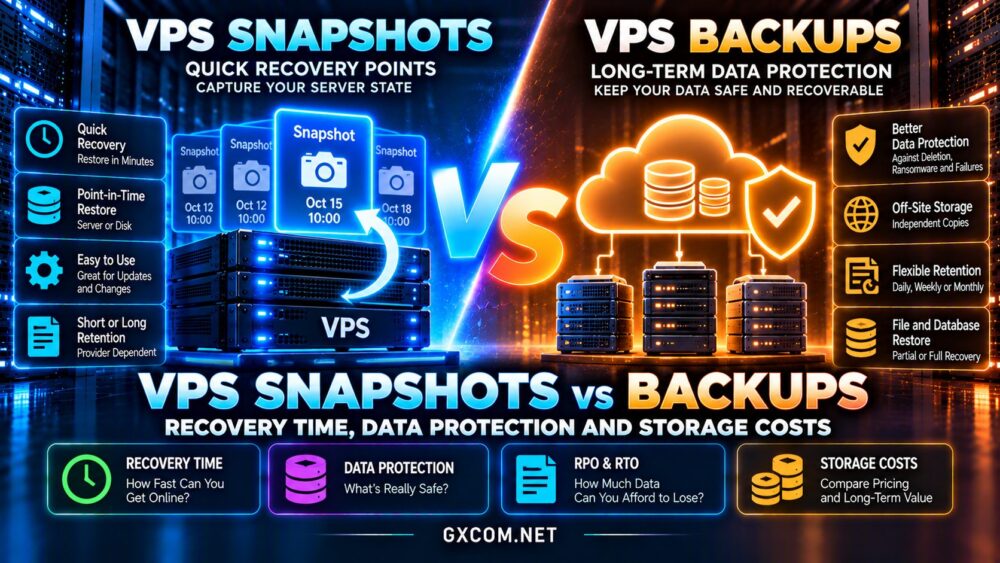
A snapshot records the state of a virtual machine, disk, or storage volume at a particular moment. Depending on the platform, it may capture disk data, instance configuration, or additional virtual machine state.
Snapshots commonly use copy-on-write or incremental storage mechanisms. Rather than duplicating every unchanged block, the platform can track differences between recovery points.
This makes snapshots convenient for short-term rollback, although actual creation time, storage consumption, and restore behavior vary.
Some cloud snapshots are stored separately from the original virtual machine, while hypervisor-level snapshots may depend on the underlying storage system. Never assume all snapshots provide identical durability.
What Is a VPS Backup?
A backup is a recoverable copy of data maintained under a defined protection policy. It may contain files, databases, application settings, or a complete server image.
Backups can be full, incremental, or differential. A backup platform may even use storage snapshots internally to capture data efficiently.
What matters is the recovery design: retention, independent storage, access controls, verification, and the ability to restore the required information.
For general infrastructure selection, review our best VPS hosting providers comparison.
Snapshots vs Backups: Main Differences
| Feature | VPS Snapshot | Independent Backup |
|---|---|---|
| Primary purpose | Point-in-time rollback | Data recovery and retention |
| Typical recovery | Instance or volume restoration | Files, databases, or full systems |
| Storage independence | Provider-dependent | Can use separate storage and accounts |
| Application consistency | Requires appropriate coordination | Can include database-aware procedures |
| Retention | Often operationally focused | Policy-driven short- and long-term copies |
| Security | Depends on platform permissions | Can use immutable and isolated copies |
| Costs | Snapshot storage and operations | Storage, retention, transfers, and restores |
A snapshot is not automatically unsafe, and a product labeled backup is not automatically reliable. Evaluate its actual recovery guarantees.

Recovery Time: Which Restores Faster?
Recovery Time Objective, or RTO, describes how quickly a service must return after disruption. Recovery Point Objective, or RPO, describes the maximum acceptable amount of lost data measured in time.
A recent snapshot may provide fast whole-server recovery because the platform can recreate an instance from a stored image.
However, restoring a large volume, attaching storage, changing network settings, and validating applications can still take time.
Independent backups may require downloading data, provisioning replacement infrastructure, and restoring databases. Their recovery time depends on the tools and architecture.
Why Snapshot Frequency Matters
Suppose a store creates one snapshot every 24 hours. If its server fails just before the next snapshot, almost a full day’s changes could be missing.
Hourly backups or continuous database log archiving may offer a shorter RPO, provided recovery procedures are correctly implemented.
Neither approach guarantees zero data loss. Test the complete recovery process against your business objectives.
Database Consistency: MySQL and PostgreSQL
Database recovery requires more care than copying ordinary website files.
A snapshot taken while a database is running may be crash-consistent rather than application-consistent. The database might recover using transaction logs, but successful recovery should never be assumed without testing.
Application-consistent protection coordinates database activity with the capture process. Alternatives include database-native backups and transaction log archiving.
For WordPress and WooCommerce, ensure that restored files and database records represent a compatible recovery point.
Storage performance also affects recovery operations. See our NVMe VPS storage performance guide for related considerations.
Ransomware, Accidental Deletion and Provider Failures
A snapshot controlled by the same compromised administrator account may be vulnerable to deletion alongside the production server.
Similarly, a backup mounted permanently with unrestricted write access can be damaged by malicious software.
For stronger protection, maintain recovery copies with separate credentials, restricted deletion permissions, and immutable retention where supported.
Follow the 3-2-1 Backup Principle
A practical starting point is maintaining three copies of important data, across two storage types or systems, with one copy off-site.
Modern environments may also benefit from offline or immutable copies and regularly verified restores.
Geographic separation helps address regional incidents, but cross-region replication alone does not protect against every administrative mistake.
VPS Snapshot and Backup Storage Costs
Snapshot pricing may depend on changed blocks, stored capacity, retention duration, and provider-specific operations.
Backup services may charge for protected instance capacity, stored data, additional retention, or recovery-related transfers.
Incremental technology can reduce storage requirements, but frequent changes and long retention periods may increase consumption.
Calculate costs using the actual amount of changed data rather than assuming that every incremental recovery point occupies only a small amount of space.
What Should You Include in the Budget?
Estimate protected storage, daily change rate, recovery-point frequency, retention duration, off-site replication, and restore testing.
For critical applications, compare those expenses against the financial impact of extended downtime or unrecoverable transactions.
Lower-cost VPS plans can still be suitable when an appropriate external backup strategy is included.
Our cheap VPS providers comparison helps evaluate infrastructure costs beyond advertised server prices.
VPS Providers and Backup Options to Compare
Vultr: Cloud Snapshots and Automated Backups
Vultr provides cloud infrastructure with snapshot and automated backup options for supported services.
Compare available scheduling, retention, recovery workflows, and charges. Confirm whether additional independent backups are necessary for your recovery objectives.
Hostwinds: VPS Hosting and Backup Services
Hostwinds offers VPS hosting and backup-related services that warrant consideration when evaluating managed and unmanaged environments.
Check what is included with the selected plan, whether backups are optional, and how complete-server recovery is performed.
Our Hostwinds Windows and Linux VPS review covers additional hosting considerations.
ScalaHosting: Managed VPS Protection
ScalaHosting offers managed VPS services with backup capabilities that may appeal to businesses wanting assistance with server administration.
Verify the plan’s backup frequency, storage location, retention period, and restoration responsibilities.
Kamatera: Flexible Cloud Recovery Planning
Kamatera provides configurable cloud infrastructure with backup and recovery options worth reviewing for custom deployments.
Confirm the specific services available for your server configuration, along with regional storage and recovery costs.
For management differences, consult our managed vs unmanaged hosting comparison.

How to Build a Practical VPS Recovery Strategy
Start by classifying workloads according to acceptable downtime and data loss. A personal test server may tolerate longer recovery than an ecommerce database.
Use snapshots before risky changes, schedule independent backups, and protect at least one recovery copy outside the primary administrative boundary.
Document the steps required to rebuild a server, restore its database, recover credentials, and verify application functionality.
Perform restoration tests periodically. A backup that has never been restored is an unverified recovery promise.
Frequently Asked Questions
Can a VPS snapshot replace a backup?
Not reliably in every scenario. Snapshots can provide useful recovery points, but independent backups offer additional protection when appropriately stored and managed.
Are snapshots faster to restore?
Often for whole-instance rollback, but actual recovery time depends on the provider, storage size, and restoration workflow.
Do VPS backups protect against ransomware?
They can when recovery copies are sufficiently isolated, access-controlled, and protected against unauthorized modification or deletion.
How often should a VPS be backed up?
Choose frequency according to the maximum acceptable data loss. Transaction-heavy applications may need more frequent protection than static websites.
Are cloud snapshots stored off-site?
Not necessarily. Storage location and failure-domain independence depend on the provider’s snapshot architecture.
Final Verdict: Snapshots or Backups?
The VPS snapshots vs backups decision should not be treated as an either-or choice.
Use snapshots for convenient rollback and infrastructure changes. Use independent backups for durable recovery, longer retention, and stronger protection against destructive incidents.
Compare Vultr, Hostwinds, ScalaHosting, and Kamatera based on actual backup features, restore procedures, and total storage costs.
The most valuable protection is not the cheapest snapshot or backup plan. It is a recovery process that works when your production server is unavailable.