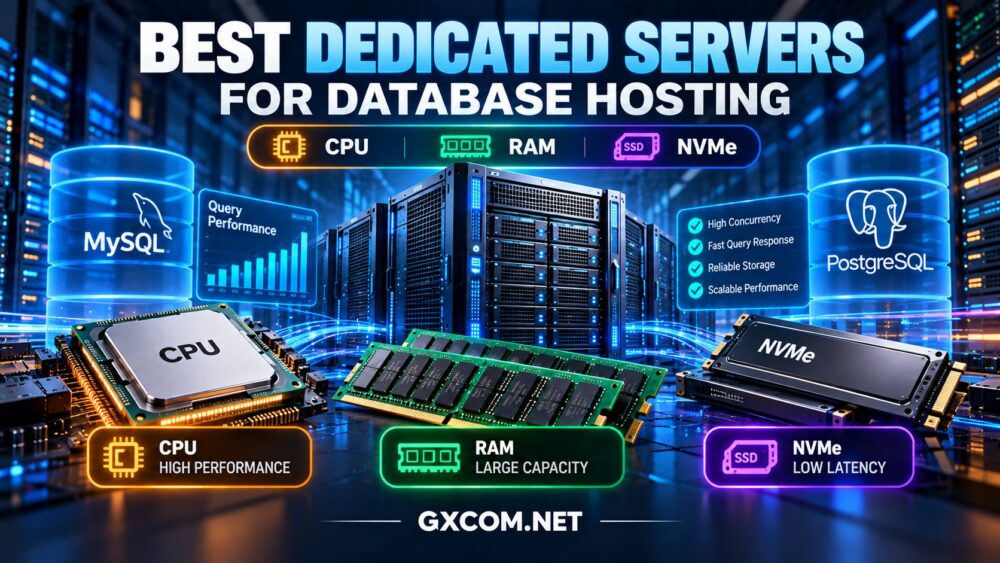
Choosing the best dedicated servers for database hosting requires a different approach from selecting a server for a typical website. Database performance depends on how efficiently the system processes queries, keeps frequently accessed data in memory, and handles storage operations under sustained load.
A powerful processor alone will not fix slow SQL queries. Likewise, installing NVMe drives does not guarantee better results when the database is limited by insufficient RAM, lock contention, or inefficient indexing.
In this guide, we compare CPU, RAM, and NVMe requirements for MySQL, PostgreSQL, MariaDB, and other database workloads. We also examine dedicated hosting providers worth evaluating and explain how to choose a configuration based on real application demands.
Why Use a Dedicated Server for Database Hosting?
Dedicated servers allocate physical hardware to a single customer. This gives database administrators more control over processor resources, memory allocation, storage layout, operating systems, and performance tuning.
For applications with sustained database activity, dedicated hardware can reduce the variability associated with competing tenants on some shared virtualized platforms.
Potential advantages include:
- Predictable access to physical CPU and memory resources.
- Greater control over database configuration and operating system settings.
- Dedicated local storage for demanding I/O workloads.
- More flexibility for replication, monitoring, and backup architecture.
- Hardware configurations tailored to database requirements.
However, a dedicated server is not automatically faster than a well-configured cloud database or virtual machine. Software optimization, storage performance, and operational design remain essential.
For the underlying infrastructure differences, see our dedicated server hosting guide.
CPU for Database Hosting: Clock Speed or More Cores?
CPU selection depends on the type of database queries and how much work can execute concurrently.
Single-Thread Performance
Some database operations depend heavily on the performance of an individual execution thread. Complex queries, specific aggregation operations, and latency-sensitive transactions may benefit from faster cores.
A newer processor with strong per-core performance can therefore be a better choice than an older processor with more cores.
Multi-Core Performance
Databases serving many simultaneous connections may benefit from additional physical cores, especially when queries can execute independently.
However, extra cores cannot eliminate contention caused by locks, shared resources, or inefficient query plans.
CPU Features That Matter
- Processor generation: Newer architectures may offer better efficiency and performance.
- Physical core count: Important for parallel workloads and concurrent queries.
- Clock performance: Relevant for latency-sensitive operations.
- Cache architecture: Can influence memory access behavior.
- Memory bandwidth: Important when processing large datasets.
- NUMA topology: Relevant for large multi-socket database systems.
Rather than buying the processor with the highest advertised core count, use database-specific benchmarks and representative production queries to evaluate CPU requirements.
RAM for Database Servers: Why Memory Often Matters More
RAM is a critical resource because databases repeatedly access indexes, frequently used records, query execution structures, and temporary working data.
When more of the active dataset fits in memory, the database may require fewer physical storage reads.
MySQL and MariaDB
For InnoDB-based databases, the buffer pool is an important component of memory planning. It caches data and index pages, reducing the need for repeated disk access.
The appropriate buffer pool size depends on total available RAM, other database memory consumers, the operating system, and whether additional applications share the server.
PostgreSQL
PostgreSQL uses shared buffers alongside operating system filesystem caching. Memory requirements also depend on active connections, query execution settings, maintenance operations, and workload characteristics.
Settings such as work_mem must be considered carefully because memory usage can increase across concurrent operations.
How Much RAM Is Enough?
There is no reliable universal RAM requirement based only on database size.
A database larger than physical memory can still perform well when its frequently accessed working set is relatively small. Conversely, a smaller database can experience memory pressure when queries, sorting, connections, and background tasks consume substantial resources.
Monitor cache effectiveness, memory pressure, swapping, active connections, and peak query demand before choosing a server.
NVMe vs SATA SSD for Database Hosting
Storage performance becomes especially important when queries cannot be served entirely from memory.
Modern NVMe drives can provide high I/O throughput and low access latency, making them attractive for database applications with frequent random reads and writes.
Where NVMe Makes the Biggest Difference
- Transaction-heavy applications with frequent durable writes.
- Databases performing substantial random I/O.
- Workloads with active datasets larger than available RAM.
- Systems requiring fast temporary storage operations.
- Applications where storage latency affects query response times.
However, the performance of individual NVMe drives varies. Buyers should consider sustained latency, write endurance, thermal behavior, and performance under mixed read/write loads.

Storage Redundancy and Data Protection
Mirrored storage can help maintain service during certain drive failures, but it does not protect against every form of data loss.
Database servers also need consistent backups, tested restoration procedures, and appropriate transaction-log or point-in-time recovery strategies.
For a broader explanation of server component selection, read our dedicated server hardware guide.
CPU vs RAM vs NVMe: Which Upgrade Should Come First?
The most valuable upgrade depends on the bottleneck observed during actual database activity.
| Observed Problem | Likely Area to Investigate | Potential Improvement |
|---|---|---|
| High CPU utilization and slow query execution | Query plans, indexing, processor performance | Optimize queries or upgrade CPU capacity |
| Frequent disk reads and poor cache efficiency | Buffer allocation and active dataset size | Increase RAM where justified |
| High storage latency during transactions | Drive performance, write patterns, I/O queues | Improve storage configuration |
| Slow queries despite low hardware utilization | Indexes, locking, application behavior | Optimize database and application logic |
| Performance degrades with more connections | Connection management, contention, concurrency | Tune pooling, queries, and resource allocation |
The correct upgrade sequence is measurement first, hardware second. Adding more RAM to a CPU-bound database or more CPU cores to a storage-bound database may produce little improvement.
Best Dedicated Server Providers for Database Hosting
The following providers are relevant candidates for database infrastructure planning. They represent different approaches to dedicated hardware, managed hosting, and specialized deployment requirements.
These recommendations are based on service positioning and potential workload fit, not independent benchmark testing or a claim that one provider is universally faster.
1. Cherry Servers: Bare Metal for Performance-Focused Databases
Cherry Servers is worth evaluating for database workloads requiring physical hardware control and configurable infrastructure.
For MySQL or PostgreSQL deployments, buyers should compare available processor models, memory configurations, local storage options, network connectivity, and provisioning terms.
Dedicated bare metal infrastructure can be attractive for experienced teams running continuously active database systems.
Best for: Teams seeking physical resource control and hardware-oriented database deployment.
What to verify: Current CPU availability, NVMe configurations, redundancy options, backup responsibilities, and bandwidth conditions.
2. ScalaHosting: Managed Infrastructure Considerations
ScalaHosting is worth considering for businesses that value managed hosting and operational assistance.
Its hosting portfolio includes managed environments, but buyers should distinguish a genuinely dedicated physical server from managed VPS or other virtualized hosting products.
For database applications, evaluate the underlying resource allocation, supported database software, administrative access, and the precise scope of technical management.
Best for: Businesses prioritizing managed operations and database-backed application hosting.
What to verify: Whether the selected product meets a strict physical dedicated-server requirement, together with available database support and resource guarantees.
3. ServerMania: Dedicated Infrastructure for Business Databases
ServerMania is a candidate for businesses with persistent database workloads and defined hardware requirements.
When comparing dedicated configurations, focus on processor generation, memory capacity, storage architecture, network placement, and service conditions.
For production databases, consider how the chosen infrastructure supports monitoring, backups, replication, and disaster recovery.
Best for: Businesses evaluating dedicated physical servers for sustained application and database demand.
What to verify: Current hardware configurations, data center locations, support arrangements, and recovery capabilities.
4. Database Mart: Database-Oriented Hosting Requirements
Database Mart is relevant to buyers exploring database-focused hosting and Windows or Linux server environments.
Its suitability depends on the exact product selected. A database-oriented VPS and a physical dedicated server are not interchangeable, even when both support the same database software.
Evaluate database engine compatibility, administrative access, licensing, storage performance, backup options, and the physical or virtual nature of the hosting environment.
Best for: Buyers comparing database-related hosting options with specific software or operating system requirements.
What to verify: Dedicated hardware availability, database licensing, storage configuration, and included management services.
Dedicated Database Server vs Cloud Database Hosting
Dedicated servers and cloud database services solve different operational problems.
A dedicated server provides hardware-level control and can be attractive for predictable, sustained workloads. However, the customer may need to manage database software, monitoring, replication, security, and recovery.
Managed cloud database services may provide automation for certain maintenance and recovery tasks, although their pricing and configuration models can differ substantially.
Cloud infrastructure can also offer flexible deployment options, but a single cloud instance does not automatically provide high availability.
For the broader infrastructure decision, see our dedicated server vs cloud server comparison.
Reliability and Security for Production Database Hosting
Performance is only one part of a successful database deployment. A fast server without a recovery strategy can still expose a business to unacceptable downtime and data loss.
Use Replication Where Appropriate
Replication can support read scaling, recovery planning, or high-availability architectures, depending on the database engine and configuration.
However, replication alone is not a backup. Accidental changes and logical corruption can propagate to replicas.
Test Backups and Point-in-Time Recovery
Use backup procedures that are consistent with the database engine and its transaction behavior.
For important systems, define recovery point objectives and recovery time objectives, then test restoration against those targets.
Secure Database Access
Restrict administrative access, apply least-privilege permissions, use encrypted connections where appropriate, and keep database software updated.
Avoid exposing database services directly to the public internet unless there is a documented requirement and suitable access protection.
Monitor the Right Metrics
Track query latency, slow queries, cache effectiveness, lock waits, CPU usage, memory pressure, storage latency, replication health, and backup status.
Database-specific monitoring is more useful than relying exclusively on general server CPU and RAM graphs.
How Much Does Dedicated Database Hosting Cost?
The total cost of database hosting includes more than the physical server rental.
Potential expenses include:
- Processor, RAM, and storage configuration.
- Operating system and commercial database licensing.
- Backup storage and retention.
- Replication or standby infrastructure.
- Network transfer and connectivity.
- Monitoring, management, and technical support.
- Migration, maintenance, and disaster recovery.
A lower-cost server can become expensive if insufficient memory causes poor performance or if critical backup services must be purchased separately.

Likewise, a premium configuration may waste money when database optimization could resolve the underlying problem.
Our bare metal server pricing guide explains hardware, bandwidth, and hidden infrastructure costs in greater detail.
How to Choose the Right Dedicated Database Server
- Profile the workload: Measure query latency, transaction volume, concurrent activity, and peak utilization.
- Identify the bottleneck: Determine whether performance is constrained by CPU, memory, storage, or query design.
- Choose suitable hardware: Match processor performance, RAM, and storage to observed requirements.
- Plan for recovery: Define backup, replication, and failover requirements.
- Compare operational support: Decide whether your team can manage the database and operating system.
- Calculate total cost: Include software, backups, licensing, and ongoing administration.
- Validate before migration: Test representative database workloads on the intended configuration.
Frequently Asked Questions
Is a dedicated server better for MySQL or PostgreSQL?
A dedicated server can be beneficial for sustained workloads requiring physical resource control, but the result depends on query design, memory, storage, and administration. Both MySQL and PostgreSQL can perform well on appropriately configured dedicated or cloud infrastructure.
Is CPU or RAM more important for database hosting?
It depends on the bottleneck. RAM is valuable when frequently accessed data and indexes can be cached, while CPU performance matters for query execution and concurrent processing. Workload measurements should guide the decision.
Does NVMe make a database faster?
NVMe can improve performance when storage latency or throughput is a limiting factor. It may have less impact when queries are served primarily from memory or slowed by inefficient SQL and locking.
Should I choose managed or unmanaged database hosting?
Managed hosting can reduce some administrative responsibilities, while unmanaged hosting provides more direct control. Verify the exact management scope, particularly whether database tuning, backups, and incident response are included.
Can one dedicated server provide high availability?
A single physical server remains a potential point of failure. Higher availability generally requires additional infrastructure, appropriate replication or failover mechanisms, and tested recovery procedures.
Final Verdict: The Best Database Server Is the One That Fits Your Workload
The best dedicated server for database hosting is not simply the machine with the most CPU cores, the largest RAM allocation, or the fastest advertised SSD.
For some databases, faster processor cores will have the greatest impact. Others benefit more from additional memory, lower storage latency, or improved query optimization.
Cherry Servers and ServerMania are worth comparing for physical dedicated infrastructure, while ScalaHosting and Database Mart can be evaluated for their respective managed or database-oriented hosting options, subject to product-level verification.
DATABASE WORKLOAD → QUERY ANALYSIS → CPU → RAM → NVMe → RELIABILITY → TOTAL COST
Measure first, compare realistic configurations, and choose infrastructure that can support both current demand and future growth.