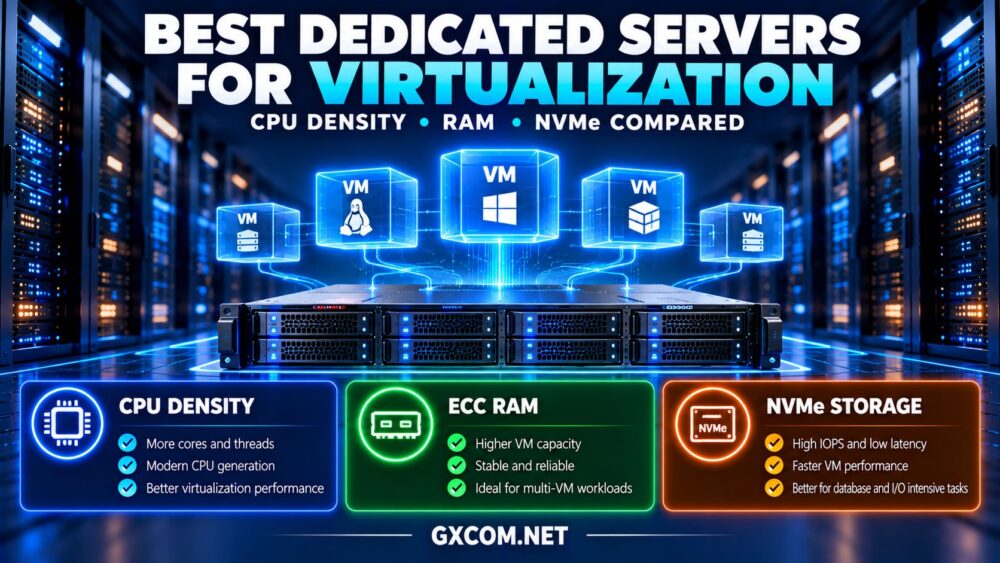
Finding the best dedicated servers for virtualization requires more than choosing the processor with the highest core count. Virtual machine performance depends on CPU scheduling, available memory, storage latency, network capacity, and how much infrastructure remains available during failures.
Dedicated servers provide direct control over physical resources, making them attractive for Proxmox VE, Hyper-V, KVM, and other supported virtualization platforms. Yet two servers with similar specifications can deliver different results under consolidated workloads.
This guide compares CPU density, RAM, NVMe storage, and operating costs while examining dedicated infrastructure options from Cherry Servers, ServerMania, NovoServe, and Bacloud.
What Makes a Dedicated Server Good for Virtualization?
A suitable virtualization host must deliver predictable performance across multiple guests. Processor generation, memory capacity, storage endurance, and recovery access can matter more than headline specifications.
Begin with measured workload requirements rather than theoretical maximum VM counts. Include expected growth, maintenance windows, and the possibility of a physical host becoming unavailable.
For a broader foundation, review our dedicated server hardware guide.
1. Compare CPU Cores, Threads and Generation
Modern virtualization workloads benefit from processors supporting hardware-assisted virtualization and sufficient physical cores. However, core count alone cannot predict application performance.
A newer processor with fewer cores may outperform an older high-core-count CPU in workloads sensitive to single-thread performance, cache behavior, or memory bandwidth.
Simultaneous multithreading can improve utilization, but logical threads should not be treated as equivalent to additional physical cores.
Check CPU generation, sustained clock behavior, NUMA topology, virtualization extensions, and compatibility with your chosen hypervisor.
2. Calculate Realistic Virtual Machine Density
Virtualization density describes the number of guests a host can support while maintaining acceptable performance.
Consider a hypothetical server with 32 physical CPU cores and 256GB RAM. At a 2:1 vCPU-to-core allocation ratio, administrators could assign 64 vCPUs across guests.
That allocation does not guarantee 64 cores of simultaneous processing capacity. If many guests become busy together, CPU scheduling contention can increase latency.
For lightweight development environments, moderate overcommit may be practical. Production databases and latency-sensitive applications often require more conservative allocation.
Measure actual CPU demand, scheduling delay, and peak utilization before increasing density.
3. Why RAM Often Limits Virtualization First
Memory capacity frequently becomes the limiting resource before processor capacity.
Suppose a 256GB host reserves 24GB for its operating system, hypervisor, and operational overhead. Approximately 232GB remains for guest allocations.
At 8GB per virtual machine, that represents 29 theoretical guests before additional headroom. Real capacity depends on workload requirements and storage services.
ECC memory is valuable for detecting and correcting certain memory errors, although it cannot prevent every hardware failure.

For larger deployments, consider memory expansion limits, DIMM configuration, and NUMA placement rather than purchasing the maximum initial CPU capacity alone.
4. Evaluate NVMe Performance Beyond Capacity
NVMe storage can improve virtual machine responsiveness, particularly when multiple guests generate random reads and writes.
However, advertised sequential throughput does not fully describe virtualization performance. Examine random IOPS, latency under load, write endurance, and sustained behavior.
Enterprise-oriented drives may offer features such as power-loss protection and endurance characteristics suited to demanding workloads.
RAID can improve availability against certain drive failures, but it does not replace backups. RAID level, controller design, and rebuild behavior also affect performance.
Distributed storage introduces additional network and capacity requirements that should be included in the server budget.
5. Compare Virtualization Server Hardware Profiles
| Workload | CPU Priority | RAM Priority | Storage Priority |
|---|---|---|---|
| Development VMs | Balanced cores | Moderate capacity | Reliable SSD/NVMe |
| Business applications | Modern CPU generation | Predictable allocations | Low latency |
| Database virtualization | Strong sustained performance | High capacity | High-endurance NVMe |
| High-density hosting | More physical cores | Expandable ECC RAM | Consistent random I/O |
These profiles are planning priorities, not universal minimum specifications. Benchmark representative applications before finalizing a configuration.
6. Best Dedicated Server Providers for Virtualization
The following providers are useful candidates for virtualization-focused infrastructure research. Availability of specific CPUs, RAM configurations, network features, and hypervisor installation options must be confirmed for each server.
Cherry Servers: Best for Configurable Bare Metal
Cherry Servers is worth evaluating for technical teams seeking flexible physical infrastructure.
Compare CPU generations, memory options, NVMe configurations, remote management, and networking capabilities. Confirm whether the selected hardware supports your preferred hypervisor.
Ideal for: Engineers building customized virtualization platforms.
ServerMania: Best for Business Infrastructure Planning
ServerMania is relevant for organizations comparing dedicated servers with documented operational requirements.
Evaluate available hardware, support arrangements, replacement procedures, and storage options. Clarify the boundary between provider hardware support and customer-managed virtualization software.
Ideal for: Businesses prioritizing infrastructure planning and support responsibilities.
NovoServe: Best for Network-Intensive Virtualization
NovoServe deserves consideration when network throughput, data transfer, and server location influence deployment decisions.
Compare available ports, traffic policies, private connectivity, and regional infrastructure. Verify latency and bandwidth requirements before designing distributed storage or live migration networks.
Ideal for: Virtualization workloads with substantial network demand.
Bacloud: Best for Budget-Conscious Self-Management
Bacloud is worth comparing when rental cost matters and administrators can manage their own hypervisor environment.
Check processor generation, maximum RAM, drive health and configuration, recovery access, and hardware replacement arrangements.
Ideal for: Experienced administrators seeking cost-conscious dedicated infrastructure.
7. Plan Networking and High Availability
A single dedicated server can host numerous virtual machines, but it remains a physical failure domain.
Multi-node deployments may provide workload restart or migration capabilities when configured with suitable quorum, storage, and spare capacity.
Network planning should account for management access, guest traffic, backups, storage replication, and migration.
For a practical cluster architecture, see our bare metal Proxmox cluster guide.
Do not assume dual network ports provide independent upstream paths. Verify switching and routing diversity with the provider.
8. Calculate the Cost per Usable Virtual Machine
Monthly server rental alone is a poor measure of virtualization value. Calculate the cost of usable guest capacity after reserving resources for the host and failure recovery.
Consider a hypothetical server costing $180 monthly and supporting 20 production VMs at acceptable performance. Its infrastructure rental averages $9 per VM monthly.

If storage upgrades and monitoring add $60, the effective infrastructure cost becomes $12 per VM before administration, licensing, and backups.
Higher density may lower unit costs, but overcommit that causes performance problems can erase those savings.
Explore our dedicated server deals comparison when evaluating hardware rental costs.
9. Avoid Common Virtualization Purchasing Mistakes
Do not purchase older processors solely because they advertise more cores. Avoid maximizing RAM allocations without leaving hypervisor and recovery headroom.
Check NVMe endurance, backup requirements, and remote console access. Verify whether hardware changes require downtime or migration to another machine.
For broader supplier selection, consult our bare metal server providers comparison.
10. Choose for Growth, Not Maximum Density
The best configuration should handle current workloads while leaving a practical expansion path.
Compare memory upgrade availability, additional storage options, replacement hardware, and migration complexity. If a second host becomes necessary, plan how workloads and data will move.
Private cloud buyers can explore our private cloud virtualization density guide for broader capacity and infrastructure planning.
Final Verdict
The best dedicated servers for virtualization balance modern CPU performance, sufficient ECC RAM, dependable NVMe storage, and realistic operational headroom.
Cherry Servers, ServerMania, NovoServe, and Bacloud offer infrastructure options worth investigating for different priorities. Compare verified configurations, support boundaries, and full operating costs before purchasing.
Choose the server that delivers reliable performance for your actual virtual machines—not merely the highest theoretical VM count.