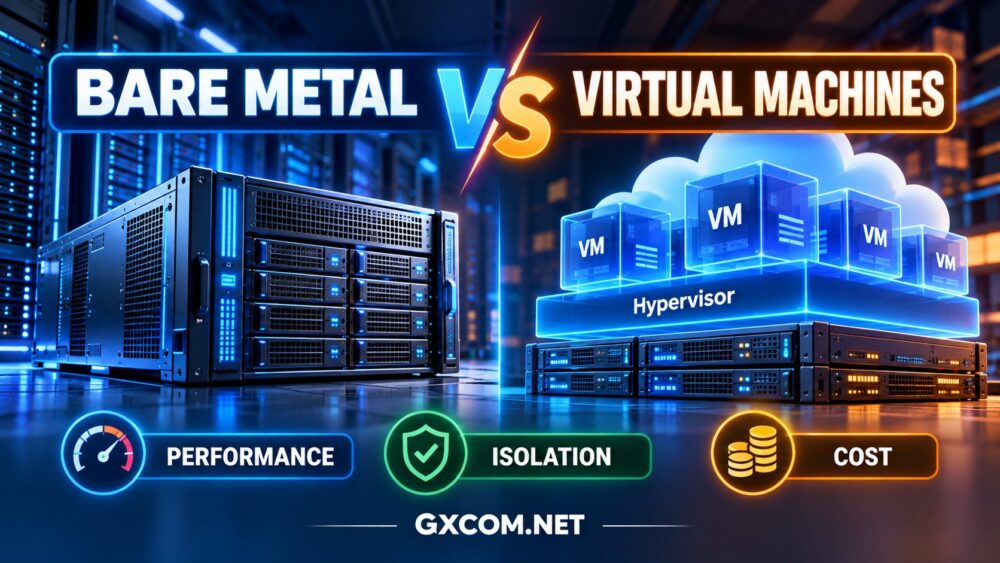
Bare metal server pricing can be difficult to compare because the advertised rental fee rarely tells the whole story. Two dedicated servers with similar CPU cores and RAM may have very different total costs once storage, bandwidth, software licenses, backups, and management are included.
Some providers offer hourly bare metal rentals, while others focus on fixed monthly contracts. Network traffic may be bundled, metered, or offered through an unmetered port with defined capacity limits.
This guide explains how bare metal server costs work, which hidden charges deserve attention, and how to evaluate the real value of a dedicated physical server before committing to a hosting provider.
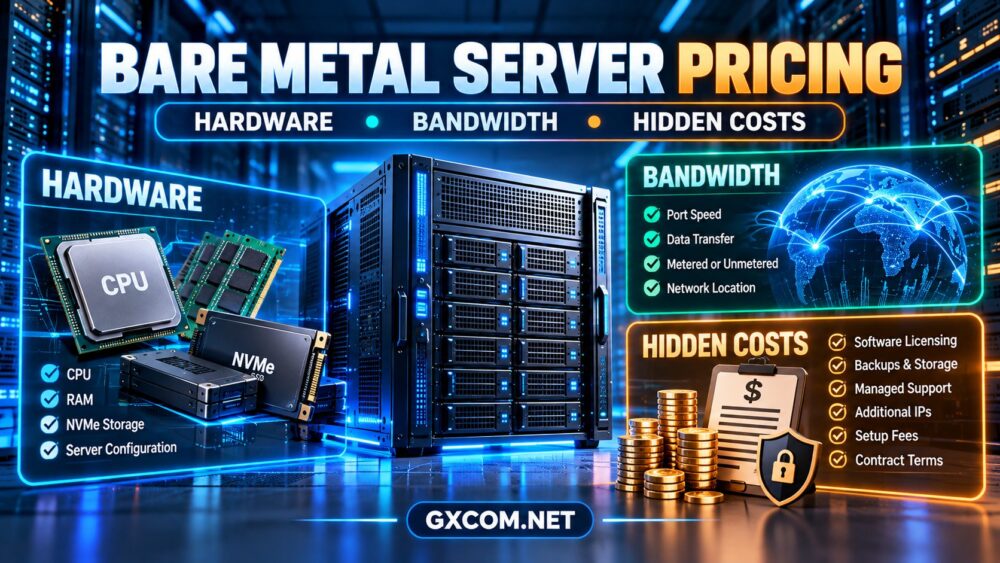
What Determines Bare Metal Server Pricing?
A bare metal server is a physical machine allocated to a single customer. Unlike a typical shared virtual machine, its underlying processor, memory, and local hardware resources are not shared with unrelated tenants.
Providers must account for physical hardware, data center facilities, electricity, cooling, network connectivity, maintenance, and support. These expenses influence the rental model even when the customer receives a simple monthly invoice.
The main pricing factors include:
- CPU: Processor generation, architecture, core count, and performance capabilities.
- RAM: Installed capacity, memory generation, and supported configurations.
- Storage: NVMe or SSD capacity, drive count, endurance, and redundancy options.
- Bandwidth: Port speed, included data transfer, and excess traffic policies.
- Location: Regional infrastructure costs and network connectivity.
- Billing terms: Hourly usage, monthly rental, or longer commitments.
- Additional services: Licensing, backups, management, security, and recovery.
For an overview of providers and hardware options, explore our bare metal server providers guide.
1. CPU Pricing: Processor Generation Matters More Than Core Count
CPU selection is often one of the largest differences between bare metal configurations.
Enterprise processors such as AMD EPYC and Intel Xeon are commonly associated with high memory capacity, server-oriented features, and substantial multi-core processing capabilities.
Other processor families may offer attractive single-thread performance for applications such as game servers, web applications, and latency-sensitive services.
However, more physical cores do not automatically mean better value.
A newer processor with fewer cores may outperform an older high-core-count CPU for applications that depend on single-thread speed or memory latency.
How to Compare CPU Value
- Identify the exact processor model and generation.
- Compare single-thread and multi-thread performance where relevant.
- Check memory channels and platform capabilities.
- Estimate sustained CPU utilization.
- Evaluate whether additional cores will actually be used.
For long-running workloads, consider effective performance per unit of total monthly cost rather than cost per advertised core alone.
2. RAM and NVMe Storage: Avoid Paying for Unused Capacity
Memory-intensive applications may require substantial RAM for database caching, analytics, virtualization, or large in-memory datasets.
But purchasing far more RAM than the workload needs can increase recurring infrastructure spending without improving performance.
Storage pricing requires similar attention.
NVMe vs SSD vs HDD
NVMe storage can provide excellent random I/O performance and low latency, making it useful for database-heavy applications and frequently accessed data.
SATA SSDs may be sufficient for less demanding workloads, while HDDs can remain practical for some capacity-oriented storage tasks.
Compare the entire storage configuration, including:
- Usable capacity after redundancy.
- Drive count and replacement procedures.
- Storage endurance and sustained I/O performance.
- RAID controller or software RAID requirements.
- Backup and restoration costs.
RAID can improve availability during certain disk failures, but it does not replace independent backups.
For detailed configuration guidance, read our dedicated server hardware guide.
3. Bandwidth Pricing: Port Speed vs Data Transfer
Bandwidth is one of the most frequently misunderstood components of dedicated server pricing.
A provider may advertise a high-speed network port, but that specification does not necessarily mean unlimited data transfer.
Port Speed
Port speed describes the maximum nominal capacity of the network interface or connection, usually expressed in Mbps or Gbps.
Actual throughput depends on routing, network congestion, remote endpoints, and the provider's policies.
Monthly Traffic Allowance
A traffic allowance specifies how much data can be transferred during a billing period.
Some providers measure outbound traffic only, while others may use different accounting methods.
Metered vs Unmetered Bandwidth
Metered plans generally include a defined amount of transfer, with additional charges or restrictions when the allowance is exceeded.

Unmetered plans usually do not charge per transferred gigabyte under the advertised policy, but throughput remains limited by the assigned port and applicable service terms.
Unmetered does not mean infinite bandwidth.
Why Location Changes Network Costs
Data center geography can influence traffic allowances, connectivity options, and network charges.
For example, Cherry Servers documents regional differences in its traffic packages, including separate treatment of certain Asia-Pacific locations.
Before purchasing, verify whether traffic is pooled across servers, whether excess usage is charged, and whether the provider can throttle throughput.
4. Hourly vs Monthly Bare Metal Server Billing
Not every bare metal server requires a long-term commitment.
Some infrastructure providers support hourly deployments, while traditional dedicated hosting companies commonly offer recurring monthly or longer-term contracts.
| Factor | Hourly Billing | Monthly Billing |
|---|---|---|
| Best suited for | Temporary or variable workloads | Persistent production workloads |
| Billing flexibility | Often higher | Usually more predictable |
| Idle capacity | May remain billable | Included in recurring rental |
| Long-term economics | Depends on hourly rate and usage | May benefit from committed terms |
| Termination | Resource release rules apply | Contract and renewal terms apply |
| Traffic allowance | May accrue according to rental time | Often defined per billing period |
For temporary testing, short-lived projects, or scheduled compute workloads, hourly bare metal can provide useful flexibility.
For a server operating continuously, compare the accumulated hourly charges against the complete monthly rental cost.
Also verify whether billing stops when the server is powered off or only after the resource is formally released.
5. Hidden Bare Metal Hosting Costs
The most important purchasing question is not simply how much the server costs to rent. It is how much the entire production environment costs to operate.
Operating System and Software Licensing
Commercial operating systems, control panels, database software, and virtualization platforms may require additional licenses.
Licensing conditions can vary by processor, core count, virtual machine allocation, or deployment model.
Backups and Disaster Recovery
Backup storage, snapshot retention, replication, and off-site recovery infrastructure may be charged separately.
A low-cost server without a viable recovery strategy can create substantial business risk.
Managed Support
Unmanaged servers generally require the customer to handle operating system maintenance, security configuration, application troubleshooting, and monitoring.
Managed services can reduce administrative workload but may increase the recurring bill.
Additional IP Addresses and Networking
Public IPv4 addresses, private networking features, load balancers, and specialized connectivity may introduce additional charges.
Setup Fees and Contract Commitments
Custom hardware, special configurations, and contract terms may affect initial costs and cancellation flexibility.
Longer billing commitments can sometimes improve the effective rental rate but may increase financial exposure if requirements change.
Hardware Failure and Recovery Time
Physical servers can experience disk, memory, power, or motherboard failures.
Buyers should review hardware replacement procedures, support coverage, recovery responsibilities, and whether redundancy requires renting additional machines.
For a broader comparison of infrastructure trade-offs, see our bare metal vs virtual machines comparison.
6. How to Calculate the Real Cost of Bare Metal Hosting
A useful total-cost model is:
Total Monthly Infrastructure Cost = Server Rental + Network Extras + Software Licensing + Backup and Storage + Management + Security + Other Billable Services
For longer-term comparisons, add one-time setup charges and migration costs, then allocate them across the expected operating period.
Example: A High-Traffic Business Website
A high-traffic website may require a modern processor, adequate memory, fast storage, backups, and sufficient outbound bandwidth.
The lowest rental fee may not be the best value if the plan lacks reliable backup options or requires expensive network upgrades.
Compare the complete infrastructure package and its ability to handle real traffic peaks.
Example: A Virtualization Host
A company running several internal virtual machines may prioritize memory capacity, storage redundancy, processor virtualization features, and remote management access.
Licensing and backup requirements can materially affect total cost.
Example: A Temporary Compute Project
For short-duration processing, hourly bare metal may be attractive if the hardware can be provisioned quickly and released when the project ends.
However, deployment time, retained storage, data transfer, and minimum billing periods must be considered.
7. Bare Metal Providers Worth Comparing for Pricing Transparency
Different providers emphasize different purchasing models. The following options are useful candidates for comparing dedicated hardware costs, network policies, and contract flexibility.
Cherry Servers: Flexible Bare Metal Billing
Cherry Servers is particularly relevant when comparing hourly and fixed-term bare metal infrastructure.
Its dedicated server offerings include configurable hardware options, and its published documentation explains how traffic allowances and billing policies differ across plans and regions.
Best fit: Developers and businesses evaluating flexible physical infrastructure with clearly documented usage policies.
Check before buying: Selected hardware, location, traffic allowance, additional network charges, and billing term.
BanaHosting: Dedicated Hosting for Persistent Workloads
BanaHosting is a candidate for businesses comparing recurring dedicated server hosting with other web infrastructure products.
When evaluating a plan, examine processor generation, RAM, storage configuration, included traffic, and support responsibilities.
Best fit: Buyers seeking dedicated hosting for continuously running websites and business applications.
Check before buying: Current dedicated server availability, hardware specifications, renewal conditions, and optional services.
DediXLAB: Hardware-Oriented Dedicated Server Options
DediXLAB is worth including when comparing dedicated server configurations and infrastructure contract terms.
Its suitability should be evaluated using current hardware quotations rather than assuming that every configuration includes identical storage, networking, or support features.
Best fit: Businesses with defined hardware requirements seeking additional dedicated infrastructure options.
Check before buying: Processor model, data center location, bandwidth policy, setup terms, and support coverage.
ServerMania: Dedicated and High-Bandwidth Infrastructure
ServerMania is relevant for buyers comparing dedicated servers with substantial network requirements.
Its published infrastructure offerings include dedicated and unmetered bandwidth server options, making network capacity an important comparison factor.
Best fit: Businesses with sustained application demand or bandwidth-intensive services.
Check before buying: Exact port capacity, bandwidth terms, hardware availability, contract length, and additional services.

For more provider options and purchasing considerations, explore our bare metal server comparison guide.
8. How to Avoid Overpaying for Bare Metal Servers
- Measure real utilization: Determine CPU, memory, disk, and network requirements before ordering.
- Choose the right processor: Prioritize workload-relevant performance rather than maximum core count.
- Review included traffic: Compare monthly allowances and overage conditions.
- Account for licensing: Include commercial operating systems and control panels where needed.
- Plan recovery: Budget for backups, spare capacity, and disaster recovery.
- Compare billing terms: Calculate effective costs for your expected operating period.
- Check upgrade flexibility: Understand whether growth requires hardware replacement or migration.
- Compare multiple quotations: Use identical requirements when evaluating providers.
For budget-focused purchasing options, read our affordable dedicated server deals guide.
Frequently Asked Questions
Why are bare metal servers more expensive than some VPS plans?
Bare metal hosting allocates an entire physical machine to one customer, while VPS infrastructure can divide physical hardware among multiple virtual machines. However, high-utilization workloads may sometimes achieve favorable resource economics on bare metal.
Is hourly bare metal hosting cheaper than monthly hosting?
Hourly billing can be cost-effective for short-lived deployments. For continuously running servers, fixed-term rental may provide better economics. Compare actual billable hours and all additional charges.
Does unmetered bandwidth mean unlimited speed?
No. Unmetered bandwidth typically removes usage-based transfer charges under defined conditions, but throughput remains constrained by the assigned network port and applicable service policies.
Are backups included with bare metal servers?
Not always. Some plans provide limited backup storage or optional services, while others require customers to build their own backup infrastructure. Verify retention, recovery options, and charges.
What is the biggest hidden cost of dedicated hosting?
There is no universal answer. For bandwidth-heavy workloads, network charges may dominate. For business-critical applications, management, redundancy, backups, and recovery requirements can be more significant.
Final Verdict: How to Compare Bare Metal Server Costs
The best bare metal server is not necessarily the one with the lowest advertised rental fee.
A strong purchasing decision considers processor performance, memory, storage, bandwidth, licensing, operational responsibility, and reliability requirements together.
Hourly rentals can provide flexibility for temporary workloads, while fixed-term dedicated hosting can simplify planning for continuously running applications.
Before choosing a provider, compare complete quotations using the same workload requirements and billing period.
WORKLOAD → HARDWARE → BANDWIDTH → BILLING TERMS → HIDDEN COSTS → TOTAL VALUE
That approach makes bare metal server pricing easier to understand and helps avoid paying for resources or services your application does not actually need.