Dedicated server deals for object storage can make large media libraries, backup repositories and application datasets more affordable. However, advertised disk capacity is not the amount of data you can safely store. Redundancy, recovery headroom, network traffic and operational requirements determine the real cost of a storage deployment.
This guide compares three dedicated infrastructure providers and explains how to evaluate physical drive bays, RAID layouts and bandwidth terms for self-hosted object storage. Renting a storage server does not automatically include a managed S3-compatible service.
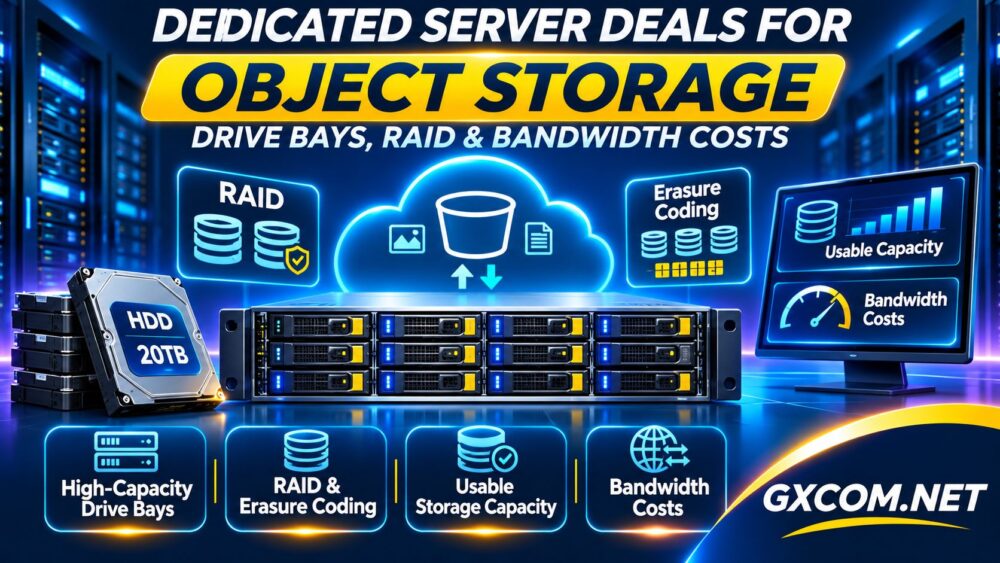
Dedicated Server Deals for Object Storage: Hardware Comparison
The following specifications reflect published provider documentation reviewed on November 24, 2026. Confirm the exact hardware, location and rental terms before ordering.
| Provider | Storage configuration | Network allowance |
|---|---|---|
| InterServer | Up to 12 drives and 288TB raw capacity | Standard storage builds: 1Gbps unmetered |
| HOSTKEY | 2–12 large-form-factor bays; up to 264TB | Published 50TB outgoing allowance |
| Cherry Servers | Custom disk options subject to chassis limits | 100TB on standard fixed-term dedicated plans; 30TB on Outlet plans |
These are product capabilities rather than equivalent priced configurations or confirmed seasonal promotions. Request a quotation that includes all required drives, controllers and network upgrades.
Choose Drive Bays Before Choosing Disk Capacity
Count available data drive positions separately from operating system disks. A chassis with twelve bays may not have twelve positions free for object data if some are reserved for boot devices. Confirm whether the bays accept the required drive format and interface.
High-capacity HDDs can suit archives and large sequential transfers, while SSDs may be preferable for workloads dominated by small objects and concurrent requests. Metadata handling, caching and indexing can also influence hardware selection.
Ask whether the controller supports direct disk access, whether hot swapping is available, and how replacement drives are delivered. An empty bay is useful only if adding a disk is supported commercially and technically. Review our dedicated server hardware guide for broader component selection.
RAID and Erasure Coding: Calculate Usable Capacity
For eight equal 20TB drives, raw capacity is 160TB. Different redundancy layouts produce substantially different theoretical data capacities.
| Layout | Nominal usable capacity | Capacity efficiency |
|---|---|---|
| RAID 10 | 80TB | 50% |
| RAID 6 | 120TB | 75% |
| 4+2 erasure coding | Approximately 106.7TB | 66.7% |
The erasure coding figure assumes an equivalent aggregate raw pool with suitable shard placement. It is not a recommendation to create a six-shard distributed pool on eight disks in one machine. All figures exclude metadata, filesystem overhead, spare drives and operational reserves.
RAID 6 can tolerate two member drive failures under normal array assumptions. RAID 10 tolerates failures according to mirror placement. Our RAID 1 and RAID 10 comparison explains mirroring tradeoffs.
Distributed object storage can instead protect objects using erasure coding across independent failure domains. A 4+2 profile stores four data chunks and two parity chunks. Host-level protection requires appropriate placement across hosts, not simply separate disks. Avoid stacking hardware RAID beneath software-managed storage without checking the application’s architecture.
Three Storage Server Providers Worth Comparing
InterServer: Expandable Capacity and Unmetered Networking
InterServer describes storage builds using six to twelve disks, with 20TB and 24TB SATA options. Standard builds advertise unmetered networking at 1Gbps and no setup charge. Hardware RAID is not supplied by default, leaving room for software-defined storage designs.
This approach is relevant to archives with sustained data retrieval. Obtain the actual twelve-bay configuration price and confirm disk replacement arrangements, bandwidth commitments and whether support covers your chosen object storage software.
HOSTKEY: Storage Chassis and Expansion Options
Its dedicated storage product range includes enterprise disks, optional RAID controllers and external disk expansion shelves on request. These options can help teams plan capacity growth without immediately replacing the complete server.
Confirm the separate boot configuration, shelf connectivity and included traffic for the selected location. Ask for written prices for additional disks and network usage rather than assuming the advertised maximum capacity is included in the starting rental.
Cherry Servers: Custom Hardware and Egress Planning
Cherry Servers allows disk customization during bare metal ordering, with available drive types and quantities dependent on the selected machine. Its fixed-term network policy counts outgoing traffic and pools allowances across active servers within a project.
Published dedicated server documentation lists excess traffic at €0.50 per TB in specified European and US locations and €1.69 per TB in Singapore. A suitable standard plan exceeding its allowance by 20TB would therefore incur €10 or €33.80 respectively at those rates. Confirm regional terms and project usage before deployment.
Calculate Monthly Cost per Usable TB
Consider a hypothetical eight-drive RAID 6 server costing $240 monthly. Its nominal 120TB capacity becomes 96TB of planned data capacity after reserving 20% for operational headroom. Allow another $40 for independent backup capacity and $20 for network extras in this illustrative budget.
The monthly total is $300, or approximately $3.13 per planned usable TB. This is a budgeting example, not a supplier quotation. Real backup costs depend on the protected dataset, retention policy and destination.
Bandwidth Costs and Disaster Recovery
At a sustained 1Gbps, transferring 20TB takes approximately 44.4 hours before protocol overhead and competing traffic. A faster port may shorten recovery, but only when disks, remote endpoints and network commitments support the required throughput.
Model customer downloads, replication, migration and recovery traffic separately. Check whether private transfers consume the public allowance. Our unmetered dedicated server deals guide explains the distinction between port speed and traffic billing.
Compare Expansion and Contract Terms
Ask whether additional drives can be installed without a chassis migration, whether installation requires downtime, and whether the original rental discount survives a hardware upgrade. A low initial quote can lose its appeal if capacity growth triggers a new contract. For a multi-node deployment, include gateway services, monitoring and the cost of spare capacity during maintenance. Compare these expenses over the same contract length, including setup fees and renewal terms.
Choose a Storage Deal That Supports Recovery
Before committing, test representative object sizes, concurrent requests and recovery procedures. Verify S3 API compatibility, access controls, encryption and monitoring. Retain independent recoverable copies because disk redundancy cannot protect against every host failure or accidental deletion.
Compare quotes using planned usable capacity and full recurring expenses. The best deal provides sufficient drive expansion, suitable failure protection and affordable data movement throughout the storage system’s operating life.