Contabo is widely known for offering large amounts of CPU, RAM, and storage at competitive prices, but its infrastructure extends well beyond VPS hosting. The company also operates a dedicated server lineup built around modern AMD Ryzen and AMD EPYC processors.
Contabo Dedicated Servers are single-tenant bare-metal machines. Instead of sharing CPU and memory resources with other VPS customers, you receive the physical server and its hardware resources for your own workloads.
The current lineup ranges from an affordable AMD Ryzen 9 server with 64GB RAM and NVMe storage to powerful AMD EPYC Turin systems supporting up to 64 physical cores, more than 1TB of RAM, NVMe storage, and optional 10Gbps networking.
In this Contabo Dedicated Server Review, we examine current pricing, AMD Ryzen and EPYC hardware, RAM, NVMe storage, bandwidth, network performance, locations, security, Windows support, use cases, and the main pros and cons to consider before ordering.
Contabo Dedicated Server Review: Quick Overview
| Feature | Contabo Dedicated Servers |
|---|---|
| Server Type | Single-Tenant Bare Metal |
| Entry CPU | AMD Ryzen 9 7900 |
| Server CPUs | AMD EPYC Genoa and Turin |
| Physical CPU Cores | Up to 64 |
| Base RAM | 64GB–192GB depending on plan |
| Maximum RAM | Up to 1152GB |
| Storage | SSD / NVMe depending on plan |
| Network | 1Gbps standard |
| 10Gbps | Available on selected EPYC servers |
| Traffic | Unlimited subject to fair-use policy |
| DDoS Protection | Included |
| Windows Server | Available |
| Linux | Available |
| Global Infrastructure | Multiple regions worldwide |
| Support | 24/7 |
| Best For | Databases, virtualization, hosting, SaaS, high-traffic applications and compute-intensive workloads |
What Is a Contabo Dedicated Server?
A Contabo Dedicated Server is a physical server assigned to one customer.
Unlike a conventional VPS, there is no shared hypervisor dividing the machine between neighboring customers. CPU, RAM, storage, and the underlying hardware belong to your server environment.
This provides several advantages:
- Dedicated physical CPU resources
- Dedicated RAM
- No neighboring VPS workloads
- Greater hardware control
- Large memory configurations
- Local SSD or NVMe storage
- Ability to install your own virtualization environment
This is why dedicated servers are also commonly called bare metal servers.
Contabo Dedicated Server Plans
Contabo's current dedicated lineup is built almost entirely around AMD hardware.
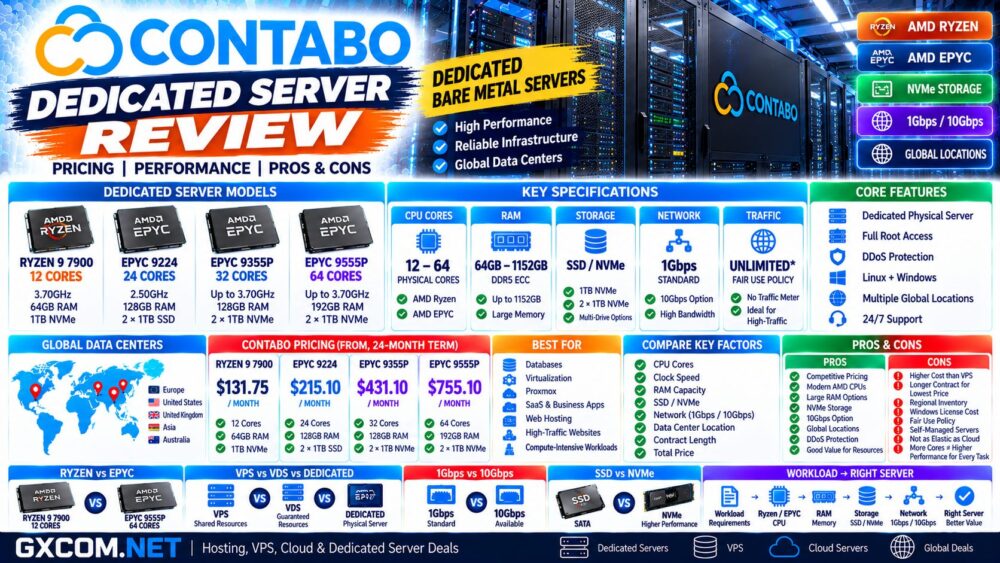
| Plan | CPU | RAM | Storage | Network |
|---|---|---|---|---|
| AMD Ryzen 12 Cores | Ryzen 9 7900 | 64GB, up to 128GB | 1TB NVMe | 1Gbps |
| AMD Genoa 24 Cores | EPYC 9224 | 128GB ECC, up to 768GB | 2 × 1TB SSD | 1Gbps |
| AMD Turin 32 Cores | EPYC 9355P | 128GB, up to 768GB | 2 × 1TB NVMe | 1Gbps / 10Gbps option |
| AMD Turin 64 Cores | EPYC 9555P | 192GB, up to 1152GB | 2 × 1TB NVMe | 1Gbps / 10Gbps option |
These four configurations cover very different workloads, so choosing the biggest CPU is not necessarily the best strategy.
Contabo Dedicated Server Pricing
Contabo is primarily positioned around aggressive resource-to-price ratios.
At the time of this review, current U.S. pricing for a 24-month term is approximately:
| Dedicated Server | Current Starting Price* |
|---|---|
| AMD Ryzen 9 7900 – 12 Cores | $131.75/month |
| AMD EPYC 9224 Genoa – 24 Cores | $215.10/month |
| AMD EPYC 9355P Turin – 32 Cores | $431.10/month |
| AMD EPYC 9555P Turin – 64 Cores | $755.10/month |
*Published prices can change according to promotion, billing period, location, hardware upgrades, software licenses, and availability. Always check the current checkout price before ordering.
This is particularly important with Contabo because the lowest advertised price may depend on a longer initial contract.
AMD Ryzen 9 7900 Dedicated Server
The Ryzen configuration is currently the entry point into Contabo bare metal.
It provides:
- 12 physical CPU cores
- 3.70GHz base clock
- 64GB RAM
- Up to 128GB RAM
- 1TB NVMe storage
- 1Gbps network port
- Unlimited traffic under Contabo's traffic policy
This configuration can be attractive for workloads that benefit from relatively high CPU clock speed but do not require hundreds of gigabytes of memory.
Potential uses include:
- Web hosting
- Game servers
- Application hosting
- Databases
- Development environments
- Virtualization with moderate VM density
AMD EPYC Genoa 24-Core Server
Moving to the AMD EPYC 9224 significantly changes the server profile.
The current configuration provides 24 physical cores at 2.50GHz with boost frequencies up to 3.70GHz, 128GB registered ECC memory, and support for as much as 768GB RAM.
Storage starts with 2 × 1TB SSD.
This makes the Genoa system more suitable for workloads where core count and memory capacity matter more than maximum single-core clock speed.
Examples include:
- Virtual machines
- Databases
- Containers
- Hosting platforms
- Business applications
- Data processing
AMD EPYC Turin Dedicated Servers
The higher end of the current Contabo lineup uses AMD EPYC Turin processors.
Two configurations are particularly notable:
- AMD EPYC 9355P — 32 physical cores
- AMD EPYC 9555P — 64 physical cores
Both provide substantially more compute capacity than the entry-level Ryzen server and support very large memory configurations.
The 64-core system starts with 192GB RAM and can be expanded to as much as 1152GB.
These systems target more demanding infrastructure such as dense virtualization, large databases, analytics, SaaS platforms, and compute-intensive enterprise applications.
Ryzen vs EPYC: Which Contabo Server Should You Choose?
| Factor | Ryzen 9 | EPYC Genoa / Turin |
|---|---|---|
| Entry Cost | Lower | Higher |
| CPU Cores | 12 | 24–64 |
| Clock Speed Focus | Strong | Balanced for server workloads |
| Memory Capacity | Up to 128GB | Up to 1152GB |
| ECC Server Memory | Platform dependent | Strong server focus |
| Virtualization | Small to medium | Better for dense deployments |
| Large Databases | Limited by RAM ceiling | Better fit |
| 10Gbps Option | No standard option shown | Available on selected Turin plans |
A high-frequency Ryzen CPU may outperform a much larger EPYC system in some lightly threaded applications.
At the same time, a 64-core EPYC server can process workloads that a 12-core system cannot efficiently handle.
More Cores ≠ More Performance for Every Workload.
Contabo RAM and Memory Capacity
Memory capacity is one of the strongest features of the current Contabo dedicated lineup.
Depending on the server, configurations can scale from 64GB to more than 1TB of RAM.
The largest current EPYC system supports up to 1152GB.
Large-memory servers are particularly useful for:
- In-memory databases
- Virtualization
- Large caches
- Analytics
- Enterprise applications
- Multiple container workloads
However, unused RAM does not improve performance.
Choose memory based on actual workload requirements rather than buying the largest configuration available.
SSD vs NVMe Storage
Storage differs between Contabo dedicated server tiers.
The Ryzen 9 configuration currently starts with 1TB NVMe, while the EPYC Genoa 24-core server starts with 2 × 1TB SSD. The newer Turin systems start with dual 1TB NVMe drives.
NVMe can provide substantially lower latency and higher IOPS than traditional SATA SSD storage.
This matters particularly for:
- Databases
- Virtual machines
- High-traffic applications
- Large numbers of small files
- Data processing
For storage-intensive workloads, compare drive technology, capacity, redundancy, and IOPS rather than simply comparing total terabytes.
1Gbps and 10Gbps Networking
Current Contabo dedicated servers include a 1Gbps port as the standard network configuration.
Selected AMD EPYC Turin servers can be upgraded to 10Gbps connectivity.
A faster network interface can be useful for:
- Large database replication
- Backups
- Media delivery
- High-traffic applications
- Virtualization clusters
- Large data transfers
But port speed alone does not guarantee application throughput.
10Gbps Port ≠ 10Gbps Real-World Performance.
Storage speed, remote network paths, CPU load, protocol overhead, and application design can all become bottlenecks.
Is Contabo Traffic Really Unlimited?
Contabo currently advertises unlimited traffic on its dedicated server plans.
However, “unlimited” should not be interpreted as unrestricted use under every possible workload.
Incoming traffic is unmetered, while Contabo states that overall traffic usage must remain consistent with typical server workloads. Exceptionally high or disruptive usage may be throttled under its fair-use policy.
For most normal hosting and application workloads, this provides predictable bandwidth costs.
Customers planning unusually bandwidth-intensive infrastructure should review the current traffic policy before deployment.
Contabo Dedicated Server Locations
Contabo operates infrastructure across multiple global regions.
Its wider network currently includes locations across:
- Europe
- United States
- United Kingdom
- Asia
- Australia
In the United States, Contabo currently operates regions covering the East, Central, and West.
Dedicated server availability can vary by region and hardware configuration, so customers should check inventory before assuming a specific CPU is available in every data center.
Location matters because physical distance affects network latency.
User Location → Data Center → Latency → Application Experience.
Contabo Dedicated Servers in the USA
Contabo's U.S. infrastructure currently includes locations in the Seattle area, St. Louis, and the New York/New Jersey region.
Its U.S. data centers use large upstream network connections, redundant power infrastructure, backup generators, and other data-center redundancy measures.
Dedicated server inventory remains selective, however, and not every configuration is necessarily available in every U.S. location.
Windows Dedicated Servers
Contabo supports Windows Server on dedicated infrastructure.
This makes the platform relevant for workloads such as:
- Windows applications
- Remote Desktop environments
- Microsoft SQL Server
- ASP.NET applications
- Windows development
- Business software
Windows licensing can increase the total server cost, particularly on systems with large CPU configurations.
Always compare the final configured price rather than the Linux base price when Windows Server is required.
Linux Dedicated Servers
Linux remains the more cost-efficient operating system for many self-managed dedicated workloads because there is normally no Windows license fee.
A dedicated Linux server can be used for:
- Web hosting
- Docker
- Databases
- Development
- Virtualization
- Kubernetes
- Application hosting
For more information about choosing an operating system, see our
Linux vs Windows Dedicated Server
guide.
DDoS Protection and Security
Contabo includes always-on DDoS protection with its infrastructure.
This provides network-level protection against common denial-of-service attacks, but it should not be considered a replacement for server security.
Dedicated server administrators should still configure:
- Firewalls
- SSH security
- Operating system updates
- Application patches
- Access controls
- Monitoring
- Independent backups
A dedicated server provides more control, but that control also creates more administrative responsibility.
Contabo Dedicated Server Performance
There is no single performance figure that accurately describes every Contabo dedicated server.
Performance varies according to:
- CPU architecture
- Core count
- Clock speed
- RAM capacity
- Memory bandwidth
- SSD or NVMe storage
- Network port
- Application design
One major advantage over conventional VPS infrastructure is the absence of CPU contention from neighboring virtual machines.
Dedicated hardware can therefore provide more predictable performance for sustained workloads.
Have We Independently Benchmarked Contabo Dedicated Servers?
This review evaluates Contabo using its current published server specifications, pricing, network information, product documentation, and infrastructure features.
Unless GXCOM.NET explicitly publishes benchmark methodology and measured test results, provider specifications should not be interpreted as independent GXCOM.NET benchmark results.
For production deployment, test the actual workload whenever possible.
Useful measurements include:
- Single-core CPU performance
- Multi-core performance
- NVMe IOPS
- Storage latency
- Database throughput
- Network throughput
- Application response time
- Virtual machine density
Contabo Dedicated Server vs Contabo VPS
| Factor | Dedicated Server | Contabo VPS |
|---|---|---|
| Hardware | Physical server | Virtual machine |
| CPU | Dedicated physical cores | Shared vCPU depending on VPS tier |
| RAM | Dedicated physical memory | Virtual allocation |
| Entry Price | Much higher | Very low |
| Maximum RAM | Up to 1152GB | Much lower |
| NVMe | Available | Available on Performance VPS |
| Hardware Control | High | Limited |
| Best For | Sustained demanding workloads | General hosting and smaller workloads |
A dedicated server is not automatically better.
For small websites, development servers, VPNs, and lightweight applications, Contabo VPS can provide significantly better economics.
Read our
Contabo VPS Review
for a detailed look at its virtual server platform.
Contabo Dedicated Server vs VDS
Contabo also offers Virtual Dedicated Servers, or VDS, between its VPS and physical dedicated server tiers.
VDS provides guaranteed compute resources inside a virtualized environment, while a dedicated server provides the physical machine itself.
| Factor | VDS | Dedicated Server |
|---|---|---|
| Environment | Virtualized | Physical |
| Resources | Guaranteed virtual resources | Dedicated hardware |
| Entry Cost | Lower | Higher |
| Deployment | Fast | Hardware provisioning required |
| Hardware Control | Limited | High |
| Large RAM | Limited | Up to 1152GB |
VDS can therefore be an interesting intermediate step when VPS resources are no longer sufficient but a full physical server is unnecessary.
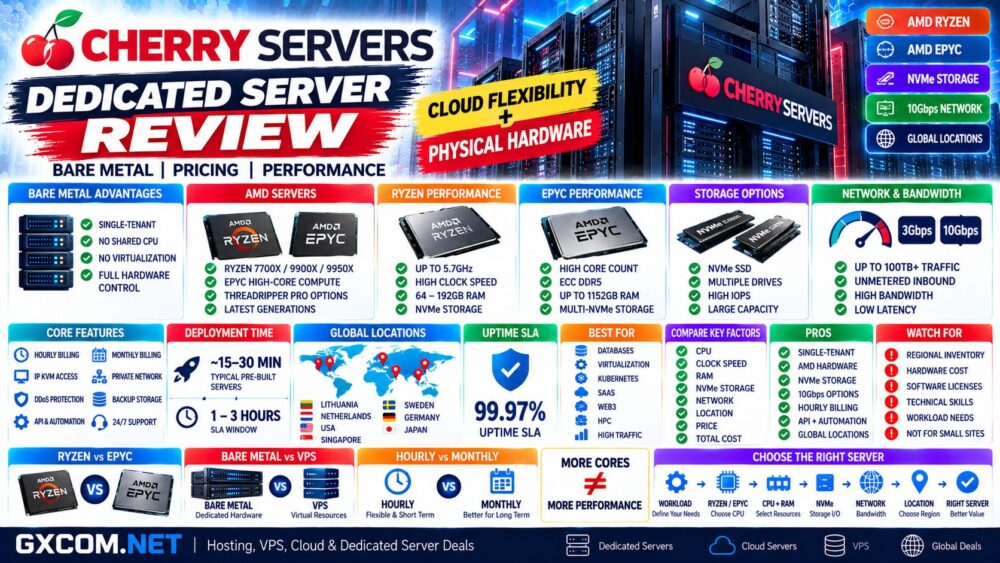
Contabo vs Cherry Servers
Both Contabo and Cherry Servers offer AMD-powered bare-metal infrastructure, but their product strategies differ.
| Factor | Contabo | Cherry Servers |
|---|---|---|
| Ryzen | Yes | Yes |
| AMD EPYC | Yes | Yes |
| NVMe | Yes | Yes |
| 10Gbps Options | Selected servers | Selected servers |
| Hourly Bare Metal | Not primary pricing model | Strong feature |
| Long-Term Pricing | Strong focus | Monthly and hourly flexibility |
| Cloud-Style Bare Metal | Traditional dedicated focus | Stronger automation focus |
| Best Fit | Long-running value-focused infrastructure | Flexible bare-metal infrastructure |
The correct choice depends on location, hardware availability, deployment model, billing term, network requirements, and total configured cost.
Contabo Dedicated Server Pros and Cons
| Pros | Cons |
|---|---|
| Competitive hardware pricing | Lowest prices may require long commitments |
| Dedicated physical resources | Higher entry cost than VPS or VDS |
| Modern AMD Ryzen and EPYC CPUs | Dedicated inventory varies by location |
| Up to 64 physical CPU cores | Some configurations use SSD instead of NVMe by default |
| Up to 1152GB RAM | Windows licenses add cost |
| NVMe on multiple configurations | Self-managed servers require technical knowledge |
| 10Gbps option on selected servers | Unlimited traffic remains subject to fair use |
| Global infrastructure | Hardware provisioning is less elastic than cloud VPS |
| DDoS protection | — |
| 24/7 support | — |
Who Should Consider Contabo Dedicated Servers?
Contabo dedicated servers are particularly relevant for:
- High-traffic websites
- Hosting businesses
- Databases
- Virtualization
- Proxmox deployments
- Containers
- SaaS applications
- Game servers
- Data processing
- Large-memory applications
- Business infrastructure
The strongest use case is a workload that runs continuously and can actually utilize dedicated CPU, memory, storage, or network resources.
Who May Prefer an Alternative?
A dedicated server is usually unnecessary for a small website, lightweight WordPress installation, development environment, or low-traffic application.
Those workloads can often run much more economically on a VPS.
Highly variable applications that need to scale infrastructure up and down rapidly may also fit a cloud platform better than fixed physical hardware.
For additional providers, see our
Bare Metal Server Providers
comparison.
Is Contabo Dedicated Hosting Good Value?
Contabo's dedicated server strategy follows the same principle that made its VPS products popular: provide substantial hardware resources at aggressive prices.
The Ryzen 9 server is particularly interesting as a lower-cost entry into physical infrastructure, while the EPYC Genoa and Turin systems scale into large-memory and high-core-count workloads.
However, advertised monthly price should never be the only metric.
Compare:
CPU + RAM + Storage + Network + Location + License + Contract Length + Management = Real Server Cost.
A cheaper server that does not match the workload can ultimately cost more through poor utilization or application bottlenecks.
Contabo Dedicated Server Review: Final Thoughts
Contabo's current dedicated server lineup provides a clear upgrade path from inexpensive bare metal to large AMD EPYC infrastructure.
The entry-level Ryzen 9 7900 configuration combines 12 physical cores, 64GB RAM, 1TB NVMe, and 1Gbps networking, while the top AMD EPYC Turin configuration reaches 64 physical cores and can scale to more than 1TB of RAM.
The major advantages are dedicated resources, competitive hardware pricing, large memory capacity, modern AMD processors, NVMe options, global infrastructure, and optional 10Gbps networking on selected high-end servers.
The main trade-offs are the higher cost compared with VPS, longer commitments associated with some promotional pricing, regional hardware availability, and the administrative responsibility that comes with managing physical infrastructure.
For continuously running databases, virtualization, SaaS, hosting platforms, and compute-intensive applications, the resource-to-price ratio makes Contabo worth comparing with other bare-metal providers.
Before ordering, use this decision path:
Workload → Ryzen / EPYC → CPU Cores → RAM → SSD / NVMe → Network → Location → Contract → Total Cost.