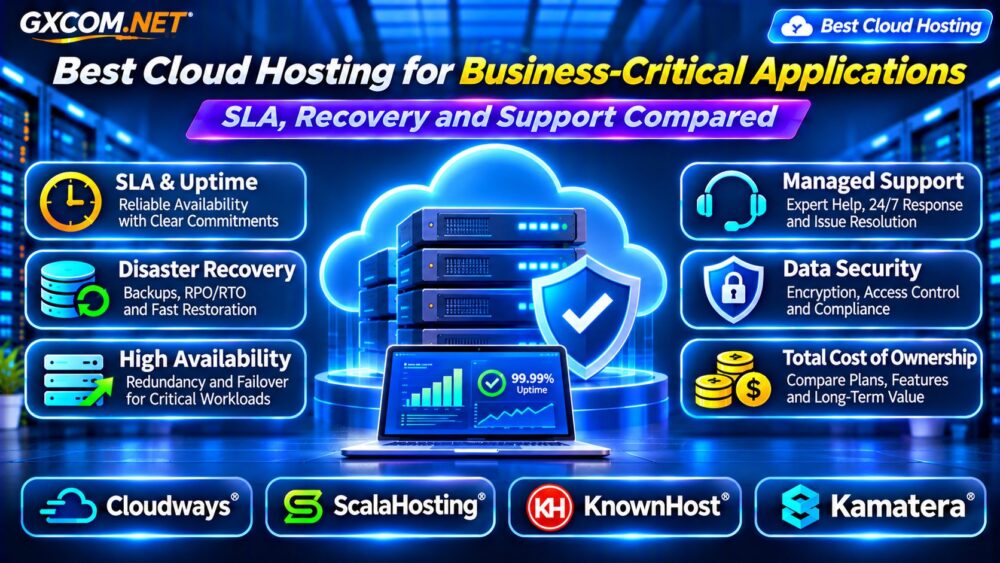
Choosing the best cloud hosting for business-critical applications requires more than comparing server specifications and advertised uptime percentages. When a payment platform, customer portal, booking system, or SaaS application fails, the consequences can include lost revenue, interrupted operations, and damaged customer trust.
Reliable hosting depends on infrastructure design, recovery planning, technical support, and clear operational responsibilities. A provider offering 24/7 support does not necessarily guarantee immediate restoration.
This guide compares four hosting providers and explains how to evaluate service level agreements, disaster recovery, and total operating costs.
What Makes an Application Business-Critical?
A business-critical application supports activities whose interruption would materially affect operations, customers, or revenue. Examples include ecommerce checkout systems, financial workflows, inventory platforms, and customer-facing APIs.
The appropriate hosting architecture depends on the consequences of failure. A small internal dashboard may tolerate several hours of downtime, while a transaction-processing system may require substantially faster recovery.
Before selecting infrastructure, document acceptable downtime, potential data loss, peak traffic, and dependencies on external services.
Uptime SLA: What Does the Guarantee Cover?
A service level agreement defines contractual commitments and remedies. An uptime SLA usually measures availability under specified conditions, but exclusions can significantly affect its practical value.
For a hypothetical 30-day month, 99.9% availability corresponds to approximately 43.2 minutes of downtime. A 99.99% target corresponds to approximately 4.3 minutes.
These figures are mathematical illustrations, not guarantees of maximum outage duration.
Review scheduled maintenance exclusions, measurement methods, claim deadlines, and service credits. Determine whether the commitment covers infrastructure, the managed platform, or the complete application.
Our Managed Cloud Hosting SLA Guide explains response and resolution commitments in greater detail.
RTO and RPO: Two Essential Recovery Metrics
Recovery Time Objective (RTO) defines the targeted time required to restore a service after disruption. Recovery Point Objective (RPO) defines the maximum acceptable age of recovered data.
For example, a one-hour RPO means the recovery strategy should limit potential data loss to approximately one hour under its defined assumptions.
A two-hour RTO establishes a restoration target, not an automatic provider guarantee.
Choose objectives according to business impact, then confirm whether the hosting architecture, backup schedule, and operational procedures can realistically meet them.
High Availability vs Disaster Recovery
High availability aims to reduce service interruption through redundancy and failover. Disaster recovery focuses on restoring systems after significant failures, corruption, or infrastructure loss.

Multiple application servers behind a load balancer may protect against individual instance failures. However, a shared database, storage dependency, or regional outage can still interrupt service.
Disaster recovery may require separate backups, replicated data, alternative deployment environments, and tested restoration procedures.
Read our High-Availability Cloud Servers Guide for infrastructure design considerations.
Backup Protection and Recovery Testing
Automated backups are valuable only when they can be restored successfully. Confirm backup frequency, retention, encryption, storage separation, and access controls.
Application-consistent database backups may require additional procedures beyond ordinary disk snapshots.
Test restoration periodically, including database integrity, application configuration, authentication, and external integrations.
For ransomware resilience, consider backup copies protected from ordinary production credentials. Verify whether the provider supports immutable storage or other safeguards rather than assuming these features are included.
Four Cloud Hosting Providers to Evaluate
1. Cloudways: Managed Cloud Applications
Cloudways is relevant for businesses running supported web applications that want managed cloud infrastructure and reduced routine server administration.
Evaluate server resources, backups, monitoring, support coverage, and application deployment tools.
For critical systems, verify the availability and recovery capabilities of the selected configuration. Managed hosting alone does not guarantee multi-region redundancy or automatic database failover.
2. ScalaHosting: Managed VPS Infrastructure
ScalaHosting can suit businesses seeking managed VPS resources with greater workload separation and configurable capacity.
Review CPU allocation, memory, storage, backup policies, and operating system management.
Ask which incidents the support team handles, whether application recovery is included, and what additional infrastructure would be necessary for high availability.
3. KnownHost: Managed Hosting and Support
KnownHost is worth considering for organizations that prioritize managed server operations and technical assistance.
Compare product-specific support policies, backup provisions, resource allocation, and escalation procedures.
Confirm whether support commitments address initial response only or include defined resolution targets. Application-specific troubleshooting may have separate service boundaries.
4. Kamatera: Customizable Cloud Servers
Kamatera is relevant for technical teams seeking configurable cloud infrastructure for specialized applications.
Evaluate deployment locations, compute sizing, networking, storage, and available management options.
Custom architectures may support advanced redundancy strategies, but their effectiveness depends on design, implementation, and testing. Include administration and recovery responsibilities in the purchasing decision.
Compare Managed Support and Operational Responsibility
The term managed does not have a universal definition. Some services cover operating system maintenance and infrastructure monitoring but exclude custom application code, database optimization, or third-party integrations.
Request a responsibility matrix covering patching, backups, incident investigation, restoration, security monitoring, and escalation.
Critical applications benefit from clear ownership during incidents. Ambiguous responsibilities can delay recovery even when the underlying infrastructure is functioning.
Calculate the Total Cost of Reliable Hosting
High availability and recovery planning introduce costs beyond the primary cloud server.
Consider a hypothetical deployment with two application servers costing $90 monthly, a load balancer costing $20, backups costing $15, and monitoring costing $10.
The infrastructure total is $135 monthly, or $1,620 annually, excluding labor, taxes, and additional database services.
These figures are illustrative, not current provider quotations.
Compare the additional expense against realistic outage costs. A redundant architecture may be justified for revenue-critical workloads but unnecessary for applications that tolerate extended downtime.
Explore related expenses in our Cloud Server Load Balancer Costs Guide.
Security and Compliance Considerations
Business-critical applications may process sensitive customer or financial information. Review encryption, multifactor authentication, network restrictions, logging, and vulnerability management.

Ask where data is stored and which security responsibilities belong to the provider.
Hosting security features do not automatically establish compliance with industry regulations. Obtain relevant contractual documentation and independent evidence where required.
Cloud Hosting Buying Checklist
- Define acceptable downtime and data-loss objectives.
- Review SLA coverage, exclusions, and remedies.
- Verify backup retention and restoration procedures.
- Identify single points of failure and failover requirements.
- Confirm support responsibilities and escalation channels.
- Calculate infrastructure, management, and recovery costs.
For a broader provider comparison, see our Managed Cloud Hosting Comparison.
Frequently Asked Questions
Does 99.99% Uptime Guarantee Zero Data Loss?
No. Availability and data recovery are separate concerns. Backup and replication arrangements determine potential data-loss exposure.
Is Managed Cloud Hosting Automatically Highly Available?
No. High availability depends on the specific infrastructure architecture and configured redundancy.
Should Every Critical Application Use Multiple Regions?
Not necessarily. Multi-region deployment adds complexity and cost. The decision should follow business recovery requirements and risk analysis.
Final Verdict
The best cloud hosting for business-critical applications balances documented service commitments, tested recovery capabilities, operational support, and sustainable costs.
Compare Cloudways, ScalaHosting, KnownHost, and Kamatera according to your workload, management requirements, and infrastructure design.
Choose a provider based on verified recovery procedures and plan-specific guarantees—not uptime marketing claims alone.