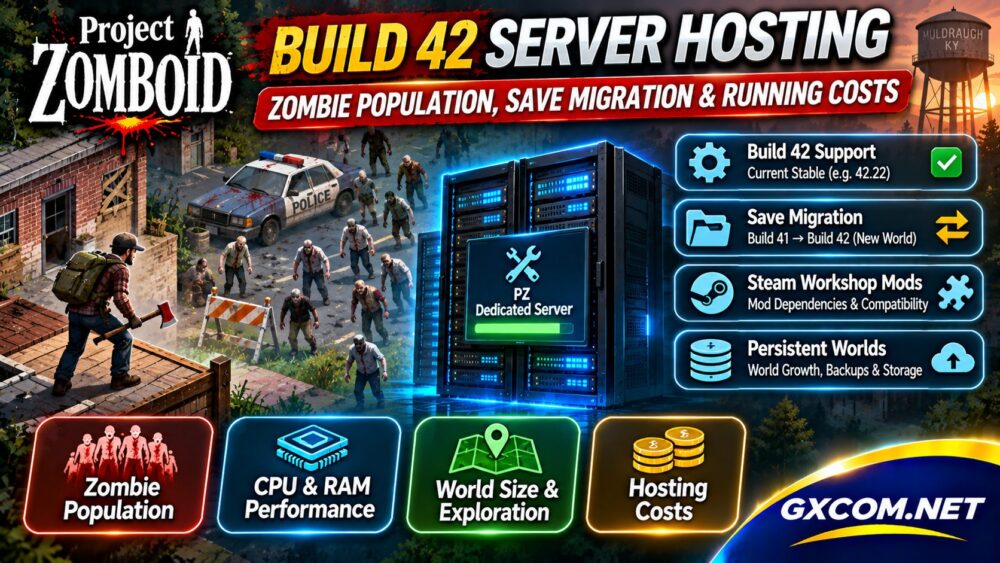
Satisfactory server hosting for large factories requires more than enough player slots for a group of friends. As production networks expand, the server must process persistent machinery, logistics and multiplayer activity. Selecting infrastructure for an established factory therefore requires evaluating processor performance, memory headroom, world persistence and the cost of future upgrades.
Understand Dedicated Server Compatibility
The latest release identified during our November 2026 research is version 1.2.5.1. Its multiplayer changes address several connection and replication problems, including difficulties associated with large saves. Nevertheless, software improvements do not eliminate every infrastructure or connectivity limitation.
Dedicated server software supports 64-bit Windows and Linux on compatible x86 processors. Administrators can obtain it through Steam, SteamCMD or Epic Games. Steam and Epic desktop players can connect regardless of the server software distribution. Although ordinary multiplayer supports console crossplay, console players cannot currently join dedicated servers.
Default networking for the current server architecture requires TCP and UDP port 7777 plus TCP port 8888. Consult our game server networking guide when evaluating hosting connectivity. Match client and server release branches and preserve a separate save before changing versions.
Why Large Factories Need Different Resources
Conveyor networks, automated machinery, transportation systems and complex production layouts contribute to simulation work. Multiple players building and exploring simultaneously can add processing and replication demand. Consequently, two communities with identical player counts may experience substantially different server loads.
Prioritize strong individual CPU core performance alongside sufficient capacity for concurrent tasks. More cores do not necessarily improve a workload limited by its busiest thread. Virtual hosting customers should also understand sustained processor entitlements, as explained in our gaming VPS CPU policies guide.
Client graphics performance is a separate issue. Low graphical frame rates may originate on a player’s computer, while delayed interactions across several clients may indicate simulation or network difficulties. Compare processor activity, memory pressure, save duration and connection quality before attributing every slowdown to hosting hardware.

Plan RAM and Storage Around Factory Growth
The dedicated server wiki recommends 8 GB of memory as a community baseline and suggests considering 16 GB for larger saves or groups exceeding four players. These are recommendations rather than guaranteed hardware requirements. The default four player limit is configurable, but increasing it does not establish adequate processing capacity.
| Factory stage | Illustrative RAM target | Evaluation priority |
|---|---|---|
| Early cooperative factory | 8 GB | Stable gameplay and memory headroom |
| Expanding production network | 12 to 16 GB | Peak memory and simulation load |
| Established industrial world | 16 to 32 GB | Measured resource demand and upgrade flexibility |
These purchasing targets are editorial estimates, not tested player capacity guarantees. For a VPS, account separately for operating system consumption. Increase memory when observations demonstrate persistent pressure rather than assuming that every large factory needs the highest tier.
NVMe storage can help with file access, updates and save operations, but faster storage cannot resolve a processor bottleneck. Retain sufficient capacity for software updates, current worlds and temporary maintenance files. Store recovery copies independently of the production disk.
Compare Three Satisfactory Hosting Providers
Shockbyte: Explicit Memory Allocations
Shockbyte lists monthly configurations at $14.99 for 6 GB, $19.99 for 8 GB and $24.96 for 10 GB. The corresponding advertised player allocations are four, twelve and twenty-four or more. These figures describe commercial packages rather than validated capacity for late game factories.
The product page advertises automatic updates, backups, file access and network attack protection. Confirm backup retention, exact processor allocation and whether larger memory configurations are available before migrating an established world.
Host Havoc: Managed World Administration
Host Havoc advertises Satisfactory hosting from $15 monthly, with NVMe infrastructure and a modified TCAdmin interface. Its listed management functions include remote backups, restoration and file administration. The public hardware description includes Xeon and Ryzen processor families without identifying the exact allocation for every order.
Request the available memory entitlement, storage quota and upgrade terms. A low entry price alone does not establish suitability for a mature industrial world.
Sparked Host: Hardware Tier Selection
Sparked Host lists Budget configurations with 10 GB RAM for $8 monthly and 12 GB for $10 monthly, each displaying two virtual CPUs and 50 GB storage. Its Enterprise tier advertises newer Ryzen hardware and NVMe drives. Processor descriptions differ across sections of the product page, so confirm the assigned model.
The configurator lists three backup slots for an additional $1 monthly. Its Apollo interface supports server imports, and the provider directs customers to support for upgrades. Verify the final renewal invoice and selected hardware tier without assuming promotional prices continue.
Choose Managed Hosting, VPS or Bare Metal
Managed game hosting is a practical starting point for communities that value simplified updates and world administration. A gaming VPS provides operating system control but adds maintenance responsibilities and may introduce shared resource contention.
A physical dedicated server becomes more attractive when measured sustained workloads justify exclusive hardware or several factories must operate simultaneously. Review our dedicated game server resource isolation guide before consolidating multiple instances. Bare metal does not automatically include game administration or independent backups.
Calculate Annual Factory Hosting Costs
Consider a hypothetical $20 monthly hosting plan with $4 monthly backup storage. After six months, a memory upgrade adds $12 monthly. The first year costs $360, compared with $288 without expansion. A larger plan costing $32 monthly from launch, with identical backups, would cost $432 annually.
Staged expansion saves $72 against purchasing the larger configuration immediately. However, that strategy assumes upgrades are available without installation charges or migration downtime. These amounts are planning assumptions, not vendor quotations. Compare taxes, renewal terms and any overlapping rental costs separately.
Protect an Established Factory Before Scaling
Record peak activity during representative multiplayer sessions. Preserve downloadable world copies and test restoration before moving to another hosting platform. Confirm version compatibility, modification support, backup retention and the network region preferred by your group.
For general provider selection, consult our Satisfactory hosting comparison. For established communities, prioritize measured simulation requirements, reliable recovery and affordable expansion over advertised player counts. The right configuration should support the factory’s next development stage without committing unnecessary resources indefinitely.