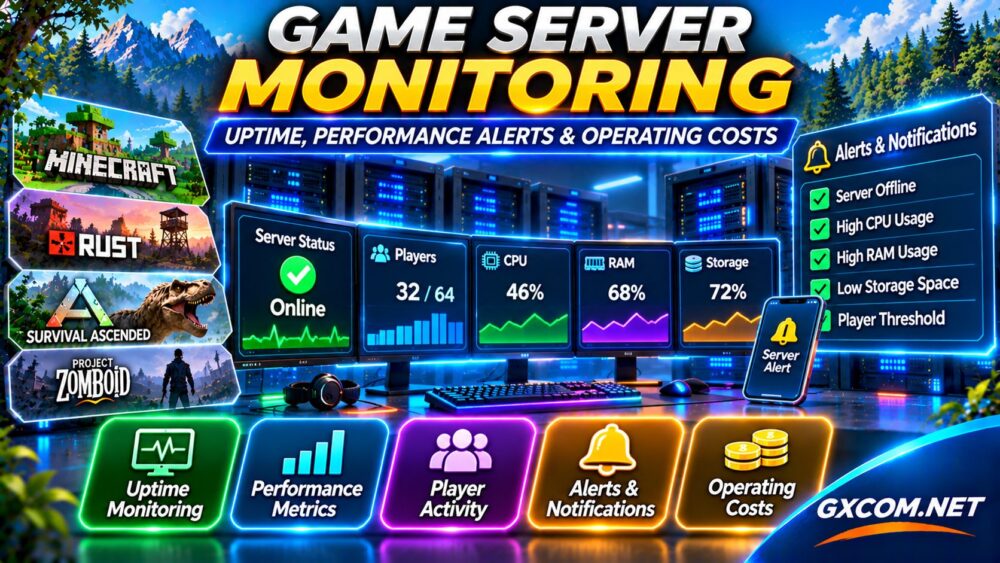
Game server monitoring helps multiplayer communities identify service interruptions, declining performance and resource shortages before they become recurring problems. However, an online indicator alone cannot establish whether players can connect or enjoy responsive gameplay. An effective monitoring strategy combines external availability checks, application metrics, resource trends and actionable alerts with a realistic operating budget.
Build a Five Layer Monitoring Model
Separate infrastructure availability from the actual experience of connected players. Each monitoring layer answers a different operational question.
| Layer | Measurement | Purpose |
|---|---|---|
| Infrastructure | Host reachability | Identify connectivity failures |
| Game service | Supported protocol response | Check application availability |
| Player experience | Latency and connection success | Identify regional problems |
| Simulation | Tick duration or server frame rate | Assess gameplay responsiveness |
| Resources | CPU, RAM and storage | Plan capacity and maintenance |
A reachable machine may contain an unresponsive game process. Likewise, a successful game query does not guarantee successful authentication or world loading. Review our game server port configuration guide when external checks disagree with the hosting dashboard.
Measure availability using successful checks divided by valid scheduled checks. Record missing observations separately. This sampled measurement is not necessarily equivalent to contractual uptime or continuous player accessibility.
Choose Metrics for Each Game
Minecraft
For standard Minecraft Java servers, compare ticks per second with milliseconds per tick. Maintaining 20 ticks per second generally requires completing each tick within 50 milliseconds. Track player counts, memory pressure and slow ticks during exploration or automated builds. Compatible profiling tools can help identify expensive plugins and simulation tasks.
Rust
Track server frame rate where available, population changes, entity growth and save duration. Compare similar stages of the wipe cycle rather than treating every observation as equivalent. Server frame rate is distinct from the graphical frame rate displayed on a player’s computer.
ARK Survival Ascended and Project Zomboid
Monitor each ARK map independently alongside aggregate machine resources. Record transfer failures and world save completion where supported. For Project Zomboid, observe connection errors, memory trends, persistent world growth and changes following mod updates. Available metrics depend on the game version and administrative tooling.

Interpret Resource Usage Instead of Chasing Percentages
High overall CPU usage is only one potential warning. A single saturated simulation thread can cause lag even when other cores remain idle. Furthermore, virtual server CPU contention may affect responsiveness independently of the application’s reported utilization. Our gaming VPS CPU fair use guide explains why sustained resource entitlement matters.
Compare memory usage with available memory, swapping and application errors. Monitor storage capacity alongside save duration and disk latency where accessible. Network latency and packet loss require separate observations from representative player regions.
On shared physical infrastructure, examine individual game processes as well as machine totals. See our dedicated game server resource isolation guide for multi-instance planning.
Design Useful Alerts and Historical Records
As a starting policy, check game availability every minute and sample resource metrics at intervals of one to five minutes. Confirm provider query limits first. Requiring three consecutive failed checks at one minute intervals can reduce transient alarms, although detection may take approximately two to three minutes plus processing and notification delays.
Set warning thresholds using normal gameplay baselines rather than universal percentages. For example, a storage alert at 80 percent utilization may provide useful preparation time, depending on growth and update requirements. Route urgent failures to an administrator and less urgent capacity warnings to a scheduled review.
Retain detailed metrics for an illustrative 30 days and aggregated trends for 90 days when budgets permit. Exclude unnecessary personal information from player analytics. Schedule maintenance silences and verify that notifications actually reach their intended recipients.
Compare Hosting Panels and Independent Monitoring
Shockbyte
Shockbyte documents resource usage graphs in its game hosting control panel. These help administrators observe resource behavior without deploying a separate operating system dashboard. Confirm graph retention, notification options and backup charges for the chosen game before subscribing.
Sparked Host
Sparked Host documents live processor, memory and disk usage in its Minecraft console interface. Its knowledge base also explains compatible Spark profiling and Plan player analytics tools. These optional integrations can provide deeper application insights but may require installation and maintenance. Verify plan pricing and any additional backup or monitoring fees.
Host Havoc
Host Havoc offers game-specific management interfaces. Its Minecraft documentation describes scheduled and manual Multicraft backups with a limit of three retained copies. Its game catalog lists Minecraft from $3.75 per GB of memory. Confirm the billing period, minimum allocation and final invoice. Its documented DayZ administration interface also shows uptime and online population, but those features should not be assumed identical across games.
Independent monitoring provides another perspective when a provider dashboard becomes unavailable. Self-managed resource collectors offer greater visibility where operating system access is permitted, but require maintenance. Ask every provider about metric retention, alert delivery, support responsibilities and applicable uptime agreement exclusions.
Calculate Monitoring and Administration Costs
Consider three hypothetical game instances costing $20 each monthly. Independent availability monitoring costs $9 monthly in total, while additional backup storage costs $6. An administrator spends two hours monthly reviewing alerts and trends, valued at $15 per hour.

| Expense | Monthly | Annual |
|---|---|---|
| Game hosting | $60 | $720 |
| Monitoring | $9 | $108 |
| Backups | $6 | $72 |
| Administrator time | $30 | $360 |
| Total | $105 | $1,260 |
These assumptions are not provider quotations. Monitoring and administration alone add $468 annually. Even volunteer labor has an opportunity cost, although it may not generate a cash expense.
Compare incident response workloads before selecting a paid monitoring service. If automated notifications save one hour of monthly administration at the assumed labor rate, their annual time value is $180. However, this saving depends on useful alerts and does not represent guaranteed cash savings. Excessive notifications can increase workload instead.
Match Monitoring to Community Size
Private groups can begin with a hosting dashboard, independent availability checks and backup verification. Modded communities benefit from application profiling and historical trends. Large multi-map networks should centralize alerts, assign incident ownership and review resource consumption separately for each instance.
Effective game server monitoring combines meaningful measurements with practical response procedures. Choose tools that reveal actionable problems, preserve relevant history and justify their recurring cost rather than purchasing dashboards simply because they display more statistics.