Finding cheap dedicated servers under $50 sounds straightforward until you compare processor generations, usable memory, storage, and network limits. A low monthly price may buy an entire physical machine, but that machine could use decade-old hardware or require expensive upgrades.
The best budget purchase is not necessarily the cheapest server. It is the configuration that meets your workload requirements without creating avoidable performance problems or unexpected bills. Here is how to evaluate sub-$50 dedicated hosting and compare approved infrastructure providers.
Can You Really Rent a Dedicated Server Under $50?
Yes, some providers publish configurations below this threshold. For example, InterServer’s public configurator has displayed a Xeon E3-1230v3 system with 32GB RAM and SSD storage at an estimated $47 per month. Another older Xeon configuration has shown a $49 estimate.
These are configuration estimates, not guarantees of immediate inventory or final checkout pricing. Hardware availability, selected options, taxes, and location can change the result.
Budget dedicated machines generally achieve lower prices through older processors, standardized configurations, self-management, or limited inventory. Compare them with our Cheap Dedicated Server Hosting Comparison for a broader view of affordable physical servers.
CPU Age: The Biggest Hidden Tradeoff
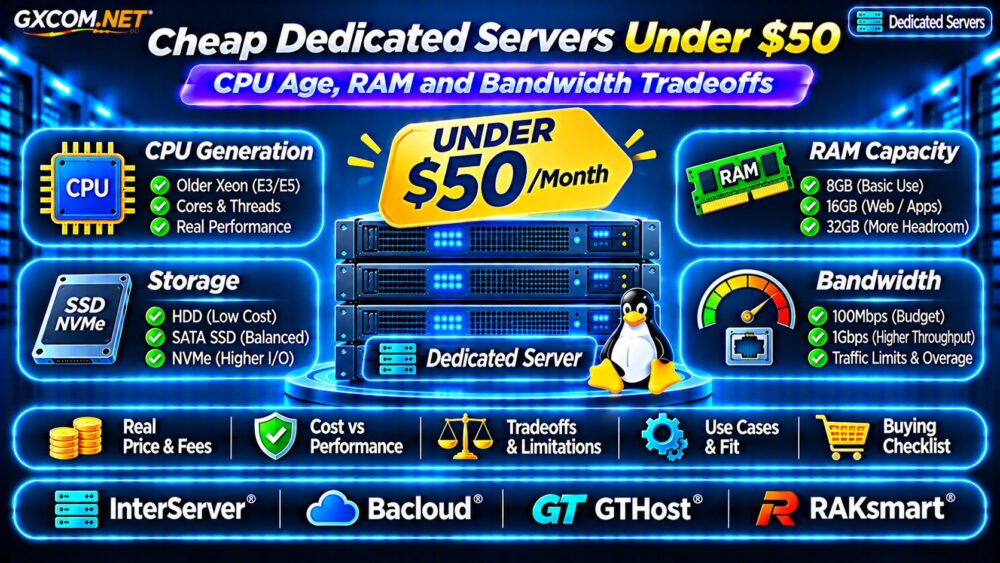
An older Intel Xeon may offer dedicated physical cores at an attractive price, but processor age affects more than benchmark scores. Newer CPUs can provide better instructions-per-clock performance, power efficiency, memory support, and security features.
Old Xeon vs Modern Desktop CPUs
A four-core Xeon from an earlier generation may struggle against a newer Ryzen processor in single-threaded applications. That difference matters for game servers, dynamic websites, and software with limited parallelism.
Check the exact model, release generation, core count, clock behavior, and independent benchmarks. Do not compare processors solely by advertised GHz or thread count.
Also investigate whether the platform supports current operating systems, required virtualization extensions, and the security updates your workload needs.
How Much RAM Should a Budget Server Have?
RAM requirements depend on applications rather than the dedicated hosting label. An optimized static website may operate comfortably with modest memory, while databases, virtualization, and Java applications can require substantially more.
For lightweight Linux services, 8GB may be workable. A 16GB configuration provides more flexibility for web applications and databases. Larger virtualization deployments may benefit from 32GB or more.

These are planning guidelines, not universal minimums. Measure peak usage and reserve memory for the operating system, filesystem cache, and unexpected traffic.
Check whether the provider includes ECC memory and whether RAM upgrades require changing the entire server.
SSD, NVMe and HDD Storage Choices
Low-cost dedicated plans sometimes use older SATA SSDs or mechanical hard drives. HDD storage can suit backups and bulk files, but random database operations typically benefit from SSD or NVMe latency.
Before ordering, verify usable capacity, drive health, interface type, and whether the machine contains one or multiple disks.
RAID 1 can protect against a single drive failure in a two-disk mirror, but it reduces usable capacity and does not replace backups.
For deeper storage analysis, read our NVMe vs SSD Performance Guide.
100Mbps vs 1Gbps: Network Limits Matter
A cheap server with an unrestricted-looking traffic allowance may still have a relatively slow network port. A 100Mbps connection has a theoretical maximum of approximately 12.5MB per second before overhead.
A 1Gbps interface offers ten times that nominal capacity, but actual throughput depends on routing, congestion, upstream restrictions, and the provider’s traffic policy.
Calculate Monthly Transfer
A continuously saturated 100Mbps connection could theoretically transfer about 32.4TB in a 30-day month. Real traffic is usually lower, and contractual transfer allowances may apply.
Ask whether bandwidth is metered, unmetered, shared, or subject to fair-use limits. Also check overage fees, port upgrades, and DDoS handling.
Four Budget Dedicated Providers to Compare
The following providers belong to GXCOM.NET’s approved affiliate selection. Only configurations with independently checked pricing should be described as confirmed sub-$50 offers.
InterServer: A Published Sub-$50 Configuration
InterServer is a practical starting point because its public configurator has displayed older Xeon configurations below $50 monthly. Verify final hardware selections, current inventory, storage, operating system, and checkout totals before purchasing.
Bacloud: Alternative Hardware Selection
Bacloud is worth checking for budget-oriented physical infrastructure. Compare available processor models, included memory, storage condition, bandwidth, and billing terms. Do not assume an eligible sub-$50 server is currently available.
GTHost: Compare Networking and Locations
GTHost can serve as a comparison candidate when data center location and network characteristics are important. Request the lowest current dedicated configuration and verify any setup charges or traffic restrictions.
RAKsmart: Regional Infrastructure Comparison
RAKsmart offers another purchasing comparison for location-sensitive workloads. Confirm exact hardware, monthly payment requirements, network allowances, and whether advertised promotions apply to the selected region.
Comparing four providers does not mean four verified offers below $50 exist. If none meets your requirements, increasing the budget or choosing a premium VPS may deliver better value.
Hidden Costs That Break the $50 Budget
A server advertised at $45 monthly may cost more after configuration. Common extras include setup fees, additional IPv4 addresses, backup storage, operating system licenses, control panels, and bandwidth upgrades.
For example, a hypothetical $45 server with a $10 monthly backup service costs $55 before taxes. A one-time $30 setup fee adds another $2.50 per month when spread over the first year.
Compare the first-year total, renewal price, cancellation policy, and replacement hardware procedures. Low entry pricing is less attractive when essential services are excluded.
Dedicated Server or Premium VPS?
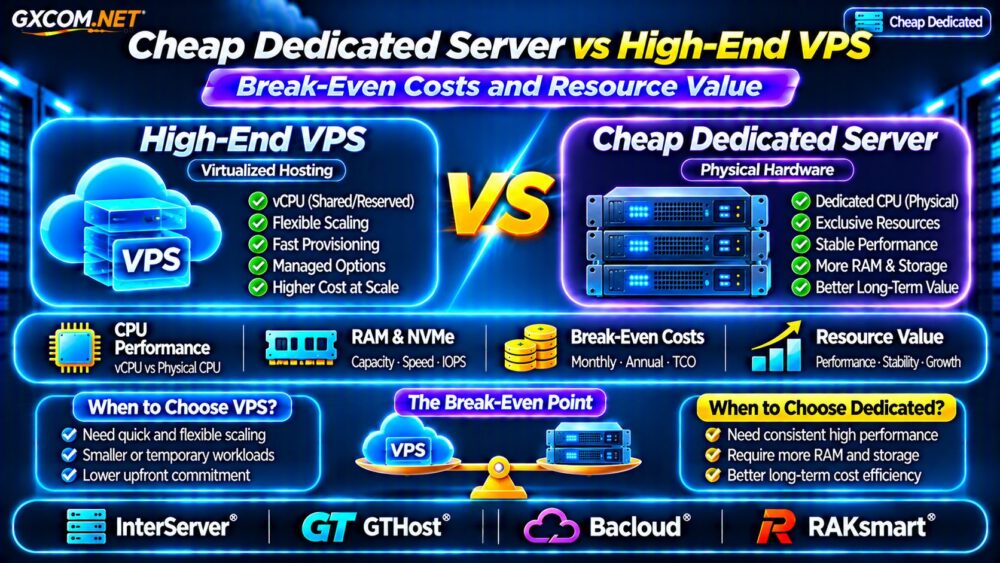
A dedicated machine provides physical hardware isolation, but an older processor can lose to a newer VPS in real application benchmarks. VPS hosting may also simplify upgrades and recovery.
Choose dedicated hardware when exclusive resources, direct hardware control, or predictable sustained workloads justify the tradeoffs.

See our VPS vs Shared Hosting Guide for the earlier infrastructure upgrade decision, and our Bare Metal Server Providers Comparison for physical hosting alternatives.
Cheap Dedicated Server Buying Checklist
- Confirm the exact CPU model and generation.
- Check RAM capacity, type, and upgrade availability.
- Verify SSD or NVMe storage and disk redundancy.
- Review port speed, monthly transfer, and overage charges.
- Confirm inventory, setup fees, renewal terms, and support scope.
- Calculate the complete first-year cost before ordering.
Frequently Asked Questions
Are Dedicated Servers Under $50 Good for Production?
They can support suitable workloads, but hardware age, redundancy, monitoring, and support must match the application’s reliability requirements.
Is an Older Xeon Better Than a Modern VPS?
Not automatically. Compare actual application performance, resource isolation, upgrade flexibility, and total cost.
Does Unmetered Bandwidth Mean Unlimited Speed?
No. Port caps, acceptable-use conditions, and network policies can still restrict sustained throughput.
Final Verdict
Cheap dedicated servers under $50 can be worthwhile for developers, lightweight hosting, and predictable workloads. Prioritize CPU generation, sufficient RAM, healthy storage, and transparent bandwidth policies.
Start with verifiable InterServer configurations, then compare Bacloud, GTHost, and RAKsmart against your requirements. Never treat an advertised starting price as proof of available inventory or the final amount payable.