Choosing bare metal VMware alternatives has become an important infrastructure decision for organizations reviewing virtualization licensing, operational flexibility, and long-term costs. Proxmox VE and XCP-ng offer different approaches to running virtual machines on dedicated physical servers, but replacing VMware involves more than installing another hypervisor.
Hardware compatibility, backup integration, migration complexity, support expectations, and staffing all affect the outcome. This guide compares the platforms, explains bare metal requirements, and identifies infrastructure providers worth evaluating.
Why Consider VMware Alternatives on Bare Metal?
Organizations reassess virtualization platforms when licensing arrangements, support contracts, or infrastructure requirements change. VMware vSphere remains a mature enterprise platform, but its commercial model may not suit every deployment.
Proxmox VE and XCP-ng provide alternative virtualization ecosystems with different licensing and support structures. Both can run directly on physical servers, giving administrators control over compute resources, networking, and storage.
However, changing platforms introduces migration work, staff training, and possible application compatibility issues. Compare total operating costs rather than assuming that lower software licensing expenses automatically produce savings.
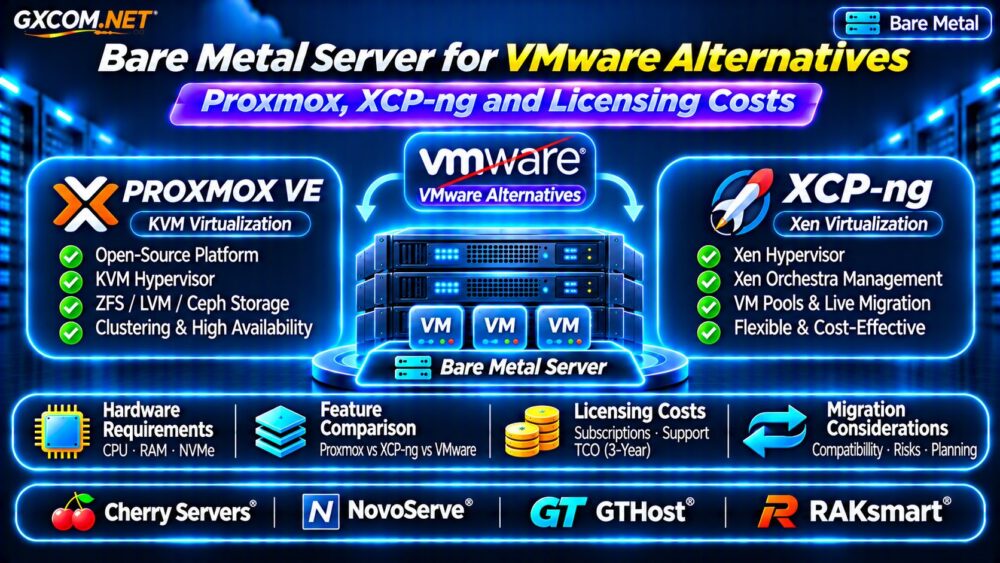
Proxmox VE vs XCP-ng vs VMware vSphere
These platforms share the objective of consolidating virtual machines, but their architectures and management tools differ.
| Feature | Proxmox VE | XCP-ng | VMware vSphere |
|---|---|---|---|
| Hypervisor | KVM | Xen | ESXi |
| Management | Integrated web interface | Xen Orchestra ecosystem | vCenter ecosystem |
| Licensing approach | Open-source platform; optional subscriptions | Open-source platform; commercial support options | Commercial licensing |
| Storage | ZFS, LVM, Ceph and others | Supported storage repositories | VMFS, vSAN and others |
| Migration effort | Requires validation | Requires validation | Existing VMware workflows |
Features and commercial terms vary by release and subscription. Confirm current documentation before choosing a production platform.
Proxmox VE: Flexible Virtualization and Storage
Proxmox VE combines KVM virtualization with integrated administration, clustering capabilities, and multiple storage options. Its web interface can simplify routine VM operations without requiring a separate management appliance for basic tasks.
Organizations may appreciate ZFS integration, backup tooling, and the ability to build clusters using dedicated physical nodes.
However, production deployments still require careful planning for storage redundancy, quorum, networking, and disaster recovery. A single Proxmox host does not automatically provide high availability.

Businesses should evaluate paid support subscriptions according to their update policies and operational requirements.
XCP-ng: Xen-Based Virtualization
XCP-ng uses the Xen hypervisor and is commonly managed through the Xen Orchestra ecosystem. It provides an alternative for administrators seeking centralized VM management, backup workflows, and host-pool capabilities.
Evaluate the supported storage repositories, hardware drivers, backup configuration, and migration tools before committing.
Some organizations may prefer its architecture or management workflow, while others may find Proxmox better aligned with existing Linux administration skills.
Neither platform should be selected solely because its software can be downloaded without an upfront license purchase.
Bare Metal Hardware Requirements
Virtualization hosts need adequate CPU capacity, memory, storage performance, and network connectivity. Processor generation and memory bandwidth can matter more than advertised core counts alone.
CPU and RAM Planning
Choose processors supporting the required virtualization extensions. Size memory according to active virtual machines, hypervisor overhead, and expected growth.
For example, ten VMs assigned 8 GB each represent 80 GB of configured guest memory before host overhead. Actual requirements depend on memory allocation policies and workload behavior.
NVMe Storage and Networking
Local NVMe can provide strong VM storage performance, but shared storage or replication may be necessary for specific migration and recovery designs.
Check NIC compatibility, VLAN support, private networking, and whether additional ports are available. Our Bare Metal Server Providers Comparison offers broader purchasing context.
VMware Alternative Licensing Costs Explained
Software cost comparisons should distinguish free-to-use components, commercial subscriptions, management products, and support agreements.
Proxmox VE offers optional paid subscriptions. XCP-ng also has commercial support and management options. VMware pricing depends on the applicable product, contract, and licensing terms.
Consider a hypothetical three-year budget:
- Physical server rental: $180 per month, totaling $6,480.
- Management and support: $40 per month, totaling $1,440.
- Migration and training: one-time estimated cost of $1,500.
The illustrative total is $9,420 over three years, excluding backups, networking upgrades, and additional nodes. These are planning assumptions, not quotations from any provider.
For a meaningful comparison, calculate the same workload, resilience requirements, and support coverage across every platform.
Migration Risks: VMware to Proxmox or XCP-ng
Migrating virtual machines requires compatibility testing, backup verification, and a rollback plan. Disk formats, guest drivers, network mappings, and application dependencies may need adjustments.
Begin with noncritical workloads. Test boot behavior, database integrity, network connectivity, and application performance before scheduling production cutovers.
Some migration utilities simplify conversion, but they do not eliminate downtime or compatibility risks.
Review our Snapshot Backup and Recovery Guide when planning independent recovery copies.
Four Bare Metal Providers to Compare
The following approved infrastructure providers are candidates for self-managed virtualization deployments. Specific hypervisor compatibility and installation permissions require confirmation.
Cherry Servers: Dedicated Virtualization Nodes
Cherry Servers is worth evaluating for physical compute configurations where processor choice, memory capacity, and storage flexibility matter. Request details about remote management, virtualization extensions, and private networking.
NovoServe: Regional Infrastructure Planning
NovoServe can be considered for bare metal deployments requiring particular network or geographic characteristics. Compare available hardware, connectivity, and operational support before choosing a location.
GTHost: Physical Hardware Selection
GTHost provides another dedicated infrastructure comparison option. Confirm processor generation, installed memory, disk layout, and whether the chosen server supports your hypervisor installation workflow.
RAKsmart: Deployment Location and Costs
RAKsmart is relevant when regional deployment and server configurations influence procurement. Review exact hardware availability, setup charges, network arrangements, and technical support boundaries.

Compare these providers using documented requirements rather than assuming every advertised dedicated server is suitable for a production cluster.
Production Virtualization Buying Checklist
- Verify CPU virtualization extensions and hardware compatibility.
- Calculate guest RAM, storage capacity, and growth headroom.
- Confirm management access, private networking, and VLAN support.
- Test backups, restores, migration, and failure recovery.
- Include support subscriptions, staffing, and downtime in TCO.
Our Managed vs Unmanaged Hosting Guide explains related operational responsibilities.
Frequently Asked Questions
Is Proxmox a Free VMware Alternative?
Proxmox VE is open-source software, with optional commercial subscriptions. Infrastructure, support, backups, and administration still create operating costs.
Is XCP-ng Suitable for Production Virtualization?
It can support production deployments when hardware compatibility, monitoring, backups, and support arrangements are properly planned and tested.
Can One Bare Metal Server Provide High Availability?
Not against complete host failure. Host-level high availability generally requires additional infrastructure, appropriate storage, and tested failover mechanisms.
Final Verdict
Proxmox VE and XCP-ng are credible alternatives for organizations reassessing VMware infrastructure. The right choice depends on management preferences, compatibility, support needs, and total operating costs.
Compare Cherry Servers, NovoServe, GTHost, and RAKsmart for suitable physical hardware, then validate your chosen hypervisor through a pilot deployment before migrating critical workloads.