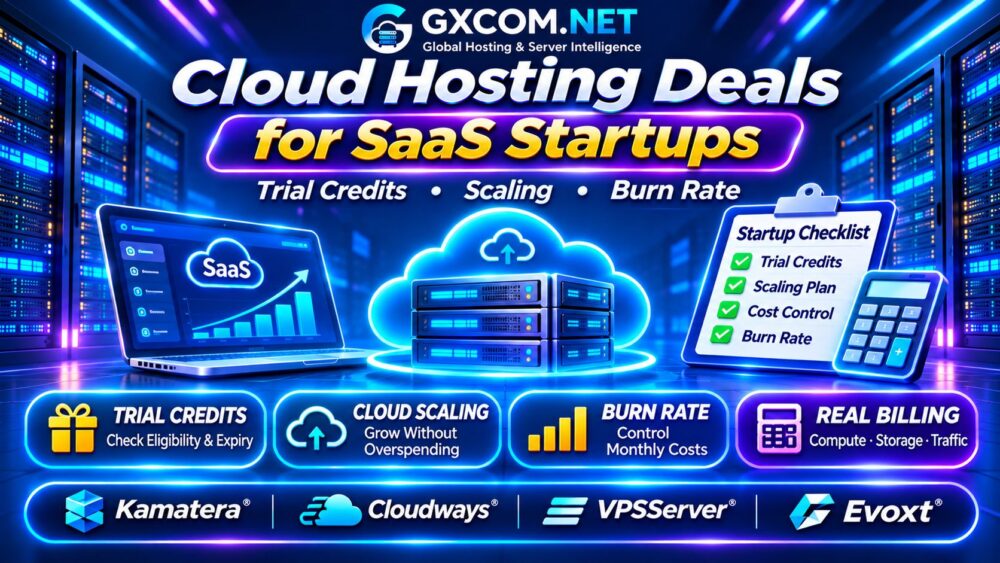
Finding worthwhile cloud hosting deals for SaaS startups involves more than claiming free trial credits or choosing the cheapest virtual server. Early-stage software businesses need reliable infrastructure, predictable monthly expenses, and enough flexibility to scale without exhausting their runway.
A generous introductory offer can become expensive when credits expire, databases grow, or traffic increases. This guide explains how to compare startup hosting options, calculate infrastructure burn rate, and choose cloud services that remain affordable after promotional benefits disappear.
What Makes a Good SaaS Cloud Hosting Deal?
The best offer matches your application’s current requirements while providing a practical upgrade path. Evaluate compute resources, managed services, database capacity, bandwidth, backups, and technical support together.
For a minimum viable product (MVP), simplicity often matters more than maximum scalability. Paying for enterprise infrastructure before acquiring customers can waste limited startup capital.
Compare baseline hosting options in our Best Cloud Hosting Solutions Guide.
Free Trials vs Startup Credits: Know the Difference
Cloud promotions generally fall into three categories: temporary free trials, promotional account credits, and startup programs with eligibility requirements.
A free trial may provide limited resources for a defined period. Promotional credits offset eligible usage until their value or validity expires. Startup programs may require an application, company verification, or participation in an approved accelerator.
Before relying on any offer, check:
- Credit expiration dates and eligible services.
- Payment card and account verification requirements.
- Whether unused credits can be transferred or refunded.
- What happens when the trial or credit balance ends.
- Whether storage, bandwidth, and managed services qualify.
Never build your operating budget around credits that have not been approved or activated.
Four Hosting Providers for SaaS Startups
Kamatera: Configurable Cloud Infrastructure
Kamatera is worth comparing when a SaaS application needs configurable virtual servers and adjustable resources. Evaluate CPU, RAM, storage, geographic availability, and the billing terms associated with your chosen configuration.
Confirm current trial eligibility directly before treating promotional benefits as part of your financial plan.
Cloudways: Managed Cloud Operations
Cloudways can suit web-based SaaS products built on supported application stacks, particularly teams that prefer managed infrastructure tasks over maintaining every server component themselves.
Review supported technologies, backup charges, scaling options, and management coverage. A managed platform may reduce administration time, but it must support your application’s architecture.

VPSServer: Cloud VPS Deployment
VPSServer is a candidate for developers comfortable managing virtual servers and deploying their own application environments.
Compare resource allocations, operating system choices, network allowances, and upgrade procedures. Include the engineering effort required for security updates, monitoring, and recovery.
Evoxt: Budget-Conscious MVP Hosting
Evoxt is relevant to early-stage teams evaluating budget VPS infrastructure for lightweight applications, testing, and MVP deployments.
Check current resource availability, monthly commitments, storage limits, and whether the platform can support your expected growth.
These four providers are purchasing candidates, not a verified list of active startup-credit promotions.
Estimate Your SaaS Infrastructure Burn Rate
Infrastructure burn rate is the amount your business spends on hosting and related technical services during a period, usually one month.
Include application servers, databases, storage, backups, monitoring, networking, and essential third-party infrastructure. Keep this separate from your company’s total cash burn, which also includes payroll, marketing, and other operating expenses.
Consider the following hypothetical monthly budget:
| Infrastructure Component | Monthly Cost |
|---|---|
| Application compute | $45 |
| Database hosting | $35 |
| Storage and backups | $15 |
| Networking and monitoring | $25 |
| Total infrastructure burn | $120 |
If the startup has 60 paying customers, infrastructure spending averages $2 per customer monthly. This is not total customer acquisition cost or a complete profitability calculation.
How Startup Credits Affect Real Costs
Suppose an eligible startup receives $300 in hypothetical promotional credits and normally spends $120 monthly on covered services.
Those credits could offset approximately two and a half months of eligible usage, assuming consistent spending and no expiration restrictions. They do not permanently reduce the underlying hosting price.
Forecast expenses for at least twelve months without credits, then treat approved promotional benefits as temporary savings.
Scaling Costs: From MVP to Growing SaaS
Early SaaS applications may operate on a single VPS, but increasing traffic can require more compute, separate databases, load balancing, or additional storage.
Vertical scaling increases resources on an existing server. Horizontal scaling adds application instances and often introduces load balancers, shared storage, and operational complexity.
Automatic scaling can improve responsiveness during demand spikes, but unrestricted resource growth may produce unexpected invoices.
Read our Cloud Server Auto Scaling Guide to understand scaling policies and resource planning.
Bandwidth, Databases and Hidden Cloud Charges
Compute is only one part of a SaaS hosting bill. Outbound data transfer, managed database backups, snapshots, public IP addresses, and persistent volumes may create additional costs.
Database growth deserves particular attention. Storage consumption, query volume, and high-availability requirements can increase expenses even when application traffic remains stable.
For network budgeting, see our Cloud VPS Bandwidth Costs Guide.
Managed Cloud vs Self-Managed VPS
Self-managed VPS hosting may offer lower direct infrastructure charges, but the startup remains responsible for updates, monitoring, security, and recovery procedures.
Managed cloud hosting may justify a higher fee when it saves meaningful engineering time. However, management features vary, and application-level troubleshooting may remain outside the provider’s responsibilities.
Our Managed Cloud Hosting Comparison explores this purchasing decision.
When Should a SaaS Startup Upgrade Hosting?
Upgrade when monitoring identifies sustained CPU pressure, memory exhaustion, slow database queries, or availability problems that cannot be solved through application optimization.

Avoid upgrading solely because a provider advertises a discounted larger plan. Establish performance targets and estimate the financial effect of additional infrastructure before committing.
SaaS Cloud Hosting Buying Checklist
- Confirm trial credits, eligibility, and expiration conditions.
- Calculate monthly costs without promotional benefits.
- Check database, storage, backup, and bandwidth charges.
- Verify scaling options and supported application stacks.
- Review billing alerts, cancellation terms, and support coverage.
- Estimate infrastructure cost per paying customer.
Frequently Asked Questions
Can SaaS Startups Host an MVP on a VPS?
Yes. A properly configured VPS can support many early-stage applications, depending on workload and operational requirements.
Are Startup Cloud Credits Always Free?
No. Eligibility, expiration, payment verification, and covered services vary. Some programs require formal approval.
How Can Startups Reduce Cloud Burn Rate?
Right-size resources, monitor idle services, optimize databases, control bandwidth, and establish spending alerts.
Final Verdict
The best cloud hosting deals for SaaS startups combine affordable initial deployment with predictable scaling and transparent ongoing costs.
Compare Kamatera, Cloudways, VPSServer, and Evoxt against your actual application requirements. Choose infrastructure that supports customer growth without turning temporary credits into a long-term financial dependency.
For additional budgeting context, review our Shared vs Cloud Hosting Costs Guide before selecting a deployment strategy.