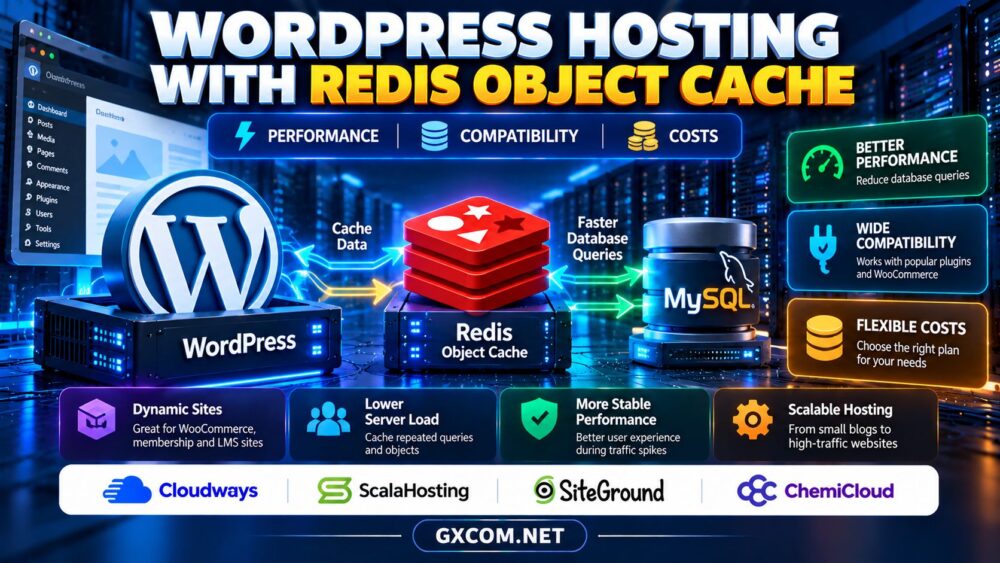
WordPress hosting with Redis can improve the responsiveness of database-heavy websites, but Redis is not a universal speed upgrade. Its benefits depend on the workload, cache configuration, available memory, and the hosting plan.
Before paying extra for Redis support, website owners should understand how persistent object caching works, which applications benefit, and what providers actually include. This guide covers performance, compatibility, costs, and practical buying decisions.
What Is Redis Object Cache in WordPress?
WordPress repeatedly retrieves settings, metadata, user information, and query results from its database. The built-in object cache can reuse some results during an individual request, but that cache normally disappears when the request ends.
A persistent object cache stores eligible results between requests. Redis is an in-memory data store that can serve this role when WordPress has a compatible object-cache integration and the server provides Redis access.
Redis does not replace MySQL or MariaDB. Your database remains the authoritative source for persistent website content.
1. Redis vs Page Cache: Understand the Difference
Page caching stores generated HTML so suitable visitors can receive a page without running the full WordPress application. Redis object caching instead reduces repeated database work inside WordPress.
These approaches can complement each other. A mostly static blog may benefit more from full-page caching, while a membership website with logged-in visitors may generate many requests that cannot use the same cached HTML.
Redis also differs from PHP OPcache, which caches compiled PHP bytecode rather than WordPress database objects.
For broader hosting choices, see our WordPress hosting vs web hosting comparison.
2. Which WordPress Websites Benefit Most?
Potential candidates include busy WooCommerce stores, membership communities, learning platforms, and websites with repeated database queries. Benefits are especially plausible when database lookups contribute materially to uncached response times.
However, Redis cannot repair slow external APIs, inefficient plugins, insufficient CPU resources, or poorly indexed queries. A lightly visited brochure website may see little measurable improvement.
Start by profiling slow requests and database activity. Measure the baseline before changing caching infrastructure.
3. What Redis Support Actually Requires
A WordPress hosting advertisement mentioning Redis does not necessarily mean every plan includes a ready-to-use persistent object cache.

Confirm that the selected package provides a running Redis service, an appropriate PHP client extension or compatible connection method, and permission to install an object-cache integration.
Also ask whether Redis is shared or isolated, how memory is allocated, whether access is restricted to trusted applications, and who handles upgrades or outages.
Some managed environments expose Redis through a dashboard; others require administrator access. Ordinary shared hosting may restrict background services or server-level configuration.
4. Compatibility with WooCommerce and Plugins
Persistent object caching must respect changing application data. WordPress integrations generally manage cache keys and invalidation, but custom code or poorly maintained plugins can still create stale-data problems.
WooCommerce carts, checkout sessions, customer-specific information, and stock updates deserve particular attention. Redis object caching is not permission to serve one customer’s private HTML to another customer.
Test logged-in accounts, checkout flows, inventory changes, and administrative updates on staging before enabling caching in production.
After deployment, monitor for stale content and confirm that clearing the cache works as expected.
5. Redis Memory Limits and Performance Costs
Redis consumes RAM, which may already be limited on inexpensive hosting plans. A cache that competes with PHP workers and the database for memory can make overall performance worse.
Ask whether Redis memory is included in your plan’s allowance, whether a separate service is billed, and what eviction policy applies when the cache fills.
Higher cache hit rates can reduce database work, but the right metric is application performance under realistic traffic. Compare response times, database load, memory consumption, and error rates before and after activation.
6. Four WordPress Hosting Providers to Compare
Cloudways
Cloudways is relevant for teams evaluating managed cloud hosting and application-level performance tools. Check Redis availability for the selected server stack, whether configuration is handled through the platform, and the cost of sufficient server memory.
ScalaHosting
ScalaHosting deserves consideration when comparing managed environments and VPS-style resource control. Verify whether Redis can be installed or enabled on the exact package, who maintains the service, and how memory upgrades are priced.
SiteGround
SiteGround offers WordPress-oriented caching tools, but buyers should distinguish its available caching layers from a dedicated Redis object-cache service. Confirm the specific technology supported by the plan rather than assuming that all object caching uses Redis.
ChemiCloud
ChemiCloud is worth evaluating for conventional WordPress hosting requirements. Ask whether the intended plan permits Redis, which caching alternatives are available, and whether upgrading to a different hosting tier would be necessary.
Our managed cloud hosting comparison can help when choosing between managed platforms and more configurable infrastructure.
7. How to Test Redis Before Committing
First, capture baseline results for uncached pages, logged-in sessions, and database-intensive actions. Then enable Redis in a staging environment and repeat the same tests.
Watch application response times, cache hit rate, database query counts, memory usage, and errors. Include peak-hour tests if the site experiences predictable traffic spikes.
If improvements are small, a better PHP configuration, database optimization, or page caching may offer more value.
For related infrastructure decisions, review our cloud hosting solutions guide.
8. Compare the Full Cost of Redis Hosting
Consider the monthly hosting fee, RAM upgrades, management responsibilities, backups, staging tools, and migration effort. Redis itself may be available without a separate software license, but operating it reliably still consumes resources.

Check promotional pricing against renewal rates and evaluate whether your application genuinely needs persistent object caching.
Our cloud hosting offers page provides another route for comparing infrastructure costs.
Compare WordPress Hosting Options
Check Redis availability, memory allowances, managed support, and renewal costs before choosing a plan.
Redis WordPress Hosting FAQ
Does Redis automatically make WordPress faster?
No. Results depend on database activity, cache hit rates, available memory, and the site’s existing bottlenecks.
Is Redis required for WooCommerce?
No. Many stores run without it. Redis may help some workloads, but checkout and customer-specific behavior require careful testing.
Can Redis replace WordPress backups?
No. Redis is a cache, not a substitute for recoverable database and file backups.
Final Verdict
Choose WordPress hosting with Redis when measurements show that persistent object caching solves a meaningful performance problem. Compare Cloudways, ScalaHosting, SiteGround, and ChemiCloud by actual plan capabilities, memory limits, compatibility, and total cost—not by a Redis logo alone.